
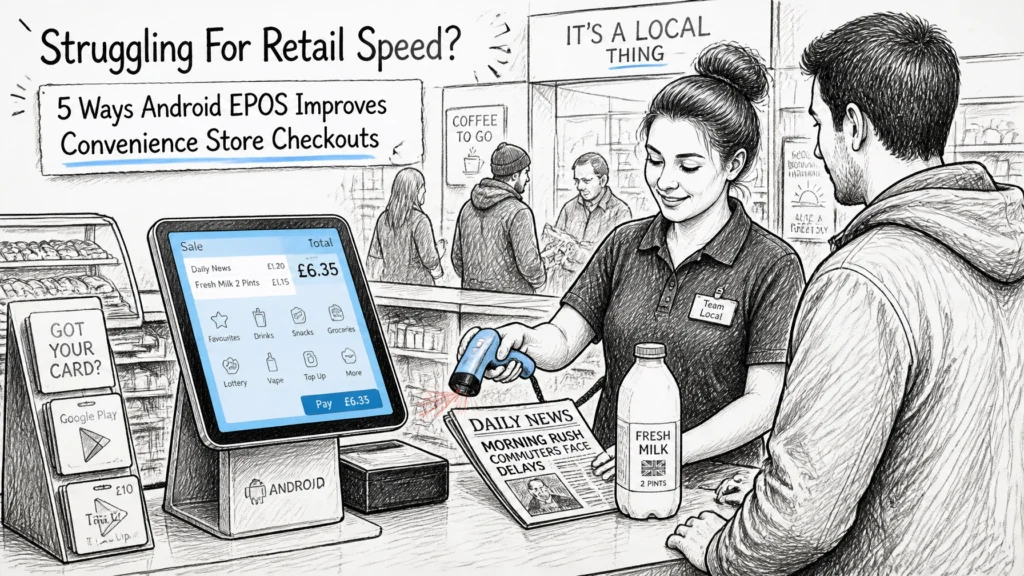
In the fast-paced world of UK independent retail, every second counts. Whether it is the frantic morning commute or the post-school rush, your convenience store lives and dies by its ability to process customers quickly. If your current till system feels sluggish, or if your staff are constantly battling manual processes, you aren't just losing time, you are losing revenue.
At YCR Distribution Limited, we have spent over 30 years helping retailers transition from "making do" to "scaling up." In 2026, the shift toward Android EPOS has moved from a trend to a necessity for the modern convenience store. In this guide, we will explore exactly how switching to an Android-based system can revolutionise your checkout speed and operational efficiency.
| Key Takeaway | Benefit for Retailers |
|---|---|
| Intuitive UI | Reduces staff training time and speeds up item lookup. |
| Queue Busting | Allows staff to take payments anywhere in the store using tablets. |
| Live Stock Sync | Automates inventory tracking, reducing manual counting and "out of stock" gaps. |
| Integrated Payments | Faster transaction processing with fewer errors at the terminal. |
| Cloud Reporting | Real-time visibility into sales and stock from any device, anywhere. |
Table of Contents
- The Android Advantage: Why Familiarity Equals Speed
- Queue Busting with Mobile Android Tablets
- Eliminating Manual Errors with Integrated Stock Management
- Frictionless Payments and Loyalty Integration
- Real-Time Reporting for Smarter Retail Management
- Find your ideal POS system with YCR
- Frequently Asked Questions
1. The Android Advantage: Why Familiarity Equals Speed
For decades, the point of sale industry was dominated by legacy Windows-based systems. While functional, these often felt clunky and required extensive training. Android EPOS changes the game by using an interface that almost everyone is already familiar with.
Because Android is the same operating system found on most smartphones, new staff members can often pick up the basics of the retail point of sale system in minutes, not hours. This is crucial for convenience stores that may have high staff turnover or rely on part-time workers during peak periods.
- Faster Item Lookup: Modern Android software like Samtouch allows for high-resolution button layouts and lightning-fast search features.
- Responsive Touchscreens: Unlike older resistive screens that require a firm press, modern Android POS terminals use capacitive touch, which is far more responsive and reduces the physical strain on staff during a long shift.
- App Ecosystem: Android allows for seamless updates and the integration of third-party apps for things like delivery services or cigarette gantry management.
Pro Tip: Choose a terminal with a high-resolution display. It makes it significantly easier for staff to distinguish between similar-looking products on the screen, reducing the chance of ringing up the wrong item.
2. Queue Busting with Mobile Android Tablets

Nothing drives a customer away faster than a queue that stretches to the back of the shop. In a convenience store, speed is the primary service you are selling. Android EPOS offers a level of mobility that traditional fixed tills simply cannot match.
By incorporating Android tablets into your setup, you can perform what we call "queue busting." During a busy rush, a second staff member can walk down the line with a handheld device, scan items, and even take payments before the customer even reaches the counter.
How it works in practice:
- Peak Period Flexibility: When the line grows, a staff member steps out from the stockroom, grabs a tablet, and starts processing "basket-only" customers.
- Reduced Abandonment: Customers are less likely to put their items back and walk out if they see the queue is being actively managed.
- Outdoor Service: If you have a forecourt or a small outside display (like plants or summer charcoal), staff can take the till to the customer, rather than forcing them back inside.
We recommend looking at our range of POS terminals that include mobile options to ensure you never lose a sale due to a long wait.
3. Eliminating Manual Errors with Integrated Stock Management

A common bottleneck in retail speed isn't just at the till, it is the time wasted looking for items or dealing with "out of stock" queries. An Android EPOS system linked to a cloud-based back office ensures your stock levels are accurate to the second.
Manual stocktaking is a chore that often leads to errors. With an integrated system, every time a barcode is scanned at the checkout, the inventory is updated automatically. This level of stock control is vital for high-volume convenience stores managing thousands of SKUs (Stock Keeping Units).
- Automated Reordering: Set "low stock" triggers so the system automatically alerts you when you are running low on milk, bread, or tobacco.
- Mobile Stock Checking: Use a handheld Android device to scan shelves. If the system says you have five units but you only see two, you can update it on the spot without walking back to a computer.
- Waste Tracking: Easily log damaged or expired goods, which is essential for maintaining margins in a grocery environment.
Pro Tip: Regularly use the mobile scanning feature for "gap checks." This ensures that your top-selling items are always on the shelf, ready for the next customer.
4. Frictionless Payments and Loyalty Integration
The final step of the transaction is often the one that takes the longest. Waiting for a card machine to connect or fumbling with paper loyalty cards can add 30–60 seconds to every sale. Over a hundred customers, that's over an hour of wasted time.
Android EPOS systems typically feature deep integration with payment providers like Dojo or Worldpay. This means the total is automatically pushed from the till to the card machine. There is no manual re-keying of the amount, which eliminates the risk of human error (like typing £1.00 instead of £10.00).
- Contactless & Mobile Wallets: Android systems are built for speed, processing Apple Pay and Google Pay transactions in a fraction of a second.
- Digital Loyalty: Instead of stamps, customers can scan a QR code on their phone. The Android POS applies the discount instantly, keeping the line moving.
- Digital Receipts: Offer to email or text a receipt. This not only saves on paper costs but also speeds up the physical handover at the counter.
For more on how efficiency impacts your business, see our article on why to use POS for catering efficiency.
5. Real-Time Reporting for Smarter Retail Management

Speed isn't just about the checkout; it's about how quickly you, as a business owner, can make decisions. Legacy systems often require you to run "end of day" reports to see how you performed. With a modern Android EPOS, you have a live dashboard in your pocket.
Whether you are at home, in the stockroom, or visiting a wholesaler, you can log in to your dashboard to see:
- Live Sales Data: Which till is the busiest right now?
- Staff Performance: Who is processing transactions the fastest?
- Hourly Trends: When do you need to schedule extra staff for the rush?
By identifying your peak hours, you can ensure you have enough staff on the floor to maintain checkout speed, and by seeing which products are trending, you can adjust your stock orders instantly.
Pro Tip: Use the "Best Sellers" report to decide on your "counter-top" promotions. If a specific snack is flying off the shelves, move it closer to the till to encourage impulse buys.
Find your ideal POS system with YCR
Selecting the right hardware is the first step toward a more efficient retail operation. At YCR Distribution Limited, we don't just sell boxes; we provide complete, bespoke solutions. From robust POS terminals to user-friendly Samtouch software, we have the tools to help your convenience store thrive in 2026.
If you are ready to upgrade your speed and streamline your stock control, browse our full range in our online shop or contact our expert team today for a tailored recommendation.
Frequently Asked Questions
Why is Android better than Windows for a convenience store?
Android EPOS is generally more cost-effective, faster to boot up, and offers a more intuitive interface similar to a smartphone. It also allows for easier mobility with tablets and handheld devices.
Can I use my existing barcode scanner with an Android till?
Most modern Android POS terminals use standard USB or Bluetooth connections, making them compatible with a wide range of barcode scanners. However, it is always best to check with our technical team to ensure full software compatibility.
Does Android EPOS work offline?
Yes, high-quality software like Samtouch is designed to work offline. You can continue to serve customers and scan items if your internet goes down; the data will simply sync back to the cloud once the connection is restored.
How does "queue busting" actually work?
Staff use a handheld Android tablet or a specialist mobile POS device to scan a customer's items while they are waiting in line. The staff member can then either take payment on the spot or "park" the sale so the customer just has to pay at the main counter without re-scanning everything.