
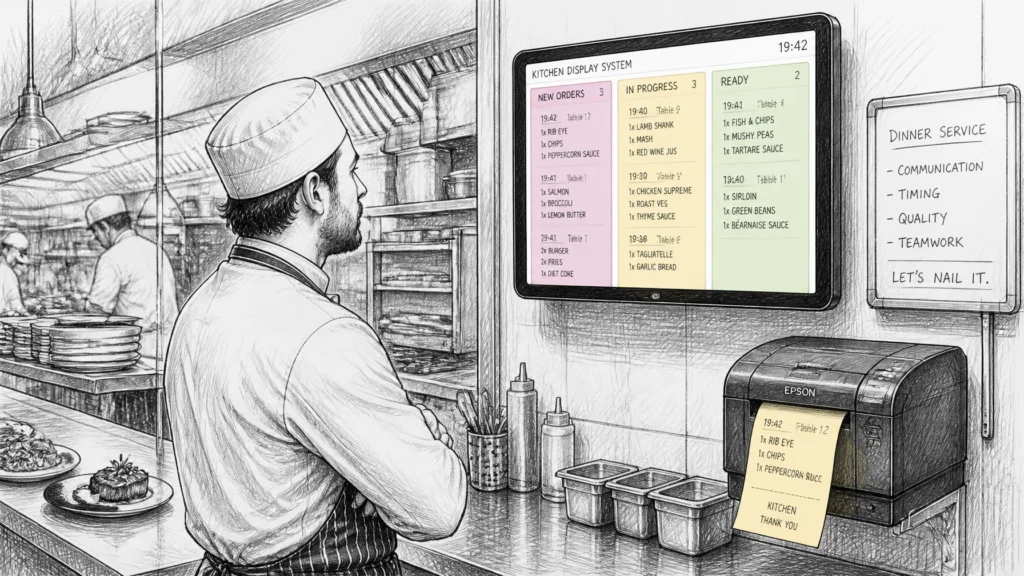
In the high-pressure environment of a professional UK kitchen, communication is the thin line between a successful service and a operational disaster. When orders are scribbled on scraps of paper or shouted across a noisy line, mistakes are inevitable. For resellers and hospitality business owners alike, implementing robust kitchen printing and order screen solutions is no longer a luxury: it is a fundamental requirement for maintaining accuracy and speed.
We understand that every second counts in a busy restaurant or takeaway. By bridging the gap between the front-of-house (FOH) and back-of-house (BOH) with reliable technology, businesses can significantly reduce food waste, improve customer satisfaction, and ensure that every dish served is exactly what the guest requested.
Table of Contents
- The Evolution of Order Management: From Paper to Pixels
- Key Takeaways: Efficiency at a Glance
- Why Kitchen Printers Remain a Hospitality Essential
- The Digital Advantage: Kitchen Display Systems (KDS)
- Samtouch: Seamless Integration for UK Venues
- Choosing the Right Hardware: Thermal vs. Impact
- Pro Tips for Eliminating Kitchen Mistakes
- Find your ideal POS system with YCR
- Frequently Asked Questions (FAQ)
- Recommended Reading
The Evolution of Order Management: From Paper to Pixels
Traditionally, UK hospitality relied on handwritten order pads. While charming in a small bistro, this method falls apart under the weight of modern consumer expectations. A misplaced slip or illegible handwriting leads to "remakes," which directly impact the bottom line.

Today, the integration of EPOS software like Samtouch has transformed how data flows through a venue. When a server enters an order on a POS terminal, that data is instantly transmitted to the kitchen. This direct communication eliminates the "middleman" error, ensuring that the kitchen receives the order the moment it is placed.
Key Takeaways: Efficiency at a Glance
| Feature | Benefit | Best For |
|---|---|---|
| Kitchen Printers | Robust, physical tickets that can be pinned to a rail. | Small-to-medium cafes, bars, and traditional restaurants. |
| KDS (Order Screens) | Real-time visibility, timers, and data reporting. | High-volume kitchens, QSRs, and multi-station venues. |
| Label Printing | Clear branding and itemisation for delivery bags. | Takeaways and dark kitchens using delivery apps. |
| Samtouch Integration | Unified system managing both BOH and FOH. | Any hospitality venue seeking a total POS solution. |
Why Kitchen Printers Remain a Hospitality Essential
Despite the rise of digital screens, the physical kitchen printer remains a staple in UK venues for several reasons. For many chefs, the tactile nature of a printed slip is vital. It serves as a "job card" that follows the dish through every station, from prep to pass.
Kitchen printers are particularly effective for:
- Station Routing: Automatically sending drinks orders to the bar and food orders to the grill.
- Duplicate Printing: Creating one copy for the chef and another for the server or customer.
- Legibility: Eliminating the ambiguity of "doctor's handwriting" on manual slips.
Research indicates that venues implementing automated kitchen printing can reduce order errors by up to 35%. When the kitchen receives a clear, printed list of items and modifiers (e.g., "No Onions" or "Gluten-Free"), the risk of serving an incorrect dish vanishes.
Pro Tip
If your kitchen is particularly hot or steamy, always opt for an impact printer rather than a thermal one. Impact printers use ink ribbons and plain paper, which won't turn black when exposed to high kitchen temperatures.
The Digital Advantage: Kitchen Display Systems (KDS)
For high-volume venues, a Kitchen Display System (KDS) offers a level of control that paper simply cannot match. A KDS replaces paper slips with large, high-definition touchscreens that display orders in real-time.

The primary advantages of a KDS include:
- Real-Time Status Updates: FOH staff can see exactly when a dish is "in prep" or "ready for service" without having to shout into the kitchen.
- Timer Alerts: Systems can colour-code orders based on how long they have been waiting, ensuring that no table is forgotten.
- Waste Reduction: Eliminating paper rolls and ribbons makes the operation more sustainable and reduces ongoing overhead costs.
- Course Management: Coordinating starters, mains, and desserts becomes much simpler with a digital queue.
By utilising Tablets as KDS units, even smaller cafes can enjoy these professional-grade features without a massive initial investment. This digital transition is a key part of why you should use POS for catering efficiency.
Samtouch: Seamless Integration for UK Venues
The effectiveness of your kitchen hardware is entirely dependent on the software driving it. Samtouch is designed specifically for the UK hospitality market, offering a user-friendly interface that simplifies complex order flows.
With Samtouch, we provide resellers with a solution that handles:
- Complex Modifiers: Easily add preferences or allergens to any order.
- Order Parking: Keep track of open tabs and send them to the kitchen only when ready.
- Cross-Platform Printing: Send orders from a fixed terminal or a mobile tablet directly to the kitchen.
Whether you are running a single-site coffee shop or a multi-unit restaurant group, having a unified software platform ensures that your retail point of sale data and kitchen operations are perfectly synchronised.
Choosing the Right Hardware: Thermal vs. Impact
Selecting the right hardware is a critical decision for any reseller. In our online shop, we stock a variety of industry-leading brands like Bixolon.

- Thermal Printers: Ideal for the front counter or bar. They are silent, fast, and don't require expensive ink ribbons. However, they are sensitive to heat.
- Impact (Matrix) Printers: The "workhorse" of the kitchen. These are louder, which can be an advantage in a noisy kitchen as it alerts staff to a new order. They are highly resistant to heat and grease.
Pro Tip
Always recommend a "buzzer" or "alarm" attachment for kitchen printers. This ensures the staff hears the order arrival even during the busiest Friday night rush.
Pro Tips for Eliminating Kitchen Mistakes
- Standardise Modifiers: Use a consistent set of "Special Instructions" in your EPOS to avoid confusion. Instead of free-typing, use pre-set buttons for common requests like "Extra Spicy" or "No Dairy."
- Use Labels for Takeaways: If you offer delivery, a label printer is superior to a standard receipt. Labels stick to the packaging, ensuring that the right bag goes to the right driver every time.
- Regular Maintenance: Keep your pos-terminals and printers clean. In a kitchen environment, grease buildup is the number one cause of hardware failure.
- Network Reliability: Ensure your kitchen printers are connected via hardwired Ethernet rather than Wi-Fi whenever possible. A drop in signal can lead to lost tickets and angry customers.

Find your ideal POS system with YCR
At YCR Distribution, we have over 30 years of experience providing bespoke POS solutions to the UK hospitality industry. We don't just sell hardware; we provide total solutions that include industry-leading software like Samtouch and a full range of peripherals.
If you are a reseller looking for the best value and reliable support, or a business owner aiming to eliminate kitchen mistakes, we are here to help. Explore our full range of POS terminals and retail point of sale equipment today.
Frequently Asked Questions (FAQ)
Can I use both a printer and a kitchen screen at the same time?
Yes. Many UK venues use a KDS for the chefs to track order times and a printer for the "pass" or for takeaway bagging. Our systems support simultaneous output to multiple devices.
Is Samtouch suitable for small takeaways?
Absolutely. Samtouch is highly scalable. It is just as effective in a small fish and chip shop as it is in a large, multi-course restaurant. It offers specific features for takeaway management and delivery integration.
What happens if the kitchen printer runs out of paper?
Modern printers like the Bixolon models we supply have "paper out" sensors. Your EPOS system will typically alert the front-of-house staff that the ticket failed to print, allowing them to replace the roll and resend the order.
Do I need a special screen for a KDS?
While a standard tablet can work, we recommend industrial-grade touchscreens for kitchen environments. These are built to withstand heat, steam, and the occasional splash of oil, ensuring a longer lifespan for your investment.