
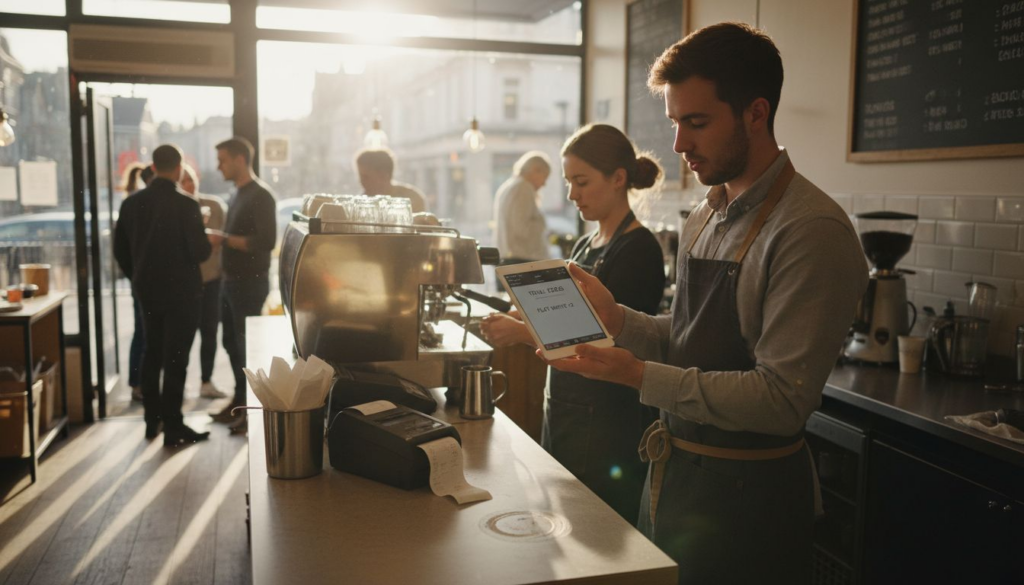
Choosing a new mobile point of sale system can feel daunting for any restaurant or café owner in the United Kingdom who is not confident with technology. But the right solution transforms daily operations, reduces mistakes, and creates a better experience for every customer. This guide will help you focus on the key features that support food service success and break down practical steps so you can pick and install a POS system with confidence, no technical jargon required.
Table of Contents
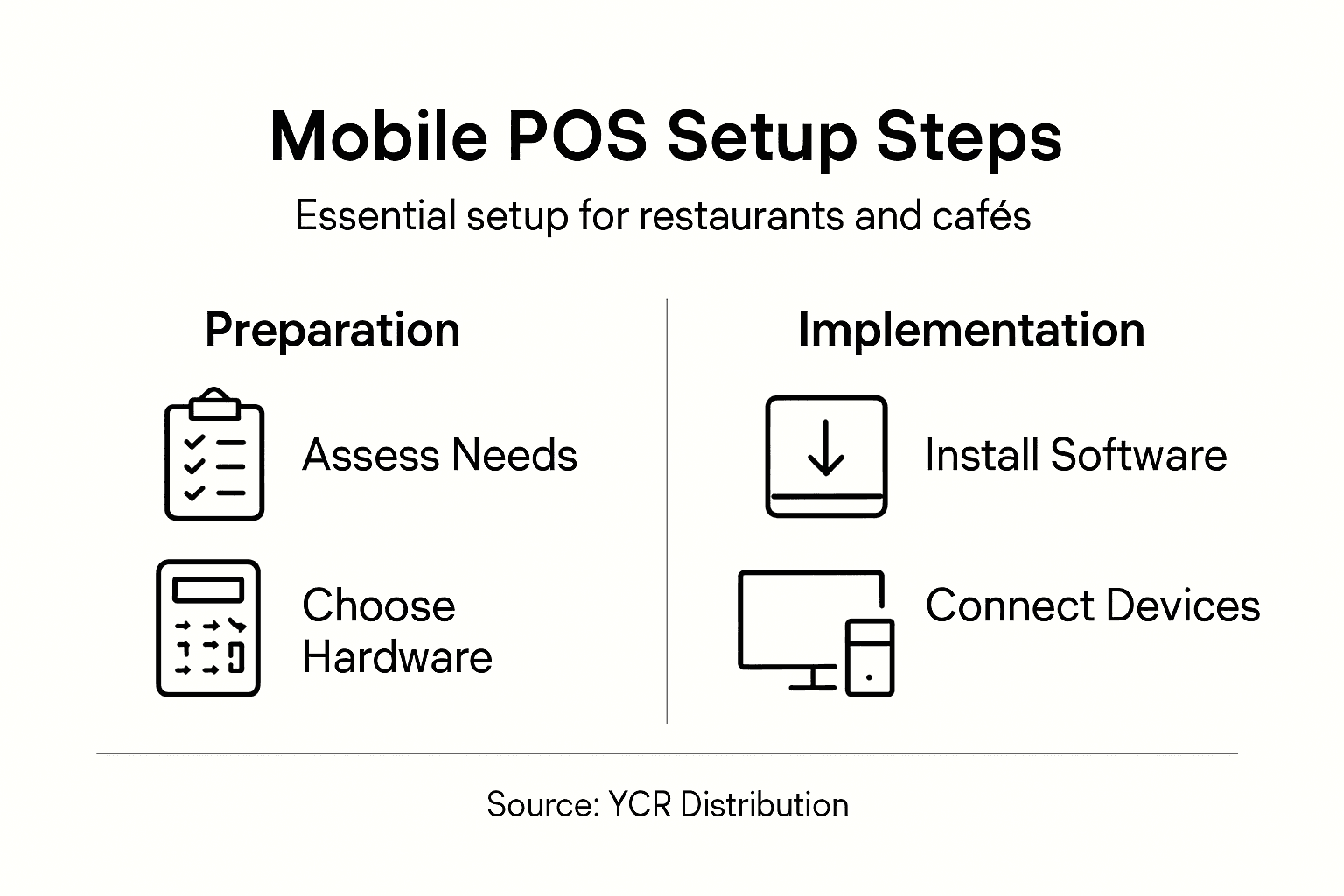
- Step 1: Assess Requirements And Choose The Right Mobile Pos Solution
- Step 2: Gather Essential Hardware And Prepare Your Site
- Step 3: Install Pos Software And Configure System Settings
- Step 4: Integrate Payment Methods And Connect Devices
- Step 5: Test System Functionality And Train Your Team
Quick Summary
| Key Insight | Explanation |
|---|---|
| 1. Evaluate Essential Features | Focus on payment processing, inventory management, and reporting capabilities to enhance efficiency. |
| 2. Optimize Hardware Setup | Select lightweight devices and position them strategically to facilitate smooth operations and staff movement. |
| 3. Test All Functionality | Conduct thorough testing for payments, order management, and device connectivity before going live. |
| 4. Provide Comprehensive Training | Use hands-on sessions and documentation to ensure staff are confident using the new POS system. |
| 5. Integrate Diverse Payment Options | Offer various payment methods and ensure seamless connectivity for a better customer experience. |
Step 1: Assess Requirements and Choose the Right Mobile POS Solution
Selecting the ideal mobile point of sale (POS) solution for your restaurant or café requires careful assessment of your specific operational needs and technological capabilities. This crucial step ensures you invest in a system that genuinely enhances your business efficiency.
To begin, you’ll want to evaluate key functionalities that directly impact your restaurant’s performance. Comprehensive POS system analysis reveals several critical considerations for food service businesses:
- Payment Processing: Ability to accept multiple payment methods
- Inventory Management: Real-time stock tracking and alerts
- Order Management: Seamless communication between front-of-house and kitchen systems
- Reporting Capabilities: Detailed sales and performance analytics
- Customer Management: Features for loyalty programmes and customer data tracking
When choosing your mobile POS, prioritise solutions that offer scalability and intuitive design. Consider systems that integrate smoothly with your existing workflows and provide robust support for hospitality-specific requirements. Restaurant technology has evolved to offer specialised tools that can transform operational efficiency.
Here is a quick overview of how key mobile POS features impact your restaurant’s operations:
| Mobile POS Feature | Business Benefit | Implementation Challenge |
|---|---|---|
| Payment versatility | Faster transactions, happier guests | Staff training on new methods |
| Real-time stock tracking | Reduces waste and shortages | Accurate initial data input |
| Integrated order management | Fewer kitchen errors | Device network reliability |
| Detailed performance analytics | Data-driven decision-making | Consistency of data entry |
| Customer loyalty programmes | Improves repeat custom | GDPR compliance awareness |
Selecting the right mobile POS is not just about technology – it’s about finding a solution that understands the unique rhythm of your restaurant or café.
Practical Considerations for your selection process include:
- Assess your current technological infrastructure
- Determine budget constraints
- Evaluate ease of staff training
- Check compatibility with existing hardware
- Review customer support options
Pro tip: Request live demonstrations from potential POS providers to truly understand how their system might function within your specific restaurant environment.
Step 2: Gather Essential Hardware and Prepare Your Site
Preparing your restaurant or café for a mobile point of sale (POS) system involves selecting appropriate hardware and strategically positioning your equipment to maximise efficiency. This critical step ensures your technology supports, rather than hinders, your daily operations.
Essential hardware selection requires careful consideration of your specific restaurant environment. You’ll need to collect several key components:
- Tablets or Handheld Devices: Lightweight, touchscreen models for mobile ordering
- Receipt Printer: Compact, reliable thermal printer for order tickets
- Cash Drawer: Secure storage for cash transactions
- Card Reader: Bluetooth-enabled for wireless payment processing
- Mounting Solutions: Stands or wall brackets for stationary terminals
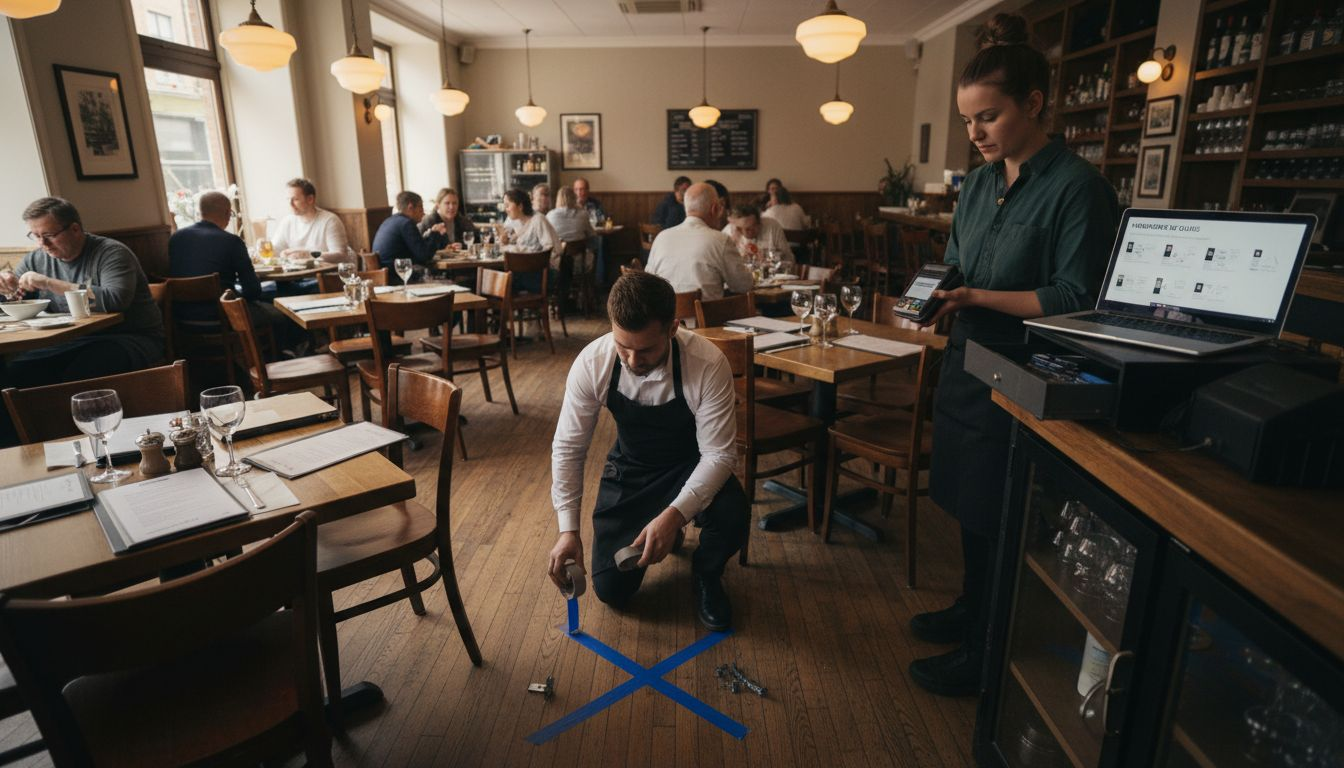
When setting up your site, focus on creating an efficient workflow that minimises staff movement and maximises customer service speed. Restaurant area preparation emphasises strategic placement of hardware to support seamless operations.
This table summarises how common POS hardware options suit various restaurant environments:
| Hardware Type | Best For | Space Requirement | Scalability Potential |
|---|---|---|---|
| Tablets | High-volume counters | Minimal tabletop space | Add units as needed |
| Compact printers | Quick service outlets | Small area behind till | Easy device upgrades |
| Card readers | Cafés and bistros | Portable, flexible | Supports new payment methods |
| Secure cash drawer | Full-service restaurants | Under counter storage | Integrates with most systems |
Your hardware setup should feel like an invisible extension of your team – present but never intrusive.
Hardware Placement Considerations:
- Position terminals within easy staff reach
- Ensure clear sight lines between order points
- Maintain sufficient workspace around equipment
- Plan for electrical and network connectivity
- Allow flexibility for future technology upgrades
Pro tip: Conduct a physical walkthrough of your space, marking potential hardware locations with temporary tape to visualise workflow before permanent installation.
Step 3: Install POS Software and Configure System Settings
Installing your mobile point of sale (POS) software and configuring system settings is a critical step that transforms your hardware into a powerful business management tool. This process will set the foundation for your restaurant’s technological infrastructure, enabling smoother operations and more efficient customer service.
Begin by understanding POS software fundamentals and following the manufacturer’s installation instructions precisely. Most modern POS systems offer straightforward, user-friendly setup processes designed for hospitality businesses with minimal technical expertise.
Key Configuration Steps:
- Create your primary admin account
- Configure restaurant-specific settings
- Set up employee access levels
- Customise menu and pricing structures
- Connect peripheral devices
Important Software Configuration Elements:
- User Permissions: Define access levels for different staff roles
- Payment Processing: Connect and test payment gateway
- Menu Management: Input menu items with precise pricing
- Tax Settings: Configure appropriate tax rates
- Reporting Preferences: Set up automated reporting features
Successful POS software implementation is about creating a system that works for you, not making your team work for the system.
During configuration, take time to explore each settings menu thoroughly. Most modern POS platforms offer intuitive interfaces, but careful attention to detail ensures a smoother operational experience.
Pro tip: Always create a test transaction to verify each system setting works correctly before going live with your new POS configuration.
Step 4: Integrate Payment Methods and Connect Devices
Seamlessly integrating payment methods and connecting devices is crucial for creating a smooth, efficient mobile point of sale (POS) system in your restaurant or café. This step transforms your technical setup into a fully functional payment ecosystem that supports multiple transaction types and enhances customer experience.
Modern payment integration strategies enable restaurants to accept diverse payment options with minimal complexity. Your goal is to create a flexible system that accommodates various customer preferences while maintaining robust security standards.
Payment Method Integration Checklist:
- Credit/Debit Cards: Enable chip, swipe, and contactless payments
- Digital Wallets: Support Apple Pay, Google Pay, and Samsung Pay
- Contactless NFC Payments: Set up tap-to-pay functionality
- Mobile Payment Apps: Integrate popular restaurant payment platforms
- Cash Handling: Configure cash drawer and receipt printing
Device Connection Steps:
- Verify device compatibility with POS software
- Connect card readers and payment terminals
- Test Bluetooth and Wi-Fi connections
- Configure peripheral device settings
- Perform test transactions with each payment method
Your payment system should feel invisible to customers – simple, fast, and secure.
Understanding contactless payment technologies allows you to offer customers multiple convenient transaction methods. Many modern smartphone POS systems can transform your existing devices into full-featured payment terminals with minimal additional hardware.
Pro tip: Always conduct multiple test transactions using different payment methods to ensure complete system reliability before launching your new mobile POS configuration.
Step 5: Test System Functionality and Train Your Team
Testing your new mobile point of sale (POS) system thoroughly and training your team effectively are critical final steps in ensuring smooth restaurant operations. These stages transform your technical setup from a mere installation into a fully functional business tool that enhances efficiency and customer service.
Comprehensive system testing involves methodically evaluating every aspect of your new POS platform to identify and resolve potential issues before they impact your daily operations. Your goal is to create a robust, reliable system that supports rather than complicates your restaurant’s workflow.
System Functionality Testing Checklist:
- Transaction Processing: Test all payment methods
- Order Management: Verify menu item entry and modification
- Reporting: Generate sample sales and inventory reports
- Peripheral Connectivity: Check printer, cash drawer, and card reader links
- User Permissions: Test different staff access levels
Staff Training Approach:
- Conduct hands-on training sessions
- Create user-friendly training documentation
- Demonstrate real-world transaction scenarios
- Provide individual practice time
- Establish ongoing support mechanism
Effective training transforms technology from a potential obstacle into a powerful business ally.
Implement interactive training methods that allow staff to learn by doing, ensuring they feel confident and comfortable with the new system. Consider creating short video tutorials or hosting live demonstration sessions that break down complex processes into manageable steps.
Pro tip: Designate two or three tech-savvy staff members as internal POS system champions who can provide peer support and quickly troubleshoot minor issues.
Elevate Your Restaurant’s Efficiency with Tailored Mobile POS Solutions
Setting up a mobile POS system for your restaurant or café presents key challenges such as selecting the right hardware, integrating seamless payment methods, and ensuring your staff is fully trained on the new technology. You want a solution that goes beyond basic functionality to truly transform your daily operations through real-time order management, flexible payment options, and detailed reporting. The pain of inefficient workflows or unreliable connectivity can be overcome by choosing a POS system designed specifically for hospitality needs.
At YCR Distribution, we understand these demands and offer a comprehensive suite of mobile POS hardware and software solutions, including industry-leading SAM4S terminals and bespoke software platforms like SAMTOUCH and EZEEPOS. Our products empower you to streamline order processing, accept multiple payment types with ease, and gain valuable sales insights—all supported by next-day delivery and responsive customer service. Discover how to build a dependable, scalable POS system that supports your unique business rhythm by visiting YCR Distribution.

Ready to move from setup frustrations to smooth, efficient daily operations? Explore our full range of POS hardware and software, tailored specifically for restaurants and cafés, and take advantage of expert advice and rapid delivery. Get started today at YCR Distribution and bring your mobile POS vision to life with confidence.
Frequently Asked Questions
How do I assess the requirements for a mobile POS for my restaurant?
To assess your requirements, evaluate key functionalities like payment processing, inventory management, and order management that directly influence operations. List your specific needs and prioritise systems that align with your restaurant’s workflow to ensure efficiency.
What essential hardware do I need for a mobile POS system?
You will need tablets or handheld devices, a receipt printer, a cash drawer, a card reader, and mounting solutions, among others. Gather these components and focus on an efficient hardware layout within your restaurant for optimal workflow.
What are the steps to install and configure my mobile POS software?
Begin by creating your primary admin account, then configure restaurant-specific settings such as menu items and employee access levels. Follow the software installation instructions closely and ensure to test each configuration with a trial transaction.
How can I effectively train my staff to use the new mobile POS system?
Conduct hands-on training sessions where staff practice real-world scenarios with the system. Create user-friendly documentation and designate tech-savvy staff members as internal champions to assist others post-training.
What should I do if I encounter issues after setting up my mobile POS system?
If you encounter issues, troubleshoot by checking peripheral connections and reviewing user permissions. Document problems and encourage staff to report them immediately so you can troubleshoot effectively and maintain a smooth operation.
How can I ensure the security of payments processed through my mobile POS?
To ensure payment security, integrate secure payment methods and regularly test transactions. Regularly update your system settings and maintain awareness of security best practices to protect customer data.