
TL;DR:
- Barcode scanning improves accuracy, speeds up checkouts, and reduces manual errors.
- Proper label quality, scanner compatibility, and staff training are essential to prevent failures.
- Ongoing monitoring and process discipline maximize scanning reliability and operational efficiency.
A barcode scan fails at the till during a busy Friday evening rush. The queue grows, the customer looks impatient, and your staff are frantically keying in prices by hand. Sound familiar? For many UK retail and hospitality owners, barcode scanning is treated as a given, a background process that simply works. Yet the reality is far more nuanced. Scanning failures, poor label quality, and mismatched hardware quietly erode efficiency, revenue, and customer trust every single day. This guide breaks down how barcode scanning actually works, where it goes wrong, and exactly what you can do to get it right across your operation.
Table of Contents
- What is barcode scanning and how does it work?
- The business value of barcode scanning
- Common barcode scanning mistakes and how to avoid them
- Implementing barcode scanning in UK retail and hospitality
- The overlooked truth about barcode scanning in high-pressure environments
- Upgrade your operations with reliable barcode scanning
- Frequently asked questions
Key Takeaways
| Point | Details |
|---|---|
| Barcode scanning boosts accuracy | Scanning barcodes significantly reduces pricing and inventory errors in retail and hospitality. |
| Benefits go beyond speed | Well-implemented scanning can cut waste and boost customer satisfaction, as UK case studies show. |
| Pitfalls can derail gains | The biggest losses come from overlooked scanning basics like label quality and equipment care. |
| Success demands ongoing management | Regular hardware checks, training, and data monitoring ensure barcode scanning delivers consistent results. |
What is barcode scanning and how does it work?
At its core, barcode scanning is the process of using a light source and sensor to read a printed pattern of lines or dots, then converting that pattern into usable data. That data typically links to a product record in your point of sale or inventory system. As retail technology examples show, the technology sits at the heart of modern commerce, connecting physical products to digital records in a fraction of a second.
There are two main families of barcodes you will encounter in UK retail and hospitality. 1D barcodes (linear barcodes) store data in a series of parallel lines and spaces. The EAN-13, the standard you see on most UK supermarket products, is a classic example. 2D barcodes store data both horizontally and vertically, meaning they can hold significantly more information. QR codes are the most recognisable 2D format and are increasingly used for digital menus, loyalty programmes, and promotions in hospitality settings.
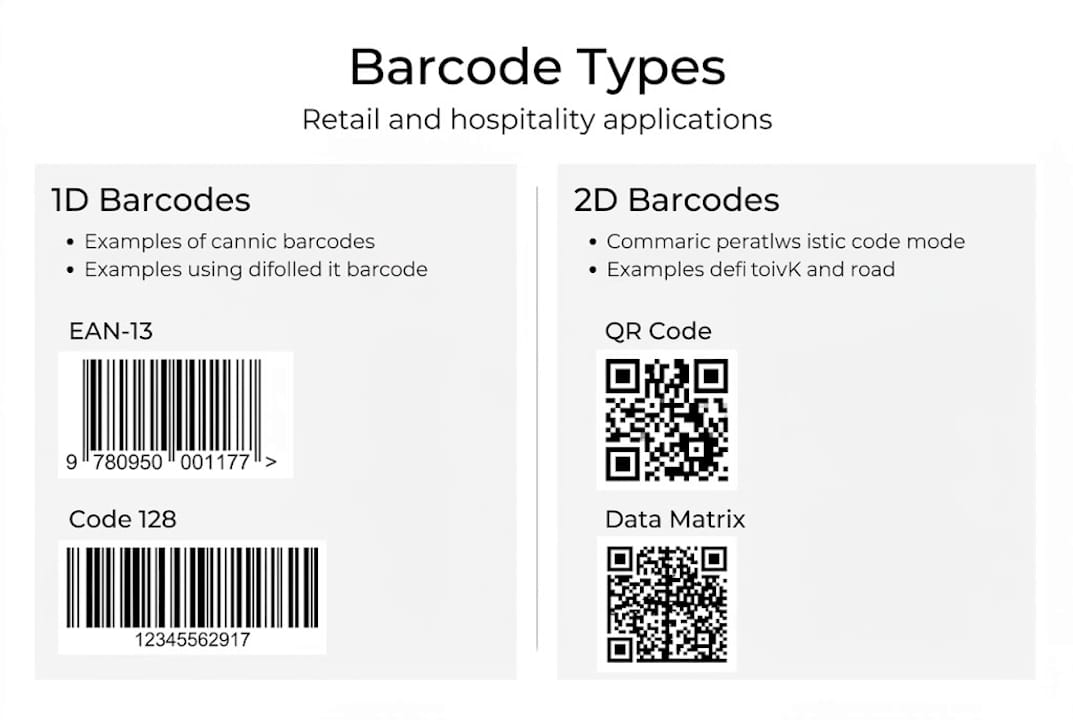
| Barcode type | Format | Data capacity | Typical use case |
|---|---|---|---|
| EAN-13 (1D) | Linear lines | Up to 13 digits | Retail product identification |
| Code 128 (1D) | Linear lines | Variable alphanumeric | Logistics, warehousing |
| QR code (2D) | Matrix dots | Up to 7,089 characters | Menus, loyalty, promotions |
| DataMatrix (2D) | Matrix dots | Up to 2,335 characters | Healthcare, small item labelling |
When a scanner reads a barcode, it emits a light beam (laser or LED), captures the reflected pattern, and sends that signal to a decoder. The decoder translates the pattern into a string of characters, which is then passed to your POS or inventory software. The whole process takes milliseconds. The scanner type matters too. Handheld scanners suit mobile stock checks, counter-mounted scanners work well at fixed checkout points, and integrated POS hardware examples combine scanning directly into the terminal for a cleaner setup.
Key components working together in every scan:
- Light source: Laser, LED, or imager
- Sensor/detector: Captures reflected light
- Decoder: Converts signal to readable data
- Interface: Passes data to POS or inventory system
- Label: The printed barcode itself, which must meet print quality standards
Barcode scanning in UK retail and hospitality streamlines routine operations and provides real-time data, making it foundational rather than optional for any serious business.
The business value of barcode scanning
Understanding the basics is only half the story. Next, discover why barcode scanning matters for your day-to-day operations.
The most immediate benefit is accuracy. Every time a member of staff keys in a price or product code manually, there is a risk of error. Barcode scanning removes that risk almost entirely. In a busy café or convenience store, even a small reduction in keying errors translates directly into fewer refunds, fewer stock discrepancies, and cleaner end-of-day reports.
The numbers from real-world deployments are striking. NorgesGruppen reduced food waste by 18% in a pilot and 44% overall after switching to 2D barcodes that carry expiry date data. That kind of reduction is not just good for the environment. It directly protects your margins. For a UK takeaway or grocery retailer, food waste is one of the most controllable cost lines, and barcode scanning gives you the visibility to act on it.
“Barcode scanning gave us real-time visibility over stock expiry, turning a chronic waste problem into a manageable process.”
The customer experience benefits are equally compelling. Opticon’s barcode technology delivered a 20% logistics cost reduction, an 80% rise in customer satisfaction, and a 25% saving in access control time. Faster checkouts, fewer pricing disputes, and accurate loyalty point tracking all contribute to a smoother customer journey.
Want to boost retail efficiency with a clear return on investment? Here are the top ways barcode scanning pays back:
- Reduced checkout time: Scans are faster than manual entry, cutting queue lengths.
- Lower labour costs: Staff spend less time on data entry and stock reconciliation.
- Fewer pricing errors: Correct prices are pulled automatically from your system.
- Better stock control: Real-time inventory updates reduce over-ordering and waste.
- Improved compliance: 2D barcodes can carry allergen and expiry data, supporting food safety regulations.
- Faster supplier receiving: Scanning incoming deliveries speeds up goods-in processes considerably.
Common barcode scanning mistakes and how to avoid them
With benefits established, it is crucial to address where barcode scanning efforts most often unravel and how to prevent it.
Most scanning failures are not hardware problems. They are process problems. Common scanning failures include ink spread, smudges, low contrast, and incorrect hardware selection. These are entirely preventable with the right habits in place.
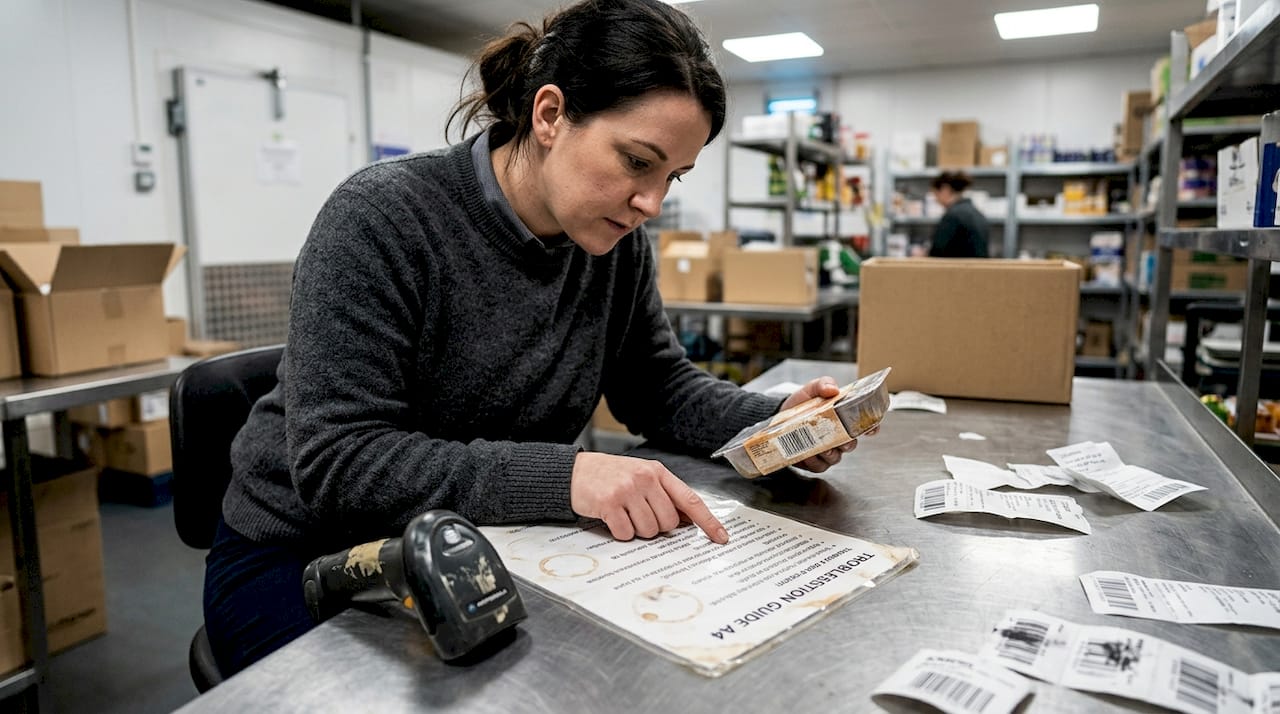
| Scenario | Failure mode | Outcome |
|---|---|---|
| Faded label on chilled product | Low contrast, scanner cannot read | Manual entry, queue delay |
| Wrong scanner for 2D QR code | Hardware incompatibility | Failed scan, customer frustration |
| No quiet zone around barcode | Decoder confusion | Misread or no read |
| Dirty scanner glass | Obstructed light path | Intermittent scanning failures |
| Label printed at wrong size | Bars too narrow to resolve | Consistent scan failures |
The quiet zone is one of the most overlooked elements. This is the blank margin surrounding a barcode. Without it, the decoder cannot identify where the barcode starts and ends, leading to misreads. Many businesses print labels at maximum size to save space, inadvertently removing the quiet zone in the process.
Common mistakes to watch for across your team:
- Printing barcodes on glossy surfaces that cause light scatter
- Using low-resolution printers that blur fine bar edges
- Applying labels over curved or textured packaging
- Selecting a 1D scanner when 2D codes are in use
- Neglecting regular cleaning of scanner windows
Pro Tip: Clean scanner windows weekly with a lint-free cloth. A thin film of grease or dust can reduce read rates by up to 30%, and staff rarely notice until failures become frequent.
For scanning device best practice, always verify that your scanner’s symbology settings match the barcodes you are using. A scanner configured for EAN only will fail silently on QR codes, which is a surprisingly common issue in businesses that have added digital loyalty or menu features without updating their hardware profile.
Implementing barcode scanning in UK retail and hospitality
Knowing what to avoid is only half the equation. Here is a strategic approach to successful barcode scanning adoption.
Choosing the right scanner starts with understanding your environment. A busy restaurant with dim lighting needs a different device than a bright retail stockroom. Volume matters too. High-throughput checkouts benefit from hands-free, counter-mounted scanners, while stock management teams need robust handheld devices that can survive drops and temperature changes.
Follow these steps for a structured implementation:
- Assess your needs: Map every point where scanning occurs, from goods-in to checkout to returns.
- Choose compatible hardware: Confirm your scanner supports all barcode types in use, including any 2D formats.
- Design labels to GS1 standards: GS1 standards for UK interoperability ensure your barcodes are readable across the supply chain, not just in your own store.
- Test before going live: Scan every label type across every scanner model in your setup. Do not assume compatibility.
- Train your staff: Teach correct scanning technique, what to do when a scan fails, and how to report recurring issues.
- Set up monitoring: Track scan failure rates as a KPI. A rising failure rate is an early warning sign of label or hardware degradation.
Pro Tip: Integrate your barcode scanner options directly with your POS and inventory software from day one. Standalone scanning without system integration creates data silos and defeats much of the efficiency gain.
Ongoing management is where many businesses fall short. Schedule quarterly hardware cleaning, review label print quality regularly, and update scanner firmware when manufacturers release it. These small habits protect your investment and keep scan rates high.
The overlooked truth about barcode scanning in high-pressure environments
Most vendor guides and product brochures present barcode scanning as a plug-and-play solution. Buy the scanner, print the labels, and efficiency follows automatically. In our experience working with UK retail and hospitality businesses, that assumption causes real and recurring losses.
The truth is that barcode scanning is an operational discipline, not a one-off installation. Label quality degrades. Hardware gets dirty. Staff develop workarounds when scans fail, and those workarounds introduce exactly the errors that scanning was supposed to eliminate. Worse, these failures are often invisible in your reporting until the cumulative damage shows up as stock discrepancies or customer complaints.
Businesses that treat scanning as a living process, monitoring failure rates, refreshing labels, and training new staff properly, consistently outperform those that set it up and forget it. The technology is reliable. The human and process layer around it is where vigilance pays off. If your scan failure rate is above 2%, something in your process needs attention, and the cost of ignoring it compounds quietly every single day.
Upgrade your operations with reliable barcode scanning
If you are ready to put these principles into action, the right hardware and support make all the difference.

At YCR Distribution, we supply a carefully selected range of barcode scanner hardware suited to retail and hospitality environments across the UK. Whether you need a counter-mounted scanner for a busy checkout, a rugged handheld for stockroom use, or a fully integrated POS setup, our retail and hospitality hardware range covers every scenario. Not sure where to start? Our POS hardware terminology guide helps you cut through the jargon and make confident purchasing decisions. Get in touch with our team for tailored advice and next-day delivery on stocked items.
Frequently asked questions
How do barcodes reduce errors at checkout?
Barcodes ensure the correct item and price are entered automatically, minimising manual keying mistakes and speeding up the checkout process considerably.
What should I do if barcodes refuse to scan reliably?
Check for label damage, clean the scanner window, and confirm that quiet zones are intact. Also verify that your scanner supports the correct symbology, as quiet zone errors and wrong symbology are among the most frequent causes of persistent scan failures.
Which barcode types are most used in UK retail and hospitality?
1D barcodes such as EAN-13 remain standard for retail product identification, while 2D QR codes are increasingly used for digital menus, loyalty schemes, and promotional campaigns in hospitality.
How can barcode scanning help cut operational costs?
Barcode scanning automates data entry and stock tracking, directly reducing labour costs and food waste while improving the accuracy of your inventory records.
Recommended
- 7 Essential Examples of POS Hardware for Retail Success
- POS peripherals explained: boost retail and hospitality efficiency
- 6 Practical Examples of Retail Technology for Shop Success
- Why use barcode scanners to boost retail efficiency
- Qué es una carta digital de restaurante y sus ventajas 2026 – Urban Burger & Bar