
TL;DR:
- Self-service POS systems reduce queues by up to 75% and increase order values by 30%.
- They consist of customer touchscreens, integrated payment terminals, scanners, and backend software for seamless operation.
- Implementation offers quick ROI, lower staffing needs, improved accuracy, and enhanced customer experience.
Self-service POS systems are quietly transforming UK retail and hospitality, yet many independent business owners still think they’re a luxury reserved for large chains. The truth is far more striking. Queue times drop by up to 75% and average order values rise by 30% when self-service is implemented well. Whether you run a busy café in Manchester or a convenience shop in Bristol, understanding this technology could be the single most impactful operational change you make this year. This article covers what self-service POS actually is, how it works, what it costs, and how to adopt it without disrupting your current setup.
Table of Contents
- What is a self-service POS system?
- Core features and how they work
- Costs, ROI and business impact in the UK
- Key benefits for retail and hospitality
- How to get started with self-service POS
- Our perspective: Why the shift to self-service POS is just beginning
- Explore next steps with self-service POS
- Frequently asked questions
Key Takeaways
| Point | Details |
|---|---|
| Saves time and reduces queues | Self-service POS can cut waiting times by up to 75%, keeping customers satisfied. |
| Drives higher sales | Businesses report a 20-30% rise in average order value with self-service kiosks. |
| Rapid ROI | Most UK independents see payback on investment within 5–12 months. |
| Easy integration | Modern self-service POS integrates seamlessly with existing POS and back office systems. |
What is a self-service POS system?
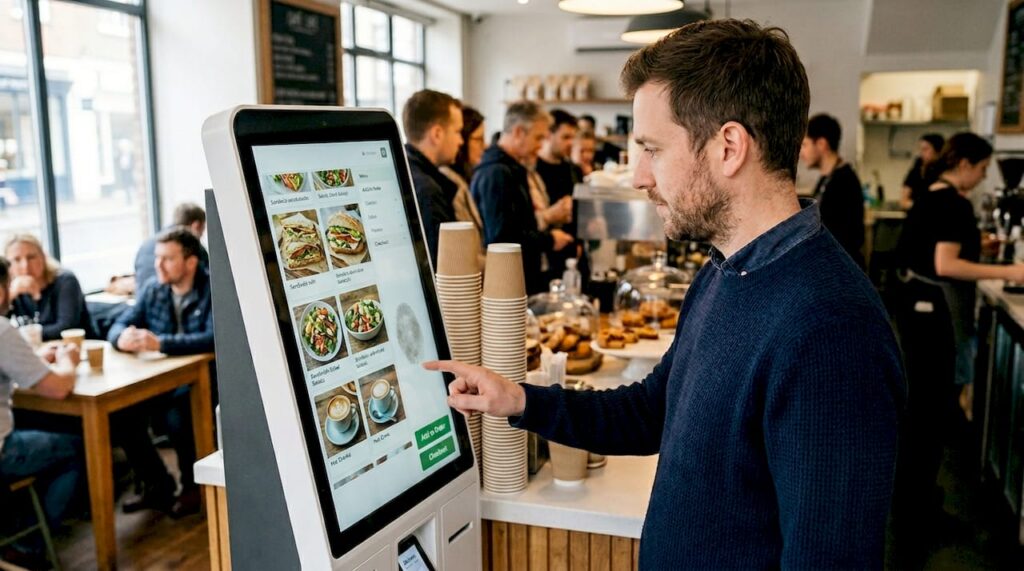
A self-service POS (point of sale) system is a customer-operated station that allows shoppers or diners to browse, select, and pay for items without needing to interact with a member of staff. Think of the ordering kiosks in fast-food restaurants or the scan-and-go terminals appearing in supermarkets. These are no longer niche tools. Interactive touchscreen kiosks that let customers browse, order, and pay independently are now accessible to businesses of all sizes.
A modern self-service POS system typically comprises three layers working together:
- Touchscreen display: The customer-facing screen where products or menu items are presented clearly.
- Payment terminal: Integrated card readers supporting chip and PIN, contactless, and mobile payments such as Apple Pay or Google Pay.
- Barcode or QR scanner: Used in retail environments for scan-and-go shopping.
- Printer or digital receipt option: Produces either a paper receipt or sends a digital confirmation via email or SMS.
- Backend software: Connects everything to your inventory, reporting, and kitchen management systems.
The typical workflow is straightforward. A customer approaches the kiosk, browses the menu or product catalogue on screen, adds items to their order or basket, customises where needed, selects a payment method, and completes the transaction independently. Staff are notified in the background, and the order feeds directly into your kitchen display or stockroom system.
Understanding the retail POS benefits of this workflow helps clarify why adoption is growing rapidly, even among smaller independents. The self-ordering kiosk advantages are not theoretical. They show up immediately in queue length, average spend, and order accuracy.
| Component | Function | Common formats |
|---|---|---|
| Touchscreen display | Customer browses and selects | Countertop, freestanding kiosk |
| Payment terminal | Secure card and contactless payment | Integrated or separate |
| Scanner | Item or QR code reading | Handheld or fixed mount |
| Backend software | Syncs orders, stock, and reports | Cloud or on-premise |
Pro Tip: Before purchasing hardware, confirm it integrates natively with your existing POS software. Compatibility issues are the number one cause of costly delays during installation.
Core features and how they work
With the basics covered, it’s important to understand what your self-service POS system can actually do and how these features work together in real time.
A well-configured self-service POS does far more than just take payment. Here is how the process flows from a customer’s first tap to your team completing the order:
- Item selection: The customer browses a visual menu or product display. In a café, this means photos and descriptions of drinks and food. In a retail setting, it might be product categories with pricing and stock availability shown live.
- Order customisation: Customers adjust their choices, such as removing allergens, selecting sizes, or adding extras. This reduces miscommunication between customer and staff significantly.
- Payment processing: The integrated terminal handles card, contactless, and mobile payments securely. No cash handling means fewer errors and faster throughput.
- Order routing: The confirmed order fires directly to your kitchen display system or stockroom, with no manual input from staff required.
- Receipt and notification: The customer receives a printed or digital receipt. In hospitality, they may receive a buzzer or SMS notification when their order is ready.
The real power lies in backend integration with inventory, kitchen, and reporting systems. Every sale updates stock levels automatically, triggers kitchen workflows, and feeds your end-of-day reports without any additional effort.
“When we moved to self-service kiosks, our lunchtime queue dropped from 15 minutes to under four. The kitchen actually had clearer orders because there was no miscommunication from the till.” — Independent café operator, Leeds.
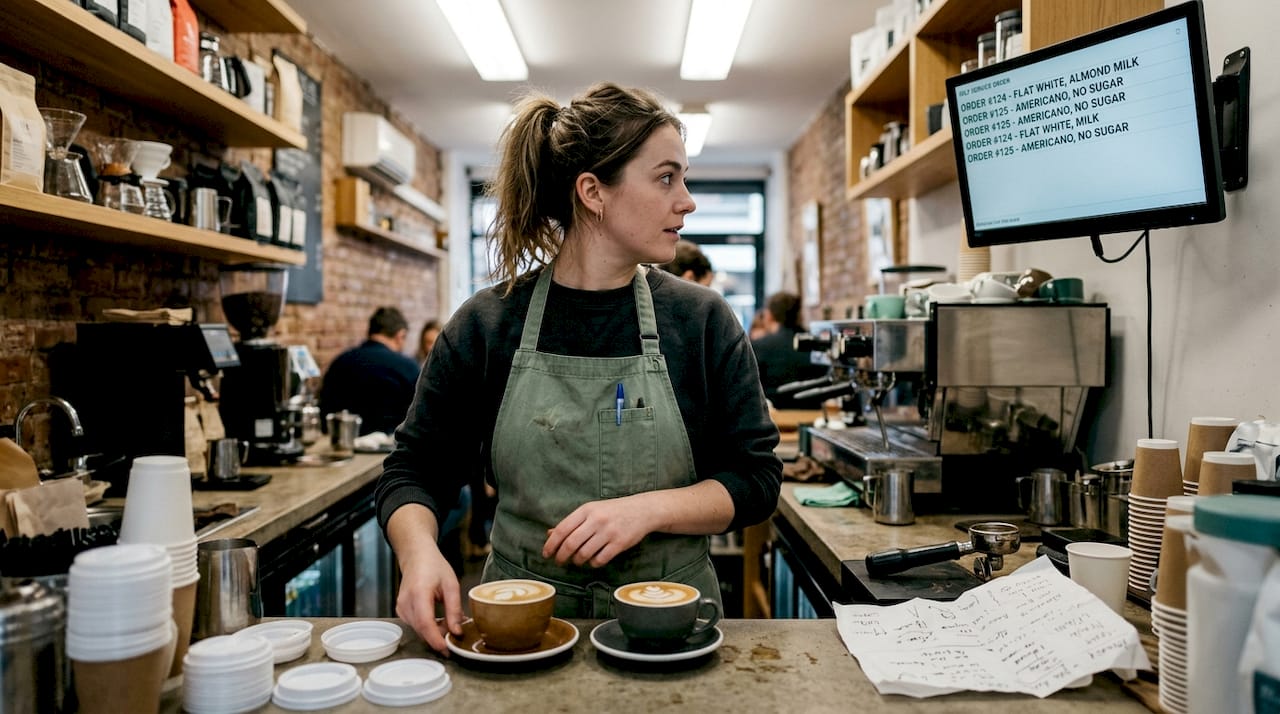
For cafés, this means staff spend less time taking orders and more time preparing them. For a retail environment, scan-and-go capability means a customer can handle a basket of 20 items faster than a traditional staffed checkout. Learning how to approach choosing a POS system that supports these integrations is a critical step before committing to any hardware.
Costs, ROI and business impact in the UK
Understanding the core features is only part of the picture. Now, let’s tackle the finances and see whether a self-service POS makes business sense.
UK hardware costs range from £500 to £15,000 per unit depending on screen size, build quality, and included peripherals. A compact countertop unit for a small café might come in at the lower end. A freestanding kiosk with a large display and integrated payment terminal for a busy retail store would sit higher. Software licences typically add £30 to £150 per month, and installation, training, and support contracts are additional considerations.
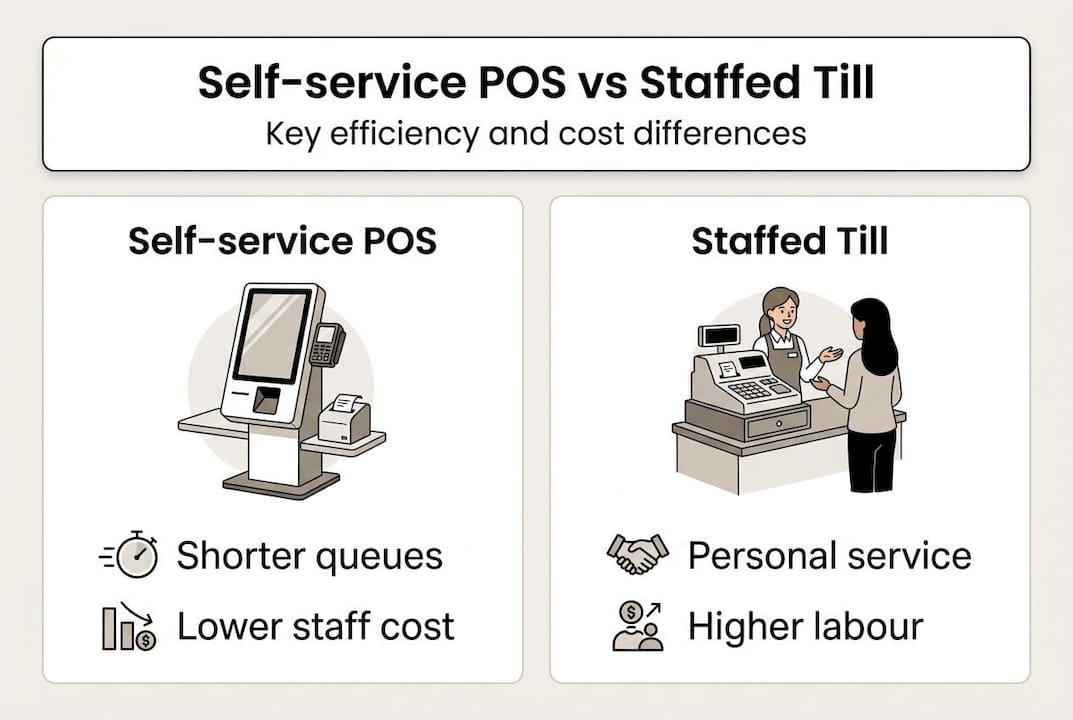
Here is a quick comparison of self-service versus traditional staffed tills:
| Factor | Self-service POS | Staffed till |
|---|---|---|
| Upfront hardware cost | £500 to £15,000 | £300 to £5,000 |
| Monthly software fee | £30 to £150 | £20 to £100 |
| Staff required at peak | 1 supervisor per 4 units | 1 per till |
| Average order accuracy | Very high | Varies by staff |
| Upsell capability | Built-in prompts | Inconsistent |
| Queue handling speed | High | Moderate |
The return on investment case is strong. ROI is typically realised in 5 to 12 months through upselling prompts and labour savings. For an independent café serving 100 covers a day, redirecting even one member of staff from order-taking to food preparation can reduce labour costs meaningfully while improving output.
Key drivers that accelerate payback include:
- Higher average order values from automated upsell suggestions (“Add a dessert for £2.50?”)
- Reduced staffing at peak hours without reducing service quality
- Fewer voids and refunds as order errors drop significantly
- Extended trading hours with minimal additional cost if fewer staff are needed per shift
Keeping up with 2026 POS trends shows this technology is only becoming more affordable as competition among hardware suppliers increases, which makes now an advantageous time to invest.
Key benefits for retail and hospitality
After looking at the numbers, it’s crucial to examine the wider benefits for your business and customers.
The operational gains from self-service POS are well documented. Benchmarks show a 20 to 30% increase in average order value, a 65 to 75% reduction in queue times, and 30 to 40% fewer order errors, with staff freed to focus on higher-value tasks. These are not figures exclusive to large chains.
Here is how these benefits play out specifically for SMEs:
- Faster checkout: A customer using a self-service kiosk completes a transaction in roughly 90 seconds on average. A staffed transaction in a busy environment often takes twice as long.
- Consistent upselling: The software prompts every customer with add-on suggestions at the right moment, something that even the best-trained staff member won’t do every time.
- Improved accuracy: Orders typed directly by the customer eliminate the broken-telephone problem between customer, cashier, and kitchen.
- Staff repositioned, not removed: Your team moves from repetitive order-taking to roles that genuinely require human judgement, such as greeting customers, resolving complaints, or preparing more complex orders.
- Accessibility: Modern kiosks support multiple languages and accessibility options, broadening your customer reach.
Consider a small independent sandwich shop. During the lunch rush, a single kiosk can process orders from three or four customers simultaneously while one staff member monitors and assists. The result is a faster retail checkout experience that keeps customers returning. Research into kiosk customer satisfaction consistently shows that customers who use self-service rate their experience more highly, particularly when the interface is clear and intuitive.
Pro Tip: Station a floor staff member near the kiosk during the first two weeks of operation. First-time users who get a quick, friendly nudge in the right direction become confident repeat users far faster.
How to get started with self-service POS
If you’re considering a self-service POS, here’s how to make the transition smooth and successful.
Successful deployment relies on getting four things right: the hardware, the software, the integration, and your team’s engagement. Miss any one of these and the results will disappoint.
Here is a practical sequence to follow:
- Define your needs: Map out your current bottlenecks. Is the problem queue length, order accuracy, or labour costs? Your answer shapes which features matter most.
- Research suppliers: Look for providers with UK-based support, hardware warranties, and software that integrates with your current POS. Read our POS hardware buying guide for a structured approach.
- Request a demonstration: Never commit based on a brochure. Ask to see the system processing a realistic volume of orders, ideally with your actual menu or product range loaded.
- Pilot with one unit: Place a single kiosk in your highest-traffic area for 30 days. Measure queue times, average order values, and error rates before and after.
- Train your team properly: Staff resistance is real. Frame the change as a tool that makes their shifts easier, not a replacement for their role.
- Measure and scale: Use the data from your pilot to justify further units. Real figures from your own business are far more convincing than any industry benchmark.
Our checkout setup tips cover common pitfalls in detail, including poor cabling layouts, screen glare in window positions, and software that doesn’t sync correctly at end of day.
Pro Tip: Pilot with a single unit in a high-traffic area and gather at least four weeks of data before scaling. This gives you meaningful metrics and helps you identify any integration issues in a low-risk environment.
Our perspective: Why the shift to self-service POS is just beginning
Most commentary on self-service POS focuses on the technology itself. Our view, shaped by years of working with UK retailers and hospitality operators, is that the technology is now almost secondary. The bigger shift is cultural.
Consumers in the UK have become genuinely comfortable ordering at a screen. The pandemic accelerated this by years. What we’re seeing now is that cultural acceptance has outpaced the rate at which small businesses are adopting the technology. That gap represents an opportunity, not a risk.
The hesitation we still hear from independent operators is that self-service is a big-chain solution. But the economics have shifted dramatically. Costs have fallen, software has simplified, and the POS technology forecast points consistently toward wider SME adoption through 2026 and beyond. The businesses that move first in their local area will earn a reputation for efficiency and modernity that compounds over time.
The hidden gains are often the most valuable: staff morale improves when repetitive tasks are removed, brand perception lifts when the queue disappears, and owner stress reduces when the system handles the rush without drama.
Explore next steps with self-service POS
If this article has made the case for self-service POS feel more tangible, the next step is finding the right solution for your specific business. Every operation is different, and the right combination of hardware and software matters enormously.

At YCR Distribution, we supply a full range of POS software solutions alongside the hardware to run them, all sourced from trusted brands with UK support. Whether you’re a café looking to launch your first kiosk or a multi-site retailer evaluating a wider rollout, you can explore the full range of types of POS hardware on our site. Our team is ready to help you match the right system to your operation, budget, and goals.
Frequently asked questions
How do self-service POS systems help reduce queues?
By allowing multiple customers to order and pay at the same time, self-service POS can cut queue times by 70 to 75% compared with traditional staffed tills, making a measurable difference during peak trading hours.
Are self-service POS systems expensive to set up?
Hardware starts from around £500 per unit, and some independent businesses achieve full payback within five to six months through labour savings and higher average order values.
Can my existing POS setup integrate with self-service kiosks?
Most modern self-service solutions are built with backend integration in mind, connecting directly with inventory management, kitchen display systems, and reporting tools you may already use.
What’s the fastest way to pilot self-service POS?
Place a single unit in your busiest area and track queue times, order accuracy, and average spend over four weeks before deciding whether to scale further.