

TL;DR:
- Reliable hardware, software, and regular compliance checks are essential for smooth hospitality payments.
- Following a structured payment workflow and conducting routine drills help maintain fast, secure transactions.
- Ongoing system maintenance, staff training, and appointing a payment champion boost long-term payment reliability.
A customer waits, card outstretched, while your terminal freezes. The queue grows. Someone sighs and leaves. That single moment can cost you not just one sale but a repeat customer and a five-star review. In UK hospitality, payment processing is not a back-office detail — it is front-of-house performance. Slow, unreliable, or confusing payment flows frustrate both staff and guests, and in 2026 there is simply no excuse for it. This guide gives you a clear, practical route to transforming your payment setup from a daily headache into a genuine competitive edge, covering everything from the right hardware to ongoing compliance.
Table of Contents
- What you need: payment processing essentials for UK hospitality
- Step-by-step payment processing flow in hospitality
- Troubleshooting and avoiding common payment mistakes
- Verifying, maintaining, and future-proofing your payment setup
- What most guides miss about hospitality payment processing
- Upgrade your payment processing with trusted POS specialists
- Frequently asked questions
Key Takeaways
| Point | Details |
|---|---|
| Prepare with the right tools | Invest in modern, integrated hardware and software before upgrading your payment process. |
| Follow a proven workflow | Use structured step-by-step processes to ensure both speed and security for every payment. |
| Prioritise ongoing compliance | Treat PCI DSS as an ongoing programme, not a one-time checkbox, to stay safe and legal. |
| Plan for the long term | Schedule regular system checks, training, and upgrades to keep operations smooth and customers happy. |
What you need: payment processing essentials for UK hospitality
Before you can improve anything, you need to know exactly what a solid hospitality payment setup looks like. The right combination of hardware, software, and compliance practice is what separates a smooth service from a chaotic one.
Hardware essentials are the physical foundation. You need reliable POS terminals capable of accepting chip-and-PIN, contactless, and mobile payments such as Apple Pay and Google Pay. A stable internet connection — ideally with a 4G failover — is non-negotiable. Card readers that integrate directly with your POS system save time and reduce errors caused by manually re-entering amounts.
Software is equally critical. Your POS platform needs to talk seamlessly to your payment gateway, which is the service that authorises transactions between your customer’s bank and yours. If you are running a restaurant or café with table management, kitchen display integration, and split-billing, your software must handle all of this without slowing the payment stage. If you want to set up POS workflow correctly from the start, getting the software layer right is the single most important step.
Compliance cannot be ignored. PCI DSS compliance is a security programme with specific controls for handling cardholder data, and every UK business that accepts card payments is required to follow it. Failure to comply can result in fines, increased transaction fees from your payment processor, and reputational damage if a breach occurs.
Optional but valuable accessories include receipt printers for customers who prefer paper records, digital signage to display menu updates or promotions, and handheld tablets for tableside ordering and payment in restaurants.
Must-have items at a glance:
- Integrated POS terminal with chip, contactless, and mobile pay support
- Reliable broadband with 4G backup
- Cloud-based POS software with gateway integration
- Receipt printer
- PCI DSS-compliant payment processor
- Staff access controls and login credentials per employee
| Category | What you need | Why it matters |
|---|---|---|
| Hardware | POS terminal, card reader, router | Accepts all payment types reliably |
| Software | POS platform, payment gateway | Authorises and records transactions |
| Compliance | PCI DSS programme | Protects card data and avoids fines |
| Accessories | Receipt printer, digital signage | Improves guest experience |
| Connectivity | Broadband plus 4G backup | Prevents payment downtime |
Step-by-step payment processing flow in hospitality
Once you have all essentials in place, it is time to follow the ideal payment workflow. Understanding each stage helps your team act quickly and confidently, especially during busy service periods.

Step 1: Order capture. The customer places their order, either at the counter, via a handheld tablet, or through a self-service kiosk. The POS system records the order and calculates the total, including any applicable VAT.
Step 2: Payment initiation. The staff member or customer selects the payment method. Your POS sends the transaction request to the payment gateway. This is where card data first enters the system, so encryption must be active from this moment.
Step 3: Authentication. The customer presents their card or device. For chip-and-PIN, the cardholder enters their PIN. For contactless payments under £100, no PIN is required. For mobile payments, the customer’s phone or watch handles biometric authentication. The 12 PCI DSS requirements should be integrated into each step to ensure cardholder security throughout this process.
Step 4: Authorisation. The gateway contacts the customer’s bank, which approves or declines the transaction within seconds. If approved, the POS displays confirmation and the transaction is recorded.
Step 5: Settlement. At the end of service or the business day, your POS batches all approved transactions and sends them to your payment processor for settlement. Funds typically arrive in your account within one to two business days.
Step 6: Receipt and close. The customer receives a digital or printed receipt. The table or order is cleared in the system, ready for the next customer.
For a deeper look at process sequencing, the retail POS workflow steps guide covers the logical order in detail, and modern POS payment guides offer further optimisation tips.
| Payment type | Authentication method | Speed | Typical use case |
|---|---|---|---|
| Chip-and-PIN | PIN entry | 10-15 seconds | Most card transactions |
| Contactless | Tap only | 3-5 seconds | Under £100 purchases |
| Mobile pay | Biometric on device | 3-5 seconds | Tech-savvy customers |
Pro Tip: During peak service, set your POS to skip the signature prompt and enable one-tap receipt options. Shaving four seconds per transaction across a busy lunch service adds up to minutes saved every hour.
Troubleshooting and avoiding common payment mistakes
Even robust systems can encounter hiccups. Here is how to keep service smooth and secure when something goes wrong.
The most common issues in hospitality payment processing fall into four categories: card declines, POS freezes, connectivity lags, and compliance warnings. Each has a clear fix if your team knows what to look for.
Quick fixes for common payment problems:
- Card declined: Ask the customer to try a different card or payment method. Check that your terminal firmware is up to date, as outdated software can cause unnecessary declines.
- POS freeze: Restart the terminal using the manufacturer’s recommended process. If the issue persists, switch to your backup card reader and contact your provider.
- Connectivity lag: Check your router and switch to the 4G backup if broadband is down. Most modern payment terminals have this failover built in.
- PCI compliance warning: Do not attempt to resolve cardholder data issues without your payment processor or a qualified security assessor. Log the warning and escalate immediately.
- Incorrect amount charged: Void the transaction immediately through your POS and reprocess. Never attempt a manual override of the amount on the terminal.
Safety warning: Never attempt to fix issues involving stored cardholder data yourself. Incorrectly handling card data to resolve a technical problem can constitute a PCI DSS breach, which carries significant financial and legal consequences. Always involve your processor or a qualified security professional.
Monitoring and testing controls are part of continuous PCI DSS compliance, which means your system should be generating logs and alerts automatically. If it is not, that is a problem to address before a real incident occurs.
For guidance on streamlining retail checkout processes to minimise errors during high-volume periods, there are practical frameworks that translate directly to hospitality environments.
Pro Tip: Run a ten-minute payment drill with your team once a month. Have staff simulate a declined card, a frozen terminal, and a connectivity drop. Muscle memory during a real incident is worth more than any manual.
Verifying, maintaining, and future-proofing your payment setup
After setting up and troubleshooting, long-term reliability depends on regular verification and upgrades. Payment technology and compliance standards evolve constantly, and a system that was solid eighteen months ago may have gaps today.
Periodic checks to perform:
- Test all payment terminals monthly to confirm chip, contactless, and mobile payments all process correctly.
- Review your POS software version quarterly and apply any security patches or updates.
- Check your POS system checklist against your current setup every six months to catch configuration drift.
- Run a full PCI DSS self-assessment questionnaire at least annually, or more frequently if your transaction volume increases significantly.
- Audit staff access credentials every quarter, removing accounts for former employees immediately.
- Review your payment processor’s fee structure annually to ensure you are on the most competitive tariff for your volume.
PCI DSS is an ongoing programme demanding regular testing, monitoring, and documented policy, which means the work does not stop after initial setup. Treat compliance as a living part of your business, not a box ticked once.
Businesses that stay ahead of their payment infrastructure gain measurable advantages. Transaction speeds improve, fraud attempts are caught earlier, and customers notice when payments are effortless. Upgrading to current hospitality POS technology also positions you to accept emerging payment types without scrambling for last-minute hardware.
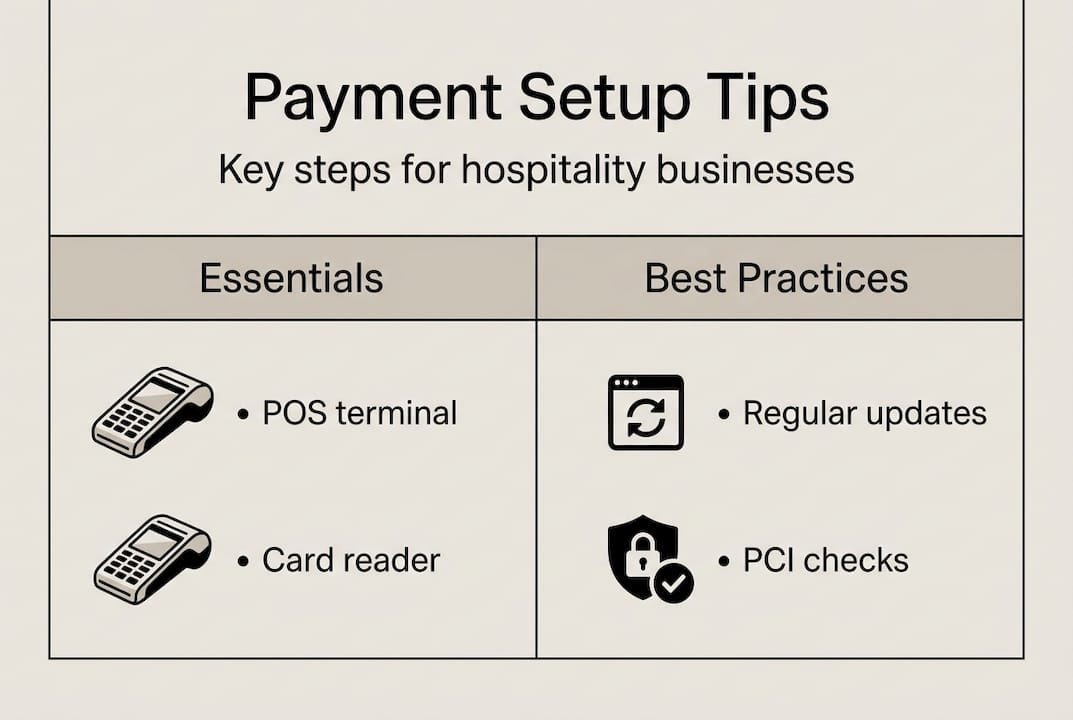
Statistic to consider: UK Finance data shows that payment fraud losses in the UK totalled over £1.17 billion in a single recent year. Non-compliance with PCI DSS does not just invite fines — it leaves your business exposed to the full cost of a breach, which includes regulatory penalties, customer notification costs, and reputational damage that is almost impossible to quantify.
What most guides miss about hospitality payment processing
Most articles about payment processing treat it as a project with a start and an end. Install the terminal, tick the compliance box, move on. That approach works until it catastrophically does not.
In over thirty years of supporting hospitality businesses with POS technology, the pattern we see most often is not a dramatic system failure — it is slow decay. Firmware goes un-updated for a year. A member of staff who processed most of the payments leaves, and their replacement has never been properly trained. The PCI self-assessment gets skipped because the busy season crept up. None of these feel urgent in the moment. Together, they create genuine vulnerability.
The businesses with the best payment experiences treat it the way a good kitchen treats hygiene: not as a one-off deep clean but as a daily discipline. Designating a “payment champion” in your team — someone responsible for flagging issues, running drills, and scheduling quarterly reviews — is the single most practical step most owners overlook. It does not need to be a manager. It needs to be someone consistent.
For venue-specific guidance on embedding these habits from day one, the restaurant POS setup advice at YCR covers the implementation detail that makes long-term reliability possible.
Upgrade your payment processing with trusted POS specialists
If this guide has clarified what your payment setup is missing, the next step is finding the right tools to fix it. At YCR Distribution, we have spent over thirty years supplying UK hospitality businesses with the hardware and software they need to run reliable, compliant payment operations.

Whether you need proven POS software solutions with full payment gateway integration, a range of reliable POS hardware options including receipt printers and card readers, or purpose-built POS terminals for UK hospitality from trusted brands like SAM4S and iMin, our team is ready to help. We offer next-day delivery, same-day dispatch, and real specialist advice — not generic product listings. Talk to us about building a payment setup your guests will never notice, because it simply always works.
Frequently asked questions
What is PCI DSS and why is it important for hospitality payment processing?
PCI DSS is the industry standard for card data security with 12 ongoing requirements, and it is a legal obligation for any UK business that accepts card payments. Non-compliance risks fines, increased processing fees, and liability for breach-related costs.
How can I make my payment process faster in a busy hospitality venue?
Choose integrated POS terminals that link directly to your payment gateway, train staff on quick workflows for each payment type, and prioritise contactless options to reduce transaction time to under five seconds.
What are the most common mistakes in hospitality payment processing?
The most common errors are failing to update POS systems regularly, neglecting ongoing PCI DSS checks and staff preparedness, and leaving former employees’ access credentials active in the system.
How often should I review and update my payment setup?
Test all payment tools monthly, conduct a full review quarterly, and follow guidance that ongoing monitoring and frequent checks are recommended for maintaining card security and operational reliability.