

TL;DR:
- Retail POS infrastructure involves layered systems including devices, data, and security protocols. Proper setup and ongoing management improve efficiency, security, and customer experience. Regular audits, staff training, and network segmentation are essential for reliable and compliant operations.
Most business owners assume their point of sale system is just a till, a card reader, and a receipt printer. That assumption quietly costs them every single day. Behind every transaction sits a layered architecture of network connections, software data structures, security protocols, and integration points that either work together seamlessly or create the kind of friction that slows queues, loses stock data, and exposes customer payment information. This article breaks down what retail POS infrastructure really means, how its core components interact, why security and connectivity are inseparable from performance, and what practical steps you can take to optimise your setup for real-world trading conditions.
Table of Contents
- What is retail POS infrastructure?
- Network and security layers: the backbone of connected POS
- Integrating POS with payments and the back office
- Optimising POS infrastructure for real-world retail and hospitality
- What most retailers overlook: bridging the gap between theory and day-to-day success
- Upgrade your retail POS infrastructure with expert support
- Frequently asked questions
Key Takeaways
| Point | Details |
|---|---|
| Understand POS layers | Modern infrastructure spans devices, data, and transactions—each layer is essential. |
| Prioritise network security | Segment your POS from public Wi-Fi and general systems to reduce risk and compliance scope. |
| Test for resilience | Regularly validate your POS setup with offline, peak, and end-of-day routines. |
| Integrate for efficiency | Ensure all systems, including payments and stock, are seamlessly connected for accuracy and speed. |
What is retail POS infrastructure?
Most people picture hardware when they hear “POS infrastructure.” The terminal, the scanner, the printer. But the physical devices are just the visible tip. Infrastructure refers to every layer required to capture, process, store, and report on transactions reliably, from the moment a customer presents their goods to the moment the day’s takings reconcile in your accounting system.
Understanding the POS roles in retail means recognising that infrastructure has three distinct layers working in concert. As POS design is framed through interfaces, masters and reference data, and transactions with daily routines, each layer depends on the others to function reliably.
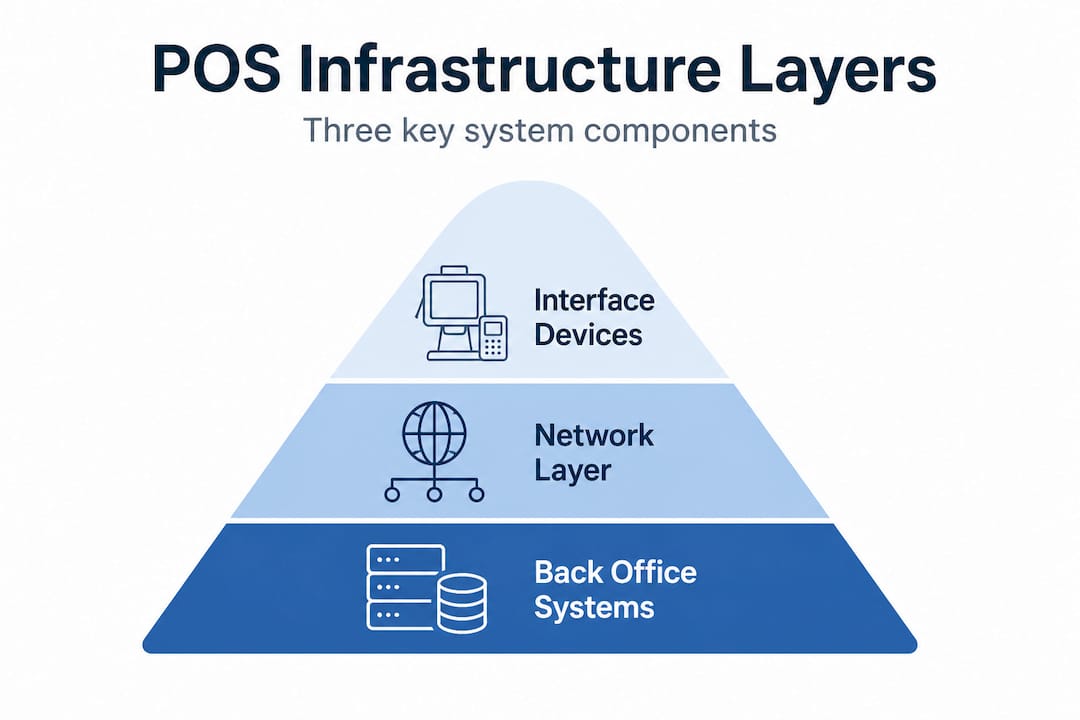
Device interfaces include your physical tills, payment terminals, handheld ordering devices, and self-checkout kiosks. These are the touchpoints where staff and customers interact with the system. Master and reference data covers everything the system needs to know before a transaction happens: product catalogues, prices, promotions, tax codes, and supplier references. If this data is wrong or stale, every transaction built on top of it will be inaccurate. Transaction engines are the processing layer that records sales, returns, voids, and discounts in real time, creating the audit trail your accountant and HMRC need.
Daily start-of-day and end-of-day routines are often overlooked but are critically important. Opening a till correctly sets cash float expectations. Closing it correctly reconciles cash, card, and other payment types against the transaction log. When these routines are skipped or rushed, discrepancies accumulate and become genuinely difficult to trace.
Here is a quick look at what modern infrastructure delivers compared with older approaches:
| Feature | Traditional cash register | Modern POS infrastructure |
|---|---|---|
| Stock management | Manual counting only | Real-time stock updates per sale |
| Pricing updates | Manual price stickers | Centralised, instant price changes |
| Reporting | Paper Z-reports | Cloud-based, any-device access |
| Payment types | Cash only or basic card | Contactless, mobile pay, split bills |
| Audit trail | Paper roll | Digital, searchable transaction log |
| Integration | None | Accounting, loyalty, online ordering |
The real-world impact on your business is significant. Consider what accurate infrastructure actually delivers:
- Stock management: every scan reduces inventory automatically, flagging reorder points without manual counts
- Pricing accuracy: promotions activate and deactivate on schedule, so staff cannot accidentally sell at yesterday’s price
- Checkout speed: pre-loaded product data means sub-second item lookups, even for thousands of SKUs
- Audit trails: every discount, void, and return is recorded with staff ID and timestamp
“POS architecture is more than hardware; it underpins operational reliability every hour of trading.”
Understanding hardware examples in context helps you see how each physical device connects to one of these three layers rather than standing alone.
Network and security layers: the backbone of connected POS
Once you understand the layers of POS, it becomes clear that none of them function reliably without a solid network underneath. Network infrastructure is a critical part of POS infrastructure because POS must communicate securely and reliably with back-office systems, payment processing, and other store technologies. A weak router or an unsegmented network can cripple your checkout experience just as effectively as a broken terminal.
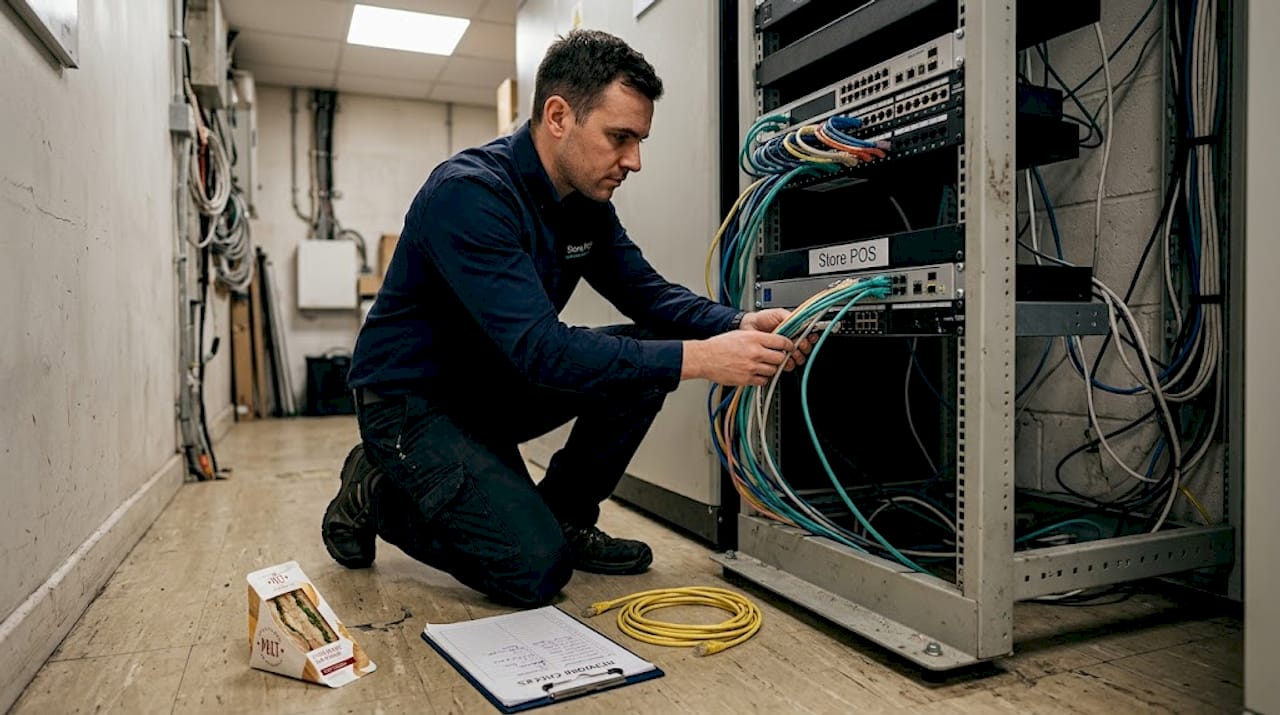
Here is a breakdown of the key network components and their specific roles in a retail or hospitality POS environment:
| Component | POS-specific role |
|---|---|
| Router | Connects store network to internet and payment processors |
| Managed switch | Directs traffic between tills, back office, and wireless access points |
| Firewall | Blocks unauthorised inbound and outbound traffic |
| Wireless access point | Enables mobile ordering, handhelds, and tablet POS |
| VLAN (virtual network) | Segments payment devices from general store systems |
| VPN | Secures remote management and multi-site communications |
Many small UK retailers run all their devices, including customer guest Wi-Fi, on the same network. That single decision creates enormous risk. Many security practitioners recommend network segmentation to enforce and prove Cardholder Data Environment boundaries, reducing scope and attack surface significantly.
PCI DSS compliance, which governs how businesses handle cardholder data, requires you to demonstrate that payment devices are isolated from systems that do not need access to payment data. Segmentation achieves this and simultaneously reduces the blast radius if any part of your network is compromised.
Pro Tip: Segment your payment terminals onto their own VLAN and ensure guest Wi-Fi is on a completely separate network. This one change can dramatically simplify your PCI DSS audit and significantly lower your exposure to credential theft or malware spreading laterally across devices.
To assess your current setup honestly, work through these steps:
- Map every device connected to your network, including printers, tablets, digital signage, and any back-office PCs
- Identify which devices touch payment data, directly or indirectly, and note whether they share network segments with non-payment devices
- Check firmware versions on routers and switches. Outdated firmware is a common entry point for attackers targeting UK retail businesses
- Verify firewall rules are configured to deny by default and only allow traffic that is explicitly required
- Test wireless coverage at peak trading times. Dropped connections during service are often misdiagnosed as software faults when the root cause is poor Wi-Fi signal
- Review who has remote access to your POS network and ensure that access uses multi-factor authentication
Understanding modern POS payment flows helps clarify why each of these network elements is not optional but essential to a functioning, compliant checkout environment.
Integrating POS with payments and the back office
Connectivity and security create the foundation. Integration is what makes the foundation genuinely useful. When your till, card payment terminal, stock management system, accounting software, and loyalty programme all communicate with each other, you eliminate the manual data entry that creates errors and eats staff time.
POS infrastructure must be designed as three coupled systems: transaction interfaces and local edge behaviour with offline queues; store network and PCI controls; and integration to payments and operational workflows. Miss any one of these and the entire system becomes fragile.
Think about what an integrated setup looks like in practice. A customer buys a bottle of wine in a busy restaurant. The table management system sends the order to the bar, the till records the sale, the stock system deducts one unit from the wine inventory, the card terminal completes payment without manual re-entry of the amount, and the accounting software logs the revenue against the correct category. That entire chain runs without a single keystroke beyond the initial order. Without integration, each step requires manual action and introduces a new point of failure.
Key integration points that UK retailers and hospitality businesses frequently overlook include:
- Offline mode behaviour: What happens when your broadband drops during the Saturday lunchtime rush? A well-designed POS queues transactions locally and syncs when connectivity restores. Many cheaper systems simply stop working
- Accounting software sync: Pushing daily sales totals manually into your bookkeeping is slow and error-prone. Direct integration with platforms like Xero or Sage eliminates this entirely
- Loyalty and CRM: If your loyalty points system does not talk to your till in real time, staff will manually award points or customers will feel let down
- Online and in-store inventory: Selling the same item in-store and online without a unified inventory system is a reliable way to oversell and disappoint customers
- Staff clock-in and permissions: Integration between HR systems and POS permissions ensures that discounts and voids require the right authorisation level
Pro Tip: Before going live with any POS setup, run an offline mode test by physically disconnecting your broadband during a mock transaction session. Then simulate peak-hour load by running multiple concurrent transactions. These two tests surface more real problems in thirty minutes than weeks of theoretical planning.
Your checkout setup guide can walk you through the practical configuration steps, and a solid POS setup checklist ensures nothing is missed before you open doors on a new system.
Optimising POS infrastructure for real-world retail and hospitality
Knowing what good infrastructure looks like is only half the battle. Maintaining and improving it over time is where most businesses struggle. Infrastructure degrades without active attention. Software versions fall behind. Network configurations drift. Staff habits erode carefully designed processes.
Optimising for operational efficiency requires defining interfaces, locking down reference and master data, then validating transaction flows with start and end-of-day routines and peak-hour failure testing. That is not a one-time task. It is an ongoing discipline.
Follow this structured approach to keep your infrastructure genuinely fit for purpose:
- Conduct a quarterly infrastructure audit: Review every device, software version, network configuration, and integration point. Document what has changed since the last audit
- Patch and update systematically: Apply firmware and software updates during low-traffic windows. Unpatched systems are the single most common cause of security incidents in UK retail
- Validate your reference data: Run a spot-check of prices, promotions, and product codes against your source of truth monthly. A single incorrectly priced product can cost thousands during a busy period
- Test failure scenarios: Simulate a broadband outage, a terminal crash, and a printer failure. Time how long recovery takes and whether staff know exactly what to do
- Review your end-of-day process: Confirm that daily routines are being followed correctly and that discrepancies are investigated same-day rather than accumulated
Warning signs that your setup needs attention include:
- Checkouts taking longer than they did six months ago without obvious cause
- Stock counts regularly disagreeing with system records
- Payment terminal errors requiring multiple attempts
- Staff bypassing system steps because “it’s faster”
- Reports that do not match what you know was sold
- Security certificates or software licences that have quietly expired
Pro Tip: Run a realistic end-of-day drill with a member of staff who was not involved in setting up your system. If they cannot complete the routine correctly using only documented guidance, your process documentation and training need updating before a real problem occurs.
Reviewing POS best practices gives you a structured framework, while a detailed step-by-step POS workflow ensures that daily operational discipline is baked into how your team works.
What most retailers overlook: bridging the gap between theory and day-to-day success
Here is the uncomfortable truth we see repeatedly in UK retail and hospitality. The technical architecture can be nearly perfect and the system still fails in practice. Not because the technology is wrong, but because the human layer was never properly addressed.
Well-documented infrastructure approaches still stumble because they assume that staff will follow processes reliably under pressure. They will not, unless those processes are genuinely simple, well-trained, and regularly reinforced. A busy Friday night service will expose every shortcut your team has learned to take.
Security protocols are only as strong as the habits of the people using them. Shared passwords, terminals left unlocked during service, and staff granting each other elevated permissions “just this once” are not edge cases. They are standard behaviours in businesses that have not invested in training and accountability. No firewall protects you from a member of staff using a supervisor code they should not have access to.
There is also a real tension between frictionless trading and compliance. Your finance team wants a clean audit trail. Your floor team wants to process twenty covers before the kitchen backs up. Designing infrastructure that satisfies both demands requires genuine operational input, not just an IT decision made in isolation.
The fastest way to expose your real bottlenecks is what some teams call “war games.” Practise your failure scenarios deliberately, a network outage during peak service, a terminal refusing to process cards, a printer failure with a queue of six customers. The responses you observe will show you exactly where your documentation is inadequate, where training has gaps, and where your backup processes are slower than acceptable.
Businesses that streamline their UK operations effectively are almost always the ones that treat their POS infrastructure as a living system requiring ongoing attention rather than a one-time installation. That mindset shift, from installation to stewardship, is where the real efficiency gains come from.
Upgrade your retail POS infrastructure with expert support
Understanding the layers, connections, and optimisation strategies behind your POS is genuinely valuable. Putting that knowledge into action is where having the right partner makes an enormous difference.

At YCR Distribution, we work with UK retailers and hospitality businesses every day to design, supply, and support POS infrastructure that matches real-world trading demands. Whether you are building a system from scratch, replacing ageing hardware, or troubleshooting a setup that is not performing as it should, our team brings over three decades of practical experience to the conversation. Explore our full range of POS software solutions and POS hardware options, or get clarity on the devices and components you need with our hardware terms explained guide. Next-day delivery and same-day dispatch mean that when you are ready to act, we are ready to deliver.
Frequently asked questions
What is the difference between POS hardware and infrastructure?
POS hardware refers to the physical devices you see and touch; infrastructure covers everything required to connect, secure, and reliably run those devices alongside the software behind them. As POS design is framed through interfaces, reference data, and transactions, hardware is just one component within that broader system.
Why is network segmentation important for retail POS?
Segmenting payment networks from general store systems reduces security risks and simplifies PCI DSS compliance. Network segmentation is a strongly recommended best practice to avoid over-scoping PCI DSS compliance and limit exposure if any device is compromised.
How can I tell if my POS infrastructure needs upgrading?
Slow checkouts, frequent system downtime, stock data mismatches, payment terminal errors, and outdated software or security certificates are all reliable indicators that a review and potential upgrade are overdue.
Do I need offline support in my POS system?
Yes, a reliable POS system should queue transactions locally when the network drops and sync automatically once connectivity is restored. POS infrastructure should address local edge behaviour including offline queues to prevent trading disruption during outages.