
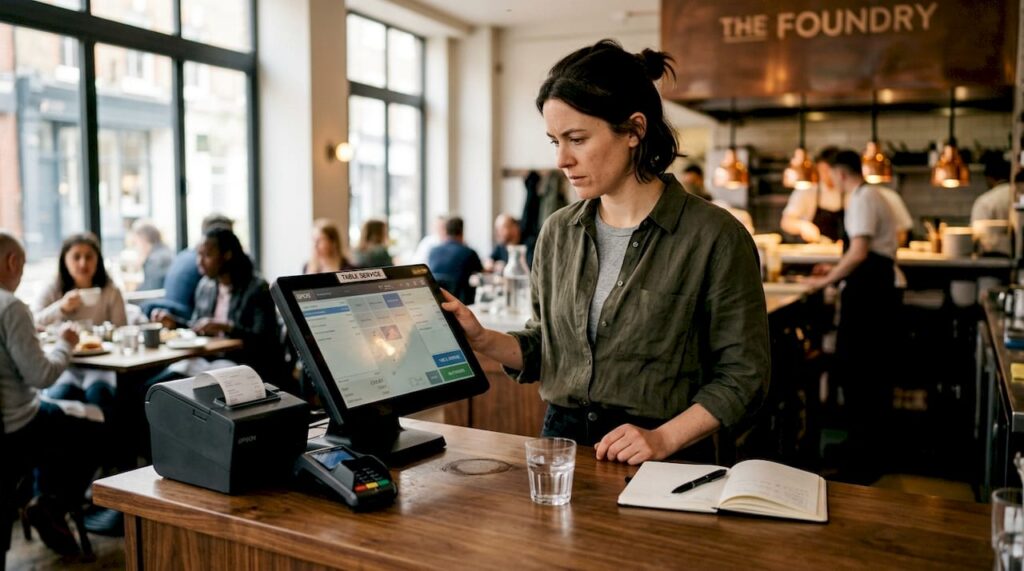
TL;DR:
- Mismatched or incomplete POS hardware can cause delays, errors, and frustrated staff, disrupting restaurant service.
- Choosing reliable, durable equipment suited to venue scale and integrating staff training are essential for smooth operations.
Running a restaurant or café on mismatched or incomplete POS hardware is like trying to serve a full à la carte menu with half your kitchen equipment missing. One absent component, say a kitchen display screen or a handheld payment terminal, can create a chain reaction of delays, errors, and frustrated staff at the very moment you need everything to flow. This guide walks you through every essential element of a modern restaurant POS hardware setup, giving you a structured checklist and clear decision criteria to build or audit a system that genuinely supports your service.
Table of Contents
- Key criteria for assembling your POS hardware stack
- The complete restaurant POS hardware checklist
- Comparing POS hardware options for different venues
- How to maintain and troubleshoot your restaurant POS hardware
- Why most restaurant POS hardware checklists miss the real bottleneck
- Connect with the UK’s POS hardware specialists
- Frequently asked questions
Key Takeaways
| Point | Details |
|---|---|
| Cover essential POS hardware | Include all core hardware elements to avoid operational bottlenecks and boost efficiency. |
| Match setup to venue needs | Tailor your hardware choices to service style and venue size for optimal performance. |
| Prioritise reliability and support | Choose robust, flexible hardware and maintain it regularly to ensure smooth service. |
| Combine hardware with staff readiness | Success comes from blending hardware investments with ongoing staff training. |
Key criteria for assembling your POS hardware stack
Before you spend a penny on new equipment, it pays to step back and think through what you actually need. Buying the wrong hardware, or the right hardware in the wrong quantity, creates problems that no amount of troubleshooting will fix later.
The most important factor is reliability under pressure. During a busy Friday dinner service, a terminal that lags or crashes is not just inconvenient. It costs you covers, tips, and reputation. Hardware built for hospitality environments tolerates heat, humidity, and the occasional splash far better than general office-grade equipment.
Here are the core criteria to evaluate before purchasing:
- Speed and processing power: Your POS terminal needs to handle simultaneous inputs, especially during peak hours when staff are firing orders, splitting bills, and processing payments at the same time.
- Connectivity options: Look for devices that support both ethernet and Wi-Fi, and consider cellular backup for mobile units. Purpose-built mobile POS hardware offers resilient connectivity for seamless table service, which matters enormously in large or multi-floor venues.
- Durability: Spill-resistant casings, reinforced ports, and easy-to-clean surfaces are non-negotiable in food and drink environments.
- Venue scale: A single café counter needs a different setup to a 120-cover restaurant with a bar, terrace, and private dining room. Understand your zones before specifying hardware.
- Software integration: Every hardware item should work seamlessly with your chosen POS software. Knowing the types of POS hardware available helps you match devices to your software’s supported peripherals.
- Budget versus future-proofing: It is tempting to buy the cheapest option that works today. However, hardware that cannot scale or integrate with newer software will cost more to replace in two years than it saved upfront.
Pro Tip: Two factors that many owners overlook are battery backup and staff training. An uninterruptible power supply (UPS) for your main terminal can prevent a complete shutdown during a power blip, while a half-hour staff training session on new hardware pays dividends for months.
The complete restaurant POS hardware checklist
Once clear on your evaluation criteria, use this practical checklist to audit or build your POS hardware setup, step by step. Work through each item and assess whether you have it in place, whether it is fit for purpose, or whether it needs upgrading.
-
POS terminal (touchscreen or all-in-one unit): This is your command centre. Whether you choose a dedicated all-in-one terminal like those from SAM4S or an iMin tablet kit, it needs a responsive touchscreen, sufficient RAM for your software, and a robust stand or mount for counter placement.
-
Handheld and mobile POS units: Tableside ordering and payment dramatically reduces the number of trips staff make back to a fixed terminal. Handheld POS devices support both Wi-Fi and cellular, offering flexibility in busy settings where connectivity may vary across the floor.
-
Receipt printers: You will likely need more than one. Customer receipts come from the main counter, kitchen tickets print in the prep area, and bar orders print at the bar station. Thermal printers are faster and quieter than dot-matrix alternatives, though kitchen environments may need more robust models to handle grease and heat.
-
Card payment terminals and contactless readers: Integrated card terminals that connect directly to your POS software prevent keying errors and speed up payment. Ensure your readers support tap-to-pay, chip and PIN, and digital wallets. Check that the hardware impact on efficiency aligns with your payment processor’s requirements before committing.
-
Cash drawer with secure management: Cash is still used, particularly in pubs and cafés. A robust, lockable cash drawer that opens only on authorised transactions protects against discrepancies and theft.
-
Barcode scanners and table scanning devices: Useful for venues with loyalty programmes, retail elements, or high-volume quick-service counters where speed of item entry matters.
-
Kitchen display systems (KDS) or order screens: Replacing paper tickets with a KDS cuts down on lost or misread orders. Staff in the kitchen can see orders in real time, bump them when complete, and keep the pass organised.
-
Customer-facing displays: A second screen facing the customer shows order totals, promotional messages, or even allergen information. It builds trust and reduces disputes at the till.
-
Networking equipment: Your entire POS setup is only as reliable as your network. Invest in commercial-grade routers, managed switches, and access points that prioritise POS traffic over guest Wi-Fi.
-
Essential accessories: Cables, surge-protected extension leads, mounting brackets, and a UPS for critical terminals. These seem minor but are the items most often forgotten until something goes wrong.
| Hardware item | Purpose | Priority | Checked? |
|---|---|---|---|
| POS terminal | Order and payment processing | Essential | ☐ |
| Handheld POS unit | Mobile ordering and payment | Recommended | ☐ |
| Receipt printer | Customer and kitchen receipts | Essential | ☐ |
| Card/contactless terminal | Payments | Essential | ☐ |
| Cash drawer | Secure cash management | Essential | ☐ |
| Barcode scanner | Quick item entry | Optional | ☐ |
| Kitchen display system | Real-time order visibility | Recommended | ☐ |
| Customer-facing display | Transparency at checkout | Recommended | ☐ |
| Network equipment | Connectivity backbone | Essential | ☐ |
| Accessories and backup | Uptime and safety net | Essential | ☐ |
Pro Tip: Print this checklist and physically walk your venue. Note where cables run, where staff bottlenecks occur, and where network signal drops. A hardware audit done on-site reveals gaps that no spreadsheet will catch.
Comparing POS hardware options for different venues
Not every venue is the same. Here is how your checklist flexes depending on your unique restaurant, café, or bistro setup.
Handheld POS devices with both Wi-Fi and cellular are particularly suited for fast-paced table service, but a quick-service counter may prioritise speed at a single terminal over mobility. Understanding these differences helps you avoid overspending on features you do not need, and underspending on those you do.
| Hardware item | Quick-service/takeaway | Full-service restaurant | Café/bistro | Multi-location venue |
|---|---|---|---|---|
| POS terminal | Required | Required | Required | Required |
| Handheld POS | Optional | Required | Recommended | Required |
| Receipt printer | Required | Required | Required | Required |
| Card terminal | Required | Required | Required | Required |
| Cash drawer | Required | Required | Required | Required |
| KDS | Recommended | Required | Optional | Required |
| Customer display | Optional | Recommended | Optional | Recommended |
| Barcode scanner | Recommended | Optional | Optional | Recommended |
| Network equipment | Required | Required | Required | Required |
For quick-service and takeaway venues, speed is everything. A fast, fixed terminal with an integrated card reader and kitchen printer handles most needs. A KDS is worth adding if order volume is high. Handheld units are less critical unless you operate a hybrid model with outdoor seating.
Full-service restaurants benefit the most from the complete stack. Handheld units for tableside ordering, a KDS in the kitchen, customer-facing displays, and robust networking all contribute to a smoother guest experience. Skimping on any of these in a table-service environment creates visible inefficiencies. Strategies for optimising POS for hospitality consistently highlight mobile hardware as a key differentiator for full-service venues.

Cafés and bistros often operate with a simpler setup, though customer-facing displays and quick payment options remain important. A single well-positioned terminal with a quality receipt printer and contactless reader covers most bases.
Multi-location and large-format venues need scalable networking, centralised reporting through their POS software, and enough mobile units to cover all service zones without gaps.
Common pitfalls when mismatching hardware to venue needs include:
- Buying consumer-grade tablets instead of purpose-built hospitality terminals, leading to frequent restarts and cracked screens.
- Installing a single receipt printer shared between kitchen and bar, causing delays and confusion during service.
- Underestimating the number of handheld units needed for table service, resulting in staff queuing to share devices.
- Choosing a card terminal that is not integrated with the POS software, forcing manual entry and increasing error rates.
How to maintain and troubleshoot your restaurant POS hardware
With your POS hardware in place, it is just as important to keep it reliable. Maintenance is not glamorous, but a ten-minute weekly check prevents a two-hour crisis on a busy Saturday night.
Follow these steps as your routine maintenance schedule:
- Clean terminals and screens daily using appropriate wipes. Grease and moisture from a kitchen environment work into ports and buttons faster than you might expect.
- Inspect cables and connections weekly. Look for fraying, loose ports, and any cables that have been bent or pinched under furniture.
- Check software updates monthly. Your POS software provider will release patches that fix bugs and occasionally improve hardware compatibility. Delaying updates creates security and stability risks.
- Test backup systems regularly. If you have a UPS, check it powers up your terminal for the expected duration. A UPS with a failing battery provides false confidence.
- Review network performance. Slow or dropping Wi-Fi is the most common cause of POS hardware appearing to malfunction when the device itself is fine.
“Keeping POS hardware maintained and regularly updated is the single most effective way to prevent service disruptions. Budget time for it, not just money.”
For troubleshooting, approach each device type methodically. If a terminal freezes, restart before calling support. If a printer is not responding, check the connection and paper feed before assuming a fault. Purpose-built handheld POS hardware eases switching between Wi-Fi and cellular for uninterrupted service, which means many connectivity issues on mobile devices can be resolved by toggling between networks rather than replacing the unit.
A thorough POS hardware troubleshooting guide will save your team time when faults occur. Keep it accessible, whether printed and laminated near the terminal or saved on a shared phone.
Pro Tip: Always keep at least one spare device for each critical station. A spare receipt printer and a charged backup handheld unit have saved many a Saturday evening service. The cost of the spare is trivial compared to the revenue lost when a device fails mid-shift.
Why most restaurant POS hardware checklists miss the real bottleneck
Here is a truth that most hardware guides will not tell you. You can tick every single box on a hardware checklist and still have a slow, frustrated, error-prone service. The bottleneck most venues face is not a missing piece of equipment. It is the gap between the hardware on the counter and the habits of the people using it.
We have seen cafés invest in brand-new handheld POS units, only to find staff still walking back to the fixed terminal out of habit. The hardware was excellent. The behaviour change never happened. Within three months, the handhelds were sitting in a drawer charging, and the queue at the counter was as long as ever.
Contrast that with a café that spent half the budget on hardware and the other half on a proper two-week staff rollout, including role-play drills, a printed quick-reference card for common tasks, and a weekly debrief for the first month. Within six weeks, average table turn time dropped noticeably, and customer satisfaction scores climbed. The role of POS software in hospitality was part of that success, but it was the staff confidence that unlocked it.
The lesson is not to spend less on hardware. It is to budget for the full implementation, not just the devices. Plan for connectivity issues on day one. Plan for the staff member who finds the new system confusing. Plan for the busy Saturday two weeks after launch when something will almost certainly go wrong for the first time.
When you audit your hardware, audit your readiness too. Ask your team where they feel slowest during service. Ask where orders get lost or miscommunicated. The answers will tell you which hardware upgrade will actually move the needle, and which ones would just add complexity without solving the real problem.
Connect with the UK’s POS hardware specialists
If you are ready to refine your checklist or want tailored advice, here is how to connect with trusted POS specialists in the UK.
At YCR Distribution, we have spent over thirty years helping restaurants, cafés, and hospitality businesses build reliable, scalable POS setups. We know that choosing the wrong hardware wastes money, and choosing the right hardware but implementing it poorly wastes even more.

Browse our full range of POS hardware to find terminals, handhelds, printers, and accessories suited to UK hospitality. If you want to understand the language before you buy, our POS hardware terminology guide is a practical starting point. And when things go wrong in your existing setup, our POS troubleshooting guide walks you through fixes step by step. We offer next-day delivery, same-day dispatch, and a team that understands the pressure of service.
Frequently asked questions
What is the most important POS hardware for UK restaurants?
A reliable POS terminal and integrated payment device are the foundation of any setup, but adding handheld units for tableside use significantly improves order accuracy and speed. Handheld POS devices offer flexibility with Wi-Fi and cellular connections, making them a practical upgrade for table-service venues.
How often should I update or check my POS hardware?
Carry out daily visual checks on cables and connections, and schedule a more thorough monthly inspection that covers software updates, cleaning, and wear on all components.
Can mobile POS devices really replace fixed terminals?
Mobile POS devices are increasingly capable, but most venues benefit from a hybrid approach that uses both fixed and mobile units for resilience and speed. Purpose-built handheld POS hardware is designed to operate independently or alongside fixed terminals depending on your service model.
What features should POS hardware have for reliability?
Prioritise devices with dual connectivity options, durable and spill-resistant casings, and strong vendor support. Handheld POS hardware that switches between Wi-Fi and cellular significantly enhances uptime in environments where network coverage varies.