
TL;DR:
- Improving POS workflows is more effective than hardware upgrades in enhancing speed and accuracy during transactions. A well-structured process ensures consistency, reduces errors, and accelerates staff training across retail and hospitality environments. Regular review and optimization of workflows foster long-term operational efficiency and team confidence, leading to better customer experiences.
Most business owners assume that upgrading to a newer till or a faster payment terminal is the key to a smoother checkout experience. It is an easy assumption to make, and it is almost always wrong. The real bottleneck in most retail and hospitality operations is not the hardware sitting on the counter. It is the process surrounding it. A well-designed POS workflow determines how quickly your staff move customers through a transaction, how accurately stock is updated, and whether your team feels confident or confused under pressure. This guide breaks down everything you need to know about POS workflows and gives you practical strategies to improve yours today.
Table of Contents
- What is a retail POS workflow?
- Breaking down the essential steps of a POS workflow
- Comparing manual, semi-automated, and automated POS workflows
- Common workflow pitfalls and how to avoid them
- Best practices for optimising your retail POS workflow
- Why focusing on workflows, not just tech, is the real secret to POS success
- Boost your POS workflow with expert solutions
- Frequently asked questions
Key Takeaways
| Point | Details |
|---|---|
| Clear workflows matter | A well-defined POS workflow streamlines sales and reduces mistakes. |
| Automation boosts efficiency | Automated POS steps help staff serve more customers with fewer errors. |
| Regular reviews prevent issues | Auditing workflows and involving staff swiftly uncovers hidden problems. |
| Staff training is key | Even advanced POS systems need clear staff instructions to unlock their full value. |
What is a retail POS workflow?
A POS workflow is the sequence of steps your business follows every time a transaction takes place. POS workflows are sets of steps for completing transactions, inventory management, and reporting. It is not just about scanning items and taking payment. A well-structured workflow connects the moment a customer decides to buy something all the way through to updating your stock records, issuing a receipt, and prompting any loyalty scheme integration.
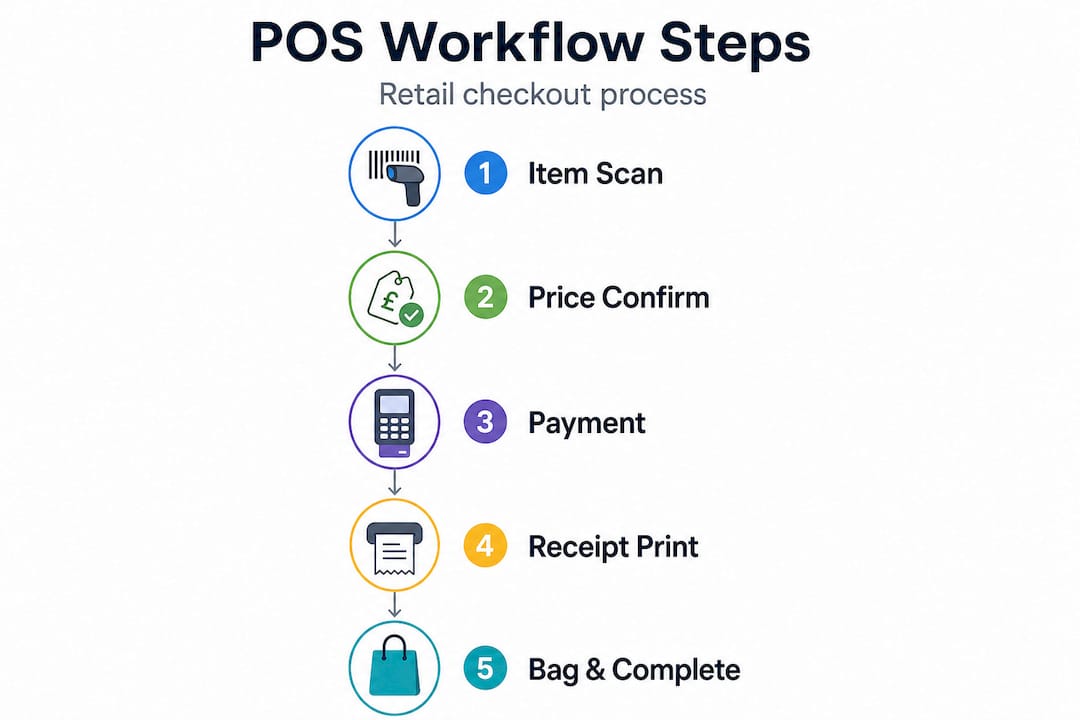
Think of a typical four-step checkout as a simple illustration. First, the staff member greets the customer and begins scanning or selecting items. Second, the system calculates totals and applies any discounts or promotions automatically. Third, the customer pays by card, cash, or contactless. Fourth, a receipt is issued and inventory is updated in real time. That is the skeleton. Everything your business adds around it, prompts for upselling, age verification alerts, end-of-day reporting triggers, makes that skeleton a fully functioning workflow.
Here is why this matters in practice:
- Speed: Clearly defined steps mean staff do not pause to think about what comes next, which directly reduces average transaction times.
- Accuracy: Structured workflows reduce manual data entry, cutting down on pricing errors and stock discrepancies.
- Consistency: Every customer gets the same quality of service regardless of which team member serves them.
- Training: New staff learn faster when the process is documented and logical, rather than picked up informally.
- Reporting: Automated syncing between the till and your back-office system means your sales data is always current.
Studies consistently show that businesses with clearly documented checkout processes experience significantly fewer end-of-day reconciliation errors than those relying on ad hoc procedures. When you define the step-by-step POS workflow in writing and train your team to it, the benefits compound over time across every single transaction.
Breaking down the essential steps of a POS workflow
Once you understand why workflow clarity matters, the next step is mapping out the specific stages that make up every transaction in your business. The sequence differs slightly between retail and hospitality, but the core logic is the same.
Here are the main stages common to most POS transactions:
- Item entry: Items are scanned with a barcode scanner, entered via a touchscreen product catalogue, or called up by SKU. In hospitality, this might mean selecting table number and then menu items.
- Price confirmation: The system displays a running total, applying any pre-set discounts, meal deal combinations, or promotional pricing automatically.
- Payment processing: The customer selects their payment method. Modern POS systems handle card, contactless, cash, and split payments without requiring staff intervention beyond prompting the customer.
- Receipt issuance: A printed or digital receipt is generated. Some workflows include an email or SMS option, which also captures customer contact details for marketing purposes.
- Inventory sync: Stock levels are decremented in real time, flagging low-stock alerts or triggering reorder notifications if thresholds are reached.
- Loyalty integration: Where applicable, points are added to a customer account or a stamp card is updated digitally. This step is optional but increasingly common in both retail and hospitality.
The difference between retail and hospitality flows is worth noting. In a café or restaurant, the workflow often branches. A waiter takes the order, sends it to a kitchen display or printer, and the payment workflow only triggers at the end of the visit rather than immediately. Retail tends to be more linear. Understanding your specific environment helps you design a workflow that fits reality rather than a generic template.
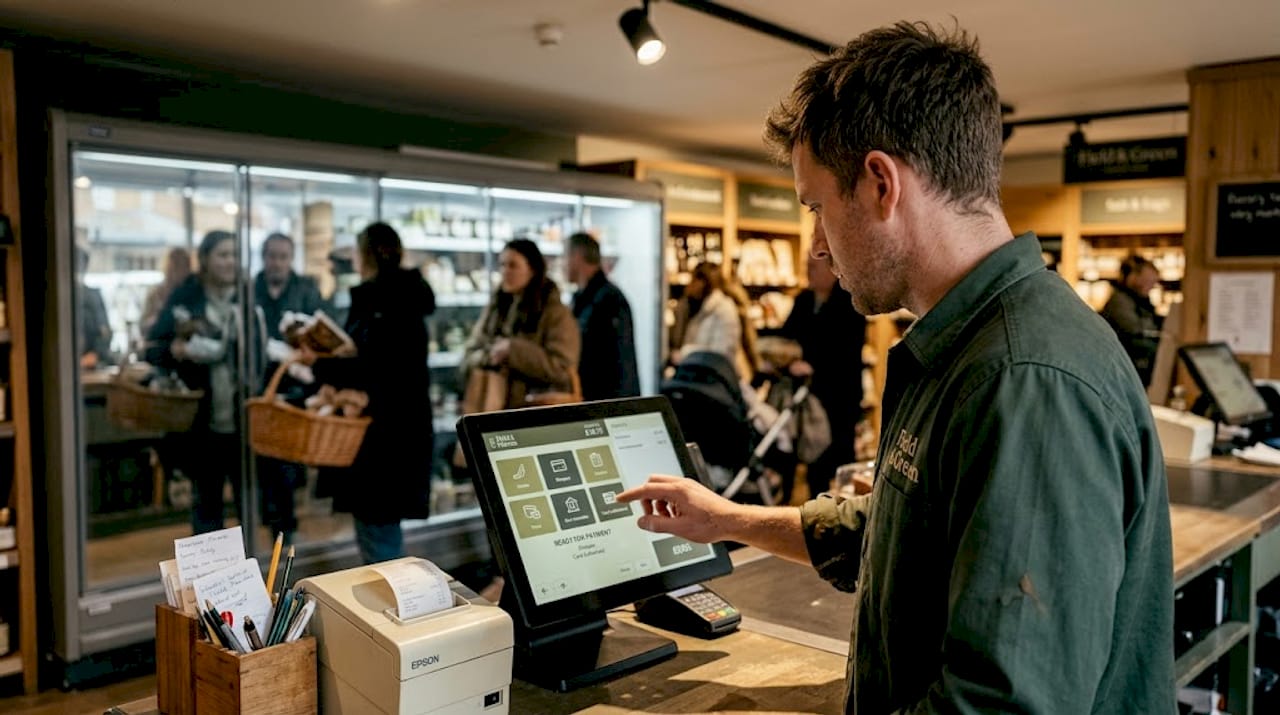
Streamline your retail checkout workflow and you directly cut queue times and data errors, two of the most damaging issues in high-volume environments. The workflow steps for efficient POS are well established, but how they are sequenced and communicated to your team makes all the difference.
Pro Tip: Create a simple visual diagram of your transaction workflow and laminate it near each till. New staff absorb process information far more quickly when they can see the steps at a glance rather than reading through a lengthy training manual mid-shift.
Comparing manual, semi-automated, and automated POS workflows
How much of your workflow you automate has a direct impact on speed, error rates, and the time it takes to train a new team member. The table below gives you a clear comparison.
| Feature | Manual | Semi-automated | Fully automated |
|---|---|---|---|
| Item entry | Typed or handwritten | Barcode scanner | Scanner plus auto-suggestions |
| Pricing | Staff calculated | System calculated | Dynamic pricing rules applied |
| Payment | Cash-only or basic card | Card and contactless | Omnichannel including app and QR |
| Stock update | End of day, manual | Periodic sync | Real-time sync |
| Training time | Long (relies on memory) | Moderate | Short (system guides staff) |
| Error risk | High | Medium | Low |
| Cost to implement | Low upfront | Moderate | Higher upfront, lower ongoing |
Automated workflows reduce transaction errors and help staff serve more customers per hour, which translates directly to increased revenue during peak trading periods.
Businesses that move from manual to automated POS workflows typically report a 30 to 40 per cent reduction in average transaction time within the first month of implementation, along with a measurable drop in end-of-day stock discrepancies.
The question of when to upgrade from manual to automated is often simpler than it seems. If your staff are spending more than a few seconds per transaction searching for products, calculating totals, or correcting pricing mistakes, the cost of a more automated system will pay for itself rapidly through improved throughput. A busy convenience store processing 300 transactions a day can gain hours of productive time per week simply by optimising POS setup with better automation. For hospitality operators, the gains are equally significant: faster table turns, fewer order errors sent to the kitchen, and happier customers.
Common workflow pitfalls and how to avoid them
Understanding the risks embedded in everyday workflows gives you a significant advantage. Most problems in retail and hospitality POS operations are entirely preventable once you know where to look.
The most common workflow issues include:
- Skipped steps: Staff under pressure skip confirmation screens or loyalty prompts, leading to missed upsell opportunities and inaccurate data.
- Slow item entry: Products without barcodes, or barcodes that have not been loaded into the system, create delays that frustrate customers and back up queues.
- Missing stock data: When inventory is not synced in real time, staff sell items that are not available, creating refund situations and damaging trust.
- Poor communication between tills: In multi-till environments, a transaction on one terminal may not immediately update another, causing duplicate sales or incorrect stock counts.
- Inconsistent cash handling procedures: Without a defined workflow for opening floats, processing refunds, and closing tills, reconciliation errors become routine rather than exceptional.
POS workflow errors often stem from poor staff training and unclear procedures. The good news is that most of these problems have straightforward solutions that do not require expensive equipment.
Practical solutions worth implementing immediately:
- Build interface prompts into your POS software so the system itself guides staff through each step, reducing the chance of anything being skipped.
- Create concise staff scripts for common transaction types, including refunds, split payments, and promotional discounts, so no one is guessing.
- Use a retail POS checklist for opening and closing procedures to ensure consistency across shifts and across team members.
- Integrate your inventory system directly with your POS so stock levels update automatically rather than relying on manual counts.
- Schedule brief weekly team huddles where staff can flag recurring problems they have noticed at the till. Front-line employees often spot issues long before management does.
Pro Tip: Pull one week of transaction logs from your POS system and look for patterns. Which items are most frequently returned? At what times of day do voids and refunds cluster? Recurring errors almost always point to a specific gap in your workflow that can be closed with a targeted fix.
Following POS best practices consistently is more valuable than any single piece of new hardware. The process protects both your revenue and your customer relationships.
Best practices for optimising your retail POS workflow
Knowing the pitfalls is only half the job. Turning that knowledge into sustained improvement requires a deliberate approach to workflow optimisation. The table below summarises the key areas and the actions to take.
| Optimisation area | Action | Expected benefit |
|---|---|---|
| Staff training | Regular workflow role-play and refresher sessions | Fewer errors, faster transactions |
| Software updates | Schedule updates during low-traffic periods | Access to latest features and security patches |
| Workflow audits | Monthly review of transaction logs | Early identification of bottlenecks |
| Device integration | Connect scanners, printers, and card terminals | Seamless data flow, reduced manual input |
| Customer feedback | Collect feedback at checkout or via receipt links | Insight into friction points from the customer side |
Ongoing workflow improvements lead to faster sales and improved customer satisfaction, both of which have a direct effect on repeat business and average basket size.
To put this into practice, consider a rolling weekly action plan:
- Week one: Audit your current workflow by mapping every step from greeting the customer to issuing a receipt. Note where staff hesitate or deviate from the intended process.
- Week two: Identify the single biggest bottleneck and design a fix. This might be adding a new product shortcut on the touchscreen, adjusting a prompt, or updating a pricing rule.
- Week three: Retrain your team on the updated workflow using the laminated visual diagram approach and a brief role-play session.
- Week four: Review the impact by comparing transaction times and error rates from before and after the change.
This cycle, repeated monthly, creates a culture of continuous improvement without overwhelming your team with constant change. Understanding the broader role of POS in retail helps frame these optimisations as strategic investments rather than administrative tasks. Involving your team in identifying problems and testing solutions also increases buy-in, which is essential for any workflow change to stick.
The best operators we work with do not wait for problems to escalate. They treat their POS workflow like any other business process: something that benefits from regular review, honest feedback, and incremental refinement. That mindset, more than any single upgrade, is what separates consistently efficient operations from those that lurch from one crisis to the next.
Why focusing on workflows, not just tech, is the real secret to POS success
Here is a perspective that most equipment catalogues will never share with you. The businesses in the UK’s retail and hospitality sectors that consistently outperform their peers are not always the ones with the newest hardware. They are the ones that have invested genuine time and thought into the process that surrounds their technology.
We see this repeatedly across every category of business we support, from independent convenience stores to multi-site restaurant groups. When a business upgrades to a faster terminal but keeps the same disorganised workflow, transaction times barely improve. When a business takes an older system and maps out a clear, documented process with proper staff training, the results are often remarkable. Speed increases. Errors drop. Staff confidence rises. Customers notice.
The uncomfortable truth is that workflow audits feel less exciting than unboxing new equipment. There is no instant gratification in drawing a process diagram or pulling transaction logs. But the return on that investment is far more durable than any hardware refresh. A well-designed workflow keeps delivering results long after the novelty of a new terminal has faded.
There is also a staff retention angle that rarely gets discussed. Employees who work within clear, logical systems feel less anxious and more competent. Ambiguous procedures create stress. Stressed staff make more mistakes, and more mistakes erode customer experience. Investing in setting up a POS workflow properly from the outset is one of the most straightforward ways to improve both operational performance and team morale simultaneously.
Our strong recommendation is to schedule a formal workflow review into your business calendar at least once per quarter. Treat it with the same seriousness as a stock take or a financial review. Bring your front-line staff into the conversation, because they know where the friction lives better than anyone else. Small, consistent improvements to process will almost always outperform sporadic, expensive technology investments made without a clear operational strategy.
Boost your POS workflow with expert solutions
If this guide has prompted you to take a closer look at how your business handles transactions, the next step is finding the right tools and resources to act on it.

At YCR Distribution, we have spent over three decades helping UK retailers and hospitality operators build POS setups that actually work in practice, not just on paper. Whether you need advanced POS software tailored to your specific environment, or you are trying to get your head around unfamiliar equipment, our resources are designed to help you move quickly. Our POS hardware terminology guide is a practical reference for anyone evaluating or expanding their setup, and if you are already running a system and experiencing issues, our hardware troubleshooting tips will walk you through the most common problems and their fixes. From next-day delivery to dedicated product support, we are here to help you build a POS operation that performs every day.
Frequently asked questions
What problems can poor POS workflows cause?
Inefficient workflows lead to longer queues, more staff errors, and lost sales, and as POS workflow errors often stem from poor training and unclear procedures, the impact compounds quickly across busy trading periods.
Can any POS system be optimised with better workflows?
Yes, almost all POS setups benefit from clearer step definitions, structured staff training, and automation of routine tasks, since ongoing workflow improvements consistently deliver faster sales and stronger customer satisfaction regardless of system age.
What’s the fastest way to spot workflow problems in my store?
Review your till logs for recurring voids, refunds, and slow transactions, then talk directly with front-line staff, because POS workflow errors almost always leave a traceable pattern in your transaction data.
How can I train staff on new POS workflows effectively?
Break the workflow into numbered steps, use laminated visual diagrams at each till, and run brief role-play sessions so staff can practise before serving real customers, drawing on the retail POS best practices that experienced operators rely on to accelerate onboarding.