
TL;DR:
- Most business owners assume customer-facing screens only display totals, but modern displays build trust, promote offers, and reinforce loyalty. Using dynamic, context-appropriate content that is regularly updated enhances customer engagement, reduces errors, and boosts sales; static displays waste this potential. Selecting the right display type and actively managing its content can significantly improve the customer experience and operational efficiency.
Most business owners assume the screen facing the customer at the till is simply there to show a total. It flashes up a number, the customer taps their card, and everyone moves on. That assumption costs you money. Modern customer displays do far more than confirm a price: they build trust, promote offers, reinforce loyalty, and shape the impression a shopper leaves with. This article covers exactly what a customer display is, how the technology has evolved, which types suit different operations, and how to use one to genuinely lift engagement across your retail or hospitality business.
Table of Contents
- Defining customer displays in retail and hospitality
- Types of customer displays and how they work
- Benefits of customer displays for engagement and sales
- Real-world applications and examples
- Why most retailers underuse customer displays and what works
- Find the best customer display solutions for your business
- Frequently asked questions
Key Takeaways
| Point | Details |
|---|---|
| Not just receipts | Customer displays can drive sales and engagement beyond showing prices alone. |
| Multiple types available | Choose from basic LCDs to advanced digital signage based on your business needs. |
| Measure by outcomes | Customer engagement is best tracked by real outcomes, not just device features. |
| Practical retail impact | Displays support upselling, reduce errors, and improve service for all sizes of retail and hospitality businesses. |
Defining customer displays in retail and hospitality
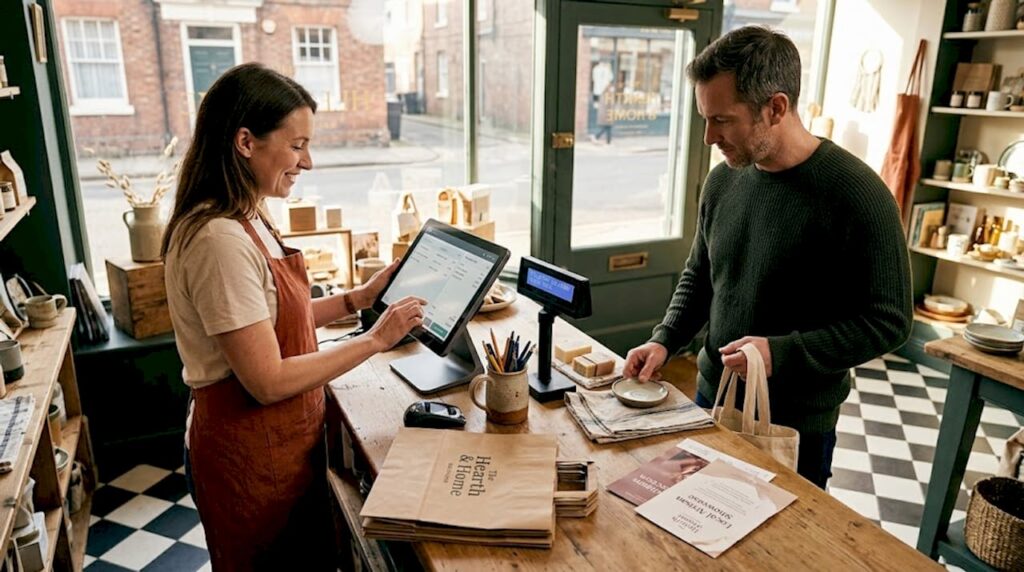
A customer display is the screen or output device at the point of sale that faces the customer rather than the operator. While the staff member sees order management, inventory lookups, and payment prompts on the main terminal, the customer display gives the shopper their own view of the transaction. That distinction sounds simple, but it carries significant weight in how customers experience your business.
Understanding POS hardware terminology is a useful starting point, because customer displays sit within a broader ecosystem of peripherals, software integrations, and network connections. They do not work in isolation. A display that cannot communicate properly with your POS software is just a screen.
The evolution of customer displays tracks alongside retail technology itself. Early versions were two-line vacuum fluorescent displays (VFDs) that showed nothing more than an item price and a running total. By the mid-2000s, LCD panels began replacing VFDs, adding colour and the ability to show basic graphics. Today, a modern customer display can show animated promotional content, accept digital signatures, display loyalty point balances, and even queue customers into a digital line.
A well-configured customer display typically handles all of the following:
- Transaction totals and itemised receipts, giving customers full visibility of what they are paying for
- Promotional messages and upsell prompts, triggered by what is in the basket
- Loyalty programme status, showing points earned or rewards available
- Digital receipts and QR codes, reducing paper waste and speeding up checkout
- Estimated wait times or preparation status, particularly relevant in hospitality settings
The technology is only as valuable as the engagement it creates. Tracking customer engagement metrics such as promotional uptake, average transaction value, and customer satisfaction scores gives you a far better picture of display performance than simply noting that the screen is switched on.
Pro Tip: Match your display size and resolution to your counter environment. A 10-inch full-HD panel is ideal for most retail counters, but a busy fast-food counter may benefit from a 15-inch display to ensure visibility from a slight distance. Poor visibility defeats the purpose entirely.
Alongside examples of POS hardware across different sectors, customer displays are consistently listed as one of the highest-impact peripherals for customer satisfaction. That is no coincidence.
Types of customer displays and how they work
Now that you know what a customer display is, it is crucial to understand the range of display types and their distinct features, because choosing the wrong type for your environment is a common and expensive mistake.
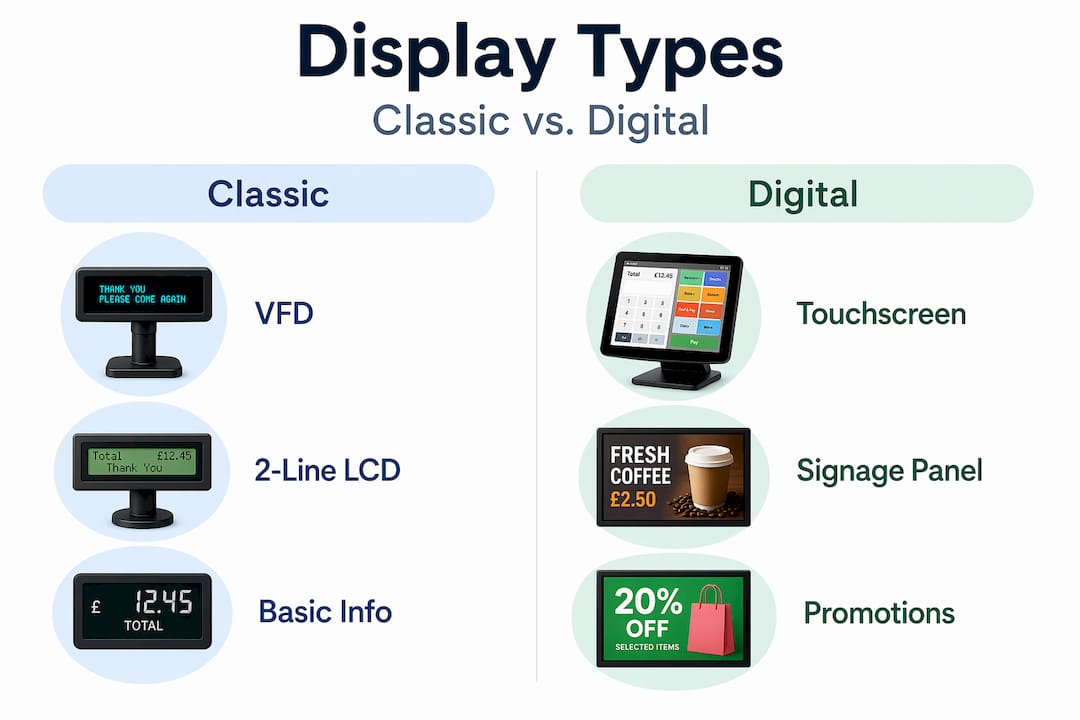
POS displays can vary greatly in functionality, from simple 2-line LCDs to advanced digital signage integrating with POS software. Here is a direct comparison to help you assess what each type brings to the table:
| Display type | Description | Key features | Typical use case |
|---|---|---|---|
| VFD (Vacuum Fluorescent) | Classic two-line alphanumeric display | High brightness, long life, low cost | Small independent shops, traditional counters |
| LCD | Backlit colour screen, fixed or adjustable angle | Colour graphics, promotional content, decent resolution | Convenience stores, cafés, mid-range retail |
| Touchscreen | Interactive panel with touch input on customer side | Digital signatures, loyalty capture, feedback collection | Hotels, full-service restaurants, boutiques |
| Digital signage display | Large-format screen integrated with POS or standalone | Video content, real-time promotions, menu boards | Fast food, hospitality, large-format retail |
Each type connects to the main POS terminal in one of a few ways: via a serial (RS-232) connection on older systems, USB on mid-range terminals, or network-based connections on modern cloud-integrated setups. The role of POS in retail increasingly depends on all peripherals, including displays, working as a seamlessly connected system rather than separate components bolted together.
Understanding how a transaction flows from the POS to the customer display helps you appreciate where things can go right or wrong:
- The operator scans or enters items on the POS terminal.
- The POS software processes each line item and sends real-time data to the customer display.
- The display updates immediately, showing the running total and any applicable promotional triggers.
- At payment stage, the display confirms the final amount and, on touchscreen models, may prompt for a digital signature or feedback rating.
- A digital receipt or QR code is shown, and the transaction closes.
This flow sounds smooth in theory, but it only works when your POS peripherals are correctly configured and your software supports real-time display output. Always verify compatibility before purchasing.
Pro Tip: For hospitality businesses, consider using a digital signage display or interactive touchscreen during slower periods. The display can rotate promotional content, suggest add-ons, or showcase loyalty benefits even when no active transaction is taking place. An idle screen is a missed marketing opportunity.
Benefits of customer displays for engagement and sales
Understanding the types is essential, but why invest? Here is what customer displays actually achieve for your operation, based on consistent patterns across retail and hospitality businesses of all sizes.
The direct benefits most operators see include:
- Increased customer confidence: Shoppers who can see each item being scanned and its price feel more in control. This reduces disputes at the till and builds trust in your accuracy.
- Fewer transaction errors: When customers can verify items in real time, they catch mistakes before payment. This saves time, reduces refunds, and cuts the awkward post-transaction conversations.
- Promoted offers and upsells: Displays triggered by basket contents can suggest relevant add-ons. A customer buying a coffee sees a prompt for a pastry discount. A guest checking into a hotel sees an upgrade offer on the screen in front of them.
- Enhanced loyalty engagement: Showing a customer their current loyalty points balance or a personalised reward during checkout reinforces programme participation without any staff effort.
- Faster service: When customers can see their total building in real time, they are ready with their payment method before the operator even announces the amount. This alone can reduce average transaction time noticeably during peak periods.
Customer engagement can be assessed by tracking outcomes, not only by the technology chosen. This is an important distinction. A business that installs a premium touchscreen display but never updates its content, tracks promotional uptake, or reviews transaction data is not really using a customer display. It is using an expensive static sign.
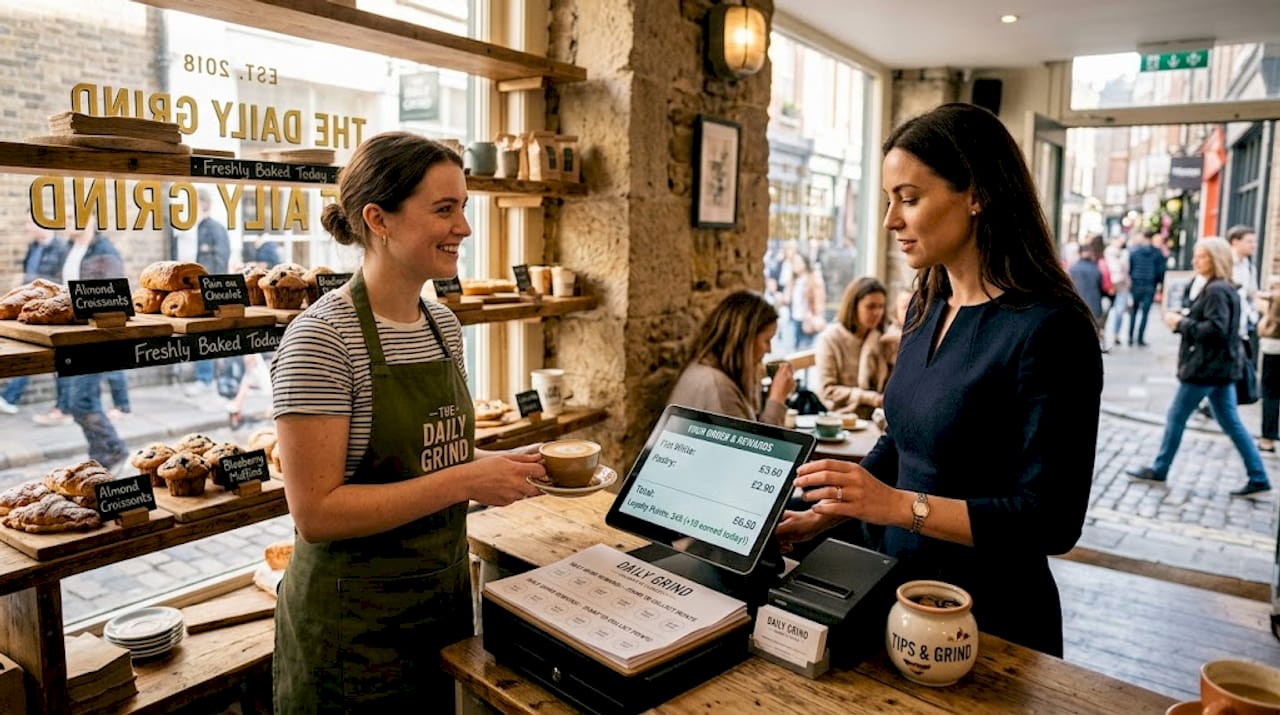
Consider a practical hospitality scenario: a busy city-centre café during the morning rush. Without a customer display, customers crane to see the till screen, ask for totals to be repeated, and fumble for payment after the fact. With a well-configured LCD display showing the running order, a loyalty points balance, and a prompt for a pre-loaded deal on a second drink, the transaction becomes smoother and more profitable simultaneously. Emerging POS trends for 2026 consistently highlight customer-facing displays as a priority investment for precisely this reason.
The broader landscape of retail technology confirms that engaged customers spend more and return more often. Customer displays are one of the most direct tools you have for shaping that engagement at the exact moment a purchase decision is being made.
Real-world applications and examples
With the benefits made clear, let us see how customer displays make a tangible difference in everyday retail and hospitality settings across the UK.
| Application | Benefit realised | Measured outcome |
|---|---|---|
| Convenience store | Itemised display reduces pricing queries and staff interruptions | Faster queue movement during peak hours |
| Fast food restaurant | Promotional content triggers upsells during order confirmation | Increased average spend per head |
| Boutique clothing shop | Loyalty balance display increases programme sign-ups at checkout | Higher repeat visit rate from loyalty members |
| Hotel reception | Touchscreen display captures digital signature and shows upgrade offers | Improved upsell conversion on room upgrades |
Beyond these examples, real-world use of customer displays extends into several creative and practical directions:
- Queue management: In hospitality venues, displays show preparation status or estimated wait times, reducing the number of customers asking “is my order ready?” This directly reduces pressure on front-of-house staff.
- Personalised promotions: When integrated with CRM or loyalty software, a display can greet a returning customer by name and show their personal reward balance. This kind of recognition creates genuine loyalty.
- Compliance and transparency: Displaying all items and prices during scanning ensures businesses meet consumer transparency expectations and reduces the risk of pricing disputes.
- Promotion compliance: Rather than relying on staff to mention every active promotion verbally, the display does it automatically and consistently for every transaction.
Digital signage and POS displays are part of broader engagement strategies and can contribute meaningfully to measurable outcomes when content is managed actively. The absence of a single universal benchmark does not diminish the evidence: businesses that use customer displays as active engagement tools outperform those that leave them on default settings.
The role of digital signage in retail has expanded significantly in recent years. If you want to understand what digital signage means in a modern retail context and how it overlaps with customer displays, it is worth reading further on the subject before making a purchasing decision.
Why most retailers underuse customer displays and what works
Here is an uncomfortable observation from years working with UK retail and hospitality businesses: the majority of operators who have a customer display are not actually using it. The screen shows a total, maybe a logo, and nothing else. It never changes. The setup was done at installation and nobody has touched it since.
The reason is almost never budget. It is inertia combined with a quiet fear that doing more with the display will look pushy or confuse customers. That thinking is understandable, but it is wrong. Customers do not find a relevant promotional prompt annoying. They find irrelevant, static, dusty screens forgettable. There is a meaningful difference.
The businesses that get the most from their displays do three things differently. First, they rotate content regularly. Not once a year. Weekly, at minimum. Seasonal offers, daily specials, and loyalty incentives all change frequently in successful operations, and the display reflects that rhythm.
Second, they match the content to the context. A touchscreen in a fine dining setting does not need flashing promotional graphics. A clean, minimal loyalty prompt or a discreet digital receipt option is appropriate and effective. A display in a convenience store serving a fast-moving queue benefits from bold, high-contrast promotional content that registers in seconds.
Third, they measure outcomes. Not the display itself, but what changes because of it. Tracking promotional uptake, average transaction value, and loyalty programme growth against a baseline gives you actionable data. Following retail POS best practices means treating your display as a live tool, not a one-time hardware purchase.
The lowest-effort improvement any business can make right now is simply to update the promotional content on their customer display to reflect what is actually happening in the business this week. It takes twenty minutes and costs nothing. The impact, measured over a month, often surprises people.
Find the best customer display solutions for your business
Customer displays are one of the most directly impactful pieces of hardware at your point of sale, and getting the right one for your environment makes a genuine difference to how customers experience your business.

At YCR Distribution, we supply a full range of POS hardware and software solutions built for UK retail and hospitality businesses. Whether you need a compact VFD for a small counter or a fully integrated touchscreen display for a busy restaurant, the right solution exists within our range. Start by exploring our guides on understanding POS hardware to identify exactly what your setup requires. You can then browse the full range of hardware to compare devices, or look at our POS software options to ensure your display integrates properly with the software driving your business. Our team is available to provide tailored advice, and with next-day delivery and same-day dispatch available, upgrading your setup does not need to mean any downtime.
Frequently asked questions
What features should I look for in a customer display for my shop or restaurant?
Look for clear visibility, straightforward integration with your existing POS software, the ability to display itemised transactions, and support for promotional or loyalty content. POS displays vary greatly in functionality, so match the type to your counter environment and customer volume before purchasing.
How can I measure the impact of my customer display on sales or engagement?
Track meaningful outcomes such as promotional uptake rates, average basket value, loyalty sign-up frequency, and queue speed rather than searching for a single universal metric. Broader engagement measurement approaches give a more accurate picture of what your display is actually achieving.
Are customer displays suitable for small businesses?
Absolutely. Even a basic VFD or entry-level LCD display improves transparency, reduces pricing disputes, and builds customer confidence in a small shop, café, or independent venue. The cost is modest and the impact on perceived professionalism is immediate.
Should my display show only prices, or can it promote offers too?
The most effective displays do both simultaneously. Showing accurate prices builds trust; adding relevant promotional content and loyalty prompts turns the display into an active sales tool rather than a passive receipt screen.