
What are multi-location POS systems?
TL;DR:
- Managing multiple shops increases operational complexity, but multi-location POS systems unify data for streamlined management. They enable real-time inventory, consolidated analytics, chain-wide pricing, and centralized customer loyalty, promoting growth without chaos. Cloud-based systems are preferable for flexibility, scalability, and remote oversight, reducing manual effort and technical risks.
Running two shops is roughly twice the work of running one. Running five is not five times the work. It is ten times the complexity, particularly when your inventory, sales data, and staff permissions live in separate systems that refuse to talk to each other. Multi-location POS systems exist to solve exactly that problem. They give retail and hospitality operators a single, unified platform to manage every site, from stock levels and pricing to staff access and customer loyalty, without logging into each terminal separately or reconciling spreadsheets at midnight.
Table of Contents
- Key takeaways
- What are multi-location POS systems?
- Key benefits for retail and hospitality businesses
- Comparing deployment options and key features
- How to implement a multi-location POS effectively
- Common pitfalls and how to avoid them
- My honest take on multi-location POS systems
- How Ycr can help you get it right
- FAQ
Key takeaways
| Point | Details |
|---|---|
| Centralised control | Multi-location POS unifies sales, stock, and staff data across every site in one dashboard. |
| Cloud is the preferred choice | Cloud-based systems offer remote access and lower setup costs compared to on-premise alternatives. |
| Reporting drives decisions | Consolidated analytics let you spot trends and act on them quickly across all stores. |
| Training is non-negotiable | Consistent staff training across sites is critical for getting the most from a multi-site system. |
| Poor system choice costs growth | Choosing a POS not built for scale creates data errors, pricing inconsistencies, and customer frustration. |
What are multi-location POS systems?
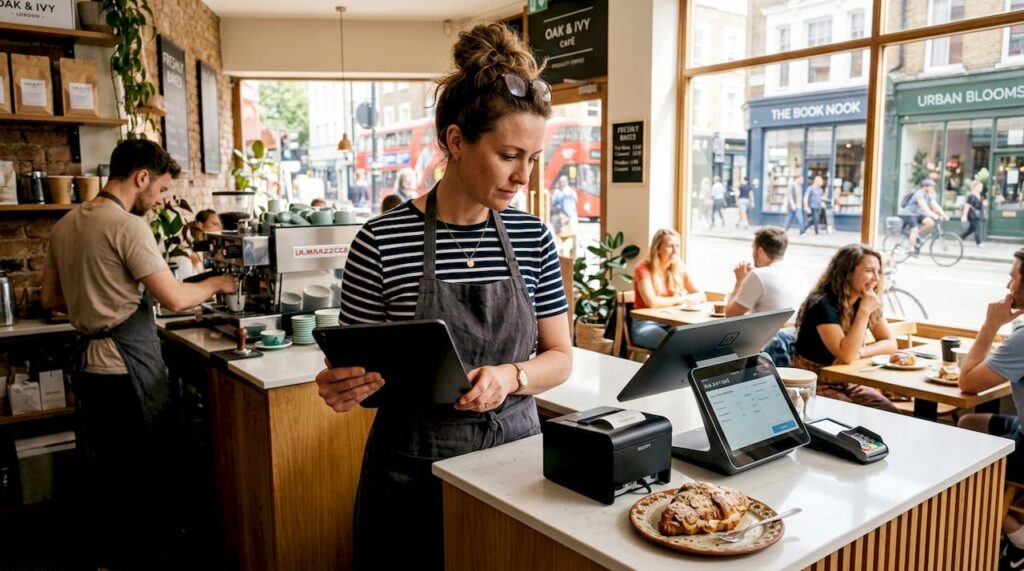
A multi-location POS system is software and hardware infrastructure designed to manage point-of-sale operations across two or more business sites from a single control point. Where a standard POS handles transactions at one till in one shop, a multi-site POS platform connects every outlet, synchronising data so that a sale in your Manchester branch immediately reflects in your central stock count and your head office reports.
The core functionality covers several interconnected areas:
- Central dashboard: One interface showing sales performance, stock levels, and staff activity across all locations in real time.
- Inventory synchronisation: Stock is tracked at each site and at the group level, with the ability to transfer products between locations when one store runs low and another holds surplus.
- Role-based permissions: Staff at each site see only what they need. A floor supervisor in Bristol cannot access payroll data for the Edinburgh branch.
- Pricing and promotions: Chain-wide price changes or promotional campaigns are pushed from head office rather than edited manually at every till.
- Customer and loyalty data: A single database of customer records, points balances, and purchase history accessible at every location.
The most significant difference from a single-location system is not the feature list. It is how the data flows. Multi-location systems centralise inventory, transfers, reporting, and staff permissions to handle the operational complexity that grows exponentially with each new site.
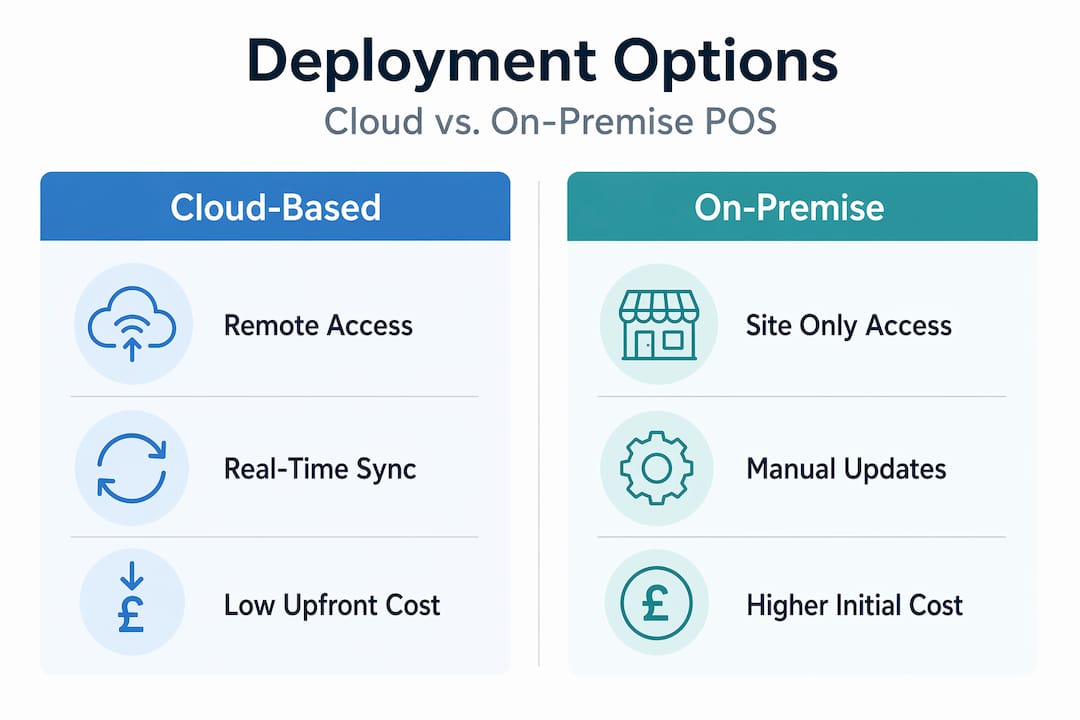
Cloud-based systems are the clear preference for multi-site businesses. Cloud POS offers lower upfront cost, flexibility, and remote access that on-premise solutions simply cannot match. On-premise hardware keeps data locally, which some operators prefer for control, but it requires significant maintenance investment and makes real-time cross-site syncing far more difficult to achieve.
Key benefits for retail and hospitality businesses
Understanding what multi-site POS software does is one thing. Seeing what it actually changes in your day-to-day operation is another. Here are the benefits that matter most to growing businesses.
1. Accurate inventory across every site
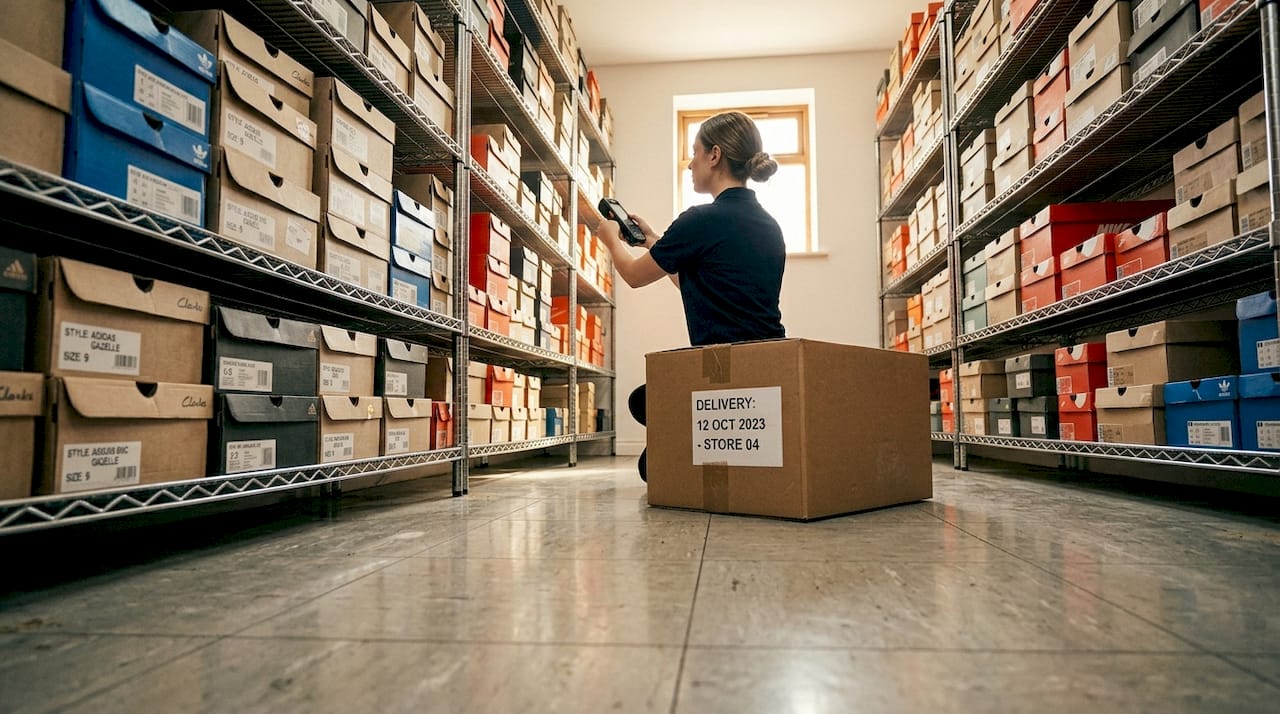
Stock errors are the silent profit killer for multi-location operators. Real-time stock synchronisation reduces overselling and stockouts significantly, and automated reorder triggers mean your purchasing team acts on data rather than guesswork. Businesses with large catalogues gain the most. Hardware stores tracking thousands of SKUs with real-time stock visibility have reported avoiding significant lost sales that previously slipped through manual tracking gaps.
2. Consolidated reporting and analytics
Centralised reporting across all retail locations gives you a complete picture of business performance without pulling reports from each site manually. You can compare conversion rates between your town centre branch and your out-of-town retail park, or identify which location needs additional promotional support, all from one screen.
3. Consistent pricing and promotions, with local flexibility
A multi-location POS lets you push pricing updates chain-wide in seconds, which matters enormously during busy promotional periods like Christmas or bank holiday sales. At the same time, most modern systems allow location-specific pricing overrides, so your city centre site can reflect higher operating costs without affecting your suburban stores.
4. Staff management and access controls
Role-based permissions mean that a new hire at one location cannot access sensitive financial data from another site. Managers get visibility of their own team’s performance. You get an overview of all sites without spending hours chasing store reports by email.
5. Unified loyalty and customer experience
A single customer loyalty and CRM database lets customers earn and spend points at any of your locations, not just the one they signed up at. For hospitality businesses in particular, this creates a recognisable, consistent experience that builds repeat visits.
Pro Tip: Set up automated low-stock alerts at the group level, not just per store. This lets your operations team arrange inter-store transfers before a site runs out, rather than placing emergency orders from your supplier at full price.
Comparing deployment options and key features
Before selecting a system, it is worth understanding the genuine differences between cloud and on-premise deployment, and which features actually matter when you are managing multiple sites.
| Feature | Cloud-based POS | On-premise POS |
|---|---|---|
| Remote access | Yes, from any device with internet | Limited to local network |
| Upfront cost | Lower, often subscription-based | Higher hardware and installation costs |
| Real-time syncing | Automatic across all sites | Requires manual configuration |
| Maintenance | Managed by provider | Managed in-house or via IT contractor |
| Scalability | Add new sites quickly | Requires hardware installation per site |
| Data control | Hosted externally | Stored locally |
For most retail and hospitality operators, the cloud wins on practicality. The ability to log in from any device and see live sales across all your sites is genuinely useful when you are not on the shop floor. Understanding cloud-based POS advantages in detail can help you make a more confident purchasing decision.
Beyond cloud versus on-premise, the features that genuinely separate capable multi-site systems from inadequate ones include:
Scalability without friction. Adding a new location should take hours, not weeks. Look for systems where a new site is activated in the back office, not rebuilt from scratch.
Integration with your existing tools. Your POS should connect with your accounting software, online ordering platform, and supplier catalogues. A POS that integrates with external business tools saves duplication and reduces manual data entry errors across the board.
Security and access controls. Multi-location systems hold sensitive financial and customer data for your entire business. Look for encrypted data transmission, two-factor authentication options, and detailed audit trails of who accessed what and when.
Pro Tip: Ask any POS provider to demonstrate adding a new store location during your demo. If it takes more than thirty minutes or requires a support call, that is a warning sign about the system’s true suitability for multi-site growth.
How to implement a multi-location POS effectively
Selecting the right system is only the first step. How you set it up and manage it determines whether you get the benefits or just another expensive headache.
- Start with your hardware compatibility. Not every POS software works with every terminal, scanner, or printer. Before committing to a software platform, check that it supports your existing hardware or that the upgrade cost is factored into your budget. Reviewing a retail POS checklist before you begin can prevent costly surprises at the implementation stage.
- Build your location hierarchy carefully. Most multi-site POS platforms let you organise stores into regions or groups. Set this up correctly from the start. If you have sites in the North West, Midlands, and South East, grouping them this way means your reporting mirrors your actual business structure.
- Train staff before go-live, not during it. Consistent training across locations is the single most reliable predictor of a smooth rollout. Proper staff training and system setup across stores maintains consistency and maximises the benefits of central control. Run training at each site separately rather than relying on managers to pass it on informally.
- Establish central control while allowing local flexibility. Head office should control pricing, product catalogue, and promotions. Store managers should have autonomy over staffing schedules and local operational decisions. Define this clearly in the system’s permission structure before launch.
- Use reporting from week one. Do not wait until quarter end to look at the data. Set up weekly reporting routines that compare locations on the metrics that matter most, such as average transaction value, refund rate, and basket size. This creates a performance culture that the technology enables but your team must drive.
Common pitfalls and how to avoid them
Even good operators make avoidable mistakes when rolling out multi-site POS systems. Knowing where others have gone wrong is often more useful than knowing where they got it right.
- Choosing a system that cannot scale. A POS not built for real-time syncing causes confusion, operational slowdowns, and eventual customer loss. Always test at scale, not just with one demo location.
- Inconsistent product data. If product names, barcodes, or prices are entered differently across sites, your consolidated reports become unreliable. Establish a master product catalogue owned by one person or team.
- Neglecting integration with existing tools. A POS that sits in isolation from your accounting software doubles your administrative workload. POS integration with business tools should be a requirement, not a nice-to-have.
- Underestimating change resistance. Long-serving staff who are comfortable with old systems often resist new ones. Acknowledge this openly, involve them in the setup process where possible, and make training feel supportive rather than corrective.
- Skipping data backup protocols. With all your locations feeding into one platform, a data loss event affects the entire business. Confirm that your provider offers automatic backups and understand what the recovery process looks like before you sign a contract.
My honest take on multi-location POS systems
I’ve spent considerable time working alongside retail and hospitality operators who have gone through multi-site POS implementations, and the pattern I see most often is this: businesses underestimate what the system can do, then underuse it once it is live.
The centralised dashboard is not just a convenience. It is a management tool that changes how you run the business, if you are willing to change how you think about the business. Operators who use multi-store POS reporting actively, checking performance daily and comparing locations weekly, consistently outperform those who treat the POS as a glorified till.
The misconception I encounter most is that a multi-location system means less autonomy for store managers. In practice, the opposite tends to be true. When head office has reliable data, managers are trusted to operate more independently because the numbers confirm they are performing. Without that data, there is a tendency to micromanage because nobody quite knows what is happening.
What actually works is this: tight central control over pricing and product data, genuine flexibility at site level for staffing and customer-facing decisions, and a consistent weekly review rhythm that uses the reporting to start conversations rather than assign blame.
Multi-site POS is not a magic fix for a poorly run operation. But for a well-run business looking to scale without the chaos, it is one of the most significant operational improvements you can make.
— John
How Ycr can help you get it right
If you are managing more than one site, or planning to expand, the quality of your POS infrastructure will shape how smoothly that growth goes. Ycr has over thirty years of experience supplying POS hardware and POS software to UK retail and hospitality businesses, from independent convenience stores to multi-branch restaurant groups.

The Ycr range includes hardware from trusted brands like SAM4S and iMin, alongside tailored software solutions including SAMTOUCH and EZEEPOS, both designed to handle the demands of multi-site operations. Whether you need terminals, barcode scanners, printers, or a fully integrated software stack, Ycr offers next-day delivery and same-day dispatch to keep your business moving. Explore the full range at ycr.co.uk and speak to the team about a solution built around your locations.
FAQ
What is a multi-location POS system?
A multi-location POS system is a point-of-sale platform that connects two or more business sites under a single management interface, synchronising inventory, sales data, staff permissions, and customer records in real time.
Why does multi-site POS matter for growing businesses?
Without a unified system, managing inventory, pricing, and reporting across multiple sites requires manual effort that increases errors and slows decision-making. A multi-site POS removes that friction and gives you accurate, live data across every location.
Is cloud-based POS better for multiple locations?
Yes, for most operators. Cloud-based POS offers remote access, lower upfront costs, and automatic real-time syncing across sites, all of which are critical when managing more than one location.
Can staff at one location access data from another?
Role-based access controls prevent this. You can configure the system so that each member of staff sees only the data relevant to their site and role, protecting sensitive financial and operational information.
What are the biggest mistakes when setting up a multi-location POS?
The most common pitfalls are choosing a system that lacks real-time syncing, failing to maintain a consistent product catalogue, skipping structured staff training, and not integrating the POS with accounting or ordering tools.