

Examples of portable receipt printers for retail and hospitality

Portable receipt printers are compact, wireless devices that print transaction records directly at the point of sale, without a fixed counter or cable run. The industry term is “mobile receipt printer,” though both names refer to the same category of direct thermal printing hardware. These devices are standard kit for market traders, food truck operators, restaurant floor staff, and pop-up retailers across the UK. Choosing the right unit means matching print speed, paper width, connectivity, and durability to your specific operation. This guide covers the key examples of portable receipt printers worth considering in 2026, with practical guidance on which type suits which environment.
What are the key features to look for in portable receipt printers?
Print speed is the first number to check. Speeds of 70–100 mm/s are common in professional units. That range keeps queues moving in busy retail and hospitality settings without creating bottlenecks at the till.
Connectivity options matter more than most operators expect. Bluetooth is the standard wireless method, but the version affects range and stability. Wi-Fi connectivity suits fixed table service, while USB-C is now the preferred wired fallback for charging and data transfer. USB-C charging also means staff can top up from a power bank in the field, which is a genuine operational advantage.
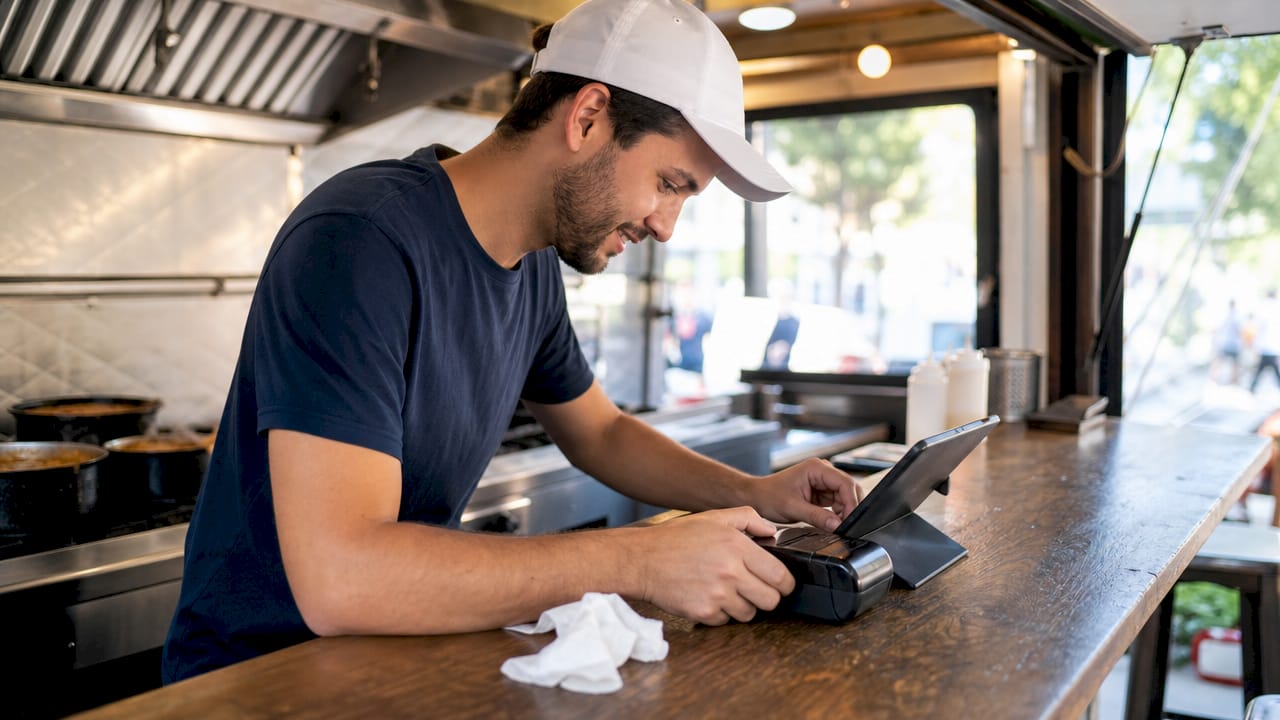
Battery life determines how long a printer lasts through a full shift. Most professional units are rated for a full day of moderate use, but high-volume environments will drain a battery faster. Always check the rated capacity against your expected daily print volume.
Durability ratings separate professional devices from entry-level units. Look for IP54 as a minimum. IP54 means the printer resists dust and splashing water from any direction. Drop resistance is equally important in fast-paced environments.
Paper width is the final core decision. The two standard options are 2-inch (58mm) and 3-inch (80mm) rolls. Each suits a different workflow, which the sections below cover in detail.
Pro Tip: Always confirm the printer command language before purchasing. ESC/POS is the most widely supported standard, but some units use CPCL or ZPL. A mismatch with your POS software means the printer will not function correctly, regardless of how good the hardware is.
2. Compact 2-inch portable printers for retail pop-ups and market stalls
Two-inch printers are the lightest and most portable option in the mobile receipt category. Retail pop-ups favour 2-inch units for their low weight and ease of carrying between locations. A staff member can hold one in a hand or clip it to a belt, which makes queue-busting on a busy market day genuinely practical.
The Epson TM-P20II is a well-regarded example in this category. It prints at 100 mm/s and carries an IP54 rating, which means it handles light rain, spilled drinks, and dusty outdoor environments without failing. It also holds 6.9-foot drop resistance certification, which is the kind of real-world protection that matters when a device is handed between staff all day.
Key benefits of 2-inch units for retail pop-ups:
- Low weight makes them easy to carry throughout a shift
- Fast print speeds keep customer-facing transactions quick
- Simple paper loading reduces downtime when rolls need changing
- USB-C charging allows top-ups from portable power banks
The main limitation is receipt width. A 2-inch receipt fits a basic transaction summary but not a long itemised order. For straightforward retail sales with a handful of line items, that is rarely a problem. For food service with complex orders, it becomes one.
3. Three-inch portable printers for restaurants, food trucks, and hospitality
Three-inch printers use 80mm paper rolls and produce wider receipts. Restaurants and food trucks prefer 3-inch models because wider paper accommodates full itemised orders, modifiers, allergen notes, and kitchen instructions without truncating text. A receipt that cuts off mid-item creates errors and complaints.
Durability requirements are higher in hospitality than in most retail settings. Kitchen environments involve heat, steam, and frequent drops. Professional 3-inch units carry IP54 ratings and drop resistance from 1.8m to 2.1m to handle that reality. A printer that fails mid-service in a restaurant is a serious operational problem, not a minor inconvenience.
Many 3-inch mobile printers also support barcode and QR code printing, which adds value beyond the receipt itself. Table-side QR codes for digital menus, loyalty programme stamps, and order tracking labels all become possible with the same hardware.
Connectivity in hospitality settings typically requires both Bluetooth and Wi-Fi. Bluetooth handles table-side printing from a handheld device. Wi-Fi connects the printer to a fixed POS terminal across a larger floor area. Units that support both give operators the most flexibility.
Pro Tip: In a food truck or outdoor catering setting, prioritise IP54 as a non-negotiable minimum. Condensation, rain, and cooking steam will reach the printer. A unit without adequate sealing will fail within weeks in those conditions.
4. How portable receipt printers integrate with POS systems
Connectivity is where many operators make expensive mistakes. Bluetooth pairing is straightforward, but the printer must also speak the same command language as the POS software. ESC/POS, CPCL, and ZPL are the three main printer command languages. ESC/POS is the most widely supported across retail and hospitality POS platforms.
Operating system compatibility is a separate check. Most mobile printers support iOS and Android via Bluetooth. Windows compatibility varies. If your POS runs on a Windows tablet or terminal, confirm the printer has a certified Windows driver before purchasing.
Direct thermal printing requires no ink or toner, which removes one category of consumable cost entirely. The trade-off is that thermal paper is the only paper that works. Using standard paper produces a blank receipt. Always stock the correct thermal roll size for your unit.
The table below summarises the main connectivity standards and their typical use cases:
| Connectivity type | Typical use case |
|---|---|
| Bluetooth 4.0 or higher | Table-side and queue-busting mobile printing |
| Wi-Fi (2.4GHz or dual-band) | Fixed floor printing from a central POS terminal |
| USB-C (wired) | Charging and direct connection to a tablet or terminal |
| Dual-mode (Bluetooth + Wi-Fi) | Large hospitality venues needing both mobile and fixed printing |
Ycr stocks POS printers compatible with SAMTOUCH and EZEEPOS software, which removes the command language guesswork for UK operators already using those platforms.
5. Comparing portable receipt printer categories by use case
Not every operation needs the same device. The right choice depends on volume, environment, and the complexity of what you are printing. The table below maps common business types to the printer category that fits best.
| Business type | Recommended category | Key requirement |
|---|---|---|
| Market stall or pop-up retail | Entry-level 2-inch unit | Light weight, long battery life |
| Food truck or outdoor catering | Ruggedised 3-inch unit | IP54 rating, drop resistance |
| Restaurant floor service | Mid-range 3-inch with dual connectivity | Wi-Fi and Bluetooth, fast print speed |
| Convenience store or pharmacy | Entry-level 2-inch or 3-inch | ESC/POS compatibility, USB-C charging |
| Large hospitality venue | Enterprise 3-inch with dual-band Wi-Fi | High-volume print speed, durable build |
Entry-level units suit low-volume operations where portability matters more than print speed. They are lighter and cheaper, but they typically lack IP ratings and drop resistance. Ruggedised units cost more but last significantly longer in demanding environments. Enterprise-grade devices add features like dual-band Wi-Fi, faster print engines, and extended battery capacity for high-volume venues.
Wider paper facilitates detailed orders but increases device bulk. That trade-off is worth accepting in a restaurant. It is not worth accepting for a market trader who carries the printer all day. Matching the device to the actual workflow, rather than buying the most feature-rich option available, produces better results in practice.
The role of receipt printers in UK retail has expanded beyond simple transaction records. Operators now use them for loyalty receipts, promotional codes, and order tracking, which raises the bar for what a printer needs to support.
Key takeaways
The most effective portable receipt printer is the one matched to your paper width, durability rating, and POS command language before you buy.
| Point | Details |
|---|---|
| Match paper width to workflow | Use 2-inch for simple retail transactions and 3-inch for itemised hospitality orders. |
| Prioritise IP54 as a minimum | Any printer used in food service or outdoors needs dust and splash protection as standard. |
| Confirm command language first | ESC/POS is the most widely supported standard; verify compatibility with your POS software before purchasing. |
| Check connectivity beyond Bluetooth | Wi-Fi support is necessary for larger venues; USB-C charging adds field flexibility. |
| Durability saves money long-term | Drop resistance rated at 1.8m to 2.1m is the professional benchmark for mobile POS devices. |
What I have learned from watching operators choose the wrong printer
The most common mistake I see is operators buying on price alone. An entry-level unit that costs less upfront but lacks an IP rating will fail in a food truck kitchen within a season. The replacement cost, plus the lost service time, always exceeds what a ruggedised unit would have cost from the start.
The second mistake is ignoring the command language. I have seen operators receive a printer that pairs perfectly via Bluetooth but prints nothing but garbled characters. The hardware was fine. The POS software expected ESC/POS and the printer spoke CPCL. That is a completely avoidable problem that a five-minute compatibility check would have caught.
Paper width decisions deserve more thought than most operators give them. A 2-inch receipt looks clean and professional for a straightforward retail sale. The same printer on a restaurant floor, trying to print a twelve-item table order with modifiers, produces a receipt that wraps text awkwardly and frustrates kitchen staff. The device that works brilliantly in one context fails in another.
My honest recommendation for any UK operator in 2026 is to treat the printer as part of the POS system, not as a standalone accessory. The best outcomes come from choosing hardware and software together, confirming compatibility at every level, and budgeting for a ruggedised unit if the environment demands it.
— John
Ycr’s integrated POS solutions with portable printing support
Ycr has supplied POS hardware and software to UK retail and hospitality operators for over three decades. The SAMTOUCH POS software with hardware bundle includes compatible receipt printing hardware configured to work out of the box, removing the compatibility risks that catch operators out when they source components separately.

Ycr’s team can advise on the right printer category for your specific operation, whether that is a compact 2-inch unit for a market stall or a ruggedised 3-inch device for a busy restaurant floor. With next-day delivery and same-day dispatch available, getting the right hardware in place quickly is straightforward. Visit Ycr’s POS hardware range to see the full catalogue of printers, terminals, and accessories available to UK businesses.
FAQ
What is a portable receipt printer?
A portable receipt printer is a compact, battery-powered device that prints transaction records wirelessly at the point of sale. Most use direct thermal technology, which requires no ink or toner.
What paper width should I choose: 2-inch or 3-inch?
Choose 2-inch for simple retail transactions where portability matters most, and 3-inch for hospitality environments where itemised orders, allergen notes, or kitchen instructions need to fit on a single receipt.
What does IP54 mean on a portable printer?
IP54 means the device is protected against dust ingress and splashing water from any direction. It is the minimum durability standard recommended for printers used in food service or outdoor retail settings.
Which printer command language is most compatible with POS software?
ESC/POS is the most widely supported command language across retail and hospitality POS platforms. Always confirm your POS software supports the printer’s command language before purchasing.
Can portable receipt printers print barcodes and QR codes?
Many mobile printers support UPC, EAN, and QR code printing in addition to standard receipts, which is useful for loyalty programmes, order tracking, and retail inventory management.