

Restaurant order management defined: a 2026 guide

A restaurant order management system (OMS) is a software platform that centralises and automates all incoming orders from multiple sales channels to keep restaurant operations running without error. Known in the industry as an OMS, it acts as the traffic controller between channels and your kitchen, routing each order to the correct station and batching them by capacity. Whether orders arrive from dine-in tables, online platforms, QR codes, or delivery apps, the OMS captures them in one place. Without it, you are managing a fragmented flow of information that leads directly to delays, wrong orders, and lost revenue.
What is restaurant order management defined as in practice?
Restaurant order management is the end-to-end process of receiving, processing, routing, and fulfilling every order that enters your venue. The OMS is the system that makes this process automatic rather than manual. A point-of-sale (POS) terminal handles the financial transaction. The OMS handles what happens next: where the order goes, in what sequence, and how quickly it reaches the customer.
The distinction matters because many restaurant managers treat their POS as their order management tool. It is not. A POS records the sale. An OMS manages order fulfilment flow directly, routing items to specific kitchen stations, managing timing, and updating order status in real time. Conflating the two leads to gaps in kitchen communication and missed orders during peak service.
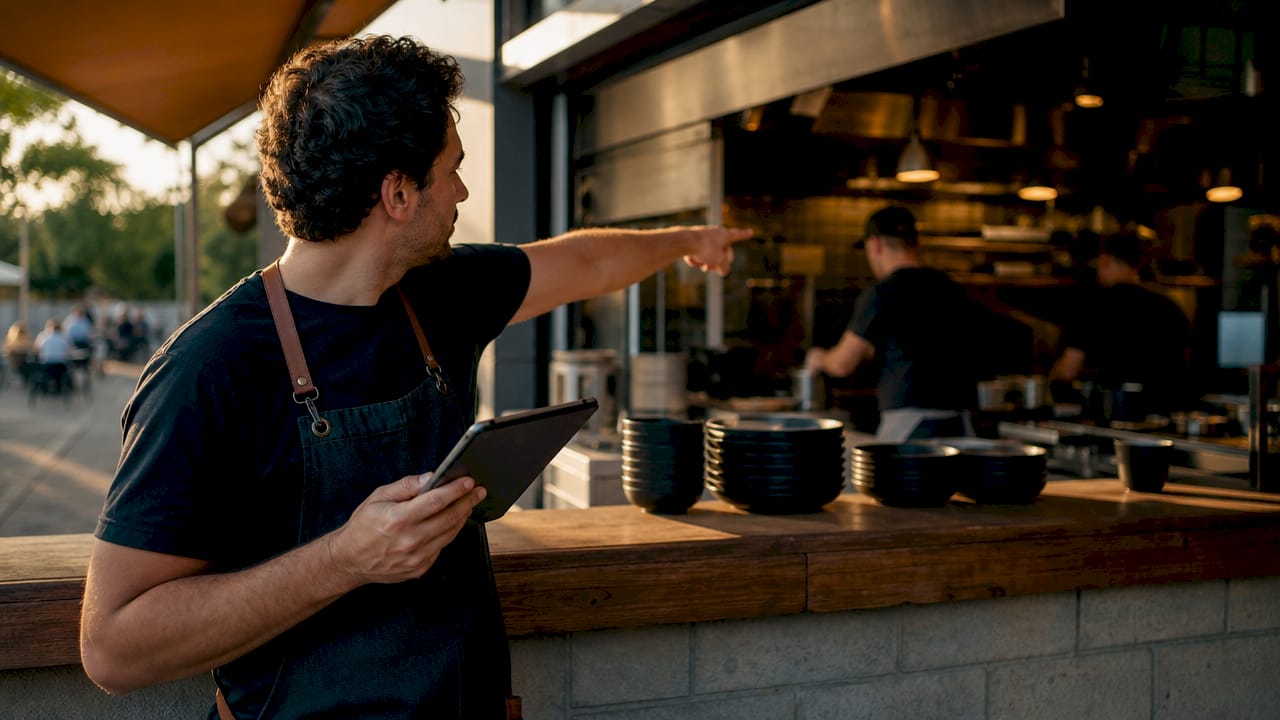
A well-configured OMS also integrates with your restaurant inventory management and staff scheduling systems. This means every order placed automatically depletes stock levels and feeds into your labour planning. The result is a single operational hub that connects your front of house, kitchen, and back office.
How does an OMS improve restaurant efficiency?
The most direct efficiency gain from an OMS is the elimination of manual order entry. Without one, staff re-enter orders from delivery apps into the POS by hand. This creates what operators call a “tablet farm”: a row of devices from different platforms, each requiring separate attention. Errors multiply, and service slows.
A modern OMS uses API integrations as universal translators between delivery platforms and your POS. Orders flow in automatically, accurately, and instantly. Staff no longer touch multiple devices. Kitchen teams receive a single, consolidated ticket rather than competing instructions from separate sources.
The operational benefits extend beyond accuracy:
- Faster order routing: Orders reach the correct kitchen station within seconds of placement, reducing preparation delays.
- Real-time status updates: Kitchen staff mark orders as in progress or complete, giving front-of-house teams accurate wait times.
- Reduced lost orders: Centralising all incoming orders into one interface eliminates the risk of a ticket being missed on a separate device.
- Lower labour costs: Fewer staff are needed to manage order intake when the process is automated.
- Improved kitchen prioritisation: The OMS sequences orders by table, time, and capacity rather than leaving kitchen staff to judge manually.
Pro Tip: Set up kitchen display system (KDS) integration with your OMS from day one. A KDS connected to your OMS gives chefs a live, prioritised queue and removes the need for printed tickets entirely.
OMS automation drives faster service and reduces human error at the same time. These two outcomes together increase customer loyalty and protect your margins during the busiest periods.
What are the key features of a modern order management system?
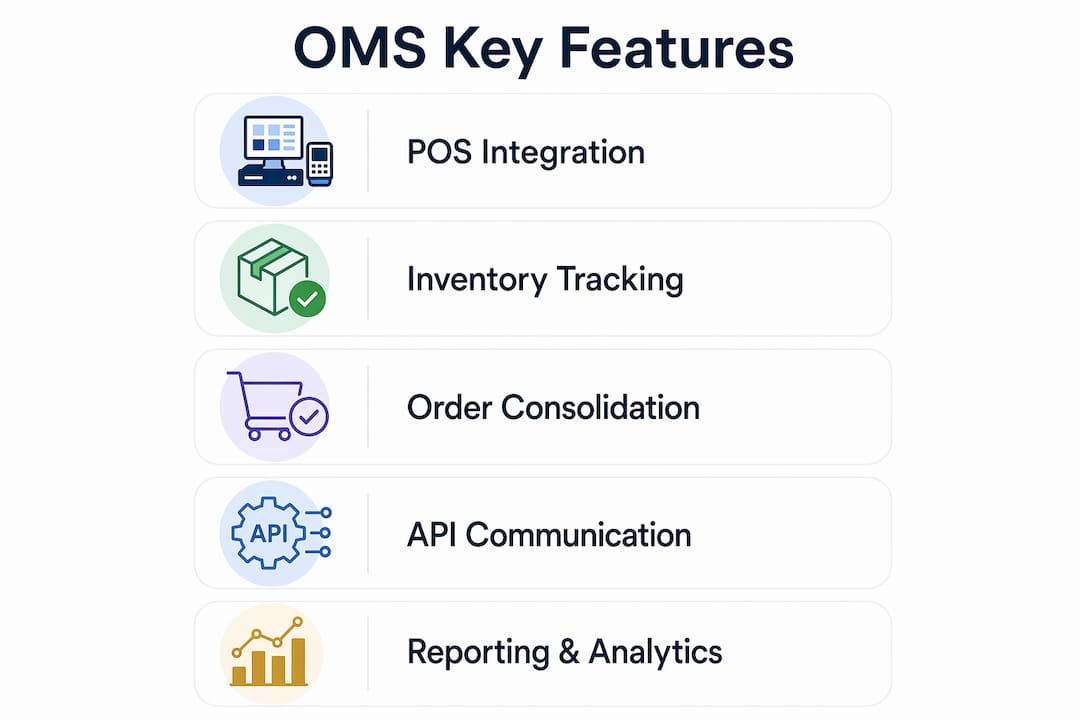
A fully integrated OMS does far more than receive orders. The features that deliver the most value are those that connect your order data to the rest of your operation.
POS integration
POS integration is the foundation of any effective OMS setup. The OMS and POS must communicate bidirectionally: the POS sends menu and pricing data to the OMS, and the OMS sends completed order data back. Without this link, you are running two separate systems that require manual reconciliation.
Inventory depletion and recipe costing
The highest ROI from OMS comes when it triggers automatic inventory depletion and recipe costing after every sale. Each dish sold reduces the relevant ingredients from your stock count in real time. This removes the need for end-of-shift manual stock counts and gives you accurate food cost data throughout the day.
Multi-channel order consolidation
A capable OMS consolidates dine-in, online, QR-based, and delivery orders on one dashboard. Managers see every order channel in a single view rather than switching between platforms.
Bidirectional API communication
Bidirectional API integrations are critical for delivery operations. The OMS must send order status updates back to delivery platforms, not just receive orders from them. One-way integrations cause delivery driver timing issues and damage your ratings on third-party apps.
Reporting and analytics
Real-time dashboards show sales by channel, item, and time period. This data informs menu engineering, staffing decisions, and promotional planning.
| Feature | Basic POS only | Integrated OMS |
|---|---|---|
| Order receipt | Manual entry required | Automatic from all channels |
| Kitchen routing | Single printer output | Station-specific routing |
| Inventory update | Manual count | Automatic depletion per sale |
| Delivery app sync | Separate device per app | Unified dashboard |
| Order status updates | Not available | Real-time bidirectional |
| Reporting | End-of-day totals | Live multi-channel analytics |
Pro Tip: When evaluating restaurant management software, ask vendors specifically whether their API integrations are bidirectional. Many entry-level platforms only receive orders. They do not send status updates back, which creates problems with delivery logistics.
How to manage restaurant orders effectively using an OMS
Effective order management starts before service begins. These steps give you a structured approach to getting the most from your system.
- Centralise every channel on day one. Connect all order sources, including your website, delivery apps, and in-house POS, to the OMS before going live. Running any channel outside the system creates a blind spot in your data.
- Set par levels and reorder points using OMS data. Your system tracks consumption patterns across every service period. Use this data to set minimum stock thresholds that trigger automatic purchase orders or alerts. This prevents stockouts during peak hours.
- Use real-time data to reduce waste. Real-time OMS data enables spoilage reduction by showing you which ingredients are moving slowly. Adjust prep quantities daily based on actual sales rather than estimates.
- Train front-of-house and kitchen staff together. The OMS only works when both teams understand their role in the workflow. Kitchen staff need to mark orders complete promptly. Front-of-house staff need to trust the system’s wait time estimates rather than guessing.
- Review variance reports weekly. Your OMS compares theoretical stock usage against actual usage. Consistent variances indicate waste, theft, or portioning errors. Address these before they compound.
- Avoid partial integrations. Connecting only some channels to your OMS is worse than connecting none. Partial data creates false confidence in your reporting and leads to poor decisions.
Pro Tip: Run a full channel audit every quarter. Delivery platforms update their APIs regularly, and a broken integration can go unnoticed for days, silently routing orders to the wrong station or dropping them entirely.
The integration of POS, inventory, staffing, and delivery into one platform is what separates a well-run operation from one that is always reacting to problems. Consolidation stops decision-making delays caused by data gaps. You can also explore restaurant inventory management practices that work alongside your OMS to cut waste further.
What business outcomes can restaurants expect from an OMS?
The financial case for a well-implemented OMS is clear. Effective inventory management supported by OMS can cut food and labour costs by 3% to 8%. For a restaurant turning over £500,000 annually, that represents £15,000 to £40,000 in recovered margin. These are not theoretical savings. They come from removing shrinkage, reducing over-ordering, and eliminating the labour hours spent on manual reconciliation.
Beyond cost reduction, the business outcomes include:
- Higher order accuracy: Fewer wrong orders mean fewer remakes, less food waste, and better customer satisfaction scores.
- Increased throughput: Faster kitchen routing means more covers served during peak periods without adding staff.
- Better menu decisions: Live sales data by dish and channel shows you which items drive profit and which drain it. This is the foundation of menu management with restaurant POS systems.
- Theft and waste identification: Variance analysis flags discrepancies between what was sold and what was used. This is one of the most underused features in most operations.
- Stronger customer loyalty: Consistent, accurate, and fast service builds repeat visits. OMS automation increases customer loyalty by removing the friction that drives negative reviews.
Most managers underutilise OMS data, missing opportunities for profitability improvements through inventory and waste management. The system generates the intelligence. Acting on it is what creates the outcome.
Key takeaways
A restaurant OMS is the operational hub that connects every order channel, kitchen station, and inventory record into one real-time system.
| Point | Details |
|---|---|
| OMS vs POS distinction | A POS records transactions; an OMS manages order routing, timing, and fulfilment. |
| Bidirectional APIs matter | One-way integrations cause delivery timing failures; always confirm two-way communication. |
| Inventory depletion is critical | Automatic stock updates after each sale remove manual counting and improve food cost accuracy. |
| Cost savings are measurable | Integrated OMS can reduce food and labour costs by 3% to 8% in well-run operations. |
| Data only works when acted on | Variance reports and live analytics must be reviewed regularly to deliver profitability gains. |
Why I think most restaurants are still using their OMS wrong
After years of working with hospitality operators across the UK, the pattern I see most often is this: a restaurant invests in a capable OMS, connects it to their POS, and then uses it purely as an order receiver. The analytics dashboard sits untouched. The variance reports go unread. The system is doing 20% of what it could do.
The operators who get the most from their OMS treat it as their primary business intelligence tool, not just an order entry point. They check their channel performance data every morning. They use recipe costing reports to renegotiate with suppliers. They spot a variance in chicken breast usage on a Tuesday and trace it back to a portioning issue before it costs them another week of margin.
The future of OMS is moving towards AI-driven demand forecasting and dynamic staffing suggestions based on order volume patterns. That capability is already appearing in enterprise-level platforms. But you cannot benefit from forecasting if you have not first built the habit of reading your current data. Start there. The technology will catch up to your ambition faster than you expect.
For POS integration explained, the principle is the same: the hardware and software are only as valuable as the decisions they inform.
— John
Ycr’s integrated POS and OMS solutions for UK restaurants
Ycr has supported UK hospitality businesses for over three decades, supplying the hardware and software that make integrated order management practical rather than theoretical.

The SAMTOUCH POS software with hardware bundle is built specifically for restaurants, cafes, and takeaways. It connects order intake, kitchen routing, and inventory management in one system, reducing manual errors and saving staff time across every service period. For operators who already have hardware in place, the SAMTOUCH software-only option provides the same integration capability without the additional hardware cost. Ycr’s team offers expert guidance on configuration, so your system works from day one. Contact Ycr directly for tailored advice on the right setup for your venue.
FAQ
What is a restaurant order management system?
A restaurant order management system (OMS) is software that centralises orders from all sales channels, including dine-in, online, and delivery apps, and routes them automatically to the correct kitchen station.
How is an OMS different from a POS system?
A POS system processes the financial transaction. An OMS manages what happens after payment, including order routing, kitchen sequencing, and real-time status updates back to delivery platforms.
How much can an OMS reduce restaurant costs?
Effective OMS-supported inventory management can cut costs by 3% to 8% across food and labour, primarily by removing manual errors and improving stock accuracy.
What integrations does a restaurant OMS need?
A restaurant OMS requires bidirectional integration with your POS, inventory management system, delivery apps, and kitchen display system to function at full capacity.
What is a “tablet farm” in restaurant operations?
A tablet farm is the informal term for a row of separate devices, one per delivery platform, that staff must monitor and manually re-enter orders from. An OMS eliminates this by consolidating all platforms into one interface.