
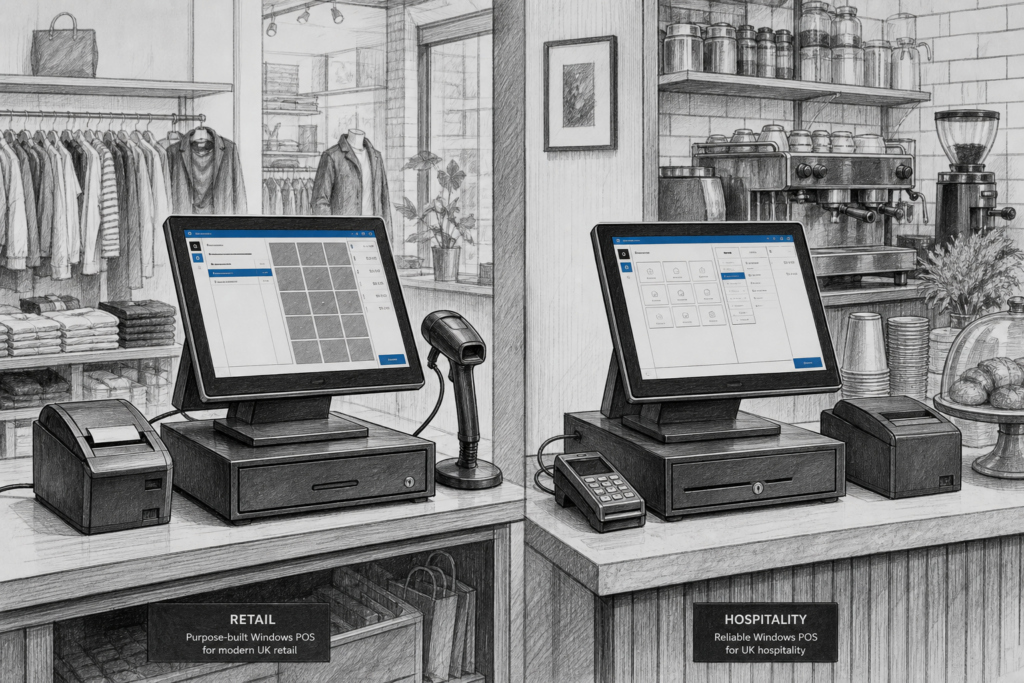
Windows POS terminals continue to play an important role in UK retail and hospitality, even as Android and tablet-based systems grow in popularity. For many businesses, the appeal is straightforward: a familiar software environment, commercial-grade hardware and a setup that can be adapted to the way the site actually operates.
Why businesses still choose Windows POS
For independent retailers, cafés, pubs, restaurants and multi-site operators, a POS terminal is more than a screen at the counter. It is the device that keeps sales moving, prints receipts, supports peripherals and often forms the day-to-day hub of the EPOS system. Windows POS hardware remains attractive because it is widely understood by installers and software providers, and because many established EPOS applications were designed with Windows in mind.
That makes it a practical option when a business wants continuity. If a retailer is replacing ageing till equipment, or a hospitality venue is refreshing front-of-house hardware without changing core software, a Windows terminal can reduce disruption. It gives the business a known operating environment while allowing the hardware itself to be updated to a more modern, serviceable platform.
What to look for in a Windows POS terminal
Not all POS hardware is built for the same kind of use. A consumer desktop PC may be suitable for office work, but it is not automatically the best option for a busy till point. Purpose-built Windows POS terminals are designed for commercial use, which tends to mean better physical integration, cleaner cable management and a form factor that suits counters, kiosks and service desks.
When selecting hardware, UK resellers and business owners usually need to think about the wider installation, not just the screen size or processor family. Useful questions include:
- Will the terminal sit on a compact counter or a larger service desk?
- Does the installation need an integrated or separate customer display?
- Will receipt printing, barcode scanning or cash drawer control be required?
- Is the hardware intended for retail checkout, table service or quick-service ordering?
- How easy will it be to support or replace components in future?
These practical considerations matter because a POS system is only useful if it fits the trading environment. A café may need a tidy front-of-house footprint, while a convenience store may prioritise fast scanning and reliable receipt printing. A good Windows POS terminal should support those needs without creating unnecessary complexity.
The advantage of a commercial-grade platform
One reason Windows terminals remain relevant is that they can work well as part of a broader supported hardware estate. EPOS installers often need equipment that can be standardised across several sites, with predictable behaviour and clear options for peripherals. Commercial-grade POS terminals are usually better suited to that approach than general-purpose computers because they are designed with installation planning in mind.
That can make a difference when a business grows. For example, a retailer opening a second or third branch may want the same terminal layout, the same printer type and the same scanner setup in every location. Standardising the hardware can simplify training, reduce the number of variations an installer has to support and make future maintenance easier. It also helps when spare units or replacement components are needed, because the business is working from a more consistent platform.
Windows POS in retail and hospitality
In retail, Windows POS terminals are often valued for product lookup, barcode scanning, promotions, refunds and reporting. In hospitality, they are commonly used for order entry, table service, split bills, kitchen printing and front-of-house management. The exact software features depend on the EPOS package, but the hardware platform still matters because it needs to keep pace with the demands of the operation.
Busy trading periods are where suitable hardware becomes obvious. A terminal used in a lunchtime café rush or a Saturday retail queue needs to respond quickly and stay reliable under constant use. In those environments, a purpose-built Windows POS terminal can provide the stability and physical design needed to keep the checkout or service point moving.
Planning an upgrade without changing everything
Many businesses do not want a full system overhaul when their existing setup reaches the end of its life. They may want to keep the software they know, retain core peripherals and modernise only the hardware layer. That is where Windows POS terminals often make sense. They can be introduced as part of an upgrade plan that improves speed, reliability and serviceability while preserving familiar workflows.
For EPOS resellers and installers, this also creates an opportunity to review the wider site design. A replacement terminal may be the right moment to look at printer placement, customer display positioning, cable routing and spare hardware planning. Small improvements at installation stage can make later support much easier.
Why UK support matters
Choosing the right POS hardware is not only about the device itself. It is also about the support available afterwards. UK-based distributors and EPOS specialists can help resellers and business owners choose hardware that suits the software, peripherals and operating environment already in place. They can also assist when a site needs to maintain an existing installation rather than replace everything at once.
For that reason, working with an experienced UK point-of-sale distributor such as YCR Distribution can be valuable. YCR works with resellers, installers and businesses that need practical hardware advice, whether the requirement is for a new terminal, a replacement unit or a broader EPOS refresh.
If you want to explore suitable hardware options, the Windows POS terminals collection on the YCR Store is a useful place to start.
For more information about point-of-sale hardware and EPOS solutions, contact YCR Distribution on 01924 438238 or visit www.ycr.co.uk.
Choosing the right terminal for the job
Windows POS is not the answer for every application, but it remains a sensible choice wherever established software support, commercial hardware and straightforward servicing are important. In a market where businesses want dependable systems rather than unnecessary complexity, that combination still has real value.
Whether you are a retailer replacing ageing till equipment, a hospitality business planning a new counter design or an EPOS reseller standardising a client’s hardware, the key is to choose a terminal that suits the operating environment now and can still be supported later. That is where well-selected Windows POS hardware continues to earn its place.