
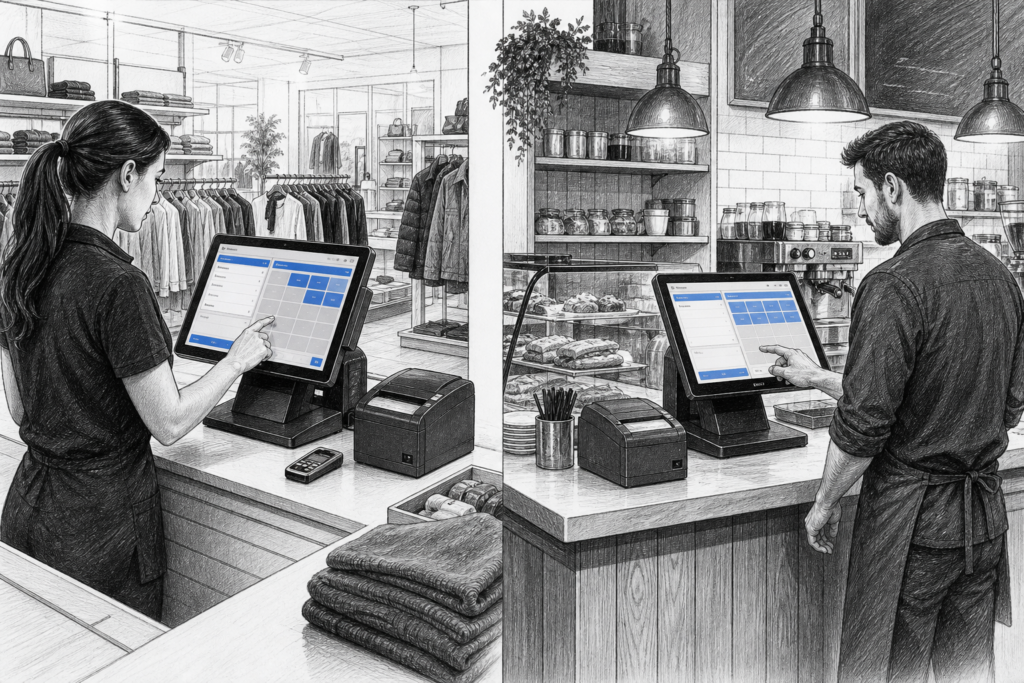
For many UK retailers and hospitality businesses, the point of sale has moved on from the old standalone till, but that does not mean Windows POS terminals have disappeared. In fact, they still have an important place in point of sale UK and EPOS systems UK, particularly where businesses need dependable hardware, familiar software support and a system that can be maintained over time.
While Android POS hardware has grown quickly in recent years, Windows-based terminals remain a practical choice for many sites. They are often selected by EPOS resellers, installers and business owners who want a conventional, commercially designed platform rather than a standard office computer sitting on the counter.
Where Windows POS terminals still fit best
Windows POS is especially relevant where a business already uses Windows-based EPOS software, or where its processes depend on established applications that have been refined over several years. That includes a wide range of retail and hospitality settings:
- independent shops and convenience stores
- cafés, bars and restaurants
- takeaways and quick-service counters
- garden centres and specialist retail
- multi-site operators with standardised systems
In these environments, the value of a POS terminal is not just the screen size or processor specification. It is how well the hardware supports daily trading, how easy it is to install, and how straightforward it is to keep running if a component needs attention later.
Purpose-built hardware versus a standard PC
One of the clearest reasons businesses still choose Windows POS hardware is that it is designed for the till point. A generic desktop PC can run EPOS software, but it is often the wrong shape, the wrong format and the wrong fit for a busy counter area. Purpose-built Windows POS terminals are typically chosen because they are easier to position, simpler for staff to use and more suitable for commercial installation.
Unlike a standard office machine, a POS terminal is usually intended to sit at the heart of a checkout or service counter. That means its form factor, mounting options, I/O layout and screen design all matter just as much as raw computing power. For installers, that can reduce complications when planning the counter layout. For businesses, it can mean a cleaner front-of-house area and a more efficient workflow.
What UK businesses should look for
When selecting a Windows POS terminal, it helps to think beyond the headline specification. The most useful questions are often practical ones:
- Will the terminal suit the counter space available?
- Can it be used comfortably by staff during busy service periods?
- Does it support the peripherals the installation needs?
- Is the hardware easy for an EPOS reseller or installer to support?
- Can the setup be standardised across multiple sites?
For example, a retailer upgrading several till points may want consistent hardware across all locations so staff training is simpler and replacement planning is easier. A hospitality operator may instead prioritise a compact footprint and reliable screen response in a cramped front-of-house environment. In both cases, the computer itself is only one part of the decision. The overall system design matters just as much.
Why serviceability matters
One of the biggest benefits of commercial POS hardware is serviceability. Businesses do not only need a system that works on day one; they need one that can be supported properly later. That may involve replacing a terminal, swapping a peripheral or keeping a long-standing installation going with minimal disruption.
This is where distributors and resellers play an important role. YCR Distribution works with EPOS dealers, installers and business customers who need hardware that fits a real-world support model. If a site has an existing Windows-based EPOS estate, the ability to source suitable replacement hardware and related components can be just as important as the original purchase decision.
For many businesses, this is the difference between a quick, well-planned replacement and an extended period of downtime at the checkout.
Windows POS in retail and hospitality
In retail, a Windows POS terminal is often used where the business needs dependable barcode-driven checkout functions, product lookup and reporting. In hospitality, the same style of hardware may support order entry, table service or front-of-house transactions. The exact software and configuration will vary, but the principle is the same: the terminal forms the operational centre of the till point.
That makes the choice of hardware important for both staff experience and customer experience. If the terminal is well matched to the environment, staff can process sales more confidently and reduce avoidable delays. If it is poorly suited, small frustrations can quickly add up during a busy period.
Planning for the long term
Businesses often replace POS hardware when a system becomes slow, unreliable or difficult to support. In many cases, the aim is not simply to buy new equipment, but to create a more dependable platform for the future. Windows POS terminals can still be a sensible option where the software environment and support model are built around them.
For EPOS professionals, that means looking carefully at the role the terminal is expected to play, not just the specification sheet. For business owners, it means thinking about the whole checkout operation: the screen, the software, the peripherals, the installation and the practical support behind it.
If you are planning a new EPOS installation or replacing ageing till hardware, YCR Distribution can help as a UK POS distributor with experience across retail and hospitality applications. Explore more about point-of-sale hardware and related categories at www.ycr.co.uk.
For more information about point-of-sale hardware and EPOS solutions, contact YCR Distribution on 01924 438238 or visit www.ycr.co.uk.