
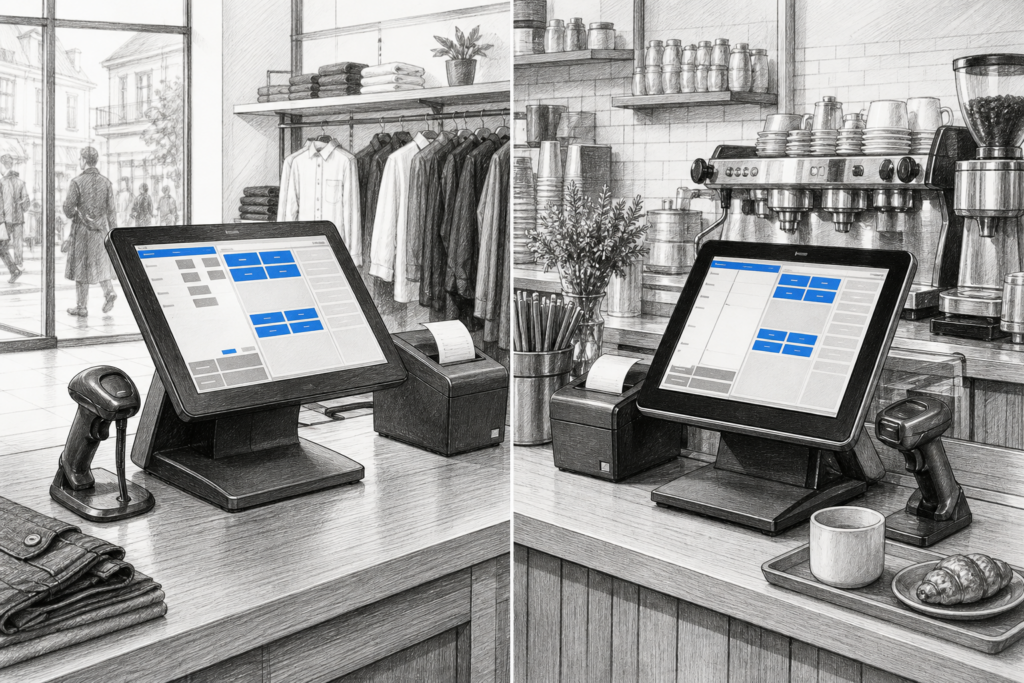
Windows POS terminals still have an important place in UK retail and hospitality. While Android-based systems have grown quickly, many businesses continue to rely on Windows because it supports established EPOS software, can be integrated into existing workflows and gives resellers a familiar platform to install and maintain.
For independent retailers, cafés, pubs and multi-site operators, the decision is rarely just about the operating system. It is about keeping checkout and order-taking processes reliable, making sure the hardware suits the site, and choosing equipment that can be supported properly over time. That is where purpose-built Windows POS hardware continues to stand out.
Why many businesses still choose Windows at the till
One of the main reasons Windows POS remains relevant is software continuity. Plenty of UK businesses already use EPOS applications designed for Windows environments, and in many cases the easiest upgrade path is to keep the software framework in place while replacing ageing hardware. That can reduce disruption, shorten training time and avoid a complete system change when the business simply needs better terminals.
Windows terminals can also suit operations where staff need a more traditional desktop-style environment at the back office or till point. That can be useful for businesses that rely on stock tools, reporting interfaces or peripherals that have long been part of the same installation. In practical terms, this can make system changes feel more manageable for both owners and installers.
What purpose-built POS hardware changes
A standard office PC can run point-of-sale software, but that does not make it the best option for a busy counter. Purpose-built Windows POS terminals are designed with the working environment in mind: they are usually more compact, easier to position on a counter and more suitable for day-to-day use in a trade setting.
That matters because a checkout in a convenience store, restaurant or garden centre has different demands from a back-office desk. Staff need a terminal that can sit close to scanners, printers and payment equipment without clutter. They also need a device that feels as though it belongs in the installation, rather than one that has been borrowed from general office IT.
Common benefits for operators
- Better fit for counter space and installation layouts
- Easier integration into existing Windows-based EPOS environments
- More appropriate for commercial use than a generic office PC
- Suitable for retailers and hospitality businesses that want a familiar interface
- Useful for resellers supporting established customer sites
Where Windows POS terminals are particularly useful
Windows POS terminals are often a sensible choice when the site already has a stable POS setup and the goal is to refresh worn-out equipment rather than redesign the whole system. That makes them relevant for:
- independent retail stores looking to modernise checkouts
- cafés and quick-service venues replacing ageing tills
- pubs and restaurants using established EPOS software
- multi-site operators standardising equipment across branches
- EPOS resellers needing hardware that fits a proven Windows deployment
They can also be useful where businesses want a combination of counter-based hardware and connected peripherals such as receipt printers, barcode scanners or customer-facing displays. In those settings, the emphasis is usually on dependable day-to-day performance and ease of support rather than novelty.
Planning a Windows POS upgrade properly
When upgrading to new Windows POS hardware, it is worth looking beyond the terminal itself. A good installation plan considers the complete working environment: software requirements, cable management, peripheral connections and the physical layout of the counter.
For example, a retailer replacing an old till may want to keep the same printer and scanner arrangement while improving screen quality and tidying the counter. A hospitality venue might instead focus on speed of order entry, staff visibility and whether the terminal form factor suits a bar or front-of-house station. In both cases, the best choice is usually the one that reduces friction during service.
It is also sensible to think about supportability. If hardware is easy to maintain, source and replace, the business is less likely to face avoidable downtime. That is one reason many installers and dealers continue to value commercial POS hardware rather than consumer equipment adapted for business use.
Why support and supply matter in the UK
For UK retailers and hospitality operators, product selection is only part of the story. Local distribution, technical knowledge and reseller support are often just as important as the hardware specification. If a business needs to expand a site, replace a damaged unit or standardise a roll-out across several locations, it helps to work with a supplier that understands the practical side of EPOS deployment.
YCR Distribution supports the UK point-of-sale market with hardware and related technology for resellers, installers and business owners. That makes it easier to match the right terminal to the right installation, whether the requirement is a straightforward till replacement or a broader EPOS refresh. You can also explore the wider Windows POS terminal options from YCR to see how different hardware families may fit different trading environments.
For more information about point-of-sale hardware and EPOS solutions, contact YCR Distribution on 01924 438238 or visit www.ycr.co.uk.
In a market where businesses want less downtime and more predictable support, Windows POS terminals remain a practical and commercially sensible choice. They are not the answer for every site, but for many UK operations they still provide the balance of familiarity, compatibility and serviceability that keeps the checkout moving.