
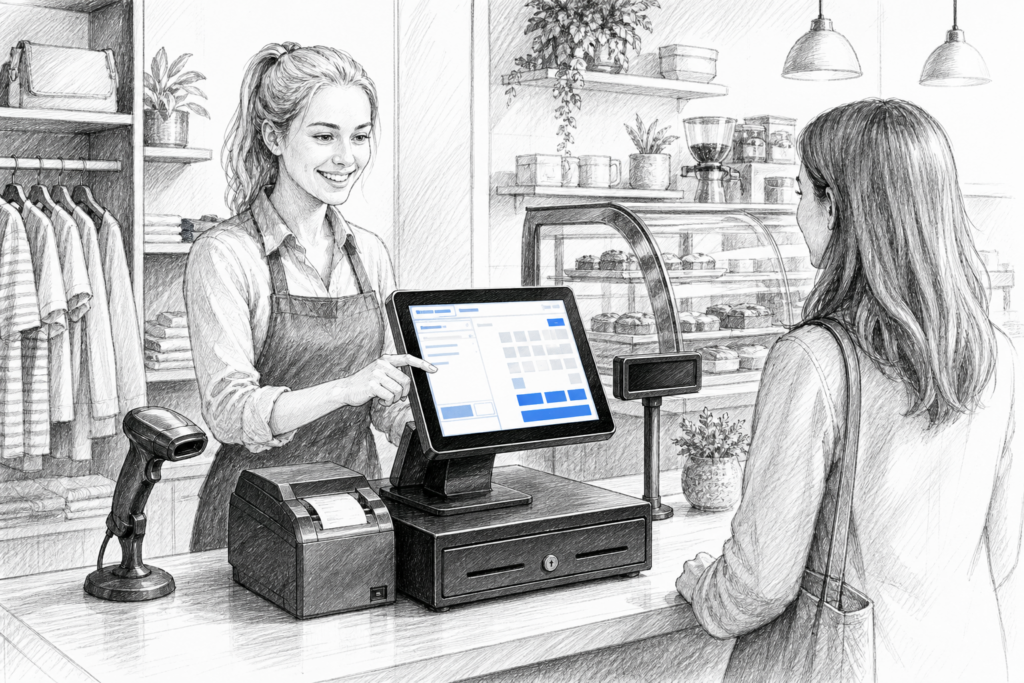
For many UK retailers, cafés, pubs and multi-site operators, it is not the software alone that determines how well an EPOS system performs. The hardware matters just as much, particularly at the checkout or service counter where staff need a terminal that starts quickly, runs consistently and can cope with daily trading demands. That is why Windows POS terminals remain an important part of the point-of-sale market in the UK.
Why Windows POS still matters in EPOS systems
Windows-based point-of-sale hardware is often chosen when a business already relies on established EPOS software or needs a familiar operating environment for its staff and support partners. In many installations, the attraction is not simply the operating system itself, but the wider ecosystem around it: commercial software support, peripheral compatibility and the ability to build a complete checkout setup around one central terminal.
For resellers and installers, Windows POS hardware can also make project planning easier. If a business has multiple branches, a head office standard or legacy systems that still need to be supported, a purpose-built Windows terminal can help keep everything aligned. That can be especially valuable where continuity is more important than experimentation.
What to look for in a purpose-built POS terminal
A Windows POS terminal should be treated as commercial equipment, not as a standard office PC placed on a counter. The shape, mounting options, screen size, cable management and peripheral connections all affect how practical it becomes in day-to-day use. A proper POS terminal is designed to sit in a customer-facing environment, survive frequent interaction and work neatly with devices such as receipt printers, scanners and customer displays.
When assessing a terminal, it helps to think about how the checkout actually operates rather than focusing only on headline specifications. Important questions include:
- Will staff need a compact terminal to fit a small counter?
- Is there enough connectivity for a printer, scanner, cash drawer or display?
- Does the screen angle suit a standing cashier and a seated or taller customer queue?
- Will the terminal sit in retail, hospitality or a mixed-use environment?
- Can the system be supported by the reseller or installer over time?
These are practical questions, but they often decide whether a terminal feels efficient in use or awkward from the first day of installation.
Retail and hospitality uses are not identical
Retail EPOS and hospitality EPOS overlap in many areas, but the demands on the terminal can differ. In retail, a Windows POS terminal may sit at a till point with a barcode scanner, cash drawer and receipt printer, supporting fast transactions and product look-up. In hospitality, the same type of terminal may be used for table orders, quick-service counter sales or bar tabs, where speed and ease of use matter just as much as reliability.
For cafés and restaurants, a terminal that is easy to position at front of house can help staff keep the service area tidy and efficient. For busy shops, it may be more useful to choose a terminal that supports a neat, fixed checkout layout with minimal cable clutter. The right choice depends less on technology trends and more on how the business operates during its busiest periods.
When Windows hardware is a better fit than a generic computer
Some businesses are tempted to use a standard desktop PC at the till because it seems flexible. In practice, that can create avoidable problems. Consumer or office computers are rarely designed for counter use, may be harder to mount neatly and can make service and replacement planning more complicated. A commercial POS terminal is built for the sales environment, where space is limited and reliability is expected.
That distinction becomes more important as businesses grow. A supplier or dealer can usually plan a professional EPOS installation more effectively when the terminal is designed for the task rather than adapted from general office hardware. For busy operators, that can reduce disruption and make support easier to manage.
Planning around peripherals and site support
A Windows POS installation is rarely just a screen and a processor. It is part of a wider point-of-sale setup that may also include printers, scanners, scales, customer-facing displays and payment equipment. The more clearly these elements are planned together, the more dependable the installation tends to be.
This is where working with an experienced POS distributor can be valuable. YCR Distribution supplies point-of-sale hardware to resellers, installers and businesses across the UK, helping them choose equipment that fits a specific application rather than a generic specification sheet. For EPOS professionals, that support can be especially useful when standardising hardware across multiple sites or replacing ageing equipment without changing the whole system.
Supporting installed EPOS hardware over time
One of the less discussed advantages of commercial Windows POS hardware is serviceability. Businesses do not just need equipment that works on day one; they need hardware that can be supported if an installation expands, a peripheral changes or a replacement unit is required. That is particularly important in retail and hospitality, where a failed checkout device can create immediate pressure on staff and customers.
A sensible replacement strategy often starts with consistency. If a reseller knows which terminal family is being used, it becomes easier to plan upgrades, spare units and future rollouts. For business owners, that means less guesswork when a till point needs to be refreshed.
To see the hardware options available, visit YCR Distribution online at www.ycr.co.uk or explore the approved Windows POS terminal collection at Windows POS terminals.
For more information about point-of-sale hardware and EPOS solutions, contact YCR Distribution on 01924 438238 or visit www.ycr.co.uk.