
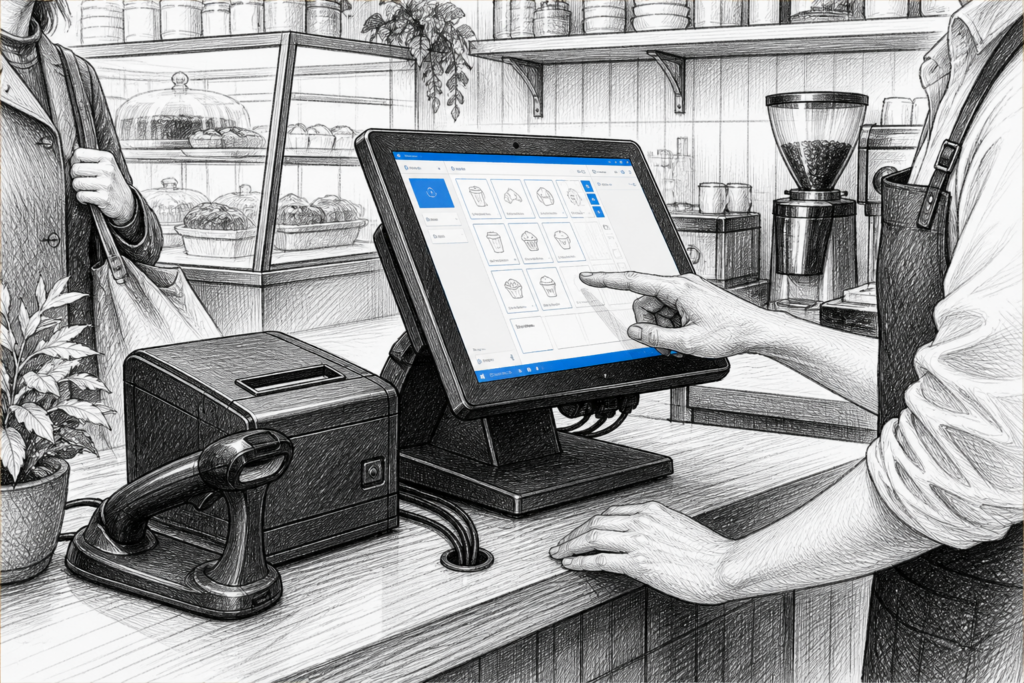
For many UK retailers and hospitality venues, the point of sale is expected to do more than process transactions. It has to handle tills, peripherals, reporting, staff login, customer interaction and day-to-day pressure without becoming difficult to support. That is why a purpose-built Windows POS terminal remains an important option in the EPOS systems UK market.
A Windows POS terminal is not simply a standard desktop PC placed behind the counter. Commercial POS hardware is designed around the realities of checkout use: frequent touch interaction, limited counter space, cable management, peripheral connections and the need for equipment that can be maintained sensibly over time. For EPOS resellers and installers, that distinction matters just as much as it does for the end user.
Why businesses still choose Windows POS
Windows remains widely used in retail EPOS and hospitality EPOS environments because many established software platforms were built around it. Businesses already using a Windows-based EPOS package may want to retain that software while replacing older hardware with a more reliable terminal. That approach can reduce disruption and avoid a complete system change.
Windows POS systems are also often favoured where a business needs:
- familiar staff workflows and software interfaces
- support for a wider range of devices and peripherals
- a centralised setup across multiple checkout points
- hardware that can be planned and serviced as part of a longer-term installation
For a convenience store, garden centre, café, pub or counter-service restaurant, the benefit is often not the operating system on its own, but the mix of software compatibility, hardware choice and supportability.
What makes a POS terminal different from a conventional PC
A standard office computer can be pressed into service as a till, but it is rarely the best long-term answer. A purpose-built POS terminal is designed to sit in a working checkout environment, often with a smaller footprint, more practical mounting options and a cleaner cable layout. Many terminals are built to work as part of a wider EPOS hardware setup alongside a receipt printer, scanner, cash drawer or customer-facing display.
That matters because checkout hardware is judged by uptime and usability rather than by generic computing power. A business may not need a high-spec office machine; it needs a dependable terminal that boots consistently, supports the necessary peripherals and fits neatly into the counter area.
Key points to consider when selecting a Windows POS terminal
When choosing a Windows POS terminal, it helps to think in operational terms rather than just specification terms. The most important questions are usually about how the terminal will be used each day.
1. Counter space and layout
Retail counters and hospitality bars are often crowded with printers, payment devices and staff movement. A compact terminal can make the till point easier to organise and can leave more room for customer interaction. In some layouts, a lower-profile terminal also helps with line of sight and makes it easier to position a customer display.
2. Touchscreen usability
Touchscreen POS is now the norm in many UK businesses because it speeds up order entry and simplifies staff training. A responsive touchscreen terminal can be especially useful in hospitality, where speed and accuracy matter during busy service periods. In retail, it can help staff move quickly between product lookup, discounts, refunds and payment processing.
3. Peripheral support
Most EPOS installations involve more than the terminal itself. Receipt printers, scanners, cash drawers and secondary displays all need to work together. Before selecting hardware, check that the terminal can support the configuration planned by the installer or EPOS reseller. That is particularly important where a business is standardising hardware across several sites.
4. Serviceability and replacement planning
Businesses rarely replace POS hardware at random. They do it when ageing equipment becomes unreliable, when software requirements change, or when spare parts and support become harder to manage. Choosing hardware that an installer can support properly makes future maintenance easier and can reduce avoidable downtime.
Where Windows POS fits best in retail and hospitality
In retail, Windows POS terminals are often a strong fit for stores that need well-established EPOS functions, reliable barcode scanning and straightforward reporting. In hospitality, they are particularly useful where front-of-house staff need a clean touchscreen interface that connects reliably to kitchen printing, table-facing workflows or hybrid order processes.
Examples include:
- independent retailers replacing older tills with a modern EPOS terminal
- cafés and quick-service venues adding fast touchscreen ordering at the counter
- pubs and bars standardising terminals across several service points
- multi-site operators seeking consistent hardware for easier training and support
The common theme is not novelty; it is practicality. The right terminal should suit the way the business actually works.
Planning a Windows POS upgrade with UK support in mind
One advantage of working with a UK POS distributor is being able to plan for the full system, not just the terminal. YCR Distribution supplies point-of-sale hardware and technology to resellers, installers and businesses across the UK, which makes it easier to match terminals with the wider EPOS setup.
That local support matters when a project involves replacing ageing hardware, adding new peripherals or keeping existing installations running. For EPOS dealers and installers, access to product knowledge and practical guidance can save time during specification and deployment. For business owners, it can simply make the difference between a system that is awkward to manage and one that is straightforward to support.
If you are working on a new installation or a replacement project, it is worth reviewing the full hardware stack at the same time rather than selecting the terminal in isolation. The best Windows POS setup is usually the one that makes checkout operation, servicing and future expansion easier.
For more information about point-of-sale hardware and EPOS solutions, contact YCR Distribution on 01924 438238 or visit www.ycr.co.uk.