
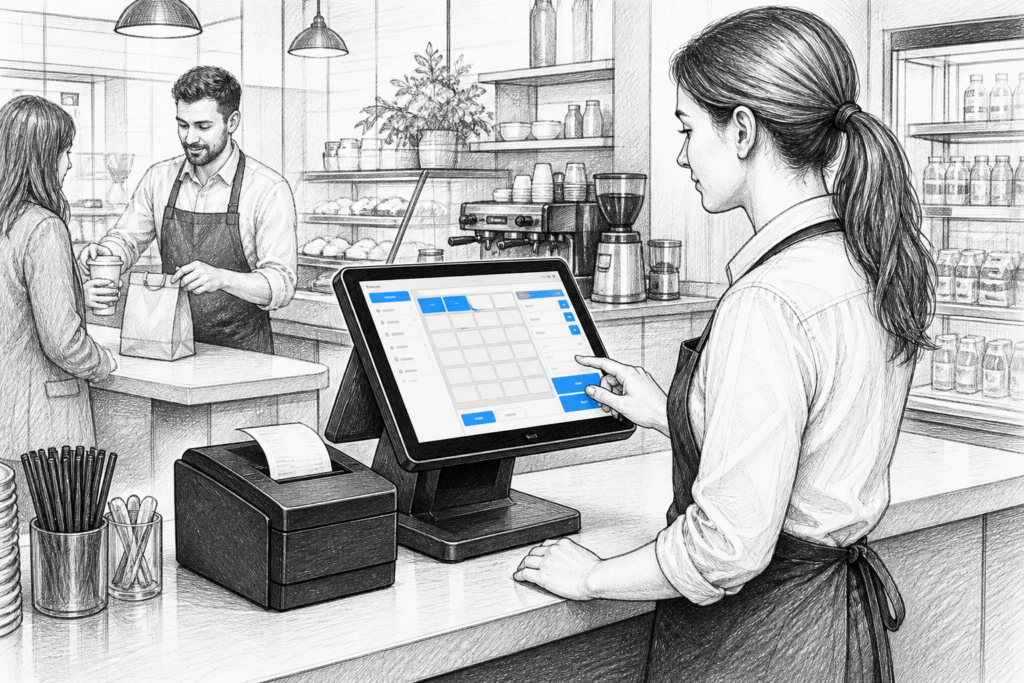
A receipt printer still plays a central role in many point-of-sale UK installations, even as more businesses adopt digital workflows and wider EPOS functions. For retail counters, cafés, restaurants and takeaways, the right thermal receipt printer can help keep transactions moving, reduce clutter at the till and support a more reliable checkout or order workflow.
For EPOS resellers, installers and business owners, the challenge is not simply choosing a printer that works, but selecting one that suits the environment, the software setup and the expectations of the people using it every day. Thermal receipt printers remain a practical choice because they are fast, relatively quiet and well suited to high-volume printing at the point of sale.
Why thermal receipt printers remain important
Thermal printing is widely used across retail EPOS and hospitality EPOS because it avoids the need for ink or toner. That can simplify maintenance and reduce the number of consumables a business has to manage. In a busy shop, bar or café, the printer needs to produce clear receipts quickly and consistently, without becoming another source of interruption for staff.
At the counter, receipt printing supports several common tasks:
- customer receipts at the point of payment
- order tickets for kitchen or bar workflows
- collection slips for takeaways and click-and-collect orders
- internal reference copies where a business wants a printed audit trail
The best printer for a site is often the one that matches the way the business actually operates, rather than the most feature-heavy model available.
Choosing the right printer for the environment
Different trading environments place different demands on a printer. A small boutique may only need occasional receipt output, while a quick-service restaurant or convenience store may rely on continuous bursts of printing throughout the day. That makes the physical design and connectivity options worth considering carefully.
Retail counters
In retail, the printer often sits close to the cashier and needs to fit neatly into a fairly constrained space. A compact desktop receipt printer can help keep the till area tidy while still giving staff a dependable output device. Speed, easy paper loading and clear status indicators matter because they all affect how quickly a team can serve customers.
Hospitality service points
In hospitality settings, the printer may need to cope with fast-paced ordering, multiple staff members and more frequent interruptions. Kitchens and bar areas also tend to be busier and less controlled than front-of-house counters, so durable construction and sensible cable management become especially important. Where a printer is used as part of an order-routing setup, it should be selected with the whole workflow in mind, not just the act of printing itself.
Connectivity and installation considerations
One of the most important decisions when specifying a receipt printer is connectivity. The right choice depends on how the POS terminal is set up, where the printer will be located and how the wider installation is designed.
Common considerations include:
- whether the printer will connect directly to a POS terminal
- how much freedom the installer needs for cable routing
- whether the printer must sit beside the terminal or in a separate service area
- how easily the device can be replaced if a site expands or changes layout
For EPOS dealers and installers, it is often worth deciding early whether the printer will be used purely for receipts or also for kitchen-style order printing. That decision can influence the required interfaces, mounting approach and long-term support strategy.
What businesses should value beyond speed
Fast print speed is helpful, but it is only one part of the story. A good commercial receipt printer should also be easy to live with. That usually means simple paper replacement, reliable feed performance and sensible access for routine servicing. In practice, these small details often matter more than impressive-looking specification figures.
Businesses should also think about how the printer fits into daily operations:
- Can staff change paper quickly during a rush?
- Is the printer easy to position without cluttering the counter?
- Will the device still be practical if the site changes layout later?
- Can the printer support the business’s front-of-house or back-of-house workflow without creating delays?
These questions are particularly useful for growing businesses that are standardising hardware across one site or several locations. Choosing a printer family that is straightforward to support can make future roll-outs easier for the reseller and less disruptive for the customer.
Thermal printers and serviceability
Receipt printers are often expected to work hard while occupying very little space, which makes serviceability an important consideration. Where replacement parts and support channels are available, businesses may be able to extend the life of installed equipment rather than replacing everything at once. That can be useful for organisations managing multiple tills, permanent counters or chain sites.
This is also where UK-based distribution support becomes valuable. A distributor such as YCR Distribution can help EPOS resellers and installers identify suitable printer options, understand the role of different product families and plan around existing installations. That kind of support can reduce disruption when a business is replacing ageing hardware or expanding an established setup.
Where YCR Distribution fits in
YCR Distribution supplies POS and EPOS hardware to resellers, installers and businesses across the UK, including thermal receipt printers and related point-of-sale technology. If you are specifying hardware for a new retail counter, updating hospitality terminals or looking at a replacement printer for an existing setup, it helps to work with a distributor that understands the practical demands of real installations.
For more information about point-of-sale hardware and EPOS solutions, contact YCR Distribution on 01924 438238 or visit www.ycr.co.uk.
Whether you are planning a single terminal installation or standardising equipment across multiple sites, the right receipt printer can support faster service, cleaner counter layouts and a more dependable EPOS environment overall.