
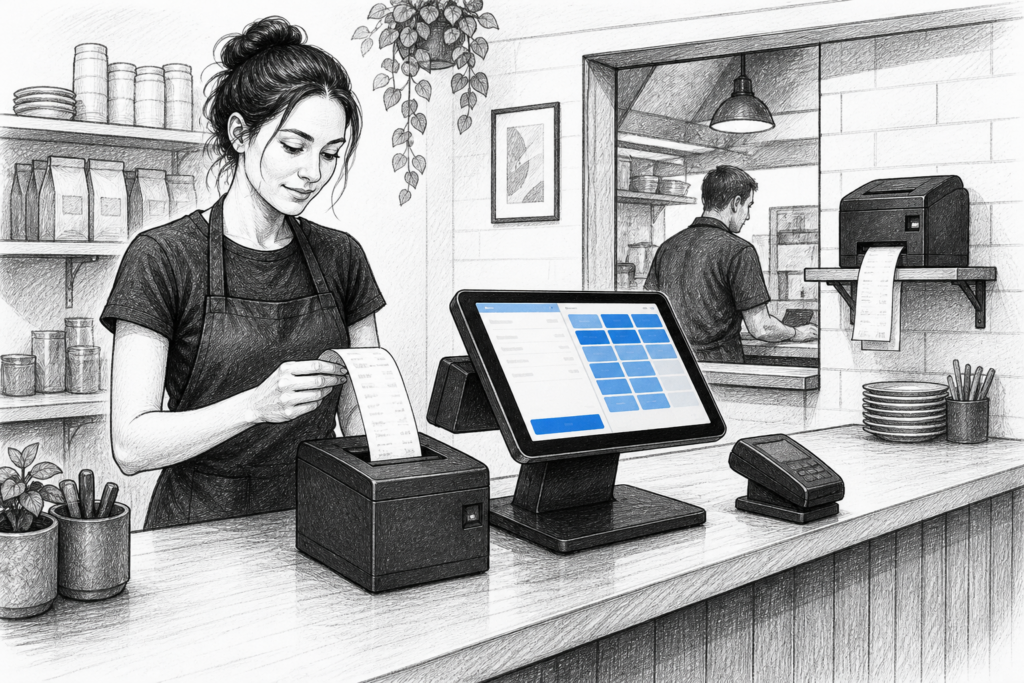
A receipt printer is one of the most relied-upon parts of any point-of-sale system, but it is often only noticed when something goes wrong. In retail and hospitality, a thermal receipt printer has a direct effect on checkout speed, order flow and how smoothly the rest of the EPOS setup works.
For UK businesses planning a new installation or updating older EPOS hardware, the choice of printer should be based on how the business operates, not just on whether it can print a receipt. The right printer can support a tidy counter layout, reduce disruption during busy periods and make life easier for staff at the point of sale.
Why thermal printing remains such a practical choice
Thermal receipt printers are widely used because they are purpose-built for front-of-house printing. They do not rely on ink or toner, which keeps day-to-day operation straightforward and helps avoid consumable management becoming a distraction. That makes them a natural fit for busy environments such as cafés, takeaways, convenience stores and high-turnover retail counters.
Thermal printing is also fast, which matters when staff need to move from one transaction to the next without delay. In hospitality, the same speed helps when orders need to be sent quickly from the service counter or bar to the kitchen. In retail, it helps when customers are waiting at the till and the checkout process needs to stay efficient.
Matching the printer to the job
The best receipt printer for one site may not be the right choice for another. A small independent shop with a single till may need a simple desktop printer connected to one EPOS terminal. A restaurant or busy quick-service venue may need multiple printers positioned across the front of house, bar and kitchen so that printed output reaches the right place without manual handover.
When reviewing printer options, it helps to think about the route paper needs to take through the business. Consider where the printer will sit, who will use it and what it needs to print. The cleaner the workflow, the less likely staff are to waste time moving between stations.
Points to consider before specifying hardware
- Where the printer will be installed and how much space is available
- Whether it will print customer receipts, order tickets or both
- How it will connect to the POS terminal or EPOS software environment
- How easy it will be for staff to load paper and clear minor issues
- Whether a single printer can support the whole counter, or whether more than one is needed
Retail uses: fast receipts and cleaner counter layouts
In retail, a receipt printer should support a checkout that feels organised and efficient. Compact printer designs can help keep counter space clear, especially where the till area also has a barcode scanner, customer display and card payment terminal. That matters in stores where the checkout is already crowded and staff need a clear working area.
Clarity is just as important as speed. Receipts often need to show transaction details, returns information and itemised lines in a format customers can understand quickly. A thermal printer that produces consistent output can help maintain a professional finish, which is particularly useful in stores that want the checkout to reflect the quality of the wider shop environment.
Hospitality uses: front-of-house and kitchen communication
Hospitality businesses tend to place a heavier burden on receipt printing than many retailers. A café may need customer receipts at the till, order tickets for the drinks station and separate kitchen output for food. A pub or restaurant may need printers placed strategically so that orders are split between service points without confusion.
This is where printer placement and printer workflow matter as much as the hardware itself. If the right ticket reaches the right team quickly, service can stay more accurate and more coordinated. Staff spend less time repeating orders and more time serving customers.
For hospitality EPOS, it is worth planning printers alongside the wider service layout. A good printer setup can help front-of-house teams keep pace during a lunch rush, while also supporting the kitchen with clearer printed tickets.
Connectivity and installation planning
One of the most important decisions is how the printer will connect to the rest of the system. Some installations need a direct local connection at a single terminal, while others are better served by networked printing that can work across more than one station. The right choice depends on the layout of the site and the structure of the EPOS software in use.
In practice, installers and resellers often look at the whole environment rather than the printer in isolation. Cable routing, counter space, paper access and the position of the EPOS terminal all affect how well the printer works day to day. A tidy installation is usually easier to support later, especially if equipment is moved or expanded as the business grows.
Buy for serviceability, not just first use
Receipt printers are operational devices, so serviceability is important. Businesses with regular trading hours need hardware that can be maintained without unnecessary disruption. For some sites, that means being able to replace parts or refresh a printer rather than replacing the whole setup every time something wears out.
This is one reason UK EPOS resellers and installers continue to value practical, supportable hardware. When printers are easy to integrate, maintain and replace, they are less likely to become a weak point in the wider POS system. That matters to retailers and hospitality operators alike, particularly when trading time is valuable and downtime is costly.
Working with a UK EPOS distributor
For dealers, installers and business owners, choosing a receipt printer is not just about the specifications on the box. It is about selecting equipment that fits the site, supports the workflow and can be integrated into the wider EPOS environment with confidence. YCR Distribution supplies POS and EPOS hardware to the UK market and works with resellers, installers and businesses looking for commercial-grade solutions.
For more information about point-of-sale hardware and EPOS solutions, contact YCR Distribution on 01924 438238 or visit www.ycr.co.uk.