

Café payment solutions checklist for UK owners

A café payment solutions checklist is the structured framework that determines whether your point-of-sale setup accepts every payment type reliably, reconciles accurately, and holds up under real service pressure. Most café owners focus on choosing a POS brand and miss the deeper questions: does the hardware talk to the software, do delivery app payouts reconcile cleanly with terminal settlements, and does your team know what to do when the internet drops? This guide covers every layer of that decision, from physical devices and software features to financial reconciliation and rollout discipline, using the industry term payment systems integration as the standard against which each checklist item is measured.
1. What hardware components must café payment solutions include?
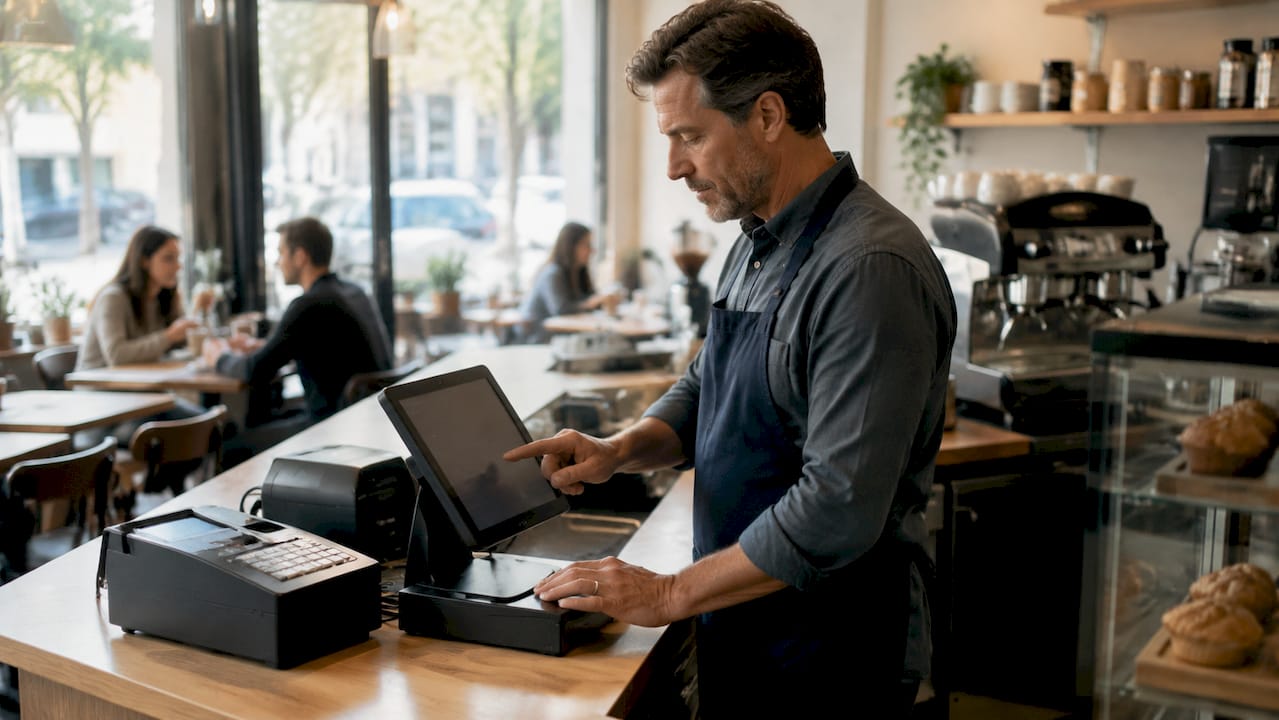
The physical layer of any payment system for cafés is where most integration problems begin. Small cafés typically need a POS terminal or tablet, a contactless card reader, a receipt option, and a stable internet connection at minimum. Busier sites require integrated POS with inventory tracking, loyalty support, and customer-facing displays. Getting this right before you buy saves weeks of troubleshooting.
Core hardware items to assess:
- NFC-enabled countertop terminal (supports Visa, Mastercard contactless, Apple Pay, Google Pay)
- Mobile card reader for tableside or queue-busting payments
- Thermal receipt printer (paper and digital receipt capability)
- Cash drawer with electronic trigger linked to the POS
- Customer-facing display for order confirmation and tipping prompts
- Handheld ordering device for table service or outdoor seating
Compatibility is the factor most buyers overlook. Incompatible drivers create technology silos that prevent your terminal, printer, and POS software from operating as a unified system. Before purchasing, confirm that every device in your bundle shares driver support for your chosen operating system, whether that is Windows, iOS, or Android.
Hardware warranties typically run one to three years covering manufacturer defects. A café running two sittings a day cannot afford a terminal failure with no replacement path. Prioritise suppliers who offer next-day swap programmes or loan units during repair periods. Ycr, for example, stocks SAM4S and iMin hardware with same-day dispatch for exactly this reason.
Pro Tip: Before you click buy on any hardware bundle, run every device name through your POS software’s compatibility list. One mismatched peripheral can prevent the entire system from functioning as intended. Ycr’s POS hardware checklist for UK hospitality is a useful reference point.
2. Which software features are critical for café payment systems?
POS software is the control layer that turns hardware into a functioning café transaction tool. The non-negotiable features are NFC and mobile wallet acceptance, menu modifier support, tipping prompts, and refund handling. Without these, even premium hardware underperforms at the counter.
Software features to verify before committing:
- Contactless and mobile wallet processing (Apple Pay, Google Pay, Samsung Pay)
- Menu modifiers for size, milk type, extras, and allergen flags
- Tipping prompts configurable by percentage or custom amount
- Digital receipt delivery via SMS or email
- Loyalty programme integration or built-in points tracking
- Real-time sales reporting with staff-level permission controls
- Refund and void processing with manager authorisation
Integration with third-party platforms separates adequate software from genuinely useful software. Your POS should connect to accounting tools such as Xero or QuickBooks, stock control systems, and delivery aggregators like Deliveroo or Uber Eats. Without these connections, your team re-enters data manually, which introduces errors and consumes time that should go to customers. Ycr’s EZEEPOS for cafés is built specifically for this environment, with hospitality-specific modifiers and reporting built in.
Pro Tip: Prioritise software that exports end-of-day Z-reports in a format your accountant can import directly. If reconciliation requires manual copy-paste, you will eventually make an error that costs more than the software upgrade would have.
3. How to reconcile café payment systems to avoid financial discrepancies
Reconciliation is the process of matching your POS Z-reports, merchant settlement reports, and bank credits to confirm that every pound taken at the counter actually arrives in your account. Reconciling only bank balances without matching merchant settlement reports leads to inaccurate financial tracking. The correct method reconciles daily Z-reports, net settlements, and bank credits while accounting for processor fees and timing delays.
Follow this sequence daily:
- Pull the end-of-day Z-report from your POS and note gross sales by payment type.
- Log into your payment processor portal and download the settlement report for the same date.
- Compare gross card sales on the Z-report against the processor’s gross figure. Any difference points to a voided transaction or a batch error.
- Subtract processor fees from the gross settlement to arrive at the net payout figure.
- Match the net payout against the credit appearing in your bank account, noting that processor payouts often arrive on a two to fourteen day lag.
- Record delivery app payouts separately. Platforms like Deliveroo and Uber Eats pay on their own schedules and must never be mixed with terminal settlements.
“Separate delivery app payouts from merchant terminal settlements to avoid financial reconciliation delays and missing funds.” — Switchboard Finance, 2026
Common mismatch causes include refunds processed after the batch closes, chargebacks that reduce the settlement silently, and rounding differences in fee calculations. A clean reconciliation pack prepared daily also serves as a “Day 0” document if you ever apply for a business loan, giving lenders an accurate picture of cash flow without delay.
4. What are the best rollout practices for new café payment solutions?
A structured rollout prevents the most common post-launch failures: payment types that work in isolation but fail under real conditions, staff who freeze when a card is declined, and no fallback when the broadband drops. A thorough rollout follows eight stages: workflow mapping, hardware procurement, processor setup, customer prompt configuration, stress testing, staff training, controlled launch, and post-launch review.
Work through these steps in order:
- Map your current payment workflow. Document every payment type you accept today, where the terminal sits, how receipts are issued, and where cash is counted. This baseline reveals gaps before new hardware arrives.
- Stress test every payment scenario. Testing must cover chip cards, NFC wallets, split tenders, all receipt types, and offline fallback mode. Do not skip offline testing. Broadband outages during a Saturday morning rush are not hypothetical.
- Train staff on exceptions, not just normal flow. Effective training covers where customers tap, how to handle declined cards, how to issue digital receipts, process refunds, and manage terminal disconnections. Practise exception scripts before the first live customer.
- Launch during a controlled period. Open with your lowest-traffic session first. Monitor transaction logs in real time and have a senior team member on the floor to handle edge cases.
- Build a written failover plan. A reliable backup plan includes a secondary payment device, a mobile hotspot, spare cables, and printed outage instructions. Manager checklists improve recovery speed when pressure is high and thinking is slow.
Pro Tip: Schedule your first full-speed test during a quiet mid-week morning, not a Friday. You want to find the problems before your customers do.
For a detailed setup walkthrough, Ycr’s guide on POS system setup for restaurants and cafés covers the configuration sequence from unboxing to first transaction.
Key takeaways
A café payment solutions checklist works only when hardware compatibility, software integration, daily reconciliation, and a tested rollout plan are treated as equally critical components, not optional extras.
| Point | Details |
|---|---|
| Hardware compatibility first | Confirm every device shares driver support for your OS before purchasing any bundle. |
| Software must integrate outward | Your POS should connect to accounting, stock control, and delivery platforms without manual data entry. |
| Reconcile daily, not monthly | Match Z-reports, processor settlements, and bank credits every day to catch discrepancies before they compound. |
| Separate delivery app payouts | Never mix aggregator payouts with terminal settlements; the timing lag creates false shortfalls. |
| Test before you go live | Stress test chip, NFC, split tenders, and offline fallback before the first real customer transaction. |
What I have learned from watching café payment setups go wrong
The most expensive mistakes I see are not the ones made at the point of purchase. They happen three weeks after launch, when a café owner realises their receipt printer is not recognised by the new POS software, or when their accountant flags that two months of Deliveroo payouts have been sitting unreconciled in a suspense account.
Hardware-software incompatibility is the silent killer of new POS installations. Owners buy a terminal bundle that looks complete on paper, plug it in, and discover the cash drawer trigger does not fire because the driver version is wrong. The fix is usually simple, but it costs a morning of service and a call to technical support. Checking hardware bundle compatibility before purchase takes twenty minutes and prevents that entirely.
Reconciliation discipline separates cafés that grow from those that stall. I have spoken to owners who could not get a business loan approved because their financial records were a mix of terminal settlements, delivery app deposits, and unexplained credits. Lenders want clean, daily records. The café payment processing checklist is not just an operational tool. It is a financial credibility document.
My honest advice: do not treat the rollout as a one-time event. Set a calendar reminder for thirty days post-launch to review transaction logs, reconciliation accuracy, and staff confidence. The issues that were not visible on day one will be visible by day thirty.
— John
How Ycr supports café owners with POS hardware and software
Ycr has supplied POS hardware and software to UK cafés, restaurants, and hospitality businesses for over thirty years. The full hardware range includes NFC-enabled terminals, receipt printers, cash drawers, customer-facing displays, and handheld ordering devices from trusted brands including SAM4S and iMin. Every product ships with compatibility documentation so you can verify driver support before installation.

For software, Ycr’s POS software options include SAMTOUCH and EZEEPOS, both designed for hospitality environments with built-in tipping prompts, loyalty integration, and real-time reporting. Credit accounts, next-day delivery, and same-day dispatch mean your setup timeline does not depend on slow supply chains. If you are building or upgrading a café payment system, Ycr is the starting point.
FAQ
What is a café payment solutions checklist?
A café payment solutions checklist is a structured list of hardware, software, reconciliation, and rollout requirements that a café must verify before deploying or upgrading a payment system. It covers physical devices, software integrations, daily financial matching, and staff training protocols.
What hardware does a café payment system need?
Most cafés need an NFC-enabled terminal, a receipt printer, a cash drawer, and a stable internet connection at minimum. Busier sites also require customer-facing displays, handheld ordering devices, and mobile card readers for tableside payments.
How often should café payment systems be reconciled?
Daily reconciliation is the correct standard. Match your POS Z-report against the processor settlement report and bank credit every day, accounting for processor fees and the two to fourteen day payout lag common with delivery aggregators.
Why should delivery app payouts be kept separate?
Delivery platforms like Deliveroo and Uber Eats pay on independent schedules that do not align with terminal settlement cycles. Mixing them creates apparent shortfalls and makes it impossible to identify the source of discrepancies quickly.
What should a café payment rollout stress test cover?
Stress testing must include chip card transactions, NFC wallet payments, split tenders, all receipt types, and offline fallback mode. Testing offline fallback is particularly important because broadband failures during peak service are a realistic risk, not an edge case.