
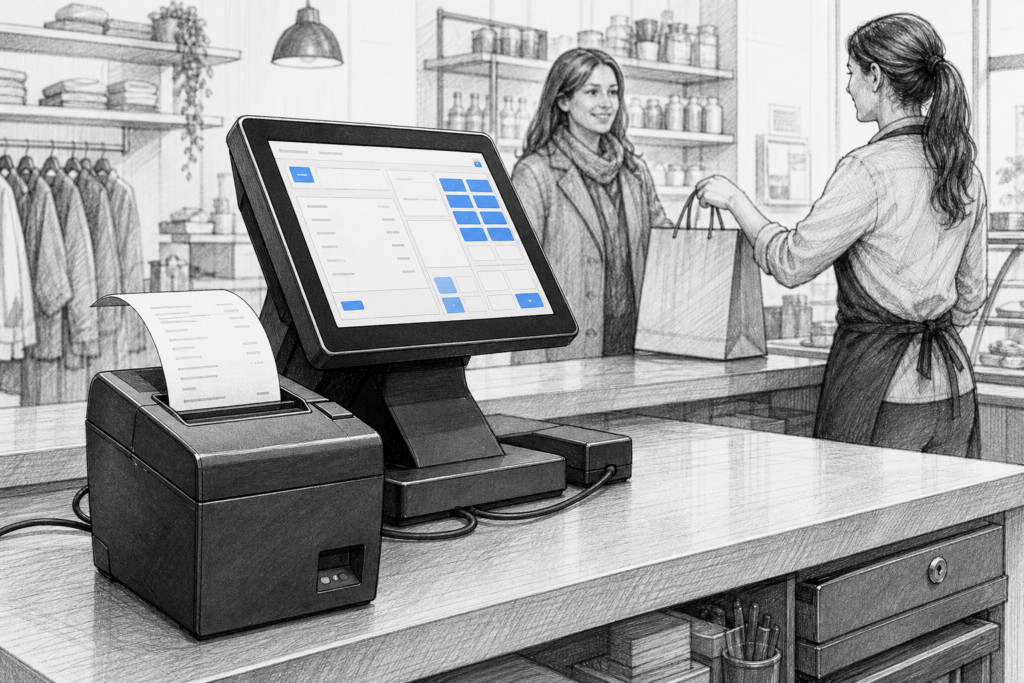
A receipt printer may not be the most visible part of a point-of-sale setup, but it is one of the most relied upon. In many UK retail and hospitality businesses, the printer is the final step that turns an order, sale or collection request into something the team can act on immediately. When printing slows down or becomes unreliable, the whole checkout or service flow feels the impact.
That is why selecting the right thermal receipt printer matters. For EPOS resellers, installers and business owners, the decision is rarely just about print speed. It is about fitting the printer into the working style of the site, matching the connectivity to the rest of the system, and choosing hardware that can cope with everyday commercial use.
What a thermal receipt printer does well
Thermal printing remains popular because it is straightforward to use and simple to maintain. Unlike impact printers, thermal receipt printers do not rely on ribbons or ink cartridges for normal operation, which makes them a practical choice for many front-of-house environments. They are widely used for customer receipts, order slips, collection tickets and internal workflow printing.
In retail, that might mean fast receipt output at the main till, while in hospitality it could support drink orders, food tickets or quick reprints when a customer asks for a copy. The key advantage is consistency. When a team is serving customers quickly, print output needs to be dependable and easy to read.
Connectivity should match the way the business works
One of the first things to consider is how the printer connects to the rest of the EPOS system. In a fixed checkout, a direct USB connection may be the simplest option. In a counter setup with a dedicated terminal, Ethernet can be useful where the printer needs to sit on the network and be shared more flexibly. Some sites also need wireless options, but only where that suits the installation and has been verified for the chosen model.
For resellers and installers, the main point is to avoid overcomplicating the setup. A printer should integrate cleanly with the terminal, EPOS software and network design already in place. If the business plans to expand later, it can also be worth thinking about whether a printer family will scale neatly across multiple tills or service points.
Consider the environment, not just the specification sheet
A receipt printer in a quiet office-style checkout is not facing the same demands as one in a busy café or takeaway. Heat, spills, fast paper changes and constant opening and closing all affect performance over time. A thermal receipt printer for hospitality EPOS needs to be placed where staff can reach it quickly, but without it taking up unnecessary counter space or becoming vulnerable to damage.
Retailers should also think about how the printer fits alongside other equipment such as a touchscreen POS terminal, customer-facing display or cash drawer. The most useful printer is not necessarily the one with the longest list of features. It is the one that helps the checkout area work more smoothly throughout the day.
Practical factors worth checking
- the print width required for receipts or kitchen dockets
- the speed needed for busy periods
- how easy it is to load replacement paper rolls
- whether the printer is a good fit for the available counter space
- the relevance of USB, Ethernet or other verified connectivity options
- how the printer will be maintained by staff or a support partner
Where brands such as HPRT and Bixolon fit in
YCR Distribution supplies a range of POS hardware from manufacturers including HPRT and Bixolon, both of which are relevant when businesses need dependable thermal printing for EPOS environments. Rather than selecting on brand name alone, it is better to match the product family to the use case. Some printers are more appropriate for front-of-house receipts, while others may suit order printing or supporting a multi-device checkout configuration.
If you are reviewing printer options across a wider installation, the YCR desktop receipt printer collection is a useful place to compare available models and see how they fit different POS hardware requirements.
Maintenance and serviceability matter
Receipt printers are often used many times a day, so serviceability is not a small detail. Paper paths need to remain easy to access, and the printer should be positioned so staff can deal with routine issues without slowing the service point to a halt. For EPOS dealers and installers, it is also important to consider how quickly a replacement unit or supporting component can be supplied if a site needs to restore operation.
This is one reason why commercial POS hardware is different from consumer equipment. A printer in a hospitality venue or retail chain is not just another accessory. It is part of the operational workflow, and it needs to support that job reliably in a demanding setting.
Choosing the right printer for the wider POS setup
Receipt printers should never be specified in isolation. A retailer upgrading to a new Windows POS terminal may need a different printer approach from a café moving to an Android-based EPOS counter. A takeaway might need fast order processing and clear, repeated output, while a boutique retailer may care more about compact sizing and tidy cable management. The best choice is the one that fits the complete system rather than forcing the system to adapt around a printer.
That is why many businesses work with a POS distributor that understands both the hardware and the realities of installation. YCR Distribution supports resellers, installers and end users across the UK with commercial POS hardware and practical advice, helping ensure that the printer chosen is appropriate for the application as well as the software and terminal around it.
For more information about point-of-sale hardware and EPOS solutions, contact YCR Distribution on 01924 438238 or visit www.ycr.co.uk.