
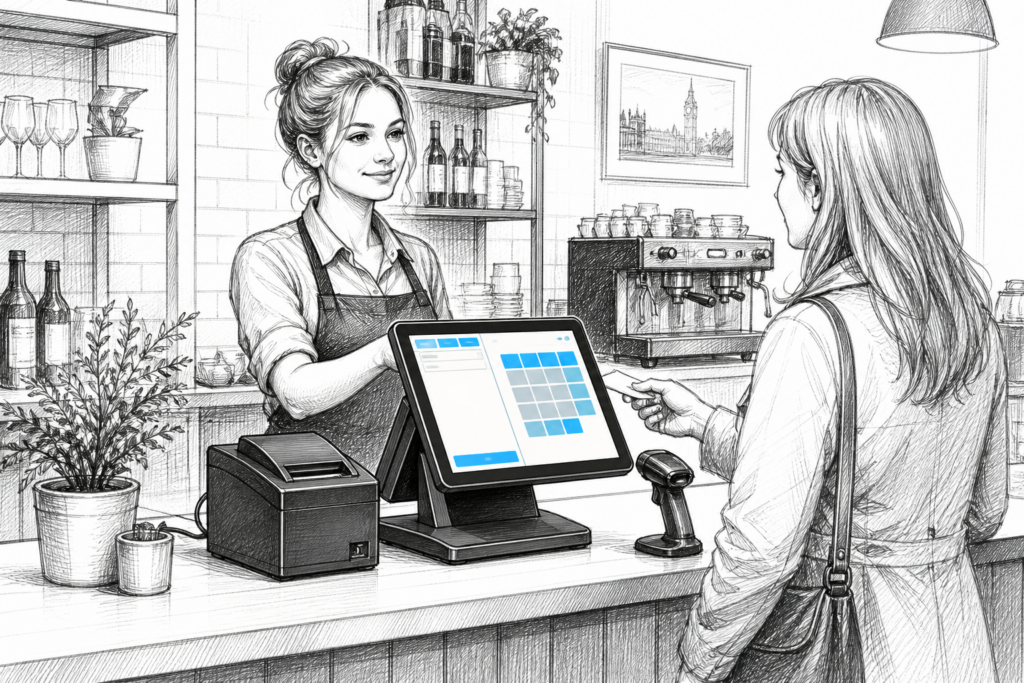
For many UK retailers and hospitality businesses, a Windows POS terminal remains a practical foundation for day-to-day trading. The appeal is straightforward: it offers the familiar environment that many EPOS applications are designed around, while providing purpose-built hardware that is better suited to counter service than a standard office PC.
That matters because the point of sale is not just another computer on the counter. It is the device staff rely on to process transactions, look up products, manage orders, take payments and keep service moving. When a terminal is chosen well, it can support a smoother operation for years rather than becoming a weak point in the system.
What makes a Windows POS terminal different?
A Windows POS terminal is designed as commercial EPOS hardware rather than a general-purpose desktop machine. In practice, that usually means a space-saving form factor, touchscreen operation, input/output options suited to peripherals, and a chassis intended for continuous use in a trading environment.
For retailers, that can make the checkout area tidier and easier to work around. For cafés, restaurants, pubs and takeaways, it can help keep front-of-house service moving without asking staff to work around an office-style setup. A well-chosen terminal also tends to be easier to position alongside receipt printers, scanners, cash drawers and customer-facing displays.
When Windows POS still makes sense
Not every business needs the same platform, but Windows POS remains relevant where existing software, established workflows or current support arrangements are built around it. That is especially true for businesses that already run installed EPOS software and want to replace ageing hardware without reworking the whole system.
It can also suit businesses that want more control over their hardware setup. A Windows terminal may be a good fit where the installation includes several connected devices, customised software, or a preference for a familiar desktop-style administration environment.
Typical use cases include:
- independent retailers replacing older tills with touchscreen EPOS hardware
- cafés and restaurants needing a stable front-of-house ordering station
- bars and pubs looking for reliable counter-based service
- multi-site operators standardising hardware across several locations
- EPOS resellers and installers supplying a familiar Windows-based platform
Key features to consider before choosing hardware
It is easy to focus on the screen size or the appearance of a terminal, but the more important question is how the hardware will perform in the real world. A device that looks neat at installation time is not enough if it is awkward to support later or cannot be integrated properly with the wider EPOS setup.
Start by looking at how the terminal will be used. If staff are entering lots of items quickly, accuracy and touch responsiveness matter. If the terminal needs to sit in a compact counter area, footprint and cable management become important. If it is part of a larger site standardisation plan, consistency across the fleet is more valuable than novelty.
Practical points to review:
- Touchscreen usability for frequent staff input
- Connection options for printers, scanners and payment equipment
- Ease of mounting or counter placement
- Serviceability in the event of future hardware replacement
- Compatibility with the EPOS software already in use
- Ability to support a customer display where needed
The best choice is usually the terminal that aligns with the business process, not just the one with the largest specification sheet. In many cases, reliability, physical layout and supportability are more useful than chasing features that will never be used.
Retail and hospitality have slightly different priorities
Although the underlying hardware may be similar, a retail checkout and a hospitality front desk rarely need the same day-to-day behaviour. Retail often benefits from quick item lookup, barcode scanning and straightforward receipt printing. Hospitality may place more emphasis on order flow, table-side or counter ordering, and keeping the interface clear during busy periods.
That is why it helps to define the operating environment before selecting the terminal. A convenience store, for example, may want a compact and durable touch-controlled workstation that sits neatly beside a scanner and receipt printer. A restaurant may prioritise a reliable front-of-house terminal that supports fast order entry and integrates neatly into the back-of-house workflow.
Why serviceability matters for installed EPOS
Businesses do not buy POS hardware only for the initial installation day. They need equipment that can be supported, maintained and replaced in a controlled way later. That is one reason commercial Windows POS terminals are still widely used in the UK point of sale sector.
For EPOS dealers, installers and support teams, serviceability can be just as important as performance. If a terminal can be standardised across multiple sites, issues are easier to diagnose and replacement planning becomes more straightforward. That reduces disruption when a business needs to refresh older hardware or scale a system across additional counters.
For business owners, this means fewer surprises. Instead of replacing an entire setup because one part of the workstation has become unsuitable, a well-planned Windows POS installation can often be supported more efficiently over time.
Choosing the right terminal for a new or existing system
If you are planning a new EPOS installation, or replacing older equipment, it helps to work from the software backwards. Confirm what the EPOS application requires, what peripherals must connect to the terminal, and how the counter space is arranged. From there, a suitable Windows POS terminal becomes much easier to identify.
YCR Distribution works with UK resellers, installers and businesses that need dependable point-of-sale hardware and support. The team’s role is not simply to supply equipment, but to help match the right terminal and related hardware to the job at hand. That can be particularly useful when standardising a mixed estate, upgrading ageing systems or planning a wider POS refresh.
For more information about point-of-sale hardware and EPOS solutions, contact YCR Distribution on 01924 438238 or visit www.ycr.co.uk.
If you are comparing current options, you can also explore the Windows POS terminals collection to see how this category fits into a wider UK EPOS hardware strategy.