
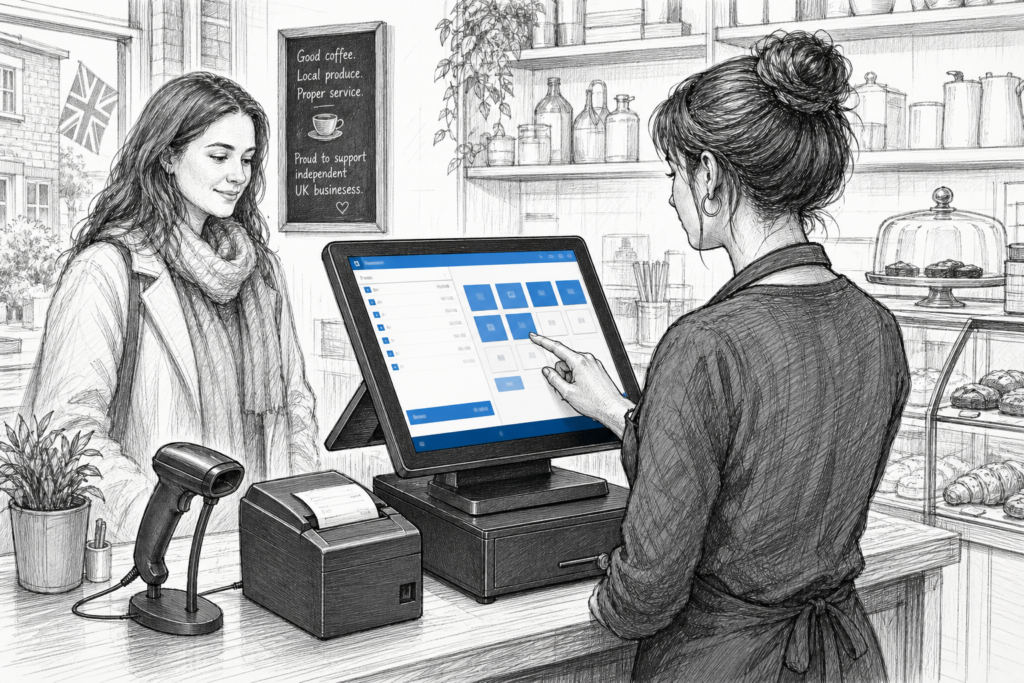
For many UK retailers and hospitality operators, the point of sale is no longer just a till point. It is where orders are taken, stock is checked, payments are processed and customer service is either helped or hindered by the hardware in front of staff. That is why choosing the right Windows POS terminal matters so much.
A Windows POS terminal is often selected when a business wants a familiar software environment, a more traditional EPOS setup or a platform that can sit comfortably within an existing estate of hardware and applications. For resellers and installers, the main challenge is not simply finding a terminal that turns on. It is choosing a device that suits the way the site actually works.
Why businesses still choose Windows POS
Windows POS remains common across UK point-of-sale installations because many businesses already rely on Windows-based EPOS software, back-office tools or third-party integrations. In practice, this can make deployment simpler for sites that want continuity rather than a full system change.
Retailers often value Windows POS terminals for tasks such as barcode-assisted sales, promotions, returns and stock lookups. Hospitality sites may use them for table service, counter ordering, kitchen routing, bill splitting and payment processing. In both cases, the hardware needs to keep pace with busy trading periods without becoming awkward for staff to use.
What to look for in a POS terminal
A good Windows POS terminal should be selected for the environment first and the specification second. The most important question is how the unit will be used day to day. A compact counter in a café has different requirements from a multi-lane retail store or a high-volume bar.
Key practical points to consider
- Screen size and layout: the display should suit the available counter space and the amount of information staff need to see clearly.
- Touch operation: a responsive touchscreen helps speed up order entry and reduces friction during busy periods.
- Connectivity: the terminal should support the peripherals needed at the site, such as receipt printers, barcode scanners, card payment devices or customer-facing displays.
- Physical design: a terminal with a sensible footprint can help keep counters tidy and usable.
- Serviceability: businesses and resellers benefit when hardware can be supported, maintained and replaced without unnecessary disruption.
It is also worth considering how the terminal will be installed. Some sites need a neat all-in-one counter solution, while others want hardware that can be mounted and cabled in a more flexible way. A Windows POS terminal should support the workflow, not dictate it.
Retail and hospitality needs are not identical
In retail, the main priorities are often speed, accuracy and the ability to handle a varied transaction mix. Staff may need to move quickly between selling products, processing returns and checking inventory. A Windows POS terminal can support that style of work when paired with a suitable scanner and receipt printer.
In hospitality, the focus can shift towards order accuracy, counter presentation and the ability to handle peak trading pressure. Restaurants, cafés, pubs and takeaways often need hardware that is easy for staff to read at a glance and simple to operate when busy. A reliable touchscreen terminal helps reduce hesitation and keeps the front of house moving.
For both sectors, the best choice is usually the one that fits the workflow rather than the one with the longest list of features. That is especially important for businesses planning multiple sites or standardising hardware across different locations.
Windows POS versus a standard office PC
Some operators ask whether a standard desktop computer can do the same job as a purpose-built POS terminal. While a conventional PC may run software successfully, it is not always the most sensible option at the checkout. Office equipment is generally designed for desks, not counters, and it may be harder to integrate cleanly into a trading environment.
A purpose-built Windows POS terminal is usually more appropriate because it is created with point-of-sale use in mind. That can mean better physical ergonomics, a tidier installation and a form factor that suits a retail or hospitality counter. For installers and dealers, it also makes it easier to build a more consistent and supportable solution.
Planning for support and replacement
One of the less visible but most important factors in any EPOS installation is future support. Businesses that depend on their checkout hardware need to know that replacement units, accessories and related components can be sourced sensibly when an estate needs expanding or refreshing. This is where UK-based POS distribution becomes especially valuable.
YCR Distribution works with EPOS resellers, installers and business owners across the UK to supply point-of-sale hardware and related technology. When planning a Windows POS installation, it helps to work with a distributor that understands the practical side of deployment, including terminal selection, peripheral matching and the need for support over the life of the system. For more detail on the current range, you can also view the Windows POS terminals collection on the YCR store.
Choosing hardware that suits the long term
The best Windows POS terminal is rarely the one chosen in isolation. It is the one that fits the software, the counter layout, the peripherals and the business model. That could mean a compact terminal for a café, a more versatile setup for a convenience store, or a standardised family of terminals for a multi-site retailer.
If you are a reseller or installer, it is worth treating terminal selection as part of the wider system design. If you are a business owner, think about how the checkout will be used not only today but after the next expansion, menu change or site refresh. A well-chosen terminal can make the rest of the EPOS installation easier to support.
For more information about point-of-sale hardware and EPOS solutions, contact YCR Distribution on 01924 438238 or visit www.ycr.co.uk.