
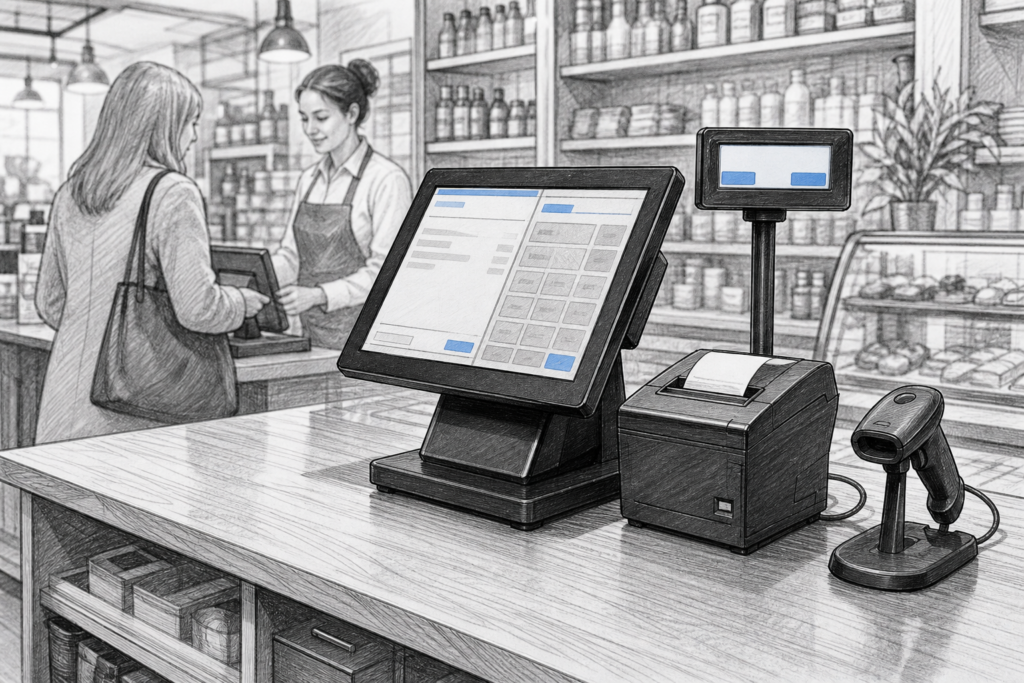
For many UK retailers, cafés, bars and service businesses, a Windows POS terminal is still a sensible foundation for day-to-day EPOS operations. It offers a familiar environment for software, a professional touchscreen form factor for counter use, and a path that many resellers and installers understand well.
That does not mean every Windows terminal is the same. The right choice depends on the size of the site, the software already in use, the amount of counter traffic and how easy the hardware will be to support over time. For EPOS dealers and business owners alike, the important question is not simply whether the terminal can run the software, but whether it will fit the working environment and remain practical to maintain.
Why Windows POS still has an important role
Windows POS hardware continues to be used widely because many established EPOS packages were designed with that platform in mind. In retail, that can matter when a business needs barcode scanning, till reporting, stock functions and peripheral support on the same terminal. In hospitality, it can matter when a venue wants a trusted counter system for ordering, payments and printing without retraining staff on unfamiliar hardware.
A purpose-built Windows POS terminal is different from a standard office PC. It is designed for front-of-house use, with a touchscreen layout, a more compact footprint and a build that suits regular customer interaction. That makes it easier to place on a counter, at a till point or in a restaurant service area where space is limited and equipment needs to be accessible.
What matters most in a POS terminal
When choosing hardware, it helps to think beyond basic specification lists. The most useful Windows POS terminals are the ones that make daily work easier and cause fewer support calls later on.
- Touchscreen usability: staff should be able to navigate sales screens quickly, even during busy periods.
- Counter footprint: a terminal should fit the layout without taking over the worktop.
- Peripheral support: the system should work cleanly with receipt printers, barcode scanners, drawers and customer displays where required.
- Cable management: tidy installation reduces accidental disconnections and makes servicing simpler.
- Serviceability: dealers and installers benefit from hardware that is easier to understand, replace and support.
These factors can be more important than chasing the highest specification on paper. A busy takeaway or convenience store needs responsive, usable equipment. A restaurant needs a system that staff can learn quickly and that does not turn into a maintenance problem after installation.
Retail and hospitality use cases are not identical
Retail EPOS tends to place more emphasis on fast item lookup, barcode scanning and clear customer flow at the checkout. Hospitality EPOS usually needs to support fast order entry, table-side or counter ordering, kitchen communication and a layout that is easy for different staff members to use under pressure.
That means the same Windows POS terminal can suit both sectors, but the wider installation will often differ. A clothing shop may need a terminal beside a scanner and receipt printer, while a café may prioritise a touch interface, a customer-facing display and a second printer for drinks or kitchen orders. In both cases, the terminal is only one part of the overall EPOS hardware UK setup.
Replacing ageing till hardware
Many businesses upgrade because older hardware has become difficult to support. Screens become dimmer, touch response can deteriorate and replacement parts may be harder to source. In some cases, the software still works well, but the existing terminal no longer matches the demands of trading.
For those situations, a new Windows POS terminal can be a practical replacement route. It may allow a business to keep familiar software and operational processes while improving reliability at the counter. For EPOS resellers, that can be especially useful when managing repeat customers who want continuity rather than a full system change.
Questions to ask before specifying a replacement
- Does the existing EPOS software need Windows-based hardware?
- What peripherals must connect to the terminal?
- Will the new model fit the existing counter space?
- Is the business looking for a single terminal or a standardised estate across several sites?
- Does the installer need easy access to spare hardware or replacement components?
YCR Distribution and supported POS choices
YCR Distribution works with resellers, installers and business owners who need commercial point-of-sale hardware that can be specified with confidence. On the YCR website, the Windows POS terminals collection is a useful starting point for identifying suitable hardware for retail and hospitality projects.
For dealers, having a UK POS distributor with experience in the channel can make planning easier. It can help when matching hardware to existing installations, sourcing terminals that suit a software environment, or building a consistent specification across multiple sites. For end users, that support can reduce disruption when a terminal needs replacing or when a new site is being fitted out.
Choosing for the long term
The best Windows POS terminal is rarely the one with the most attention-grabbing specification. It is the one that fits the business, supports the right peripherals and remains practical to install and service. In many retail and hospitality settings, that means choosing a terminal that is stable, easy to work with and suited to the real conditions at the counter.
If you are planning a new EPOS installation or replacing older hardware, it is worth considering the full workflow, not just the terminal itself. The right combination of POS hardware UK, software and local support can deliver a much better day-to-day result than a one-size-fits-all purchase.
For more information about point-of-sale hardware and EPOS solutions, contact YCR Distribution on 01924 438238 or visit www.ycr.co.uk.