
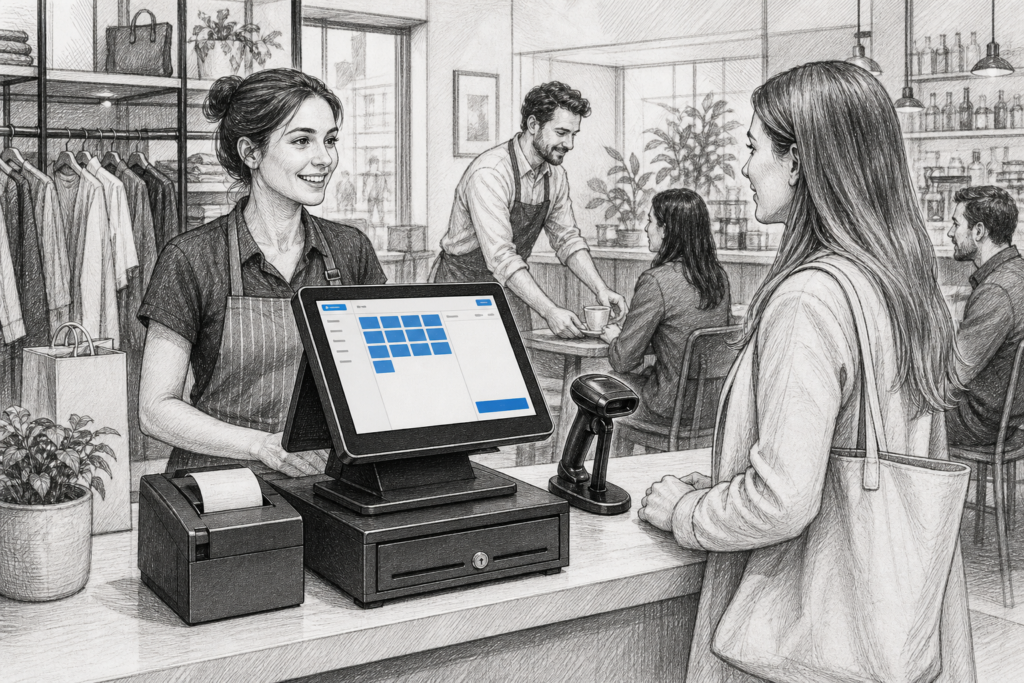
For many UK retailers, cafés, restaurants and multi-site operators, the point of sale still needs to do something very specific: run reliably, connect to the right peripherals and support the EPOS software already in use. That is why Windows POS terminals continue to matter. They are not simply computers on a counter. A well-chosen terminal is a core part of the checkout, order-taking and reporting process.
Why Windows POS still has a strong role
Windows-based point-of-sale hardware remains a practical choice where businesses need compatibility with established EPOS applications, integrated peripherals and familiar IT management. In retail, that often means barcode scanners, receipt printers, cash drawers and customer-facing displays. In hospitality, it may also include kitchen printing, table service workflows and payment devices.
For resellers and installers, the appeal of Windows POS is straightforward: it can fit into existing infrastructures without forcing a complete change of software or back-office process. For business owners, it can reduce disruption when replacing ageing tills or planning a wider EPOS upgrade.
What makes a POS terminal different from an office PC
A standard desktop computer can run business software, but it is rarely designed for the constant use, environmental demands and peripheral integration of a checkout environment. A purpose-built POS terminal is typically chosen because it is intended to live at the till point day after day.
That usually means a more suitable footprint for counters, easier cable management, touchscreen operation and a design that works with commercial accessories. In a busy shop or hospitality venue, these details matter because they affect speed, ergonomics and how easy the system is to support later.
Key features to look for
When selecting a Windows POS terminal, the most useful features are often the ones that make the installation easier to support rather than the ones that look impressive on a specification sheet.
- Touchscreen operation: useful for quick item entry, table service and staff training.
- Compact design: helps in cramped counters, especially in cafés, delis and convenience stores.
- Peripheral connectivity: important for receipt printers, scanners, cash drawers and customer displays.
- Commercial build quality: better suited to continuous business use than general office equipment.
- Consistent hardware family: helpful for multi-site operators who want standardisation across locations.
In practical terms, this means a terminal should support the way the business actually works. A restaurant may prioritise an easy-to-use touchscreen and kitchen workflow. A retailer may care more about a scanner, fast item lookup and smooth receipt printing. The right terminal adapts to that environment.
Retail and hospitality uses are not the same
Although the hardware category is the same, the job it performs can be quite different. In retail, a Windows POS terminal often sits at the front counter and needs to handle scanning, promotions, returns and customer service. In hospitality, the same type of hardware may be used for order entry, split bills, table allocation and kitchen communication.
That is why it is worth matching the terminal to the workflow. A business that operates at speed will usually value responsive touch input and a reliable peripheral setup. A location with multiple order zones may need a layout that makes it easy to expand the system later.
Planning for serviceability and long-term support
One of the most overlooked parts of a POS project is what happens after installation. Hardware failures, cable issues and peripheral changes are normal over the life of a system. Choosing a terminal that is straightforward to support can reduce downtime and make it easier for an EPOS reseller or installer to maintain the site.
This is particularly important for businesses running multiple counters or multiple branches. Standardising on a small number of terminal types means spares are easier to hold, staff training stays consistent and troubleshooting becomes simpler. It also helps when software updates or peripheral changes are needed later on.
For UK dealers and integrators, a good Windows POS platform should be selected with the whole installation in mind: software, screen placement, printer type, cash handling and user workflow. That approach is usually more valuable than choosing hardware purely on headline specifications.
Upgrading an existing EPOS setup
Many businesses do not need a complete redesign. They simply need a more dependable terminal to replace ageing hardware that has become slow, awkward to support or difficult to integrate with current peripherals. In those cases, a Windows POS terminal can be a sensible replacement path because it may preserve enough continuity to avoid retraining every member of staff from scratch.
Where existing EPOS software is already Windows-based, it is often worth reviewing whether the current hardware still suits the business. A new terminal can improve counter workflow, reduce bottlenecks and make the overall setup easier for the support partner to maintain.
How YCR Distribution fits into the process
YCR Distribution works with resellers, installers and business customers across the UK point-of-sale market, helping them source commercial hardware that suits real-world EPOS requirements. For Windows POS projects, that means thinking beyond the device itself and considering peripherals, replacement planning and the long-term support picture.
If you are comparing terminal options for retail EPOS or hospitality EPOS, it is worth looking at the wider Windows POS collection on the YCR store: Windows POS terminals. That can be a useful starting point for selecting hardware that fits a new installation or an upgrade path.
For more information about point-of-sale hardware and EPOS solutions, contact YCR Distribution on 01924 438238 or visit www.ycr.co.uk.