
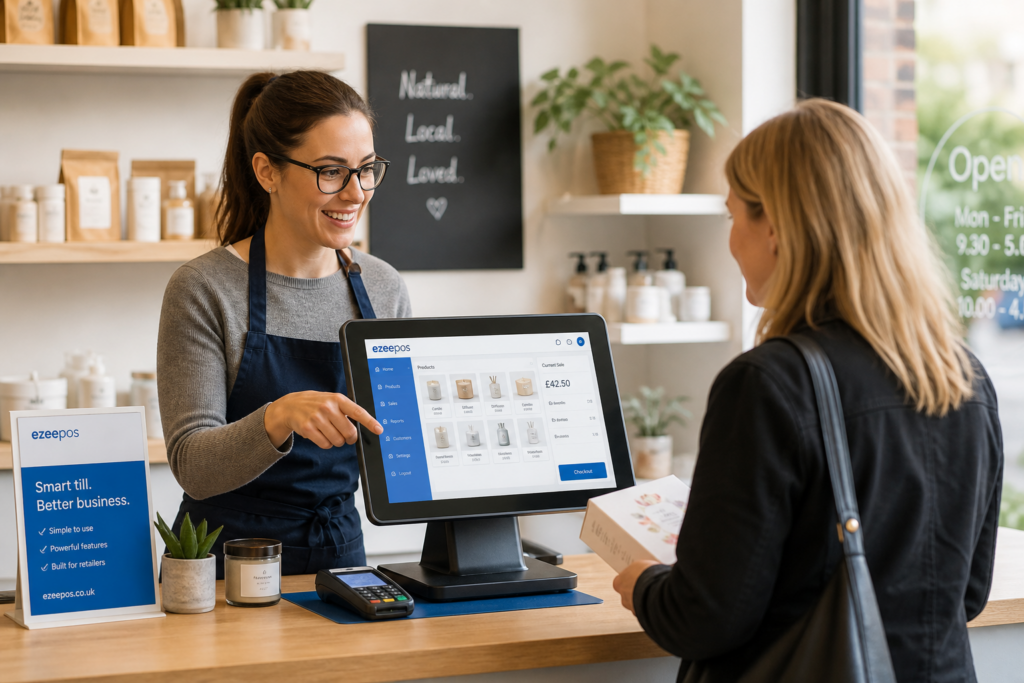
Why the right till matters for small retailers
For many independent shops, the till is used every hour of the trading day. It is where sales are taken, customer queries are handled and key decisions about service speed are made. That is why choosing the right touchscreen till is about more than just replacing an old cash register. It is about giving your team a system that fits the way your shop actually works.
At eZeePOS, retailers often look for a setup that is straightforward, reliable and easy to train on. Whether you run a convenience store, gift shop, fashion boutique or farm shop, the right retail EPOS software should help staff serve customers confidently without slowing the queue.
Start with ease of use
A small retail team usually cannot afford a long learning curve. If a till is cluttered, complicated or awkward to navigate, staff will take longer to serve customers and mistakes become more likely. A good touchscreen till should feel clear from the first few taps.
Look for a clean day-to-day workflow
- Common products and actions should be easy to find.
- Staff should be able to process sales quickly with minimal training.
- Buttons, menus and shortcuts should make sense during busy periods.
- The system should suit your shop layout, not force you into a rigid process.
If you are moving from a basic till or manual process, the biggest improvement often comes from simplicity. A touchscreen system should reduce the steps needed to complete a sale, not add more of them.
Think about the type of retail business you run
Different shops need different priorities. A fashion store may need flexible product lookup and promotions. A gift shop may need quick item selection for seasonal ranges. A convenience store may care most about speed, clear pricing and dependable daily use.
When choosing a retail EPOS solution, it helps to think about the pressure points in your own business:
- Do customers often queue at peak times?
- Do staff need to find products quickly?
- Do you run offers, discounts or bundle pricing?
- Do you need clearer sales information at the end of the day?
These questions are more useful than a long list of technical features. The best system is the one that solves the daily problems your team actually faces.
Consider reporting and visibility
Even a small retailer benefits from better visibility over sales performance. A touchscreen till is no longer just a checkout point. It can also help you see what is selling, when the shop is busiest and which categories may need attention.
Good reporting can help with practical, everyday decisions such as staffing, promotions and opening hours. If you run more than one department or branch, clear reporting becomes even more valuable. It should be easy to check the numbers without having to dig through manual paperwork.
For many businesses, this is where modern EPOS software starts to feel like a real operational tool rather than just a till replacement.
Make sure training and support are realistic
Even the best system will struggle if the team does not feel confident using it. That is why training and support matter when choosing a touchscreen till. For independent retailers, especially those with smaller teams, support should be practical and easy to access when needed.
Before you choose a setup, ask questions such as:
- How easy is it to train a new member of staff?
- Can day-to-day tasks be demonstrated quickly?
- Is the interface consistent enough to reduce errors?
- What support is available if something goes wrong during trading hours?
Reliable support is especially important if your shop is busy, seasonal or open with a small team. A system that is easy to learn can make staff more productive from day one.
Hardware matters, but only when it fits the counter
A touchscreen till should suit the physical space you have. Small shops often need a compact setup that leaves room for bagging, displays, card payments and customer interaction. The best hardware is not necessarily the biggest or most complex. It is the one that fits neatly into your counter space and supports the way your staff work.
When planning a retail setup, consider:
- How much space is available at the till?
- Whether staff need a customer screen, scanner or receipt printer nearby.
- Whether the hardware is comfortable for long trading hours.
- Whether the setup can grow with your business.
A tidy counter also makes the customer experience feel more professional. That matters in small retail businesses, where first impressions can influence repeat trade.
Look at flexibility for future growth
Many shops start with a simple till setup and then outgrow it. If you later add another counter, a seasonal pop-up, or a second location, the system should be able to adapt. That is why flexibility is worth considering at the start.
A modern touchscreen till should make it easier to add users, change products, handle promotions and adapt sales processes without starting again from scratch. For growing retailers, that flexibility can save time and reduce disruption later on.
Why eZeePOS is worth considering
If you want a practical, UK-focused system for retail or hospitality, eZeePOS is designed to support day-to-day trading without unnecessary complexity. It can help businesses move away from basic tills and towards a more organised EPOS setup that supports faster service and better control.
For small retailers in particular, the main value is often the balance between usability, reporting and support. A system that is clear for staff and useful for owners can make trading smoother from the start.
Final thoughts
Choosing the right touchscreen till is really about matching the system to your shop. Focus on ease of use, useful reporting, support, flexibility and a counter layout that works in real life. If those parts are right, the till becomes a tool that helps your business run more smoothly every day.
For more information about EPOS options for UK businesses, visit www.ezeepos.co.uk.
Contact YCR Distribution at sales@ezeepos.co.uk or call 01924 438238.