
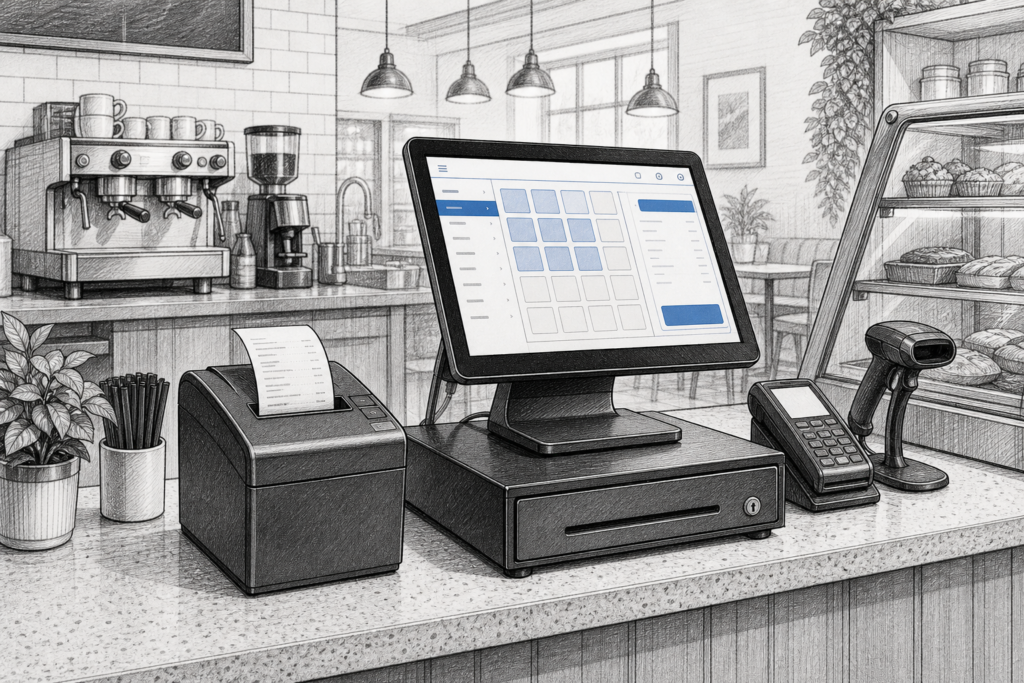
A receipt printer may not be the most visible part of an EPOS installation, but it is often one of the most relied upon. In retail, cafés, bars, quick-service counters and takeaway environments, printing needs to be fast, consistent and easy to support. If the printer slows down or becomes difficult to maintain, it can affect transactions, order flow and the overall customer experience.
For UK businesses planning a new POS system or replacing ageing hardware, a thermal receipt printer remains a sensible choice for many front-of-house applications. YCR Distribution supplies POS and EPOS hardware to resellers, installers and businesses across the UK, so understanding how printer choice affects day-to-day operations is useful whether you are specifying a new site or upgrading an existing one.
Why thermal printing remains popular
Thermal receipt printers use heat rather than ink or toner to produce output. For busy checkout environments, that usually means fewer consumables to manage and less routine maintenance than with other print technologies. That simplicity matters in places where the printer is used constantly and where staff need equipment that just works during trading hours.
Thermal printing is commonly used for customer receipts, order tickets and other short-format documents where speed matters more than archival print quality. In practical terms, that makes it suitable for shops, restaurants, pubs and takeaways that need clear, readable output without adding complexity at the counter or service station.
What to think about before choosing a printer
The right printer depends on how the business operates. A high-street retailer with one till point will have different requirements from a multi-site hospitality operation with front-of-house and kitchen printing. Rather than focusing only on the printer itself, it is better to consider the complete workflow.
1. Connectivity
Connection type is one of the first practical decisions. USB may suit a straightforward single-terminal setup, while Ethernet is often preferred where the printer needs to be shared, networked or installed away from the terminal. In more complex environments, the ability to network printers can help reduce cable clutter and make future changes easier to manage.
For EPOS installers, matching connectivity to the site layout is important. A printer placed under the counter in a compact café may need a different setup from a printer connected to a back-office workstation or a remote till point.
2. Print environment
Receipt printing in a bakery, convenience store or fashion shop is not the same as printing order tickets in a busy kitchen. Front-of-house receipts tend to need clear text and dependable output. Kitchen printing may put more emphasis on visibility, speed and placement within the service workflow. Understanding where the printer sits in the operation helps narrow down the most appropriate model.
3. Serviceability
Commercial hardware should be easy to support. A printer that is straightforward to clean, load and maintain is usually easier for staff to live with and easier for resellers or installers to support remotely. In busy trading environments, simple maintenance can reduce avoidable disruption and help keep the point of sale moving.
4. Space and installation
Counter space is often limited. That makes physical size, cable routing and access to paper replacing important. Even when a printer is technically suitable, it still needs to fit comfortably into the layout without blocking other hardware or creating awkward working conditions for staff.
Retail and hospitality use cases
In retail, receipt printers are often part of a straightforward checkout configuration alongside a touchscreen terminal, cash drawer and barcode scanner. The emphasis is usually on dependable printing, clear receipts and minimal downtime at the till.
In hospitality, the same printer may serve a different role. A café or restaurant might need one printer for customer receipts and another for order tickets. In a takeaway or quick-service setting, speed of production and clarity of tickets become especially important because the staff rely on the printer to keep the front-of-house and kitchen workflow aligned.
That difference is why it is worth treating receipt printers as part of the wider EPOS design, not as an afterthought. A well-chosen printer supports better order accuracy, faster handover and less confusion during busy periods.
When a replacement makes sense
Many businesses replace a printer only when it fails, but there are other reasons to review the hardware. Older units may become harder to service, more awkward to integrate with modern POS systems or less convenient for staff to use. If paper loading is awkward, output becomes inconsistent or support calls are increasing, it may be worth looking at a replacement before the printer becomes a point of failure.
For EPOS resellers and installers, standardising on a small number of reliable printer models can also make support easier. It simplifies documentation, reduces training time and makes it easier to hold compatible spares or replacement units for sites that need continuity.
Choosing hardware that fits the support model
Receipt printers are often judged on specification alone, but support matters just as much. UK-based distribution and reseller support can help with product selection, installation planning and the sourcing of related hardware when building out an EPOS system. That is particularly useful where a business wants equipment that can be supported locally rather than treated as a one-off purchase.
YCR Distribution works with the EPOS trade as well as with retailers and hospitality operators, which means printer choice can be considered alongside the rest of the hardware stack. If you are specifying a complete solution, it is usually better to think about the printer in the context of the terminal, peripherals and support requirements rather than as a standalone item.
For more information about point-of-sale hardware and EPOS solutions, contact YCR Distribution on 01924 438238 or visit www.ycr.co.uk.