
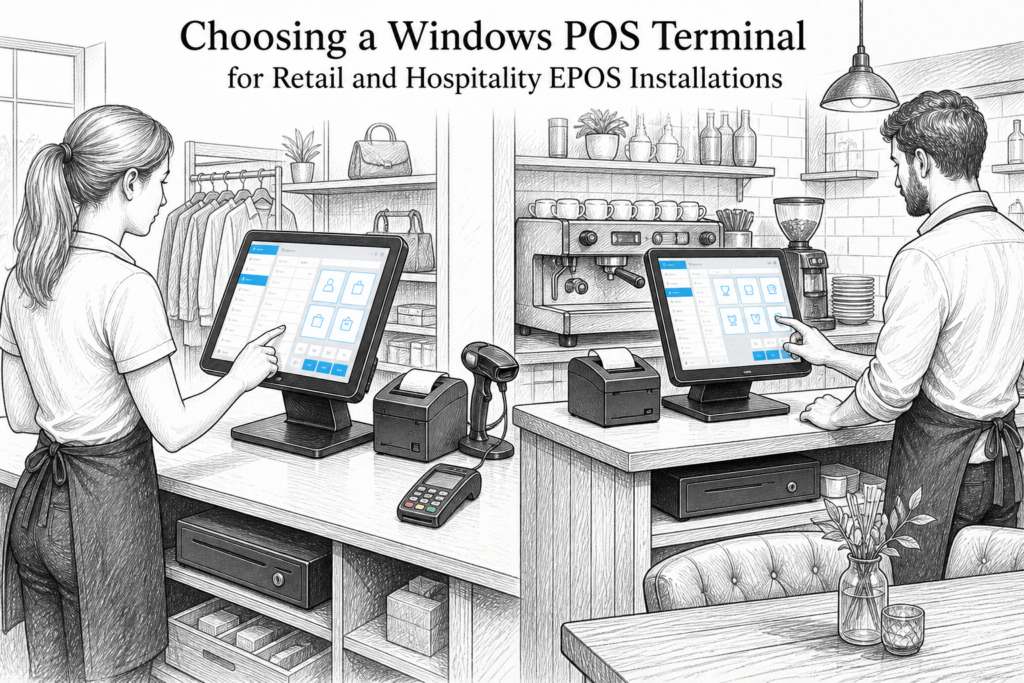
When businesses plan a new checkout or replace ageing tills, the choice of hardware matters as much as the software. A Windows POS terminal gives retailers and hospitality operators a familiar platform for EPOS systems UK, especially where existing applications, peripherals and support processes are already centred on Windows.
For EPOS resellers and installers, the real question is not simply whether a terminal runs Windows, but whether it fits the day-to-day demands of the site. Counter space, cabling, mounting, peripheral support and serviceability all affect how well the installation works after go-live. YCR Distribution supplies POS hardware UK to dealers, resellers and end users, helping to match the right terminal to the job rather than treating every site the same.
Why Windows remains important at the point of sale
Many businesses still choose Windows because it sits comfortably within established retail EPOS and hospitality EPOS environments. Existing software, back-office workflows and peripheral drivers are often already designed around Windows, which can make upgrades less disruptive. That is particularly useful for multi-site operators who need consistency across locations, or for businesses replacing older terminals without changing the wider system.
A well-chosen Windows POS terminal can also be easier to support over time. Dealers and installers often prefer hardware that is intended for commercial use rather than a standard office computer adapted for the counter. Purpose-built retail and hospitality hardware is usually easier to position, neater to cable and better suited to long trading hours.
What to look for in a POS terminal
When comparing Windows POS hardware, it helps to focus on practical features rather than simply list specifications. The most useful questions are:
- Does the terminal suit the available counter space?
- Can it support the required peripheral layout, such as a receipt printer, scanner or customer-facing display?
- Is the screen easy for staff to read and operate in a busy environment?
- Will the installation be straightforward for the EPOS installer or dealer to maintain?
- Does the hardware match the role of the site, whether retail checkout, café counter or restaurant front of house?
Touchscreen operation is especially valuable in busy businesses because it reduces the amount of physical movement needed at the till. That can help staff process orders and sales more quickly, while also keeping the counter area simpler and easier to use during peak periods.
Retail environments
In retail, Windows POS terminals often need to handle product lookup, barcode scanning and consistent checkout performance. Convenience stores, fashion shops, gift shops and garden centres all benefit from hardware that is simple to use but built for repeated daily operation. Counter depth and screen angle matter just as much as software menus, because staff need to complete transactions quickly without clashing with other equipment.
Hospitality environments
In cafés, restaurants, pubs and takeaways, the terminal must support fast order entry, clear screen visibility and dependable peripheral connections. A Windows POS terminal may be used alongside a receipt printer or kitchen printer, and the installation needs to keep the front-of-house area organised. Where staff are working under pressure, a reliable touchscreen layout can reduce mistakes and improve order flow between counter and kitchen.
Why terminal design matters as much as software
It is easy to focus only on the EPOS application, but the physical design of the terminal affects usability every day. A compact footprint can free up space for payment devices, receipt printing and customer interaction. Good cable management also makes a difference, particularly where the terminal sits in public view.
For installers, serviceability is another key factor. If hardware is awkward to access, simple maintenance can become time-consuming. In a commercial setting, that can increase disruption and lengthen the time needed to resolve issues. Businesses planning new POS installations should think ahead about replacement cycles, spare hardware and the ease of supporting the estate over several sites.
Windows POS versus a standard office computer
Although a conventional desktop PC can run business software, it is rarely the most practical choice for a checkout. A purpose-built POS terminal is designed for counter use, with a format that better suits retail and hospitality environments. That often means a cleaner installation, easier placement of peripherals and a more professional customer-facing appearance.
It also allows resellers to standardise deployments. When several branches use the same family of hardware, support becomes more straightforward and staff training is easier to repeat. That is one reason why many businesses prefer commercial POS hardware instead of trying to adapt general office equipment for point of sale.
Planning a Windows POS upgrade with YCR Distribution
YCR Distribution works with UK EPOS resellers, dealers and installers who need hardware that aligns with the requirements of the site and the software in use. If you are planning a Windows POS upgrade, it is worth reviewing the wider installation rather than choosing a terminal in isolation. Receipt printers, customer displays, scanners and mounting options all influence the final result.
For businesses replacing older equipment, this is also the right time to consider whether the hardware estate should be standardised. A consistent approach can make future support simpler, especially where several branches or service points need the same configuration.
To see the type of hardware options available, you can explore the Windows POS terminals collection on YCR Distribution’s store.
For more information about point-of-sale hardware and EPOS solutions, contact YCR Distribution on 01924 438238 or visit www.ycr.co.uk.