
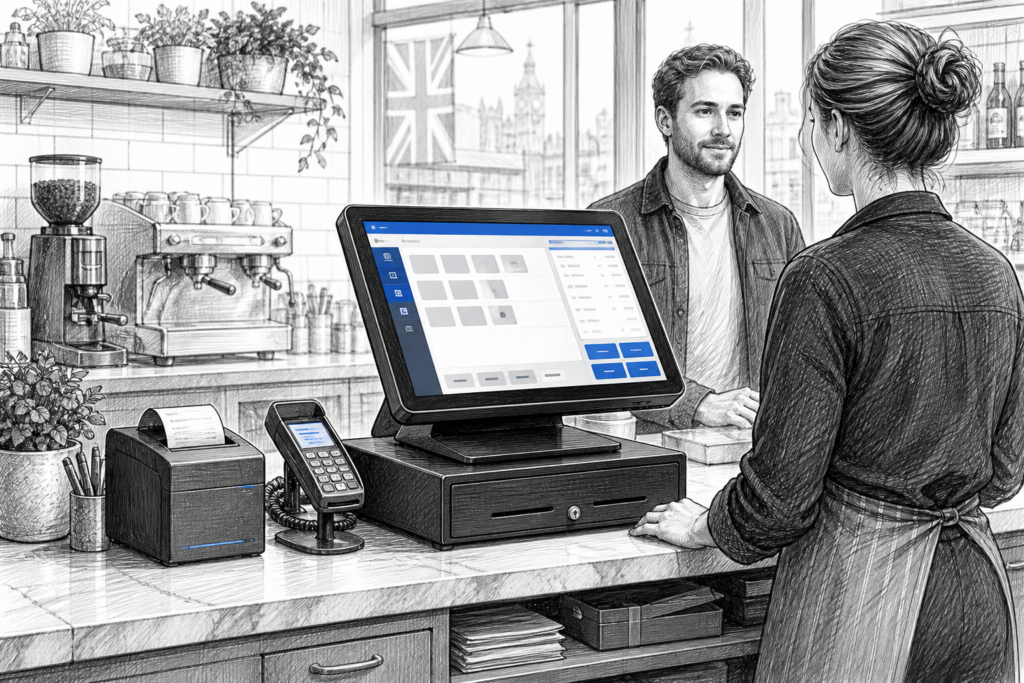
A Windows POS terminal can still be the right choice for many UK retailers, cafés, restaurants and hospitality groups. In fact, for businesses that already rely on established EPOS software, back-office tools or connected peripherals, purpose-built Windows hardware often provides a straightforward path to better reliability and easier support.
Unlike a standard office PC, a commercial POS terminal is designed to sit at the heart of a checkout or service point all day, every day. That distinction matters. At the till, businesses need consistent performance, a compact footprint, tidy cabling and hardware that is easier for an EPOS installer or support team to maintain when trading gets busy.
Why a Windows POS terminal still makes sense
Many organisations continue to choose Windows POS because of software familiarity, multi-site standardisation and the wide ecosystem of business applications that run on the platform. For resellers and installers, it can also be easier to support a customer estate where the hardware is purpose-built for EPOS rather than assembled from general office components.
For the end user, that can translate into a checkout that feels more dependable. A retail counter, restaurant host station or trade counter usually benefits from a dedicated terminal that is designed to remain in place, integrate neatly with printers and scanners, and cope with the demands of long trading hours.
What to look for in commercial-grade hardware
When selecting a Windows POS terminal, the most important question is not simply what the device can run, but how it will perform in a real business setting. A good starting point is to consider the environment:
- Retail counters often need a compact terminal that leaves room for scanning, bagging and customer interaction.
- Hospitality venues usually need tidy cable management, quick response times and a layout that suits staff moving between front of house and preparation areas.
- Multi-site operators may want consistent hardware across locations to simplify support and spare unit planning.
In each case, a dedicated POS terminal should help reduce clutter and make support easier. That is especially important when the business uses a receipt printer, scanner, customer display or payment device alongside the main terminal.
Why serviceability matters
One of the biggest advantages of choosing hardware built for POS is serviceability. If a terminal reaches the point where it needs attention, a dealer or installer can usually diagnose and replace the affected unit more efficiently than they could with a general-purpose desktop PC. That can help reduce downtime at the checkout, which is vital when even a short interruption affects queues, order handling or customer satisfaction.
Serviceability also matters for longer-term planning. Businesses do not always need to replace an entire EPOS installation at once. In some cases, a well-chosen Windows POS terminal can be introduced as part of a staged refresh, allowing existing software, peripherals and store processes to continue with less disruption.
Matching the terminal to the application
Different businesses will prioritise different features. A fashion boutique may want a clean counter setup with a touchscreen interface that feels quick and simple for staff. A garden centre or hardware store may need a Windows POS terminal that sits comfortably alongside barcode scanning and a receipt printer. A café or bar may want a front-of-house setup that supports fast order entry and smooth hand-off to kitchen or bar printing.
Rather than treating the terminal as a standalone purchase, it helps to think about the whole point-of-sale station. The right system is usually the one that fits the software, the staff workflow and the surrounding peripherals with the least friction.
Useful planning questions for resellers and business owners
- Will the terminal support the current EPOS application and any connected peripherals already in use?
- Is the form factor suitable for the available counter space?
- Will the hardware be easy for a support team to replace if required?
- Does the business need one standard terminal type across several sites?
- Is the setup intended for front-of-house, back office or both?
These questions are often more useful than focusing only on specification numbers. A terminal that fits the workflow well is usually the better long-term choice for a busy environment.
Windows POS in retail and hospitality
In retail, Windows POS is often chosen where the business needs dependable transaction handling, stock lookup and clear integration with printers and scanners. In hospitality, it may be selected because the business has a proven workflow, existing software investment or a requirement for familiar staff operation during busy service periods.
For EPOS resellers and installers, that means there is still strong demand for well-matched Windows hardware. The goal is not simply to supply a screen and computer. The goal is to provide a complete point-of-sale platform that can be supported sensibly over time.
Support from a UK POS distributor
Working with a UK point-of-sale distributor can make planning much easier, particularly when hardware needs to be matched with software, peripheral devices and long-term support expectations. YCR Distribution supplies POS and EPOS hardware to resellers, installers and businesses across the UK, helping customers choose equipment that suits real-world trading requirements rather than just generic IT needs.
If you are refreshing an existing installation or planning a new checkout, it can be useful to discuss the wider setup, not just the terminal itself. A distributor with sector experience can help you think through compatibility, scalability and maintenance before hardware is committed to site.
For more information about point-of-sale hardware and EPOS solutions, contact YCR Distribution on 01924 438238 or visit www.ycr.co.uk.
For businesses comparing hardware options, the Windows POS terminals collection is a useful place to start when planning a modern EPOS installation.