
TL;DR:
- A modern POS system is essential for managing farm shop sales, stock, and compliance tasks.
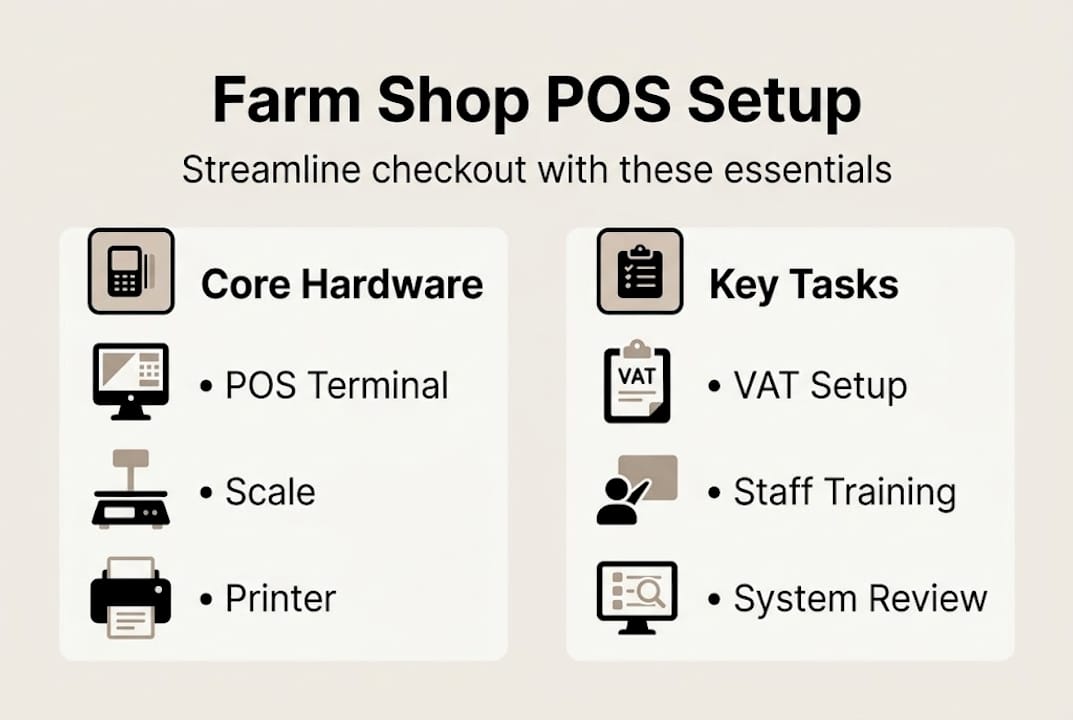
- Proper setup includes hardware like scales, barcode scanners, receipt printers, and supporting software with VAT and MTD features.
- Regular testing, staff training, and timely troubleshooting prevent post-launch issues and ensure operational confidence.
Running a farm shop means juggling fast-moving queues, weighing loose produce, tracking seasonal stock, and staying on top of VAT obligations, all at the same time. A poorly configured point-of-sale (POS) system makes every one of those tasks harder. The good news is that a modern POS setup, built around the right hardware and software, can handle all of it reliably. This guide walks you through exactly what equipment you need, how to configure and test your system, how to connect weighing scales, and how to avoid the most common post-launch mistakes, so you can open your doors with confidence.
Table of Contents
- What you need for your farm shop POS setup
- Step-by-step guide to configuring your POS system
- Integrating scales and weighing solutions
- Running tests, training your staff, and going live
- Common mistakes and troubleshooting after setup
- Our perspective: Lessons learned from UK farm shop POS rollouts
- Get the right hardware and expert support
- Frequently asked questions
Key Takeaways
| Point | Details |
|---|---|
| Prepare with the right hardware | Gather tills, scales, printers, and ensure software covers VAT and compliance before setup. |
| Follow a clear step-by-step setup | Create accounts, connect devices, add products, set VAT, link scales, and test before launch. |
| Train staff and plan for maintenance | Successful POS use requires training on transactions and ongoing troubleshooting checks. |
| Cloud-based POS offers future-proofing | Choose a platform that enables remote updates to better handle seasonal and regulatory changes. |
What you need for your farm shop POS setup
Before you plug anything in, it pays to take stock of what a farm shop POS actually requires. Your setup will differ from a typical high-street retailer because you are selling a mix of pre-packed goods, loose items sold by weight, and sometimes hot or prepared food, each with different VAT rules and pricing logic.
The core hardware list for most farm shops includes:
- POS terminal or tablet for processing sales
- Barcode scanner for pre-packed products
- Receipt printer for customer records
- Cash drawer for cash transactions
- Card payment terminal for contactless and chip-and-pin
- Weighing scales integrated with the POS for loose produce
- Label printer for printing weighed-item labels
Reviewing the best POS systems for farm shops before you buy will help you match hardware to your specific product mix and footfall.
| Equipment | Primary function | Compliance note |
|---|---|---|
| POS terminal | Processes all sales | Must support VAT rate configuration |
| Card payment terminal | Handles card payments | Must be PCI compliant |
| Weighing scales | Prices loose produce | Requires legal-for-trade certification |
| Receipt printer | Issues customer receipts | VAT receipts required above £250 |
| Label printer | Prints weighed-item labels | Must show price per kg and total |
On the software side, you need a system that supports 20% VAT setup for standard-rated goods, zero-rating for qualifying food items, and Making Tax Digital (MTD) compliance for digital VAT records. MTD requires businesses above the VAT threshold to keep digital records and submit returns through compatible software, so confirm your chosen platform supports this before committing.
Cloud-based POS software is strongly recommended. It allows you to push product updates, price changes, and seasonal stock additions remotely, without visiting the till. This matters enormously when your product range shifts week by week.
Pro Tip: Before purchasing, use a POS hardware checklist to confirm every device is compatible with your chosen software platform. Compatibility issues after purchase are costly and avoidable.
Step-by-step guide to configuring your POS system
With your tools ready, it is time to move through each step of the setup process to ensure a flawless POS system launch. Following a structured sequence prevents the most common configuration errors.
- Create your account and configure business details. Enter your business name, address, VAT registration number, and tax settings. Set your default VAT rates: 20% for standard goods, 0% for most basic food items.
- Connect and power your hardware. Link your receipt printer, cash drawer, barcode scanner, and card terminal via USB, Bluetooth, or Ethernet depending on the device. Follow your choosing POS hardware guide for connection specifics.
- Add your products and configure VAT. Create product records for every item you sell. Group them by category: pre-packed, loose by weight, and prepared food. Assign the correct VAT rate to each. This step is critical for compliance and accurate reporting.
- Integrate your scales. Connect weighing scales via cable or network, then link them to your POS software using the relevant app or driver. The setup process for scale integration typically involves selecting the scale model within the software settings and running a calibration check.
- Run test transactions. Process sample sales across every product type before serving a single customer. Include a weighed item, a pre-packed item, a zero-rated food item, and a card payment.
- Train your staff and go live. Walk every team member through the system before opening day.
Critical step: Never skip test transactions. A misconfigured VAT rate or a scale that is not syncing correctly will not show up until a customer is standing at the till. Test everything first.
Pro Tip: Use your POS software’s sandbox or demo mode to let staff practise without affecting live sales data. Most cloud platforms include this feature, and it is invaluable for building confidence before launch. Reviewing a retail POS workflow diagram can also help your team visualise the full transaction journey.
Integrating scales and weighing solutions
Accurate weighing and pricing is where many farm shop POS setups either succeed or fall apart. Getting this right is not just about convenience; it affects pricing accuracy, customer trust, and legal compliance.
Most modern POS systems support scale integration through one of three methods:
- USB or serial cable connection direct from the scale to the POS terminal
- Network connection via Ethernet or Wi-Fi, suitable for larger setups with multiple tills
- App-based integration using a dedicated measurements app, such as the Epos Now Measurements app, which reads scale data via app and pushes it directly to the transaction screen
| Approach | Best for | Limitations |
|---|---|---|
| USB/serial cable | Single-till setups | Limited cable reach |
| Network connection | Multi-till environments | Requires network infrastructure |
| App-based integration | Cloud POS platforms | Dependent on app compatibility |
When setting up weighed products in your POS, create a product record with a price-per-kilogram value rather than a fixed price. The system then multiplies the scale reading by the unit price to calculate the total automatically. This eliminates manual entry errors and speeds up the queue considerably.
Key considerations for scale integration include:
- Ensure your scales carry legal-for-trade certification (Class III approved) for retail use in the UK
- Schedule regular calibration checks, ideally monthly, to maintain accuracy
- Label every weighed item with the price per kg, total weight, and total price as required by UK weights and measures legislation
- Cross-reference scale readings against manual checks periodically to catch drift early
For a broader view of compatible devices, exploring POS hardware for farm shops will show you which scale models are commonly paired with popular UK POS platforms. Once your scales are correctly integrated, you can also optimise your POS system to automate label printing at the point of weighing, saving even more time at the counter.

Running tests, training your staff, and going live
With scales and POS hardware linked, the next step is to ensure everything works in practice and your team is prepared. Rushing this stage is the single biggest cause of post-launch headaches.
Follow this testing sequence before opening to customers:
- Process a sale for a pre-packed item with a barcode, confirming the correct price and VAT appear on the receipt.
- Process a sale for a loose item by weight, confirming the scale reading feeds through to the correct total.
- Process a zero-rated food item and confirm no VAT is charged.
- Complete a card payment and confirm the terminal communicates correctly with the POS.
- Issue a refund on a test transaction to confirm the returns process works.
Research insight: Cloud-based systems enable remote stock updates vital for seasonal farm produce, contrasting sharply with legacy systems that lack real-time reporting and require manual intervention for every change.
For staff training, cover these areas as a minimum:
- Role-based login and permissions
- Processing sales by piece, by weight, and by barcode
- Applying discounts and handling voids
- Running end-of-day reports
- Basic troubleshooting: what to do if the scale disconnects or the card terminal goes offline
Regular refresher sessions matter too, especially when your product range changes with the seasons. Your farm shop POS resources hub is a useful reference point for ongoing training materials. For a structured approach to the wider rollout, the POS implementation process guide provides a clear framework you can adapt for retail.
Common mistakes and troubleshooting after setup
Even with the best setup, issues can arise. Knowing common pitfalls prevents downtime and losses, particularly during busy harvest-season weekends when you cannot afford the till to misbehave.
The most frequent mistakes farm shop owners make after going live include:
- Incorrect VAT rates on new products. When you add seasonal items in a hurry, it is easy to assign the wrong rate. Audit your product list at the start of each new season.
- Scale-to-POS sync failures. These often occur after a software update. Check the scale connection settings in your POS dashboard immediately after any system update.
- Connectivity drops affecting cloud features. If your broadband is unreliable, invest in a 4G backup router. Remote stock updates are only as useful as your internet connection.
- Outdated product data. Prices and stock levels that are not refreshed regularly lead to overcharging or selling out-of-stock items.
- Staff bypassing the system. If the POS feels slow or confusing, staff will find workarounds. Address usability issues quickly rather than letting bad habits form.
For hardware faults, your first port of call should be the manufacturer’s support documentation, followed by your supplier’s technical team. Bookmarking a reliable POS troubleshooting guide means your team can resolve common issues without waiting on hold.
Pro Tip: Schedule a 15-minute system review every month. Check VAT settings, scale calibration records, software update logs, and staff access permissions. This small habit prevents the majority of post-launch problems.
Our perspective: Lessons learned from UK farm shop POS rollouts
Having supported POS rollouts across UK retail for over three decades, we have noticed a consistent pattern: the shops that struggle are rarely those that chose the wrong hardware. They are the ones that underestimated integration and compliance as ongoing responsibilities rather than one-time setup tasks.
The biggest surprise for most farm shop owners is how much ongoing attention VAT configuration demands. Seasonal products move between standard and zero-rated categories depending on how they are sold, prepared, or packaged. A jar of jam is standard-rated; a raw apple is zero-rated. Getting this wrong consistently is not just a bookkeeping headache; it is a compliance risk.
Internet reliability is another overlooked factor. Cloud POS is genuinely transformative for seasonal operations, but a single broadband outage during a busy Saturday can undermine customer confidence fast. We always recommend discussing offline mode capabilities with your supplier before you sign anything.
What consistently works is phased training, where staff learn one function at a time rather than everything at once, combined with a supplier who offers real UK-based support. Reviewing farm shop POS insights from operators who have already been through this process is one of the most practical steps you can take before committing to a platform.
Get the right hardware and expert support
Now that you are informed on all aspects of setup and troubleshooting, the next step is ensuring your POS infrastructure is robust and future-proof.

At YCR Distribution, we supply POS hardware and software specifically suited to UK retail environments, including farm shops. Whether you are starting from scratch or upgrading an existing till, our team can help you identify the right combination of devices and software. Start by understanding POS hardware terminology so you can make informed purchasing decisions. Browse our full range of farm shop POS hardware or explore our POS software options to find a platform that handles VAT, scales, and seasonal stock with ease. Get in touch with our team for tailored advice.
Frequently asked questions
Do I need to set up VAT on every item in my farm shop POS?
Yes, each item must have the correct VAT rate assigned in your POS. The 20% standard rate applies to most goods, while basic food items are typically zero-rated under UK law.
Can I update my inventory remotely with a cloud-based POS?
Yes, cloud-based POS systems allow remote inventory and pricing updates, which is particularly useful for managing rapidly changing seasonal produce lines.
How should I connect my farm shop scales to the POS?
Most farm shop setups use a USB cable or network connection, with some platforms supporting app-based scale integration for greater flexibility across multiple tills.
Are there compliance rules I must follow for card payments?
Yes, your payment terminal must meet PCI compliance standards to process card payments securely, and your POS software should support encrypted transaction handling.
What is the best way to train staff on the new POS?
Run test transactions covering every product type including weighed items, barcoded goods, and zero-rated food, then hold short refresher sessions whenever your product range or software changes significantly.