

Guide to efficient order management for UK businesses 2026

Efficient order management is the precise coordination of order capture, processing, inventory control, fulfilment, and customer communication across every stage of the sales lifecycle. Get it right and you reduce errors, accelerate cash flow, and deliver a consistent customer experience. Get it wrong and you haemorrhage revenue through missed shipments, stock discrepancies, and frustrated buyers who do not come back. The three KPIs that matter most are order cycle time, fulfilment accuracy, and exception rate. Track those and you have a real picture of where your operation stands.
Key elements that drive efficient order management:
- Order capture accuracy: validated SKU scans, confirmed addresses, and locked pricing at the point of entry
- Real-time inventory sync: available-to-promise stock counts updated by transactional events, not periodic snapshots
- Automated routing: orders directed to the right fulfilment location based on proximity, stock, and delivery commitments
- Exception management: flagged anomalies routed to a single queue with defined SLAs, not scattered across inboxes
- Cross-team visibility: sales, operations, and customer service working from the same live order data
- Measurable KPIs: order cycle time, fulfilment accuracy, and exception rates reviewed on a regular cadence
How do order management systems work, and what types are available?
An order management system (OMS) is software that centralises order intake, status tracking, routing logic, and fulfilment coordination from purchase through to delivery and returns. The moment an order is placed, whether through a website, a POS terminal, a phone call, or a marketplace, the OMS captures it, validates it against inventory and payment records, and moves it forward without waiting for a human to press a button.
The end-to-end automation chain works like this: order capture triggers validation checks (address, payment, stock availability), which then generate pick lists and packing instructions, select a carrier, produce shipping labels, and fire off customer notifications. Exceptions, such as a failed payment or an out-of-stock item, are isolated and routed to a review queue rather than stalling the entire flow. Automation advances orders the moment conditions are met, without waiting for human review.
Integration is where most of the real value sits. An OMS connected to your POS, ERP, CRM, and inventory system creates a single source of truth. POS integration with retail systems eliminates the data silos that cause duplicate entries and status mismatches across teams. Without those connections, you end up with an order that looks fulfilled in one system and still pending in another.
The main types of OMS available to UK businesses in 2026:
- Cloud-based OMS: hosted off-premise, accessible from any location, lower upfront cost, and faster to deploy. Cloud-based platforms integrate easily with existing POS and accounting systems, which matters enormously for retail and hospitality operators running multiple sites.
- On-premise OMS: installed on your own servers, giving maximum control over data and customisation. Higher upfront investment and IT overhead, but preferred by businesses with strict data governance requirements.
- Hybrid OMS: combines local processing with cloud connectivity. Useful for businesses that need offline resilience at the till but want centralised reporting and inventory visibility.
- Industry-specialised OMS: built for specific verticals such as hospitality, wholesale distribution, or e-commerce. These systems carry pre-built integrations and workflows tailored to sector-specific needs, reducing configuration time.
“Order management automation replaces a chain of manual handoffs with a single, continuous flow. Orders are captured and validated instantly, inventory is checked in near real time, and fulfilment decisions are made programmatically.” — Stripe
What are the real benefits of an efficient order management system?
Speed is the most visible gain. Automated order management removes duplicate data entry and enforces validation rules early, preventing small mistakes from becoming costly downstream problems. An order that previously took hours to process manually moves through the system in minutes once the right conditions are met.
The financial impact is direct. Faster fulfilment shortens the gap between purchase and payment, which accelerates revenue recognition and improves working capital. Fewer errors mean fewer refunds, reships, and internal escalations, each of which carries a hidden cost in staff time and customer goodwill.
Core benefits of a well-implemented OMS:
- Error reduction: data entered once, validated automatically, with no manual re-keying between systems
- Inventory accuracy: real-time inventory updates driven by transactional events prevent overselling and maintain reliable available-to-promise counts
- Growth without proportional headcount: automation absorbs volume spikes during peak periods without adding staff
- Customer satisfaction: consistent, timely notifications keep buyers informed and reduce inbound support queries
- Cash flow improvement: faster order cycles and fewer billing errors shorten the order-to-cash timeline
Inventory accuracy deserves particular attention. Periodic stock snapshots are inadequate for dynamic environments. When a sale happens at a POS terminal, a return is processed, or a delivery is confirmed, the inventory record needs to update immediately. Businesses running cycle counting in high-volume warehouses maintain accuracy above 99% without full shutdowns, splitting counts across days and areas to catch discrepancies before they affect fulfilment.
What are the common challenges in order management, and how do you fix them?
The most common failure point is not technology. It is undocumented, inconsistent processes that get automated before anyone has cleaned them up. Automation locks in confusion as efficiently as it locks in good practice.
Typical challenges operations managers encounter:
- Manual data entry errors: re-keying order details across disconnected systems introduces mistakes at every handoff
- Stock discrepancies: inventory records that update on a delay cause overselling and fulfilment failures
- System integration gaps: legacy tools with partial or delayed synchronisation reintroduce spreadsheets and manual workarounds
- Siloed departments: sales, operations, and customer service working from different data sets, causing status confusion and duplicated effort
- Exception bottlenecks: complex or unusual orders stalling in inboxes rather than being routed to a defined review process
The fix for most of these starts with a workflow audit. Mapping current order workflows before implementing any new technology is the step most businesses skip, and it is the one that determines whether automation helps or amplifies existing problems. Document how orders move today, where delays occur, and where errors cluster. That map tells you exactly which rules to encode and which handoffs to eliminate.
For integration gaps, the answer is building connections around canonical event streams rather than one-off field mappings. When every system references the same order and inventory model, connector changes become predictable and schema drift stops breaking downstream logic.

Pro Tip: Start automation with your “perfect” orders first. Phased rollout, beginning with the cleanest, most predictable order type, lets you validate OMS logic and build confidence in automated workflows before exposing edge cases. This prevents disruption and gives your team time to refine rules under real conditions.
Which features should you prioritise when selecting an OMS?
Not all order management systems are built the same. The features that separate a genuinely useful platform from one that creates new problems are mostly about data flow and exception handling, not the length of the feature list.
Essential capabilities to evaluate:
- Real-time inventory updates: event-driven stock synchronisation across all channels and locations, not batch imports
- Exception management with root-cause tagging: flagging anomalies with metadata so fixes target the system, not the individual
- Multi-channel order capture: pulling orders from POS terminals, e-commerce platforms, phone, and marketplace channels into a single queue
- Workflow automation rules engine: business logic encoded into rules that execute consistently without manual triggers
- Analytics and KPI dashboards: processing time, exception rates, fulfilment speed, and inventory accuracy visible in one place
- API-based integrations: clean connections to ERP, CRM, accounting software, and shipping carriers
- Carrier management: automated label creation, rate comparison, and tracking updates based on destination and delivery requirements
| Feature | Why it matters | Business need it addresses |
|---|---|---|
| Real-time inventory sync | Prevents overselling and stock discrepancies | Multi-location retail, hospitality, wholesale |
| Exception queue with SLAs | Routes anomalies to humans with context, not chaos | High-volume operations, peak trading periods |
| Multi-channel order capture | Single source of truth across all sales channels | Omnichannel retail, e-commerce plus physical stores |
| Workflow automation rules | Consistent decision-making without manual triggers | Growing order volumes, lean operations teams |
| ERP/CRM integration | Eliminates data silos between sales, finance, and fulfilment | Businesses with existing enterprise software |
| Analytics dashboard | Tracks KPIs and reveals where automation needs adjustment | Operations managers, finance teams |
| Carrier management | Automates label creation and optimises shipping cost | Businesses dispatching physical goods |
Cloud-based platforms with open APIs offer the most flexibility for UK businesses that need to connect existing POS hardware with back-office systems. Layered exception management that tags exceptions with root-cause metadata enables systemic fixes, reducing the manual correction hours that quietly drain operational capacity.
How do you choose the right OMS for your UK business?
The decision framework matters as much as the technology. Picking a platform before you understand your own workflows is the single most expensive mistake in OMS selection.
Step 1: Audit your current order process. Map every step from order receipt to delivery and returns. Identify where delays occur, where errors cluster, and which handoffs rely on manual intervention. This audit also surfaces the KPIs you need to baseline before any system change.

Step 2: Define your automation rules before you evaluate vendors. Fulfilment logic, exception paths, carrier selection criteria, and inventory reservation rules should be documented first. If you cannot describe the rules clearly, no software will encode them correctly.
Step 3: Assess integration requirements. List every system your OMS needs to connect with: POS terminals, ERP, CRM, accounting software, shipping carriers, and any marketplace channels. For UK retail and hospitality businesses, POS integration is non-negotiable. SAM4S terminals and iMin devices, both distributed by Ycr, need to feed order and payment data into the OMS without manual re-entry.
Step 4: Evaluate vendors against your specific criteria. Key decision factors for UK businesses:
- Cost structure: upfront licence versus subscription, plus implementation and support costs
- Scalability: can the platform handle your projected order volume in two to three years without a full re-implementation?
- Ease of use: an intuitive interface reduces training time and adoption resistance, particularly for hospitality staff with high turnover
- UK compliance: the system must support Making Tax Digital (MTD) requirements, GDPR-compliant data handling, and any sector-specific regulations relevant to your business
- Support model: UK-based support with defined response times matters when a fulfilment failure costs you real money per hour
- Reseller and credit account management: for businesses operating through reseller networks, the OMS must handle tiered pricing, credit limits, and account-specific routing rules
Step 5: Plan a phased rollout. Automate a defined subset of orders first, measure performance against your baseline KPIs, refine the rules, then expand. This approach, starting with your most predictable order type, validates the system under real conditions before you commit the full operation to it.
Step 6: Build a continuous improvement cadence. Order management is not a set-and-forget system. Product ranges change, customer expectations shift, and carrier relationships evolve. Schedule quarterly reviews of routing logic and exception handling rules to keep the system aligned with current reality.
Expert insights and best practices from UK POS and order management professionals
The most experienced operations managers treat their OMS as a living system, not a one-time implementation. Rules that worked when you stocked 200 SKUs may create exceptions at 2,000. The routing logic that suited a single warehouse breaks when you add a second fulfilment location. Continuous rule maintenance is not optional maintenance; it is the work.
Real-time communication across sales, operations, and customer service is the operational glue that most businesses underinvest in. Shared order data visibility across departments improves decision speed and reduces the bottlenecks that occur when one team is working from yesterday’s data while another has already moved the order forward.
Best practices from the field:
- Treat the exception queue as a product backlog. Recurring manual fixes must trigger policy or integration changes. If the same exception appears every week, it is a system problem, not a one-off.
- Lock critical fields at order capture. Enforcing SKU validation, address confirmation, and pricing at the point of entry prevents errors from cascading through fulfilment, shipping, and invoicing.
- Use cycle counting rather than full stock takes. Splitting inventory counts across days and areas maintains accuracy without shutting down operations, which is particularly relevant for businesses promising same-day dispatch.
- Route exceptions to humans with context, not just alerts. Tagging each exception with root-cause metadata means the person reviewing it can fix the system, not just the individual order.
- Measure median time to resolve exceptions, not just exception volume. A high exception count with fast resolution is manageable. A low count with slow resolution is a hidden bottleneck.
Ycr has spent over three decades supplying POS hardware and software to UK retail and hospitality businesses, distributing SAM4S terminals and iMin devices alongside bespoke software solutions including SAMTOUCH and EZEEPOS. That depth of experience informs a practical reality: the hardware at the point of sale is where order data originates. If the POS terminal does not capture clean, validated data from the first transaction, every downstream system inherits the error. Getting the hardware and software integration right at the front end is what makes everything else work.
Pro Tip: Build a six-week experiment before committing to full automation. Pick one product family or order type, lock the critical fields, route every exception into a single queue with a 24-hour SLA, and measure exception volume before and after. The result tells you whether the bottleneck is rules, integrations, or field behaviour, and gives you a concrete basis for the next change.
What is order management?
Order management is the operational process of receiving, processing, tracking, and fulfilling customer orders from the moment they are created until they are completed. It is not limited to order entry. It includes validating what was ordered, confirming stock availability, coordinating fulfilment, updating delivery status, handling returns, and maintaining a complete audit trail from purchase to payment.
The discipline exists because a single order no longer sits in one place. It moves through sales, inventory, fulfilment, logistics, and finance, with each team depending on accurate information to do its part. Without a structured process, even simple transactions create operational noise: duplicate work, status confusion, fulfilment delays, and inconsistent reporting.
At its core, order management keeps order execution controlled, traceable, and scalable. The more orders a business handles, the more that structure matters. Spreadsheets and email-based workflows fail under volume because they cannot enforce validation rules, maintain real-time inventory accuracy, or route exceptions predictably. An OMS replaces that fragility with a connected, auditable system where every handoff is documented and every exception has an owner.
What are the stages of the order management workflow?
Every order follows a structured sequence. Each stage depends on the previous one being accurate, and this is where most operations either stay controlled or start to break down.
Stage 1: Order capture. The order enters the system from any channel: e-commerce, POS terminal, phone, email, or marketplace. Completeness matters here. Missing or inconsistent data cascades downstream, creating exceptions at every subsequent stage.
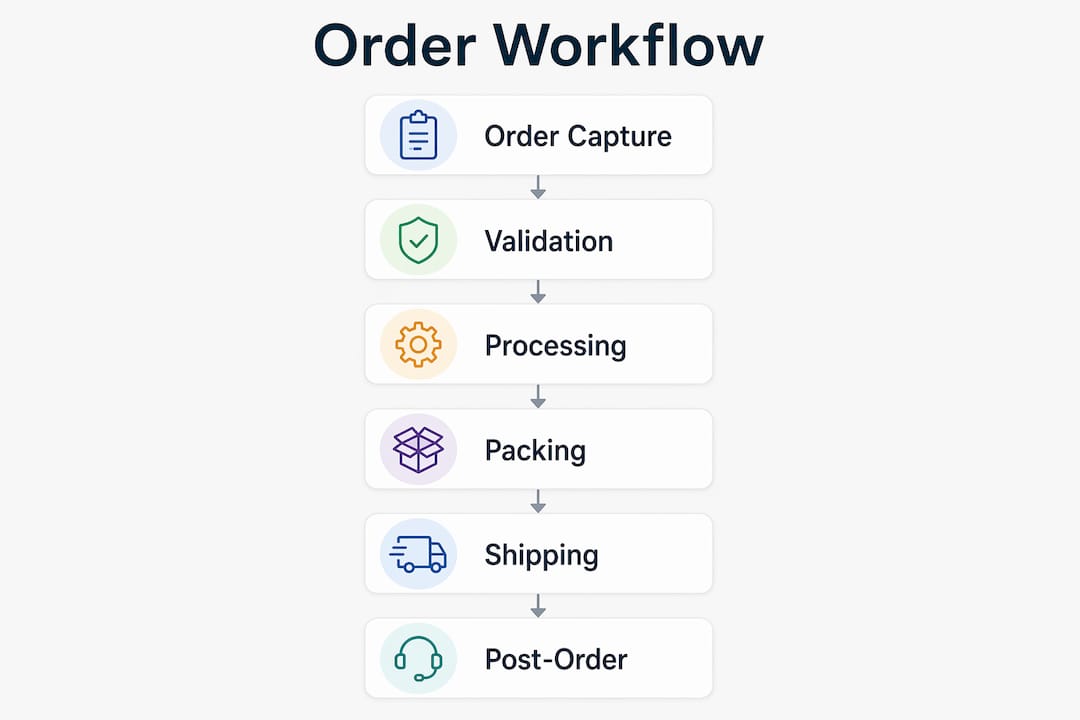
Stage 2: Validation. Before anything moves, the system checks stock availability, pricing, payment status, and address validity. This is where mismatches should be caught, not discovered at the point of dispatch.
Stage 3: Processing and allocation. Inventory is reserved, pick lists are generated, invoices are created, and the order transitions from intent to execution. Connecting the OMS to your ERP or CRM at this stage maintains consistency across sales records, inventory, and customer data.
Stage 4: Picking, packing, and fulfilment. The physical work happens. Accuracy here depends entirely on the quality of earlier stages. Zone picking, wave picking, and barcode-scanned verification all reduce errors at this point. Barcode scanning at goods receipt and pick confirmation is one of the most reliable ways to maintain fulfilment accuracy in high-volume environments.
Stage 5: Shipping and delivery tracking. The order moves to a carrier. Automated label creation, carrier selection based on cost and destination, and real-time tracking updates keep both the business and the customer informed. Proactive exception handling at this stage, flagging delays before the customer contacts support, reduces inbound queries and protects satisfaction scores.
Stage 6: Post-order handling. Returns, exchanges, refunds, and final invoicing are processed. This stage is frequently underinvested, but it directly affects margins and repeat purchase rates. A self-service returns process reduces friction for customers and workload for support teams simultaneously.
How are automation and AI changing order management in 2026?
Automation has moved from a competitive advantage to a baseline expectation in UK order management. The businesses still processing orders manually are not just slower; they are structurally unable to compete on fulfilment speed, accuracy, or cost per order as volumes grow.
The practical impact of automation is clearest in exception handling. Rather than every unusual order landing in someone’s inbox, automated rules engines isolate the 3–5% of orders that genuinely need human judgement and route them to a defined queue with context attached. The other 95% move through without interruption. That shift alone frees significant operational capacity that previously went on reactive firefighting.
AI is adding a layer on top of rule-based automation. Demand forecasting tools analyse historical order data and market signals to predict stock requirements before shortages occur. Machine learning applied to warehouse operations continuously refines pick paths and batch groupings based on actual throughput data. AI-powered virtual agents, connected to OMS and CRM platforms via API, handle order placement, status queries, and returns without human involvement, at any hour.
The important caveat is that automation reduces repetitive manual work, but human review remains essential for a small percentage of complex orders. The goal is not to remove people from the process entirely. It is to ensure that people only touch the orders that actually need their judgement, and that when they do, they have full context rather than a bare alert.
For UK businesses integrating POS hardware with back-office systems, the practical entry point for AI is predictive reordering and exception prioritisation. Both deliver measurable returns without requiring a full platform replacement. The key is building integrations around stable, event-driven data feeds so that AI tools are working from accurate, real-time information rather than stale batch exports.
How Ycr supports efficient order management for UK businesses
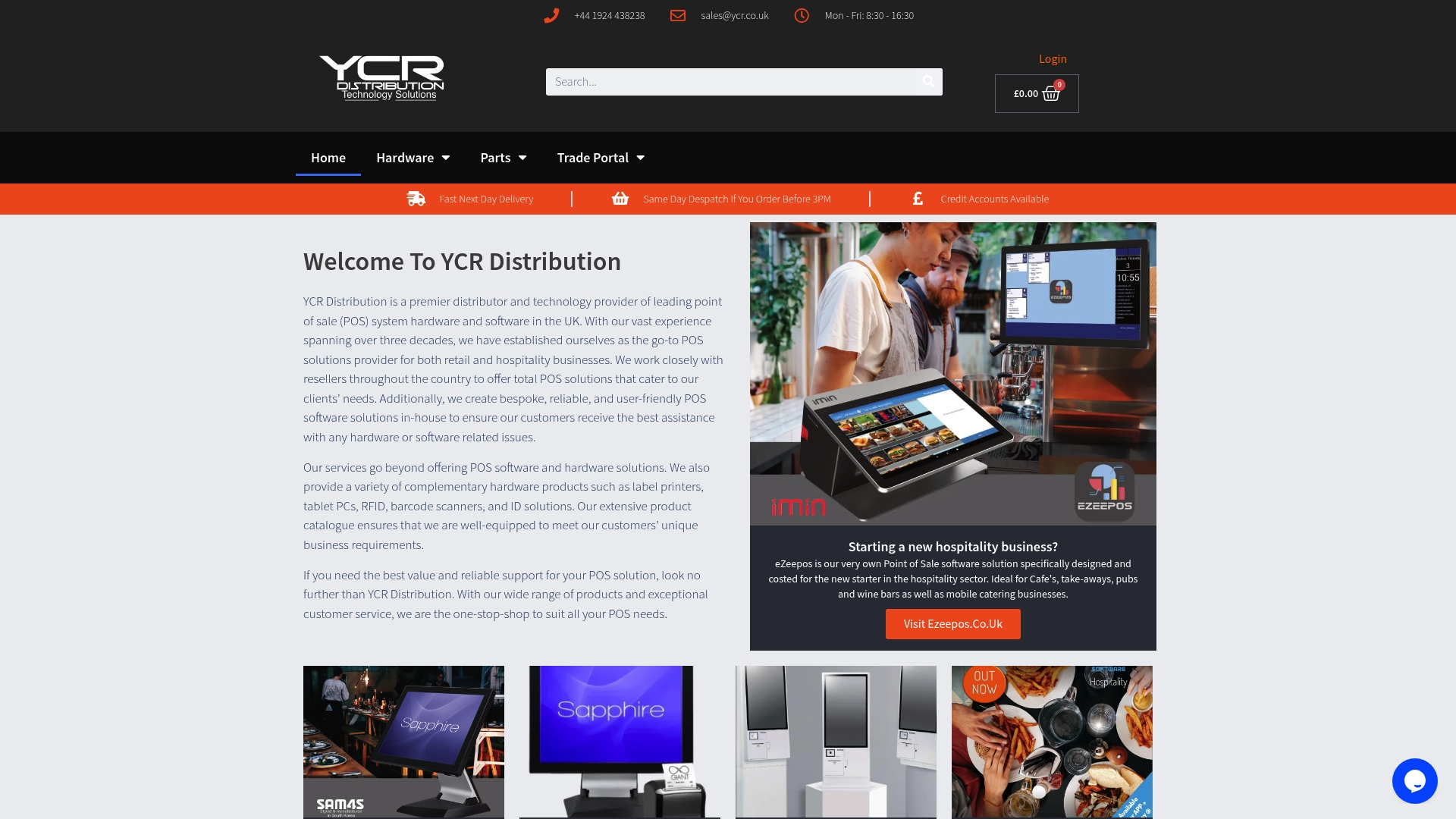
Ycr has supplied POS hardware, software, and integrated solutions to UK retail and hospitality businesses for over 30 years. The product range covers every layer of the order management stack at the point of sale: SAM4S terminals for reliable order capture, iMin devices for flexible counter and mobile deployments, and bespoke software solutions that connect the front-of-house transaction to back-office fulfilment.
SAMTOUCH, available as software with integrated hardware or as a standalone software licence, is built specifically for UK retail and hospitality environments. It handles order capture, table management, stock tracking, and reporting within a single interface, with the integration capability to connect to ERP and accounting systems. EZEEPOS is tailored for takeaways, cafes, and convenience stores, covering the fast-paced, high-volume order flows that characterise those sectors.
For businesses where barcode scanning underpins inventory accuracy and order verification, Ycr stocks a full range of Honeywell scanners and other professional-grade devices suited to retail and warehouse environments. Next-day delivery and same-day dispatch mean hardware replacements or new deployments do not stall operations. Credit accounts and reseller support make Ycr a practical partner for system integrators building out order management infrastructure for their clients.
Key takeaways
Efficient order management requires clean data at capture, real-time inventory visibility, and a structured exception process, not just better software.
| Point | Details |
|---|---|
| Start with a workflow audit | Map current order flows and identify error clusters before implementing any new system or automation. |
| Real-time inventory is non-negotiable | Event-driven stock updates prevent overselling and maintain accurate available-to-promise counts across all channels. |
| Automate in phases | Begin with your most predictable order type to validate logic and build stability before full deployment. |
| Treat exceptions as system signals | Recurring manual fixes must trigger policy or integration changes, not just one-off corrections. |
| POS integration drives front-end accuracy | Clean, validated data from the point of sale is the foundation every downstream fulfilment stage depends on. |