
TL;DR:
- A multi-store POS system unifies sales, stock, and data across multiple locations for real-time visibility.
- Choosing the right system involves considering scalability, vendor support, and integration with online sales.
- Proper planning, testing, staff training, and phased deployment are essential for successful implementation.
Many business owners assume that managing multiple shops simply means plugging in more tills. It is a costly misconception. True operational efficiency across several locations demands far more than connected hardware. It requires a carefully integrated point of sale (POS) system that shares data, synchronises stock, and gives you a single, clear view of every outlet in real time. Whether you run a chain of convenience stores, a group of restaurants, or a mix of retail outlets, the right multi-store POS system is the backbone of your business. This article walks you through exactly what these systems are, how they work, what to look for, and how to deploy them without the headaches.
Table of Contents
- What is a multi-store POS system?
- How multi-store POS systems work across locations
- Key features to look for in multi-store POS solutions
- Implementation strategies for multi-store POS deployment
- What most business owners overlook when choosing multi-store POS systems
- Explore specialist POS systems for UK retail and hospitality
- Frequently asked questions
Key Takeaways
| Point | Details |
|---|---|
| Centralised reporting | Multi-store POS systems unify data across locations so owners can track sales and performance easily. |
| Inventory synchronisation | Stock levels are managed across stores, reducing errors and simplifying replenishment. |
| Scalable deployment | Modern POS solutions are scalable, supporting growth without major disruption. |
| Feature selection | Choosing the right features ensures smoother operations and minimises hidden costs. |
| Vendor support | Ongoing technical support is essential for seamless POS operation across multiple sites. |
What is a multi-store POS system?
A multi-store POS system is a unified platform that manages sales, stock, staff, and reporting across two or more business locations from a single point of control. Unlike standalone tills that operate independently, a multi-store setup connects every outlet to a central hub, giving you visibility across your entire operation without manually collating figures from each site.
At its core, a multi-store POS system consists of several essential components working together. These include the terminal hardware at each location, a centralised back office or dashboard, cloud or server infrastructure to carry data between sites, and software that interprets and presents that data in a meaningful way. The multi-store POS overview offered by leading providers illustrates how these components form a coherent whole rather than a patchwork of individual tools.
The key features that define a capable multi-store POS solution include:
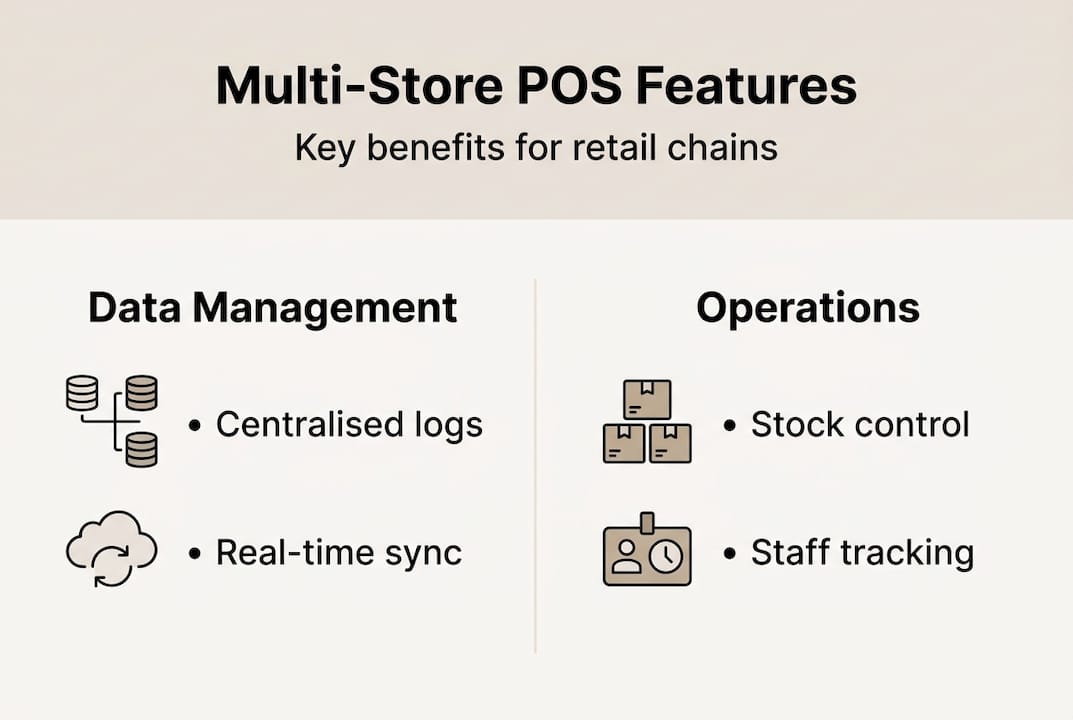
- Centralised reporting: Sales figures, transaction histories, and performance metrics from every location consolidate into one dashboard, so you are never piecing together spreadsheets at midnight.
- Inventory synchronisation: When a product sells out at one branch, the system updates across all locations instantly, preventing overselling and enabling smarter stock transfers.
- Real-time data access: Managers and owners can monitor live sales, staff activity, and table or queue status from any device, at any time.
- Multi-location pricing and promotions: You can apply blanket promotions or location-specific pricing without reprogramming every till individually.
- Customer loyalty and profiles: Customer data is shared across sites, so a loyalty card holder earns and redeems points whether they visit your Manchester or Birmingham outlet.
The commercial case for these systems is compelling. UK retailers using integrated POS report measurable reductions in manual errors, shrinkage, and administrative overhead. Research from across the retail and hospitality sectors consistently shows that businesses which centralise their POS operations save significant hours each week on stock reconciliation, payroll verification, and end-of-day reporting. Those saved hours translate directly into better customer service and improved profitability.
For hospitality operators, the benefits extend further still. A group of restaurants, for instance, can standardise recipes, allergen data, and menu pricing across every site from one interface, reducing the compliance risk that comes with manual updates. When your stock levels, labour data, and sales figures all live in the same system, the decisions you make are grounded in fact rather than guesswork.
How multi-store POS systems work across locations
Now that we have defined multi-store POS, let us clarify how these systems actually synchronise information and enhance operations across several outlets.
The fundamental mechanism is data flow. Every transaction at every terminal triggers an event that travels from the store level up to a central server or cloud environment. That central point processes the information and makes it available across all connected locations, often within seconds. Head office staff can see what sold at each branch today, which staff processed the most transactions, and which products are running low, all without setting foot outside the office.
The two principal infrastructure approaches are cloud-based and on-premises systems. Each has distinct advantages and trade-offs, which the table below illustrates:
| Feature | Cloud-based POS | On-premises POS |
|---|---|---|
| Real-time sync | Yes, automatic | Limited, often manual |
| Remote access | Yes, any device | Restricted to local network |
| Upfront cost | Lower | Higher (server hardware) |
| Ongoing cost | Monthly subscription | Maintenance and IT support |
| Internet dependency | Required | Not required |
| Scalability | Very easy | Complex and costly |
| Data ownership | Provider hosted | Locally held |
Understanding retail POS workflows helps illustrate the practical day-to-day sync process. A typical daily workflow across multiple stores runs roughly as follows:
- Opening sync: Each terminal pulls updated product data, pricing, and promotions from the central server at the start of the trading day.
- Transaction processing: Sales, refunds, and voids are recorded locally at each terminal and pushed to the central system in real time or at set intervals.
- Stock adjustment: Inventory levels update automatically with each sale, flagging low stock or triggering automatic reorder alerts.
- Mid-day reporting: Managers access live dashboards to review performance against targets without interrupting floor operations.
- End-of-day reconciliation: Each till closes and submits a full report to the central hub, creating an accurate consolidated picture of daily performance.
Pro Tip: The most common pitfall when linking multiple locations is underestimating the quality of internet connectivity required. A cloud-based system in a location with unreliable broadband will cause sync failures, duplicate entries, and data gaps. Before committing to any system, audit the connectivity at every site. Even farm shops in rural locations can now access reliable connectivity through 4G failover solutions, which should be factored into your infrastructure plan.
One often overlooked benefit of multi-store synchronisation is fraud reduction. When every transaction is logged centrally and compared against stock movements, anomalies become visible immediately. Discrepancies that might go unnoticed for weeks in a siloed setup surface within hours in an integrated one.

Key features to look for in multi-store POS solutions
Understanding the mechanics, we next identify features that make multi-store POS systems invaluable for retail and hospitality owners.
Not all systems are created equal. Some are built for single-site simplicity and struggle to scale. Others offer enterprise complexity that overwhelms a small chain of three outlets. The right fit depends on your current operation and where you intend to be in three to five years. Using a thorough POS checklist for retailers is an excellent starting point before entering any vendor conversation.
Here is a breakdown of the most important features and their operational impact:
| Feature | Why it matters | Impact level |
|---|---|---|
| Centralised inventory management | Prevents stockouts and overselling | Very high |
| Multi-site dashboard | Single view of all locations | Very high |
| Accounting integration | Automates bookkeeping, reduces errors | High |
| Loyalty programme support | Encourages repeat visits across all sites | High |
| E-commerce synchronisation | Unifies online and physical stock | High |
| Role-based access control | Protects sensitive data per staff level | Medium |
| Offline mode | Keeps trading during internet outages | Medium |
| Custom reporting | Tracks metrics specific to your business | Medium |
Key features worth prioritising include:
- Inventory control and coordination: A system that cannot accurately track stock across locations in real time will create more problems than it solves. Look for automatic reorder triggers, inter-branch transfer requests, and supplier order management within the same platform.
- Central dashboards: The ability to view every location’s performance side by side is what separates a multi-store system from a collection of individual ones. Your dashboard should allow filtering by date, location, product category, and staff member.
- Accounting and loyalty integrations: Seamless connections to platforms like Xero or QuickBooks reduce double data entry. Built-in loyalty support means your customer reward programme works consistently across your convenience store estate and hospitality outlets alike.
- Security and compliance: Multi-store operations introduce greater data exposure. Ensure any system you consider meets Payment Card Industry Data Security Standard (PCI DSS) requirements and offers role-based permissions so cashiers, managers, and owners each see only what they need.
Pro Tip: Before signing any contract, ask vendors to demonstrate specifically how their system handles a stock discrepancy between two branches. If the answer is vague or involves a manual workaround, that is a significant warning sign. The demonstration of edge cases reveals far more about a system’s capability than a polished sales presentation.
Implementation strategies for multi-store POS deployment
After weighing feature sets, it is imperative to know how to successfully launch and run a multi-store POS system.
Many deployments stumble not because of the technology itself, but because of poor planning, rushed timelines, and inadequate training. The best POS implementation practices consistently point to a structured, phased approach as the most reliable path to success.
Follow this deployment sequence to give your rollout the best possible foundation:
- Define your requirements clearly: Document every feature you need, every integration required, and every location-specific quirk before speaking to a single vendor. This protects you from being sold functionality you do not need.
- Select a vendor with proven multi-site experience: Ask for references from businesses of a similar size and sector. A vendor with strong restaurant POS deployment experience, for example, will understand the operational complexity that hospitality environments demand.
- Pilot in one location first: Before a full rollout, deploy the system in your busiest or most straightforward outlet. Run it in parallel with your existing setup for two to four weeks to identify issues without risking the entire operation.
- Configure centrally, customise locally: Set up your central product catalogue, pricing rules, and reporting templates at head office level, then allow location managers to make only the adjustments they genuinely need.
- Train staff before go-live, not during: Allocate dedicated training time at least one week before switching over. Use real scenarios from your business rather than generic tutorials.
- Plan your go-live timing carefully: Avoid peak trading periods. A quiet Tuesday in January is far preferable to a Friday in December.
“The businesses that struggle most with multi-store POS deployment are those that treat it as an IT project rather than a business transformation. Success comes from involving your operations team from day one, not bolting them on at the end.” This perspective reflects what experienced POS integrators observe repeatedly across UK retail and hospitality deployments.
Common pitfalls to avoid during deployment include:
- Importing old, unclean product data into the new system without first auditing and correcting it
- Underestimating the time staff need to feel confident with new hardware and software
- Failing to configure user permissions correctly, leaving sensitive financial data accessible to all staff
- Neglecting to test the system’s offline mode before going live in locations with connectivity risks
Following retail POS success tips from experienced operators reveals that post-launch support is equally important as pre-launch planning. Build in a review period at thirty, sixty, and ninety days after go-live to catch emerging issues before they become ingrained habits.
What most business owners overlook when choosing multi-store POS systems
Most articles about multi-store POS focus on features and price. We find that the businesses which struggle most are not the ones that chose the wrong features. They are the ones that failed to plan for growth and underestimated the ongoing relationship with their vendor.
Scalability is rarely considered deeply enough at the point of purchase. A system that handles three sites elegantly may become sluggish, expensive, or simply inadequate at ten. Ask every vendor directly how their pricing and performance change as your location count grows. The answer tells you a great deal about whether they are truly built for multi-store operations or simply adapted from a single-site product.
Hidden costs are another area where business owners are frequently surprised. Implementation fees, data migration charges, per-terminal licensing, and integration costs with accounting software can add significantly to the headline price. Reviewing how real-world convenience operations structure their POS budgets reveals that the total cost of ownership over three years is often double the initial quote when these additional expenses are factored in.
Vendor support is consistently underestimated. When your POS system goes down across multiple sites simultaneously, you need a support team that responds in minutes, not hours. Before committing, test the vendor’s support responsiveness yourself. Call or chat with their team as a prospective customer and note how quickly and knowledgeably they respond. That interaction is a reliable preview of what you will experience when it matters most.
Pro Tip: Before purchasing any multi-store POS system, build a list of ten specific operational questions that reflect real scenarios in your business. Ask every vendor to answer each one in writing. The quality and specificity of their responses will separate genuinely capable providers from those selling you a polished promise.
Explore specialist POS systems for UK retail and hospitality
If the frameworks covered here resonate with the challenges you are navigating, YCR Distribution offers a trusted range of solutions built specifically for UK retail and hospitality multi-store operations.

From advanced POS software like SAMTOUCH and EZEEPOS to a full catalogue of POS hardware solutions including terminals, scanners, and printers from leading brands, YCR provides everything you need to build a reliable, scalable multi-store setup. If you are new to the terminology or comparing hardware options, the POS hardware terminology guide is an excellent resource to share with your team before making any purchasing decisions. With over thirty years of experience supporting UK businesses, YCR is equipped to advise, supply, and support your operation at every stage.
Frequently asked questions
Can multi-store POS systems integrate with online sales platforms?
Yes, many modern POS systems enable integration with e-commerce and online ordering platforms to offer unified inventory and sales reporting across physical and digital channels.
How do multi-store POS systems improve staff efficiency?
By automating routine tasks such as stock reconciliation and end-of-day reporting, staff can dedicate more time to customer service rather than administrative duties.
What is the main difference between cloud-based and on-premises multi-store POS?
Cloud-based systems offer real-time syncing and remote access from any device, whilst on-premises systems rely on local servers and typically require dedicated IT maintenance.
How long does it take to fully deploy a multi-store POS system?
Deployment timelines vary considerably, ranging from one week for a straightforward two-site setup to several months for complex operations with many locations, custom integrations, and large staff teams to train.
Are there ongoing costs for maintaining a multi-store POS system?
Yes, expect ongoing costs to include software subscription fees, hardware support contracts, and periodic upgrades required to maintain security standards and access new functionality.