
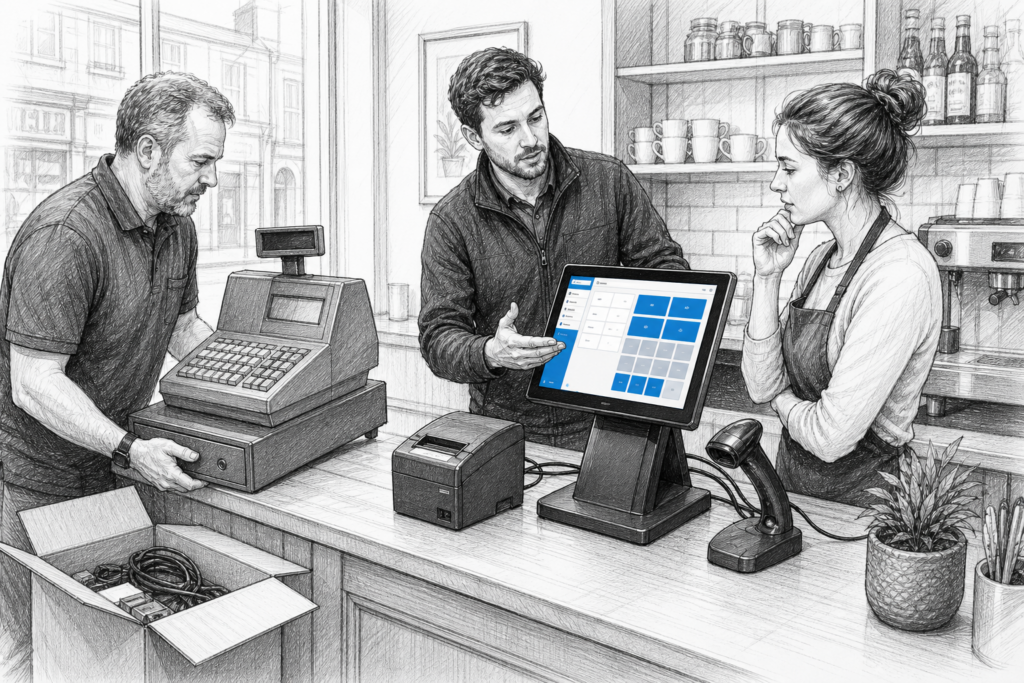
A Windows POS upgrade is often driven by a familiar problem: the old till still works, but it no longer fits the way the business operates. Touch response may be slower, peripherals can be harder to support, and a growing site may need better hardware consistency across every checkout, counter or bar terminal. For many UK retailers and hospitality operators, the upgrade is less about chasing new technology and more about regaining control over reliability, serviceability and long-term support.
That is where a carefully planned Windows POS strategy matters. Rather than replacing equipment piecemeal when something fails, it is usually better to think about the complete working environment: the terminal, receipt printer, customer display, scanner, cash drawer and the service support behind them. YCR Distribution works with EPOS resellers, installers and end users across the UK to supply POS hardware that can be selected and deployed with those wider considerations in mind.
Why businesses replace ageing Windows POS hardware
Many businesses begin an upgrade when routine tasks start taking longer than they should. A till that once handled a single-counter workflow may now be expected to process more orders, manage more products, support more staff and integrate with other systems. In that context, older hardware can become a bottleneck even if the EPOS software has moved on.
Common reasons for replacing older Windows POS hardware include:
- slow start-up or sluggish day-to-day performance;
- touchscreen wear or reduced responsiveness;
- difficulty sourcing compatible peripherals;
- greater repair frequency and longer disruption when faults occur;
- the need for a more tidy, purpose-built counter layout;
- standardising equipment across multiple sites.
A modern Windows POS terminal is usually chosen because it can support established EPOS workflows while offering a neater, more commercial form factor than a standard office computer. That matters in retail environments where space is tight and in hospitality settings where devices must cope with frequent use, cleaning and staff turnover.
What to look for in a Windows POS terminal
The best terminal for a business is not simply the most powerful one. It is the model that fits the software, the peripherals and the environment it will actually live in. For many UK point of sale installations, the most important qualities are practical rather than technical.
1. Purpose-built design
A commercial touchscreen terminal is built for counter use. It usually has a smaller footprint, cleaner cable management and a screen designed for repeated interaction. That can make a real difference in a retail till point or on a busy hospitality counter where staff need a clear and efficient workspace.
2. Serviceability
For EPOS dealers and installers, serviceability is often just as important as initial specification. If a terminal can be maintained or replaced quickly, the business is less likely to lose trading time. In mature installations, being able to swap a unit without redesigning the whole counter can save significant disruption.
3. Peripheral support
Most POS systems rely on more than the terminal itself. Receipt printing, scanning, cash handling and customer display hardware all need to fit into the installation. When planning an upgrade, it is worth checking the whole chain so that the new terminal lines up properly with the existing setup or the updated peripheral list.
4. Suitable screen and layout
The right screen format depends on the working style of the business. A compact kiosk-style installation may favour a different layout from a restaurant till or a multi-lane retail checkout. The aim is to make daily use easier, not simply to fit the latest hardware onto the counter.
Retail and hospitality use cases
In retail, Windows POS hardware is often valued for structured product lookup, barcode scanning and straightforward checkout workflows. Shops with assistants at the till all day may prefer a terminal that feels familiar, stable and easy to support. Garden centres, gift shops and convenience stores can all benefit from a system that keeps checkout queues moving without creating unnecessary training overhead.
In hospitality, the priorities are different but just as demanding. Cafés, pubs and table-service restaurants may need hardware that can cope with fast order entry, payment hand-off and frequent interruptions during service. A Windows POS terminal paired with reliable receipt printing and a sensible counter layout can help staff work quickly while keeping the front of house organised.
For both sectors, the upgrade should support the way people actually work. That means planning around queue pressure, counter space, power access and the physical route of cables and peripherals. A tidy installation is easier to train, easier to maintain and usually easier to support over time.
How to plan an upgrade without unnecessary disruption
The smoothest upgrades usually start with an audit of the current environment. Before swapping hardware, identify what is staying, what must be replaced and what could be standardised across the site or estate. This helps resellers and installers specify the right terminal configuration instead of reacting to individual faults.
A good planning checklist includes:
- the EPOS software currently in use;
- all connected peripherals and interfaces;
- the physical dimensions of the counter or till point;
- the number of users and peak trading periods;
- whether the installation will need to be duplicated elsewhere;
- any future expansion plans for the business.
If the business operates more than one site, consistency becomes especially valuable. Standardising Windows POS hardware across locations can simplify support, reduce training time and make spare-unit planning much easier. That is particularly useful for multi-site retailers and hospitality operators where every minute of downtime has a direct impact on service.
The value of UK distribution and support
Choosing a UK POS distributor is about more than sourcing hardware. It can also help with selecting compatible equipment, planning upgrades and keeping older installations supported for longer. For EPOS resellers and installers, that local support can make configuration and replacement work far more manageable. For end users, it can reduce the uncertainty that often comes with replacing ageing checkout equipment.
YCR Distribution supplies POS and EPOS hardware to resellers, installers and businesses throughout the UK, including Windows POS terminals and related peripherals through the YCR store. If you are planning a new installation or refreshing an existing one, it is worth considering the complete hardware picture rather than only the terminal itself.
For more information about point-of-sale hardware and EPOS solutions, contact YCR Distribution on 01924 438238 or visit www.ycr.co.uk.
A Windows POS upgrade should improve more than performance alone. Done well, it creates a cleaner counter set-up, easier support and a more dependable working environment for retail and hospitality teams.