
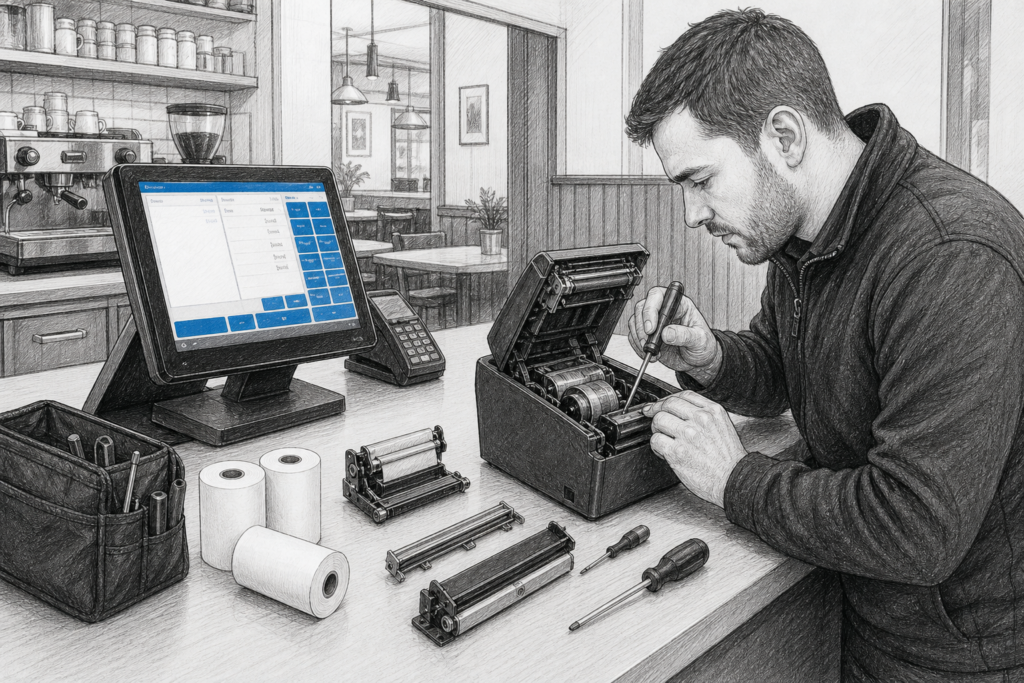
Receipt printers are one of the most heavily used parts of any EPOS setup. They sit at the sharp end of daily trading, handling every receipt, order ticket or bar slip that flows through a retail or hospitality business. When a printer starts to misfeed, cut poorly or stop printing clearly, the instinct is often to replace the whole unit. In many cases that is sensible, but it is not always the only option.
For UK resellers, installers and businesses that maintain their own point of sale hardware, printer components can play an important role in extending the life of installed equipment. Being able to replace a worn mechanism, cutter or other internal part can help keep a working system in service for longer and reduce unnecessary disruption at the counter.
Why component-level maintenance matters
Receipt printers are mechanical devices as well as electronic ones. Even in a well-managed site, moving parts wear over time. Paper dust, heavy usage and repeated opening and closing of lids all take their toll. When a printer is built with serviceability in mind, selected components can sometimes be replaced instead of discarding the entire unit.
That approach can be especially valuable in businesses where a printer is built into a wider EPOS workflow. Replacing everything at short notice can mean extra setup time, potential configuration work and avoidable downtime. A component-based repair path can make it easier to keep a known hardware platform in place, particularly where staff are already familiar with the way it operates.
Common printer parts that may need attention
The exact parts available will vary by model, but certain printer components are frequently the focus of maintenance planning. These can include:
- thermal print heads, which are responsible for producing the image on the receipt
- cutters, which trim the paper cleanly after printing
- printer mechanisms, which drive paper through the unit
- electronic assemblies and internal boards, where servicing is appropriate
Each of these parts has a different role. A fading print may point towards a print head issue, while an inconsistent cut can indicate wear in the cutter assembly. In a busy hospitality site, those symptoms can turn into nuisance faults very quickly if they are ignored.
It is important, however, not to assume that every component is interchangeable across different printers. Compatibility should always be checked against the verified model information. For EPOS dealers and service teams, that means identifying the exact printer family before ordering or recommending a replacement part.
What this means for EPOS resellers and installers
For EPOS professionals, printer components are part of a broader service strategy. Retailers and hospitality operators may not want to think about internal printer parts, but service teams certainly should. Having access to suitable components can support planned maintenance, reduce emergency replacements and help standardise the support process across multiple sites.
This is particularly useful where an installer has deployed a consistent printer model across branches, counters or kitchen stations. If the hardware is serviceable, the same product line can often remain in use for longer, making support more predictable. That does not remove the need for whole-unit replacement in some cases, but it gives the dealer more options when troubleshooting or planning maintenance.
Reducing unnecessary equipment turnover
One of the practical benefits of component-level servicing is that it can reduce unnecessary hardware turnover. A business might only need to replace a single worn element rather than remove a complete printer from service. For organisations with several tills or order points, this can be easier to manage operationally and can also simplify spares planning.
It also helps when businesses are trying to maintain continuity in a live trading environment. A familiar printer position, known paper handling behaviour and consistent setup can make staff training easier. In hospitality, where a small disruption at the print station can slow service and affect communication with the kitchen or counter, that stability matters.
Choosing serviceable POS hardware
When planning a new EPOS installation, it is worth asking not just how the printer performs today, but how it can be supported in future. A serviceable design can make a real difference to the total working life of the hardware. Matters to consider include the availability of replacement parts, the ease of access for maintenance and whether the printer is suited to the pace of the site.
Businesses should also think about the wider support chain. A good POS distributor will be able to advise whether a printer model is suited to long-term use, whether parts are available where relevant, and how the printer fits into an existing counter or kitchen setup. That is useful for both resellers and end users, especially where multiple sites need a consistent approach.
UK support for installed EPOS equipment
For many businesses, the value of local distribution is not just product availability but technical support and practical advice. UK-based EPOS resellers and installers often need quick answers about compatibility, servicing and replacement planning. Working with an experienced distributor can make it easier to source the right hardware path, particularly when maintaining previous installations or planning staged upgrades.
YCR Distribution supplies POS and EPOS hardware to resellers, installers and businesses across the UK, and printer components are part of that wider support picture. Whether the goal is to keep an existing printer running or to plan a more maintainable future installation, the right guidance can save time and reduce disruption.
For more information about point-of-sale hardware and EPOS solutions, contact YCR Distribution on 01924 438238 or visit www.ycr.co.uk.
For resellers and service teams exploring printer parts and related hardware, it can also be helpful to review the wider YCR store categories and identify product families that suit the way a site actually trades.