- +44 1924 438238
- sales@ycr.co.uk
- Mon - Fri: 8:30 - 16:30

POS technology checklist 2026: choosing the right system for UK retail
Selecting the right POS technology is complex for UK retail and hospitality businesses facing countless hardware and software options. A tailored checklist helps evaluate systems that truly enhance operational efficiency and customer experience. This article provides key criteria, detailed comparisons, and practical recommendations to guide your selection confidently.
Table of Contents
- How To Choose The Right Pos Technology: Key Selection Criteria
- Pos Hardware: Comparing Terminals, Tablets And Accessories
- Pos Software Solutions: Features, Customisation And Leading Options
- Integration, Scalability And Industry Compliance
- Practical Considerations: Pricing, Delivery And Support In The Uk Market
- Summary Comparison And Situational Recommendations
- Explore Pos Hardware And Software Solutions With Ycr Distribution
- Frequently Asked Questions
Key takeaways
| Point | Details |
|---|---|
| Hardware options vary significantly | Traditional terminals offer robustness whilst tablets provide flexibility and cost savings up to 40%. |
| Software impacts daily operations | User-friendly interfaces reduce training time and cloud systems enable real-time reporting across locations. |
| Integration and compliance are essential | Seamless connectivity with inventory and accounting systems saves time whilst PCI DSS compliance reduces breach risk by 60%. |
| UK-specific considerations matter | Next-day delivery and credit accounts ease implementation and cash flow management. |
| Match technology to your business | High-volume hospitality needs robust terminals whilst small retail benefits from flexible tablet systems. |
How to choose the right POS technology: key selection criteria
Hardware reliability directly affects transaction speed and system uptime. You need equipment that withstands daily use without frequent failures that disrupt service and frustrate customers. Look for devices with proven track records in similar business environments.
Software customisation and user-friendliness reduce training time and operational errors. Your staff should navigate the system intuitively without extensive manuals or constant supervision. The right interface adapts to your specific workflow rather than forcing you to change established processes.
Integration capabilities determine how well your POS connects with inventory management, accounting software, and payment processors. Systems that communicate seamlessly eliminate double entry and reduce human error. A comprehensive POS hardware checklist helps evaluate these connections.
Cost considerations extend beyond initial purchase price:
- Upfront hardware and software investment
- Monthly subscription or licence fees
- Maintenance and support contracts
- Training costs for staff
- Upgrade expenses as business grows
Security compliance for UK retailers requires POS systems conforming to PCI DSS, reducing data breach risk by 60%. Non-compliant systems expose your business to significant financial penalties and reputational damage. Always verify certification before committing to any solution.
Pro Tip: Create a weighted scoring matrix for your top criteria. Assign points based on what matters most to your operation, then evaluate each system objectively against these benchmarks.
POS hardware: comparing terminals, tablets and accessories
Traditional POS terminals provide superior uptime and durability for high-volume environments. These purpose-built devices handle thousands of transactions daily without performance degradation. POS terminals typically offer 20% higher uptime compared to general-purpose devices, making them ideal for busy restaurants and retail stores.
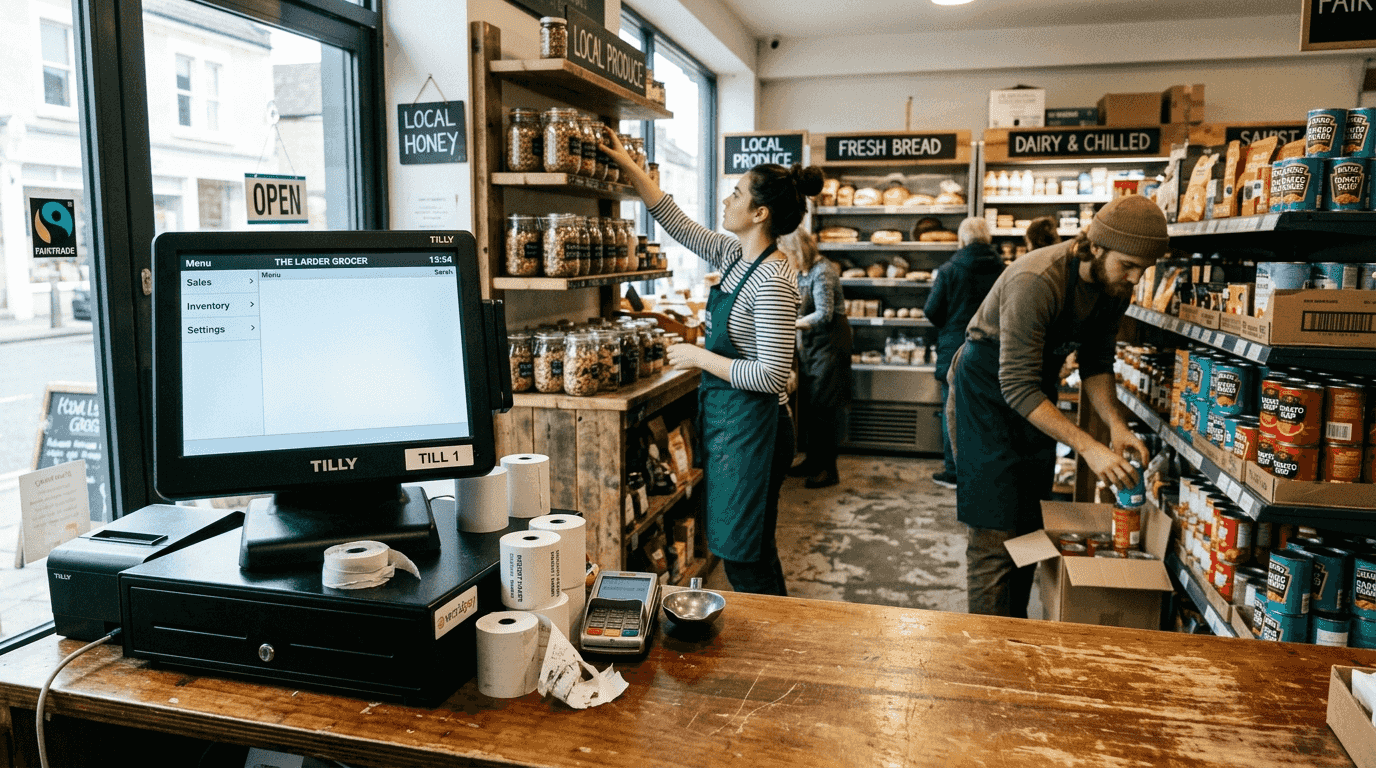
Tablet-based systems deliver flexibility and up to 40% cost savings on initial investment. You can deploy them across multiple stations quickly and reconfigure layouts as needed. Their portability enables tableside ordering in restaurants or mobile checkout in retail environments, though they may require more frequent replacement than dedicated terminals.
Barcode scanners accelerate checkout processes and improve inventory accuracy. Studies show scanners reduce checkout time by 15-20% whilst virtually eliminating manual entry errors. Wireless models provide additional flexibility for stocktaking and warehouse operations.
Digital signage enhances customer engagement and drives impulse purchases. Research indicates digital displays boost impulse buying by 23% when strategically positioned near checkout areas. They also reduce perceived wait times by entertaining customers during queues.
| Hardware Type | Upfront Cost | Durability | Flexibility | Best For |
|---|---|---|---|---|
| Traditional Terminal | High | Excellent | Limited | High-volume hospitality |
| Tablet System | Low to Medium | Good | High | Small to medium retail |
| Barcode Scanner | Low | Excellent | Medium | Inventory-heavy operations |
| Digital Signage | Medium | Very Good | High | Customer-facing environments |
Choosing hardware depends on transaction volume, budget constraints, and operational complexity. A busy restaurant benefits from robust terminals that never fail during peak service, whilst a boutique shop gains more value from flexible tablet systems that adapt to seasonal changes.
Pro Tip: Test hardware in your actual environment before full deployment. Many suppliers offer trial periods that reveal compatibility issues you cannot spot in demonstrations.
POS software solutions: features, customisation and leading options
Software quality enhances order accuracy and reduces operator errors that cost time and money. Well-designed systems guide staff through transactions step by step, minimising mistakes during busy periods. Look for solutions that handle your specific menu complexity or product catalogue efficiently.
User-friendly interfaces lower training requirements significantly. New staff should complete basic transactions after minimal instruction, not days of training. Intuitive layouts reduce reliance on experienced employees and speed up service during peak times.
Cloud-based software offers real-time reporting and consistently high uptime. You access sales data, inventory levels, and performance metrics from anywhere with internet connectivity. Cloud systems typically achieve 99.9% uptime whilst eliminating on-premise server maintenance costs.
Customisation capabilities matter for businesses with unique workflows:
- Menu modifications for seasonal items
- Custom reporting for specific KPIs
- Flexible payment options and splits
- Loyalty programme integration
- Multi-language support for diverse teams
Peak load support prevents system crashes during your busiest trading periods. Your software must handle dozens of simultaneous transactions without slowdowns that create queues and lost sales. Test performance under realistic load conditions before committing.
Popular UK options include SAMTOUCH and EZEEPOS, both tailored specifically for hospitality operations. These systems understand industry-specific needs like table management, kitchen printing, and split billing. Understanding the role of POS software in your specific sector helps narrow choices effectively.
Integration, scalability and industry compliance
Seamless integration with barcode scanners and accounting software saves hours of manual data entry weekly. Your POS should automatically update inventory levels after each sale and export financial data to your accounting system without manual reconciliation. These connections eliminate discrepancies that create audit headaches.
Cloud POS supports multi-site operations and maintains data consistency across locations. You monitor all stores from a single dashboard and implement pricing changes instantly across your entire operation. Centralised inventory management prevents stock-outs at one location whilst another holds excess.
PCI DSS compliance remains mandatory for payment data security in UK retail. Systems that conform to PCI DSS standards reduce data breach risk by 60%, protecting both your business and customers. Non-compliance exposes you to fines up to £500,000 and potential closure following serious breaches.
Scalability prevents costly system replacements as your business grows. Your POS should accommodate additional terminals, new product lines, and expanded reporting without requiring complete overhauls. Plan for growth by selecting solutions that scale gracefully from single to multiple locations.
Key integration points to verify:
- Payment processor compatibility
- Accounting software connectivity
- Inventory management systems
- E-commerce platform synchronisation
- Customer relationship management tools
“Choose POS systems that integrate with your existing tools rather than forcing you to change proven processes. The right technology adapts to your business, not the reverse.”
Expert recommendation: prioritise integrated and compliant POS solutions from the outset. Retrofitting integration and security later costs significantly more than building on proper foundations.
Practical considerations: pricing, delivery and support in the UK market
Next-day and same-day delivery options reduce downtime during system upgrades or replacements. When your POS fails, every hour of downtime costs revenue and damages customer experience. Suppliers offering rapid delivery minimise these disruptions and keep your business operational.
Credit accounts help spread costs and ease cash flow pressure. Rather than large upfront investments, you implement technology whilst preserving working capital for inventory and marketing. Many UK distributors offer flexible payment terms tailored to business cashflow cycles.
Selecting distributors familiar with UK retail and hospitality needs ensures relevant advice and support. Providers who understand sector-specific challenges recommend appropriate solutions rather than generic offerings. Their experience helps you avoid costly mistakes that overseas suppliers might not recognise.
After-sales support determines how quickly you resolve issues that impact operations. Evaluate response times, support hours, and technician availability before purchasing. The cheapest system becomes expensive when problems linger unresolved for days.
Compare total cost of ownership over three to five years:
- Calculate initial hardware and software costs
- Add annual maintenance and support fees
- Include upgrade expenses for software updates
- Factor in training costs for new staff
- Consider replacement cycles for hardware
Many businesses underestimate ongoing costs by focusing solely on purchase price. A slightly more expensive system with lower maintenance fees often proves cheaper long-term. Request detailed cost breakdowns that include all potential expenses.
YCR hardware distribution offers comprehensive UK support with next-day delivery and credit options. When issues arise, their POS hardware troubleshooting resources help you resolve common problems quickly without waiting for technicians.
Summary comparison and situational recommendations
Terminals suit high-volume hospitality environments requiring maximum reliability during peak service. Their robust construction and dedicated design withstand continuous use better than multi-purpose devices. Restaurants processing hundreds of transactions daily need this dependability.
Tablets prove ideal for small retail operations prioritising cost savings and deployment flexibility. The 40% upfront savings matter significantly for businesses with limited capital. Their portability enables creative store layouts and pop-up retail concepts.
Cloud systems with barcode scanners work best for multi-site operations needing centralised control. Real-time inventory visibility prevents stock imbalances whilst unified reporting simplifies management. Growing chains benefit most from this infrastructure.
EZEEPOS reduces training disruption in hospitality by providing intuitive interfaces that new staff master quickly. Its sector-specific design understands restaurant workflows better than generic retail systems.
| Business Type | Recommended Hardware | Recommended Software | Key Benefit |
|---|---|---|---|
| High-volume restaurant | Traditional terminals | SAMTOUCH | Maximum reliability during service |
| Small retail shop | Tablet system | Cloud-based retail POS | Cost savings and flexibility |
| Multi-location chain | Terminals with cloud | Integrated cloud system | Centralised control and reporting |
| Takeaway operation | Compact terminal | EZEEPOS | Fast order processing |
| Boutique store | Tablet system | Mobile POS | Personalised customer service |
Match hardware and software to your operational complexity and budget constraints. A sophisticated system overwhelms a simple operation whilst basic technology limits growth potential. Start with your current needs but ensure scalability for reasonable expansion.
Explore hospitality POS examples to see implementations in similar businesses. Understanding how others solved comparable challenges provides valuable insights. Review retail POS systems or takeaway POS software based on your specific sector.
Explore POS hardware and software solutions with YCR Distribution
YCR Distribution offers a comprehensive portfolio of POS hardware and software tailored specifically for UK retail and hospitality sectors. With over three decades of experience, they understand the unique challenges you face and recommend solutions that genuinely fit your operational needs.

Their flexible delivery options include next-day and same-day dispatch, minimising downtime when you need equipment urgently. Credit accounts ease financial pressure whilst you implement technology that drives growth. Use the detailed checklist from this article to evaluate POS hardware options and software solutions with confidence.
Consult YCR experts who specialise in matching technology to specific business requirements. Their team helps you navigate the selection process using insights from this comprehensive POS hardware checklist, ensuring you choose systems that deliver lasting value.
Frequently asked questions
What key features should I prioritise when selecting POS hardware?
Focus on reliability, transaction speed, and physical durability that matches your volume. Verify compatibility with your preferred software and existing peripherals like barcode scanners and receipt printers. Consider whether portability matters for your operation or if fixed terminals suit your layout better.
How does cloud-based POS software benefit multi-location retail businesses?
Cloud systems enable real-time inventory and sales tracking across all locations from a single dashboard. You implement pricing changes instantly company-wide and identify performance trends across different sites. Unified reporting simplifies management and eliminates the data consolidation headaches of standalone systems.
What UK-specific compliance should I ensure my POS system meets?
Your POS must comply with PCI DSS standards to protect payment card data and avoid substantial penalties. This compliance reduces data breach risk by 60% whilst demonstrating due diligence to customers and regulators. Verify certification documentation before purchasing any system.
Are tablet-based POS systems suitable for small retail businesses on a budget?
Tablet POS offers up to 40% upfront cost savings compared to traditional terminals whilst providing excellent flexibility. Their portability suits smaller retail environments and enables creative checkout configurations. However, assess whether durability meets your transaction volume or if investing in more robust hardware proves cost-effective long-term.