- +44 1924 438238
- sales@ycr.co.uk
- Mon - Fri: 8:30 - 16:30

POS Terminals: Transforming UK Hospitality Operations
Choosing the right POS terminal shapes much more than your daily transaction flow. For UK restaurants and cafés managing staff, stock, and swift customer service, the right system acts as the foundation of efficient business operations. A modern POS terminal is not just a payment processor—it manages inventory, captures sales trends, and adapts to evolving payment methods like contactless and QR codes. This guide uncovers the features and comparisons that matter to hospitality owners ready to upgrade their operations and customer experience.
Table of Contents
- Defining POS Terminals And Core Concepts
- Major Types Of POS Terminals Compared
- Essential Features And Integration Processes
- Typical Use Cases In UK Hospitality
- Cost Factors And Financial Implications
- Risks, Compliance, And Frequent Mistakes
Key Takeaways
| Point | Details |
|---|---|
| POS Terminals as Operational Hubs | Modern POS terminals manage transactions, inventory, and customer data, serving as central hubs for hospitality operations. |
| Different Terminal Types for Different Needs | Fixed, mobile, tablet-based, and cloud systems serve various business models; choose based on your operational requirements. |
| Importance of Integration | Effective integration with accounting, inventory, and CRM systems is crucial for maximising efficiency and reducing administrative tasks. |
| Cost Evaluation Beyond Initial Fees | Consider ongoing software, processing, and implementation costs to understand the total cost of ownership over the system’s lifespan. |
Defining POS terminals and core concepts
A POS terminal is far more than just a machine that takes payments. Think of it as the operational nerve centre of your restaurant or café. At its core, a POS terminal is compact business hardware that combines built-in software with payment processing capabilities. It accepts cash, cards, and digital payment methods like contactless payments and QR codes. But what makes modern POS systems genuinely transformative for UK hospitality businesses is their ability to do multiple things simultaneously. They manage your inventory in real time, track sales across different periods, handle customer transactions, and increasingly adapt to emerging payment methods such as buy now pay later options. Your POS terminal becomes the hub through which every transaction flows, providing data that helps you understand what’s selling, when it’s selling, and to whom.
The history of POS technology reveals why today’s systems are so capable. The evolution started with the traditional cash register, a mechanical device designed purely to store cash safely and record basic transactions. Then came electronic cash registers and computer-based payment systems starting in the 1970s and 1980s, which introduced speed and better record keeping. Modern POS terminals built on this foundation now integrate hardware, software, and payment processing into a single ecosystem. Your terminal today might be a compact touchscreen device on your counter, a tablet system that your waiting staff carry to tables, or a combination of both. The hardware handles the physical interaction, the embedded software manages your business logic, and the payment processor ensures transactions are secure and quick.
Understanding the core components helps you see why POS terminals matter beyond just taking payments. The hardware includes the terminal itself, a card reader for processing payment cards, often a cash drawer, and typically a receipt printer. The software layer manages everything from menu items and pricing to customer orders and financial reporting. Payment processing sits at the centre, handling the secure transfer of funds from customer to your business account. When you’re evaluating POS solutions for your restaurant or café, you’re really evaluating how well these three elements work together to support your specific operations. A good system won’t just process transactions; it will give you insights into stock levels, staff performance, peak trading hours, and customer preferences. For mid-sized hospitality businesses in the UK, this integration means you spend less time on administrative tasks and more time on what actually matters to your customers. YCR Distribution specialises in providing hospitality-focused POS solutions that combine reliable hardware with business intelligence software designed specifically for restaurants and cafés.
Pro tip: When assessing a POS terminal, ask potential providers how easily you can access your sales data and inventory reports, as these insights often determine whether the system truly transforms your operations or simply processes payments.
Major types of POS terminals compared
When you’re looking at POS solutions for your restaurant or café, you’ll quickly discover there isn’t a one-size-fits-all option. Different terminal types serve different business models, and understanding which suits your operation is crucial. The main categories break down into fixed terminals, mobile systems, tablet-based solutions, and cloud-based platforms, each with distinct advantages depending on how you actually run your business.
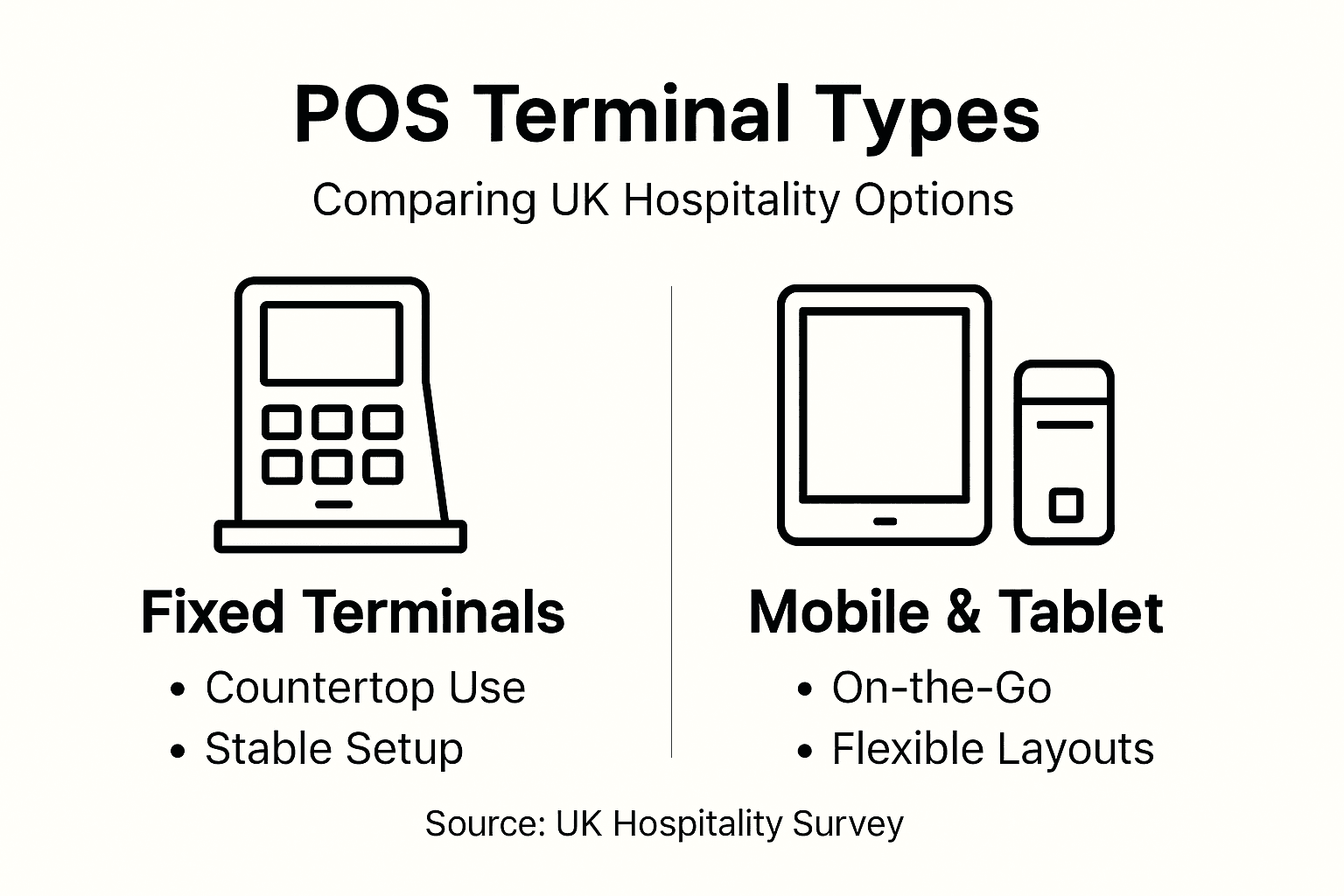
Fixed POS terminals remain the backbone of most UK hospitality operations. These are the systems you see anchored to the counter at your till point. A traditional fixed terminal integrates everything into one unit: the display screen, card reader, PIN pad, and receipt printer all form one piece of hardware. This integration means reliability and speed. Your staff doesn’t need to fiddle with multiple devices or worry about connectivity issues mid-transaction. For a busy lunch service in a café or restaurant, this solidity matters. Fixed terminals excel when your customer flow is predictable and concentrated in one location. However, they lock you into that physical spot. If your business model involves table service where staff need to take payments at the table, or if you run a food truck alongside your main venue, a fixed terminal alone won’t cut it. Mobile POS systems using smartphones or tablets offer flexibility that fixed terminals cannot. Staff can process payments anywhere in your space, reducing queue friction and improving customer experience. Mobile systems connect wirelessly and are ideal for restaurants taking table payments or cafés offering collection-point flexibility. The trade-off is that you’re reliant on your wireless network staying strong throughout service.
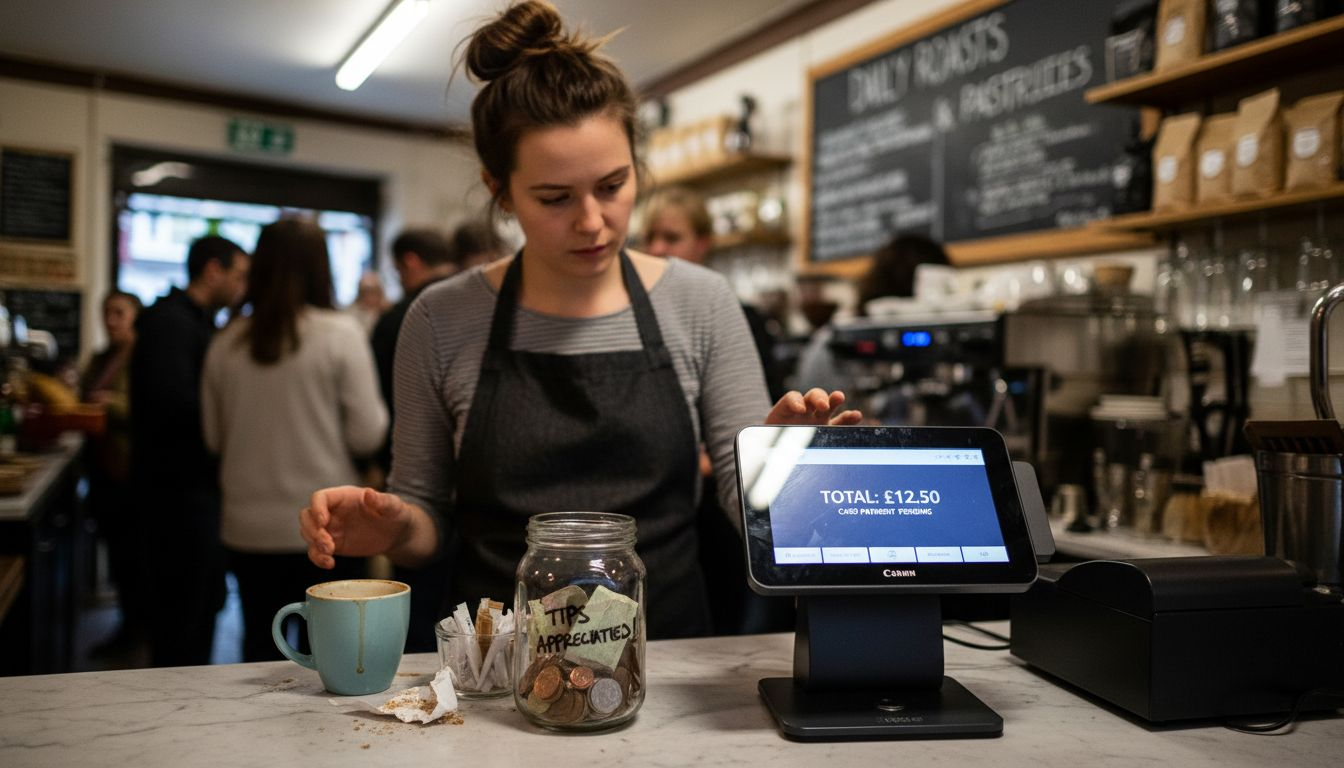
Tablet-based POS sits between fixed and purely mobile solutions. A tablet gives you the screen real estate and processing power of a fixed system whilst maintaining portability. Many modern restaurants use tablets on stands at the counter for till operations, but can also carry them to tables when needed. Cloud-based POS systems add another dimension entirely. These run through your internet connection and synchronise data across multiple locations in real time. If you operate more than one venue, or plan to expand, cloud systems give you visibility across all your sites from a single dashboard. You can see sales figures, inventory levels, and staff performance across every location simultaneously. The catch is that cloud systems depend entirely on your internet connection; if your broadband fails, you lose access to your main system. Most UK hospitality businesses now use some combination of these approaches. A cloud-based system might power your backend operations and multi-location reporting, whilst you use fixed terminals at your main counter and mobile tablets for table service.
When comparing these options, consider three things: where your customers physically interact with you, whether you operate single or multiple locations, and how important real-time data access is across your business. A single-site café might be perfectly served by a reliable fixed terminal with cloud backup, whereas a multi-site restaurant group needs cloud-based solutions with mobile flexibility. For takeaway operations, tablet-based systems work brilliantly. For fine dining where table-side payments matter, mobile systems become essential. The type you choose shapes how smoothly your operations actually run, and getting this decision right early on saves frustration and cost later. YCR Distribution works with hospitality businesses to match the right POS terminal type for takeaway operations and other specific business models, ensuring the hardware and software combination supports exactly how you work.
Pro tip: Before committing to any terminal type, trial the system during an actual service period to test connectivity, payment speed, and ease of use under real pressure, not just in a quiet demo session.
Here’s a summary comparing major types of POS terminals and their suitability for different UK hospitality settings:
| POS Type | Ideal For | Key Strength | Limitation |
|---|---|---|---|
| Fixed Terminal | High-volume single locations | Stability and transaction speed | Lacks mobility |
| Mobile POS | Table service and food trucks | Flexibility for staff | Dependent on wireless |
| Tablet-Based POS | Hybrid service environments | Portability and large display | May need extra hardware |
| Cloud-Based System | Multi-site operators | Real-time multi-site data | Internet-reliant |
Essential features and integration processes
The real power of a POS terminal emerges not from taking payments alone, but from what happens next. Modern systems must handle far more than swiping a card. Your terminal needs to accept multiple payment methods seamlessly because your customers arrive with different expectations. Some will pay by card, others by contactless mobile wallets, and increasingly, some by buy now pay later services. Beyond payment acceptance, your terminal records detailed sales data in real time, manages your inventory automatically, and generates both digital and printed receipts. But what transforms a basic payment processor into a genuine business tool is how these features integrate with the rest of your operations. A POS terminal that sits isolated, handling only transactions, wastes its potential.
Integration is where the magic happens. When your POS system connects properly with your accounting software, your inventory management, and your customer relationship management tools, you stop living in silos. Imagine this: a customer orders a cappuccino at your café. Your terminal records the sale, automatically reduces your coffee stock count, updates your daily revenue figures, and logs the customer’s purchase history. All of this occurs instantly without anyone manually entering data anywhere. POS system integration links hardware and software with inventory, CRM, and financial systems to automate these workflows and maintain real-time data synchronisation across your entire business. For a mid-sized restaurant or café running on tight margins, this automation means fewer staff hours spent on admin work. Your manager doesn’t need to manually count stock or reconcile sales figures. The system does it.
The integration process itself varies depending on your existing systems and the POS solution you choose. Some integrations happen out of the box because the POS provider has already built connections with popular accounting and inventory platforms. Others require a specialist to configure custom connections. The key question to ask any POS provider is simple: what systems do you integrate with, and how difficult is adding a new system if our needs change? A good POS solution should connect with barcode scanners so your staff can track stock by scanning items rather than typing, with CRM platforms to identify your best customers and personalise their experience, and with your accounting software so your financial records stay accurate without manual intervention. These aren’t nice extras. For hospitality businesses managing multiple revenue streams, staff shifts, and inventory across food, beverages, and potentially retail items, these integrations separate efficient operations from chaotic ones.
When you’re evaluating POS solutions, ask about integration costs and timelines explicitly. Some providers bundle integrations at no extra charge. Others charge per integration or require ongoing subscription fees. A cheap POS terminal becomes expensive if you spend thousands integrating it properly with your other systems. The integration process also takes time. Don’t expect to switch systems and go live within a week if you’re operating multiple locations. Plan for proper testing with your team, data migration from your old system, and staff training. Your POS terminal is only as useful as your team’s ability to use it effectively. Many business owners underestimate this. They choose based purely on hardware specs or monthly cost, then struggle with adoption because the system doesn’t integrate smoothly or the interface confuses their staff. Think about integration requirements from day one, not as an afterthought. YCR Distribution specialises in helping hospitality businesses implement POS solutions that integrate properly with accounting, inventory, and customer management systems, ensuring your terminal becomes the genuine operational hub it should be.
Pro tip: Request a full integration audit from your POS provider before signing anything, detailing exactly which systems connect, any additional costs, and realistic implementation timelines for your specific setup.
Typical use cases in UK hospitality
POS terminals aren’t one-size-fits-all because UK hospitality businesses operate in wildly different ways. A busy city centre restaurant dealing with forty covers during lunch service has completely different needs from a quiet countryside café serving fifteen customers per day. Understanding how different hospitality operations use POS systems helps you identify which features genuinely matter for your business and which are just noise. The reality is that hospitality POS systems support bars, restaurants, cafés, and hotels with features like order management and inventory tracking, but the specific implementation varies dramatically depending on your business model.
Restaurants with table service face a particular challenge that shapes their POS requirements. Your staff needs to take orders at the table, communicate those orders to the kitchen, track which table has ordered what, manage split bills, and handle table payments without the customer needing to leave their seat. This is why tablets become essential. Your server takes an order on a tablet, it instantly appears on a kitchen display screen, and when the customer asks for the bill, payment happens tableside rather than requiring them to queue at a till. Open tabs feature becomes critical too. A group of six having drinks before their meal needs to run an open tab, adding individual items throughout the evening, then settle together at the end. Without good open tab functionality, you’re managing this manually on paper or spreadsheets, which is error-prone and slow. High-street restaurants also benefit from POS systems that manage reservations smoothly. You need to know which tables are booked when, how long to allocate for each service, and whether walk-ins can be seated or you’re fully committed. A POS system handling this reduces friction and means your host can greet customers with actual information rather than guessing.
Cafés and quick-service operations prioritise speed and simplicity. Your customers queue, order, pay, and leave within minutes. Your POS terminal needs to be lightning-fast with minimal clicks required per transaction. A barista shouldn’t need to navigate multiple screens to ring up a cappuccino and a pastry. Inventory matters but differently than in a restaurant. You need real-time visibility of coffee stock, milk, and pastries so you know when to reorder before you run out mid-service, but you’re not managing dozens of menu items with complex recipes. Cafés increasingly offer loyalty schemes too. A POS system that identifies regular customers, tracks their preferences, and rewards repeat visits creates engagement that keeps people coming back. Takeaway operations and food delivery add another layer of complexity. Online food ordering systems integrate with your POS terminal so orders placed through Deliveroo or Uber Eats flow directly into your kitchen system without manual re-entry. Your POS handles orders from multiple channels simultaneously. In-house customers ordering at the counter, phone orders being taken, and delivery app orders all appear in the same queue, colour-coded by channel so your kitchen knows whether something’s for collection or delivery.
Hotels and hospitality groups operate at a different scale entirely. If you run three or four venues across different towns, your POS terminal becomes part of a networked ecosystem. You need real-time visibility across all locations. Your area manager should be able to check today’s takings at every venue from a single dashboard. Staff scheduling, inventory management, and financial reporting all need consolidation across multiple sites. Hotel operations specifically need POS terminals that handle room service charges flowing to guest bills, minibar restocking, and integration with booking systems so guests arriving late can have meals sent to their rooms with charging handled automatically.
The common thread across all these scenarios is that your POS terminal needs to match how you actually work, not force you to change your workflow to fit the system. A café owner told me once they chose a system based on cost alone, then discovered it didn’t let them mark items as sold out during service, forcing them to manually refuse customers. That’s a thousand-pound decision made on a ten-pound-per-month saving. Before committing, walk through your typical service scenario with the POS provider. Show them Friday night during service, not Wednesday afternoon when it’s quiet. Ask them how their system handles the things that genuinely cause friction in your business today.
Pro tip: Request a trial period where you run your actual service using the POS system alongside your current setup for a full week, identifying any workflows that break down before committing to the full implementation.
Cost factors and financial implications
When you’re evaluating a POS system, the price tag on the hardware is often the smallest part of the actual financial picture. A restaurant owner once told me they’d chosen their previous system based purely on the terminal cost, saving £500 upfront, only to discover eighteen months later that the ongoing software fees, payment processing charges, and integration costs had cost them an extra £8,000. The real cost of a POS system isn’t what you pay initially. It’s what you pay over the three to five years you’ll actually use it. Understanding all the components means you make a decision based on genuine total cost of ownership, not just the upfront invoice.
Hardware costs are straightforward to understand but often incomplete when quoted. A fixed POS terminal might cost between £1,500 and £4,000 depending on specifications. Tablet-based systems might cost £800 to £2,000 per device. But that initial hardware cost needs to include the card reader, receipt printer, cash drawer, and any peripheral equipment your specific operation requires. A restaurant managing table service needs mobile tablets and a kitchen display screen, so you’re looking at multiple devices rather than one single terminal. Then comes the uncomfortable reality: hardware needs replacing. Your receipt paper printer will jam regularly. A tablet screen might crack. A card reader stops communicating reliably. Budget for replacement costs and maintenance as part of your ongoing expenses. YCR Distribution offers next-day delivery and same-day dispatch options, which matters when your terminal fails during service and you need a replacement urgently.
Software and licensing fees are where most businesses get surprised. Monthly POS software subscriptions typically range from £30 to £300 per month depending on features and scale. That’s £360 to £3,600 per year. Some providers bundle this into their pricing. Others charge separately for the base system, then add costs for features like loyalty programmes, staff management, or advanced reporting. Cloud-based systems often charge per user or per location, so expanding your business means expanding costs. You’ll also encounter payment processing fees. Every card transaction incurs a charge, typically between 1.5 and 2.9 percent of the transaction value plus a fixed fee per transaction. This sounds small until you calculate it annually. A café processing £300,000 in card payments yearly at 2 percent is paying £6,000 just in processing fees. Understanding these fee structures before committing prevents nasty surprises on your reconciliation statements.
Implementation and training costs are often overlooked entirely. Installing a POS system properly isn’t just plugging in hardware. It requires configuration, data migration from your old system, testing, and staff training. For a single-site café, this might cost £500 to £1,000. For a multi-site restaurant group, proper implementation can cost £3,000 to £8,000. Your staff needs time to learn the system properly. This isn’t optional training that happens during quiet periods. During your transition, you’ll have slower service as staff fumble with unfamiliar interfaces. You might need temporary additional staff to maintain service levels. Budget this as a real business cost, not just an IT expense. Integration costs also matter. Connecting your POS to your accounting software, inventory management system, or online booking platform might cost £500 to £2,000 depending on complexity. Some integrations are straightforward. Others require custom development work that gets expensive quickly.
Break-even analysis matters. A better POS system saves money through reduced waste, faster service, better customer data, and fewer staff hours spent on manual tasks. These savings are real but take time to materialise. A café installing a system that reduces transaction time by 90 seconds per customer might serve five extra customers per hour, generating an extra £20 in revenue per service. Over a year, that’s potentially an extra £15,000 to £20,000 in turnover just from faster service. A restaurant tracking inventory properly might reduce food waste by 15 percent, saving thousands annually. A system that identifies your best customers through purchase history lets your team provide better service and suggests items customers actually want, increasing average bill value. These benefits accumulate. The initial investment starts paying for itself when your operational savings exceed your annual software, processing, and maintenance costs.
Pro tip: Request a detailed three-year cost projection from any POS provider including hardware, software, payment processing, maintenance, and support costs, then calculate expected operational savings from your business to determine genuine break-even timeline.
To clarify typical costs incurred over a POS system’s lifespan, consider this breakdown:
| Cost Factor | Typical Range (GBP) | Financial Impact |
|---|---|---|
| Hardware Upfront | £800 – £4,000 per device | One-time, varies by device choice |
| Monthly Software | £30 – £300 per month | Ongoing, scales with features |
| Processing Fees | 1.5% – 2.9% + per txn fee | Adds up with volume, often hidden |
| Implementation | £500 – £8,000 total | Essential for migration and setup |
| Integration | £500 – £2,000 per system | Key for efficiency, can multiply |
Risks, compliance, and frequent mistakes
Running a hospitality business means handling customer payment data daily. This responsibility carries legal obligations that many business owners underestimate until something goes wrong. POS terminals are regulated in the UK not just for your protection but for your customers’ protection too. Getting compliance wrong costs money through fines, lost customer trust, and operational disruption. Getting it right becomes invisible background work that protects both your business and your customers.
Security and fraud prevention sit at the heart of POS compliance. Your terminal processes sensitive payment card information. If that data isn’t protected properly, you’re exposed to fraud liability and customer data breaches. Card payment terminals in the UK must meet strict regulatory standards. Card terminals require security certification and accessibility standards compliance to ensure they’re protected against fraud and usable by all customers. This means your POS provider must use terminals that have been security tested and certified. When evaluating systems, ask explicitly whether the hardware is certified secure. Don’t assume. A cheap terminal that hasn’t been properly certified puts your business at risk. You could face liability if customer card data is compromised because your equipment wasn’t compliant. Beyond hardware certification, your staff needs training on payment security. Your team should never write down card numbers, never photograph card details, and never leave terminals unattended during transactions. Staff handling payments need clear protocols about what to do if something looks suspicious. A customer presenting multiple different cards in quick succession might indicate fraud. Your team should know how to handle this.
Data protection and GDPR compliance matters more than many hospitality business owners realise. Your POS terminal collects customer data. Email addresses from loyalty schemes, phone numbers from table reservations, purchase history, payment methods. Under the UK General Data Protection Regulation (which the UK adopted), you’re legally responsible for protecting this data. You must tell customers how you’ll use their information. You must keep it secure. If a customer asks to see what data you hold about them, you must be able to provide it within 30 days. Many small restaurants don’t have proper data protection policies in place. They’re collecting customer information through their POS system without having clearly communicated privacy policies. If data is breached, they don’t have incident response plans. Start by documenting what customer data your POS system collects, where it’s stored, how long you keep it, and who has access. Then communicate this clearly to customers. Transparency builds trust and keeps you compliant.
Frequent mistakes cost businesses money and cause headaches. Many owners choose POS systems based purely on initial cost, then struggle when ongoing fees mount. Others implement systems without proper staff training, causing frustration and slower service. A common error is not testing integrations properly before going live. Your POS might work perfectly standalone, but if it doesn’t integrate properly with your accounting software, you’ll spend hours manually reconciling data. Another frequent mistake is ignoring backup systems. If your POS goes down during service, you need a manual backup process. Some restaurants still keep paper till rolls as backup. Others have procedures for taking manual card payments through a separate terminal. Without this, a single hardware failure halts your entire operation.
Accessibility often gets overlooked but matters legally and ethically. Your POS terminal should be usable by customers with disabilities. This might mean a screen at a height suitable for wheelchair users, audio feedback for blind customers, or payment options beyond card readers. UK accessibility standards apply to businesses open to the public. Your POS system should support these requirements. Ask potential providers how their terminals support accessibility. Staff training matters here too. Your team should know how to process payments for customers with different needs without making them feel uncomfortable or rushed.
The biggest mistake is treating POS compliance as something IT handles. It’s not. It’s a business responsibility. Your manager needs to understand what data you’re collecting and why. Your staff needs training on security. Your financial person needs to understand payment processing regulations. Your owner needs to know what legal obligations come with accepting card payments. When everyone understands their role in keeping the system secure and compliant, mistakes decrease dramatically.
Pro tip: Before implementing any POS system, request a compliance checklist from your provider covering security certification, data protection, accessibility requirements, and payment card industry standards, then have your accountant or business advisor review it.
Unlock the Full Potential of Your Hospitality Operations with YCR Distribution
The article highlights the challenges UK hospitality businesses face when selecting and integrating POS terminals that do more than just process payments. Managing inventory efficiently, ensuring seamless payment methods, integrating with accounting and CRM systems, and maintaining compliance are crucial pain points for restaurant and café owners. At YCR Distribution, we understand these needs deeply. We offer tailored POS hardware and software solutions like SAMTOUCH and EZEEPOS that are specifically designed to support fast-paced hospitality environments. Our combination of reliable terminals, mobile and tablet options, and comprehensive integration capabilities ensures your operations run smoothly while saving time and reducing costly errors.
Whether you operate a single location or multiple sites, need flexible table service options or streamlined takeaway order management, YCR has the expertise and products to match your workflow perfectly. Backed by over 30 years of experience, our solutions provide not only advanced technology but also next-day delivery and expert support that keep your business running without interruption.
Experience firsthand how a truly integrated POS system transforms everyday challenges into streamlined efficiency.

Explore the possibilities today by visiting YCR Distribution and discover the ideal POS solution for your hospitality business. Don’t wait until operational issues slow you down—get in touch now to see how our specialised systems can improve your service speed, accuracy and customer satisfaction. Start your journey to smarter, more profitable hospitality management at YCR Distribution with reliable POS terminals, software and support that keep you ahead.
Frequently Asked Questions
What are the main functions of a POS terminal in the hospitality industry?
A POS terminal goes beyond accepting payments; it manages inventory in real time, tracks sales, handles customer transactions, and supports emerging payment methods, making it a vital tool for hospitality operations.
How does integration with other systems enhance the functionality of a POS terminal?
Integration allows the POS terminal to work seamlessly with accounting software, inventory management, and customer relationship management tools, automating workflows and providing real-time data across the business, ultimately improving efficiency and decision-making.
What types of POS terminals are available for different hospitality models?
There are several types of POS terminals, including fixed terminals for high-volume locations, mobile systems for on-the-go payments, tablet-based solutions for flexibility, and cloud-based systems for multi-site operators, each designed to meet specific operational needs.
What should I consider when evaluating the costs of a POS system?
When evaluating POS systems, consider the hardware and software costs, payment processing fees, implementation and integration expenses, as well as long-term operational savings that can result from improved efficiency and data management.