
Restaurant payment processing guide for owners
TL;DR:
- Proper payment processing is essential for restaurants to reduce costs, improve service, and ensure operational efficiency. Regularly auditing fees, configuring tips correctly, and choosing transparent pricing models can save thousands annually. Investing in integrated, tableside payment solutions enhances guest experience and future-proofs your business operations.
Getting payment processing wrong in a restaurant costs you more than just transaction fees. Declined cards at the table, batch cutoff delays, double-deducted tips from staff wages, and hidden processing charges quietly erode your margins while frustrating both customers and your team. This restaurant payment processing guide walks you through exactly what you need to set up, what to watch out for, and how to make your payment systems work harder for your business in 2026. Whether you run a single café or a multi-site operation, the decisions you make here directly affect cash flow, guest experience, and your bottom line.
Table of Contents
- Key takeaways
- What you need before setting up payments
- How to set up restaurant payment processing
- Common payment problems and how to fix them
- Best practices for 2026 and beyond
- My honest take on restaurant payment systems
- Upgrade your restaurant payment setup with Ycr
- FAQ
Key takeaways
| Point | Details |
|---|---|
| Choose the right pricing model | Restaurants processing over £30,000 monthly should evaluate interchange-plus pricing to reduce fees significantly. |
| Integrate POS and payments fully | A properly integrated POS and payment system reduces errors, speeds up service, and improves table turnover. |
| Configure tip handling carefully | Incorrect tip withholding settings in your POS can cause double fee deductions that damage staff morale and payroll accuracy. |
| Batch close at the right time | Setting auto-batch close shortly after your last transaction helps maximise same-day funding and reduces reconciliation disputes. |
| Audit your statements regularly | Reviewing processing statements monthly helps you spot unnecessary charges and create grounds to renegotiate your rates. |
What you need before setting up payments
Before you process a single card payment, you need the right combination of hardware, software, and an understanding of how you will actually be charged. Jumping straight to signing a contract without this groundwork leads to expensive surprises.
Hardware essentials
At minimum, a restaurant payment setup requires a POS terminal or tablet, a card reader, and a receipt printer. Tableside service adds handheld or mobile devices to that list. Restaurants with complex menus or retail elements may also need barcode scanners. Understanding your POS hardware options before purchasing prevents costly mismatches between your equipment and your software.
Software and integration needs
Your POS software must integrate directly with your payment gateway. Without this, transactions are manually reconciled, which introduces errors and slows everything down. Look for software that handles tip prompts, split bills, and online payment processing as standard features. The best POS systems for restaurants in 2026 handle all of this natively rather than relying on third-party add-ons.
Pricing models compared
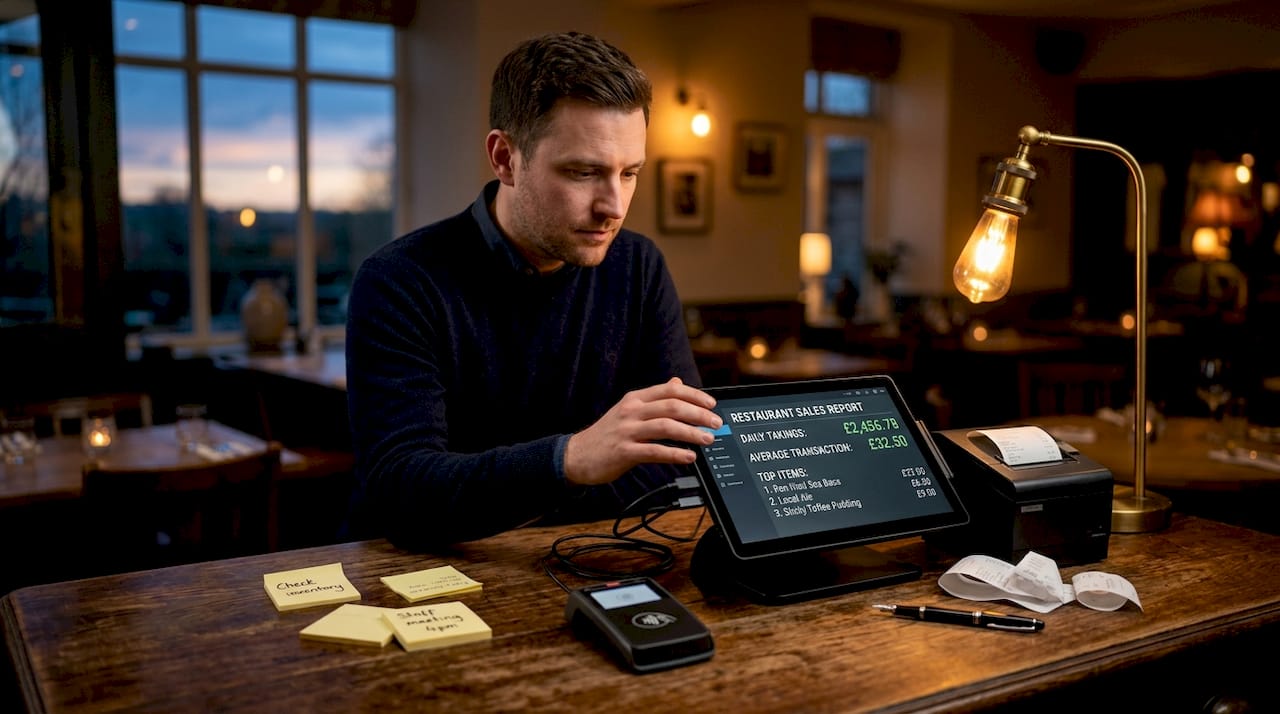
Understanding how processors charge you is non-negotiable. Here is a breakdown of the three main models:
| Pricing model | How it works | Best suited for |
|---|---|---|
| Flat-rate | Fixed percentage per transaction (e.g. 2.6% + 10p) | Low-volume or new restaurants |
| Interchange-plus | Interchange cost + fixed processor markup | Higher-volume venues processing £30,000+ monthly |
| Tiered | Transactions sorted into “qualified” tiers at different rates | Least transparent; generally avoid |
Restaurants processing over £40,000 monthly can save 30 to 50% on fees by switching from flat-rate to interchange-plus pricing. Tiered pricing is the least transparent of the three and tends to favour the processor, not you.
Pro Tip: Ask any prospective processor for a sample statement using interchange-plus before you commit. If they resist sharing this, take it as a warning sign.
How to set up restaurant payment processing
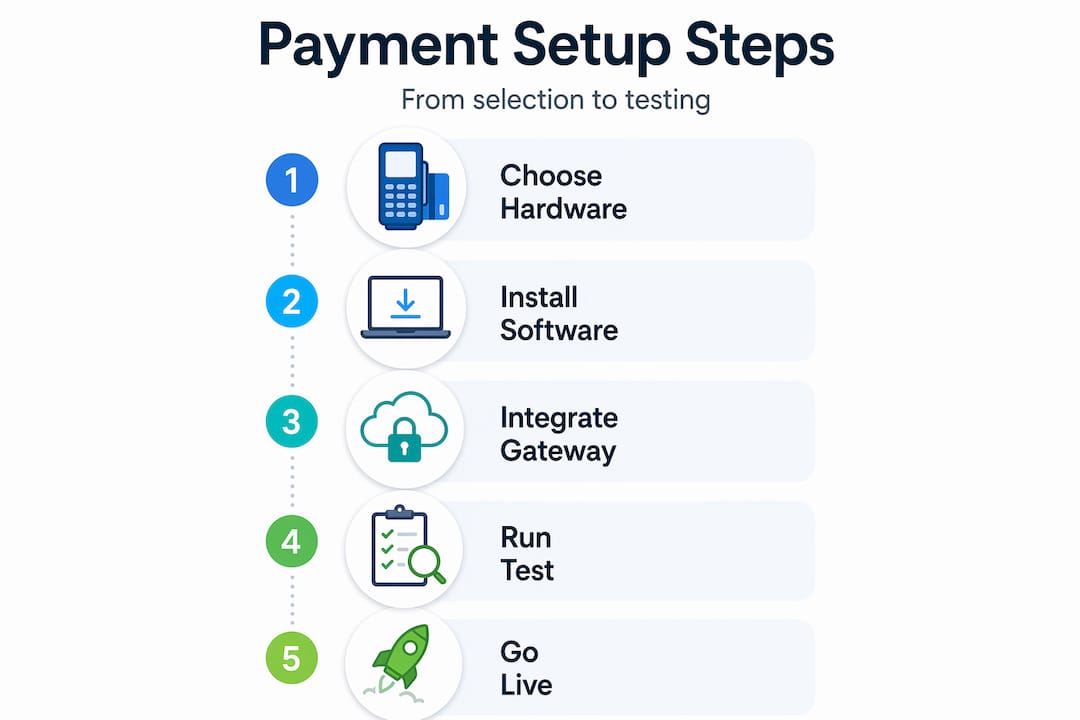
With the right tools selected, here is how to implement a system that actually works from day one.
-
Select a compatible payment processor. Match the processor to your restaurant’s specific needs. Critical features include transparent fees, fast settlement, tableside payment support, offline mode, and 24/7 customer support. Avoid contracts with long-term lock-in and early termination fees. Month-to-month agreements with rate-lock guarantees give you flexibility as your business grows.
-
Integrate with your POS system. Your payment processor must connect directly with your POS software to eliminate double-entry and reconciliation errors. Follow your POS provider’s integration guide and test every transaction type: card present, contactless, online, and manual entry. Do not skip the testing phase, as this is where most configuration errors surface.
-
Set up tableside and mobile payments. Handheld card readers paired with mobile POS devices allow staff to take payments at the table, reducing the friction of customers waiting for a terminal. This directly cuts wait times and increases table turnover. Confirm that your devices support contactless and mobile wallet payments such as Apple Pay and Google Pay, both of which are now expected by most UK diners.
-
Configure tip handling correctly. This is where many restaurants quietly create payroll problems. Incorrect tip withholding configuration in POS or back-office software can lead to double fee deductions from employee tips. Your POS system may already deduct processing fees before calculating tips. Adding a separate withholding percentage on top of that creates a double deduction that affects both morale and your legal obligations. Check your settings with your processor and your POS provider together, not separately.
-
Set your batch processing schedule. Batch processing groups the day’s card transactions and submits them for settlement. Setting your batch close time shortly after your last transactions, combined with auto-settlement, keeps transactions within the same-day processing window and maximises cash flow. Most processors allow you to schedule this automatically.
-
Implement PCI compliance and security protocols. Use a separate network for card payments rather than your guest Wi-Fi. Run regular vulnerability scans if required by your processor tier. Ensure your POS devices are on the approved PCI-compliant hardware list, and train staff not to store card details manually under any circumstances.
Pro Tip: When integrating payments with your POS, always run a full end-of-day settlement test before going live. Process a small transaction, close the batch, and confirm the funds appear in your account within the expected timeframe.
Common payment problems and how to fix them
Even well-configured systems encounter issues. Knowing what to look for means you resolve problems in minutes rather than days.
-
Delayed settlements. If funds arrive later than expected, check whether your batch close time is set correctly. Batch close timing directly affects when you receive funds. A batch closed after your processor’s cutoff will push settlement to the next business day, and weekends extend this further.
-
Double-deducted tips. This is more common than most owners realise. If you have enabled tip withholding in your back-office software without checking whether the POS already deducts these fees, your staff are being charged twice. Credit card tips are typically paid out to staff at shift end. Any misconfiguration affects that same-day payout.
-
Chargebacks. Fight every illegitimate chargeback with documentation: receipts, digital signatures, and transaction records. Most POS systems archive this data. Set up alerts for chargebacks so you respond within the processor’s dispute window, which is typically 10 to 30 days.
-
Terminal outages. Confirm your payment system supports offline mode before you need it. An offline-capable terminal stores transactions locally and processes them when connectivity is restored. Without this, a broadband outage means you cannot take card payments at all.
-
Hidden fees on statements. Monthly statements often include fees with vague labels such as “regulatory recovery” or “network access.” Cross-reference every line item against your original agreement. Regularly auditing and renegotiating rates can save between 0.5% and 1.5% in unnecessary charges each year.
“Payment processing issues that go unnoticed for months become significant financial losses by year end. Treat your monthly statement like a utility bill that can always be negotiated downward.” — Industry consensus among restaurant payment specialists.
Best practices for 2026 and beyond
Restaurants that treat payment processing as an operational priority rather than a background utility see measurable improvements in cash flow, speed of service, and cost control. Here is how to stay ahead.
-
Automate batch closing. Auto-batching combined with daily reconciliation reduces human error and creates more predictable cash flow. Set your auto-batch close for around 30 minutes after your typical last service.
-
Prioritise transparent pricing and flexible contracts. Favour processors who offer interchange-plus pricing with no long-term contracts. Rate-lock guarantees protect you against mid-contract increases.
-
Separate your payment network from guest Wi-Fi. Running card payment traffic on a dedicated, secured network reduces your exposure to data breaches and keeps you within PCI compliance requirements.
-
Review processing terms every 12 months. Your transaction volumes change, and so should your rates. Schedule an annual review with your processor and come prepared with competitor quotes.
-
Invest in tableside payment capability. Integrated POS systems with tableside payments reduce errors, speed up table turnover, and improve the overall guest experience. The hardware investment pays for itself quickly in a busy restaurant.
-
Encourage contactless and mobile wallet payments. 24/7 support for mobile and contactless payments is now a baseline expectation, not a premium feature. Make it easy for customers to pay the way they prefer, and you reduce queue times and friction at the point of payment.
Pro Tip: If you process ACH payments for catering invoices or corporate accounts, note that approximately 80% of ACH transactions settle within one business day as of 2026. Factor this into your cash flow planning rather than assuming instant receipt.
My honest take on restaurant payment systems
I’ve spent years watching restaurant owners treat payment processing like a phone contract. They sign up, forget about it, and assume it’s running fine until something goes wrong. The restaurants that genuinely manage this well do something different. They treat the payment system like a member of the team, something that needs regular attention, occasional retraining, and periodic performance reviews.
What I’ve found repeatedly is that the money lost to avoidable processing fees, misconfigured tip settings, and delayed settlements is rarely dramatic in any single month. It accumulates quietly. A restaurant processing £50,000 monthly that saves just 1% through better configuration and contract management keeps an extra £500 per month. That is £6,000 a year, which is not nothing in this industry.
My advice is to start with your statement. Pull out last month’s, list every fee, and look up anything you do not recognise. Then check your tip withholding configuration with your POS provider. These two steps alone surface the majority of avoidable costs I see across restaurant operations.
On the technology side, I’m genuinely enthusiastic about where tableside and mobile payments are heading. Faster service, fewer errors, better data. But the technology only works when the fundamentals are right: proper integration, correct configuration, and staff who actually understand the system.
— John
Upgrade your restaurant payment setup with Ycr
If you’re ready to get your payment processing right from the ground up, Ycr has the hardware and software to make it happen.

Ycr offers a full range of POS terminals and payment hardware built specifically for hospitality environments, from countertop terminals to handheld devices for tableside payments. Paired with integrated POS software such as SAMTOUCH and EZEEPOS, your payment workflows connect seamlessly with your wider restaurant operations. Whether you are setting up for the first time or upgrading an existing system, Ycr’s team can guide you through hardware selection, software configuration, and the setup process for restaurants and cafés. Explore the full catalogue and get your system working properly from day one.
FAQ
What is the best pricing model for restaurant payment processing?
Interchange-plus pricing is generally the best option for restaurants processing more than £30,000 per month, as it offers the most transparent fee structure. Flat-rate pricing suits smaller or newer venues where simplicity outweighs cost optimisation.
How do I avoid double fee deductions from staff tips?
Check whether your POS system already deducts credit card processing fees before calculating tip distributions. If you then enable tip withholding in your back-office software, you may be deducting fees twice, which affects both payroll accuracy and staff morale.
What does batch processing mean for restaurants?
Batch processing groups all of the day’s card transactions and submits them together for settlement. The time you close your batch affects when funds reach your account, so setting an automatic batch close shortly after your last service maximises cash flow.
How can I improve payment security in my restaurant?
Run card payment traffic on a dedicated network separate from your guest Wi-Fi, use PCI-compliant hardware, and train staff never to store card details manually. Regular vulnerability scans and software updates are also part of maintaining a secure payment environment.
What payment methods should my restaurant accept in 2026?
At minimum, accept chip-and-PIN, contactless, and mobile wallet payments including Apple Pay and Google Pay. If you take catering orders or corporate bookings, ACH bank transfers are worth supporting for invoice payments given their fast settlement times.