- +44 1924 438238
- sales@ycr.co.uk
- Mon - Fri: 8:30 - 16:30

Retail checkout setup guide 2026: optimise your POS system
Slow or poorly configured checkout setups cost UK retail and hospitality businesses thousands in lost sales every year. Customers abandon queues exceeding two minutes, and inefficient transaction processes frustrate staff whilst damaging your reputation. This comprehensive guide walks you through setting up or improving your POS checkout system with the right hardware, software, and configuration practices. You’ll discover how to reduce wait times, ensure payment compliance, and create a smooth checkout experience that keeps customers returning to your business.
Table of Contents
- Understanding Retail Checkout Setup Essentials
- Step-By-Step Setup Process For Your Retail Checkout
- Optimising Performance And Avoiding Common Checkout Problems
- Choosing The Right POS Solutions For Your Business
- Explore Expert POS Hardware And Software Solutions At YCR
- Frequently Asked Questions
Key takeaways
| Point | Details |
|---|---|
| Hardware selection matters | Choosing business-specific equipment like scales for retail or mobile terminals for hospitality reduces checkout time significantly |
| Proper configuration is essential | Setting up inventory, tax rates, and payment integration correctly ensures compliance and smooth operation |
| Network stability prevents downtime | Wired Ethernet connections with UPS backup eliminate connectivity issues that cause queue abandonment |
| Staff training reduces errors | Thorough team preparation on your POS system minimises transaction mistakes and speeds up service |
| Testing before launch is critical | Running live transaction tests identifies problems before they affect real customers |
Understanding retail checkout setup essentials
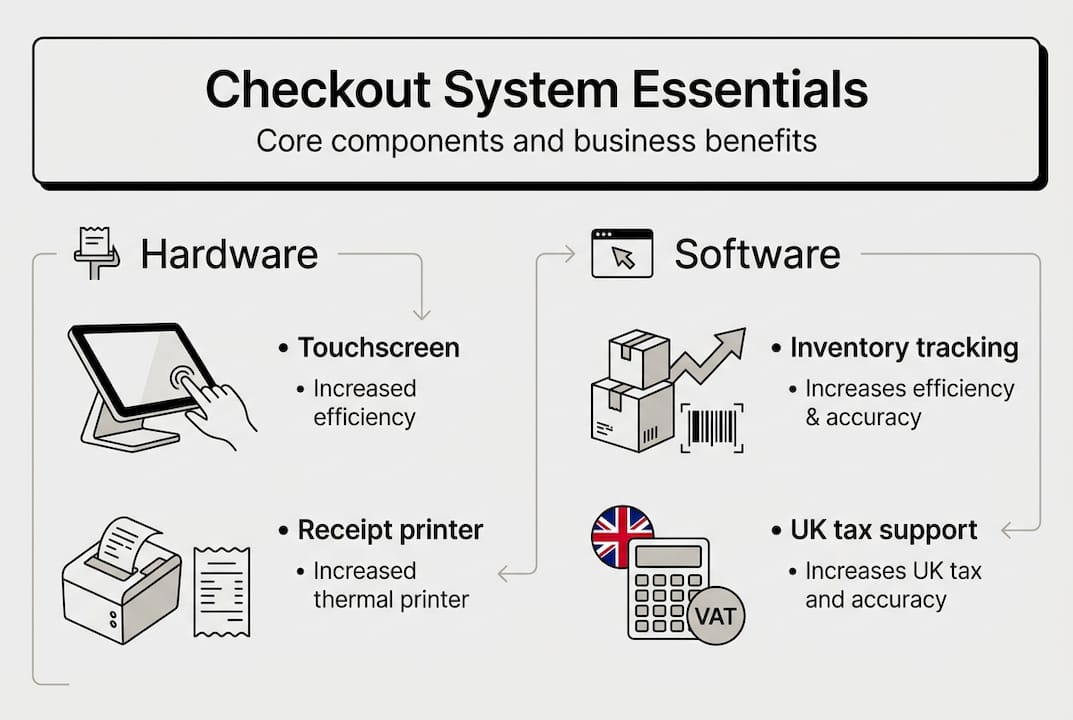
Your POS checkout system comprises several interconnected components working together to process transactions efficiently. The core hardware includes a touchscreen terminal for staff interaction, a receipt printer for customer documentation, a barcode scanner for product identification, a cash drawer for secure money storage, and a card payment terminal for electronic transactions. Each piece plays a vital role in creating a seamless checkout experience that keeps queues moving and customers satisfied.
Business type determines additional equipment needs. Retail stores selling products by weight require integrated scales, whilst hospitality venues benefit from mobile terminals that enable tableside ordering and payment. Convenience shops need robust barcode scanners for high-volume scanning, whereas cafes prioritise compact setups that maximise limited counter space. Understanding your specific operational requirements prevents costly equipment purchases that don’t match your workflow.
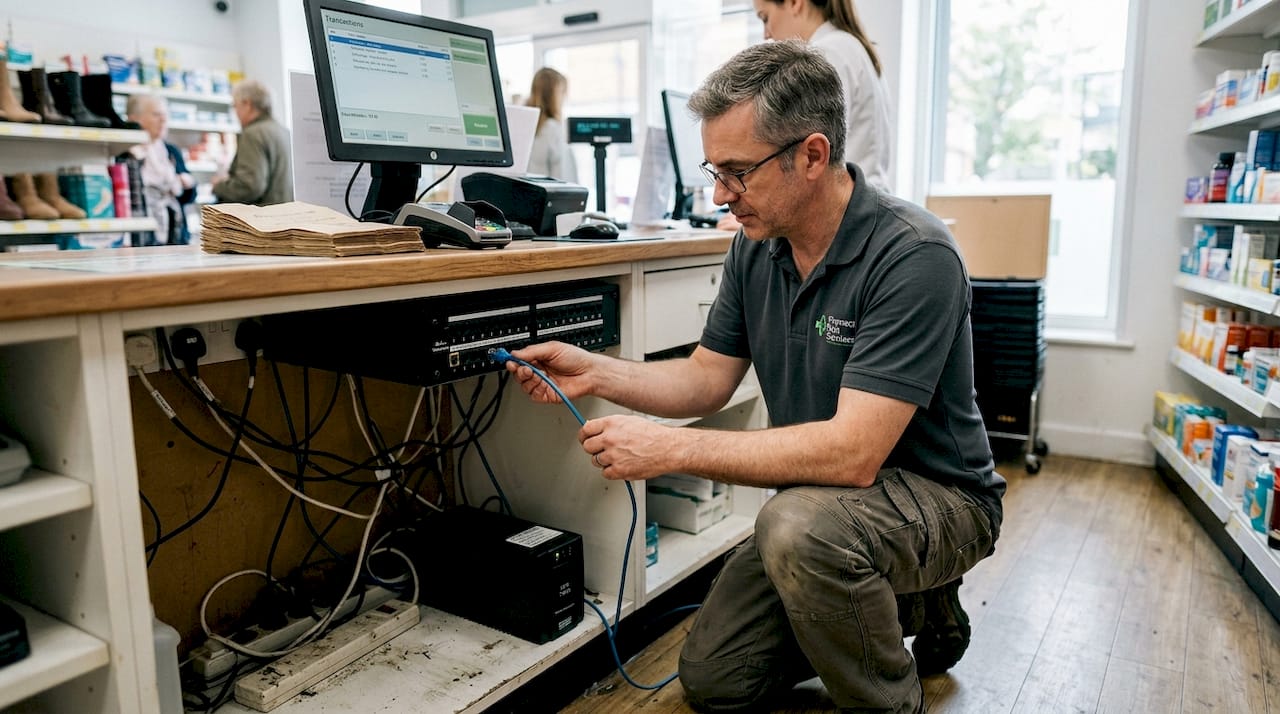
Network connectivity forms the backbone of modern POS reliability. Prioritise Ethernet connections with UPS backup over Wi-Fi to ensure stable operation during peak trading hours. Wireless networks introduce latency and dropout risks that cause transaction failures and frustrated customers. An uninterruptible power supply protects against sudden outages that corrupt transaction data or leave customers unable to pay during power interruptions.
Software selection requires equal attention to hardware choices. Your POS platform must support inventory tracking, UK tax rate configuration, and PCI-compliant payment processing from day one. Early integration of payment terminals into your software setup ensures security standards are met and reduces the risk of compliance failures that result in fines or lost merchant accounts. Consider choosing POS hardware that works seamlessly with your preferred software to avoid compatibility headaches.
| Component | Function | Business benefit |
|---|---|---|
| Touchscreen terminal | Staff interface for transaction processing | Speeds up order entry and reduces training time |
| Receipt printer | Customer transaction documentation | Provides proof of purchase and VAT compliance |
| Barcode scanner | Product identification and pricing | Eliminates manual entry errors and accelerates checkout |
| Cash drawer | Secure currency storage | Protects takings and simplifies end-of-day reconciliation |
| Card terminal | Electronic payment processing | Captures majority of customer transactions securely |
Pro Tip: Purchase your hardware outright rather than leasing through POS software vendors. Ownership gives you flexibility to switch software providers without replacing expensive equipment, avoiding vendor lock-in that restricts your business choices and increases long-term costs.
Step-by-step setup process for your retail checkout
Successful POS implementation follows a structured approach that minimises disruption to your business operations. Standard setup begins with assessing your specific business requirements, considering factors like transaction volume, product variety, staff numbers, and space constraints. This assessment guides hardware selection and prevents over-investment in unnecessary features or under-specification that causes performance bottlenecks during busy periods.
-
Assess your business needs carefully by analysing daily transaction volumes, peak trading hours, product catalogue size, and staff technical capabilities. Document current pain points in your checkout process to ensure your new system addresses real operational challenges rather than adding complexity.
-
Select appropriate hardware and software with proven compatibility. Integrated systems from single vendors reduce setup complexity, but verify that components work together before purchasing. Request demonstration units to test in your actual business environment, checking transaction speed and staff usability under realistic conditions.
-
Install hardware components securely at your checkout positions. Mount touchscreens at comfortable heights for staff, position printers within easy reach, and ensure card terminals face customers for PIN entry. Run cabling through protective conduits to prevent trip hazards and accidental disconnection during busy service periods.
-
Configure software settings systematically, starting with basic business information and tax rates. Add your complete product catalogue with accurate pricing, then set up inventory tracking if your business model requires stock management. Configure payment methods including card processing, cash handling, and any digital wallets your customers use regularly.
-
Train staff thoroughly on all system functions before going live. Cover transaction processing, refunds, discounts, and troubleshooting common issues they’ll encounter daily. Create quick reference guides for complex procedures and designate a system champion who receives advanced training to support colleagues.
-
Conduct comprehensive testing with real-world scenarios including standard sales, returns, split payments, and high-volume rush periods. Process test transactions through your payment terminal to verify end-to-end connectivity with your merchant account. Check that receipts print correctly and inventory updates reflect accurately after each transaction.
Pro Tip: Pre-integrated POS kits enable setup in under one hour when time is critical. These complete packages include compatible hardware and pre-configured software that requires only basic customisation for your business, making them ideal for rapid deployment or emergency replacements. Follow essential retail POS checklist steps to ensure nothing is missed, and explore POS system setup for restaurants and cafes for hospitality-specific guidance.
Optimising performance and avoiding common checkout problems
Transaction speed directly impacts customer satisfaction and your revenue potential. Modern POS systems reduce average transaction time from 75 seconds to 28 seconds, whilst restaurant table turnover improves from 1.2 hours to 50 minutes. These improvements translate into serving more customers during peak periods and reducing the queue abandonment that costs businesses thousands in lost sales annually.
Input latency represents a critical but often overlooked performance factor. Self-checkout systems should respond within 150 to 400 milliseconds of staff input to maintain smooth operation. Delays beyond this threshold frustrate operators and slow transaction processing, particularly during high-volume periods when every second counts. Test your system under load to identify latency issues before they impact customer service.
Research shows that 46% of shoppers abandon purchases when queues exceed two minutes, making queue management a critical business priority.
Queue psychology affects customer behaviour significantly. Visible wait times exceeding two minutes trigger abandonment decisions, even when actual service is faster. Position your checkout to minimise perceived wait times through clear queue organisation and staff visibility. Consider adding queue management displays that show estimated wait times, giving customers confidence that service is progressing.
Common setup mistakes create ongoing operational headaches that could be avoided with proper planning. Ignoring hardware and software compatibility leads to integration failures that require expensive workarounds or complete system replacements. Vendor demonstrations often present optimistic scenarios whilst hiding aggressive sales tactics and contract fees that inflate total ownership costs. Prioritise UK-based support that understands local business requirements and can provide rapid assistance when problems occur.
| Connection type | Reliability | Setup complexity | Best for |
|---|---|---|---|
| Wired Ethernet | Excellent stability, no dropouts | Requires cabling installation | Fixed checkout positions, high-volume locations |
| Wi-Fi | Variable, subject to interference | Simple initial setup | Mobile terminals, temporary setups, low transaction volumes |
- Reduce checkout latency by using wired connections and modern processors that handle transactions instantly
- Position barcode scanners at optimal angles to minimise failed scans that slow queue progression
- Configure receipt printers for fast print speeds and keep spare paper rolls accessible
- Enable contactless payment limits to speed card transactions without PIN entry
- Schedule software updates during closed hours to prevent mid-service disruptions
Pro Tip: Test multiple vendor demonstrations in your actual business environment before committing to any solution. What works smoothly in a showroom may struggle with your specific product mix, transaction patterns, or network conditions. Choose suppliers offering trial periods and verify their UK support responsiveness by calling their helpline before purchasing. Implement retail POS best practices and follow proven retail POS workflow steps to maintain optimal performance.
Choosing the right POS solutions for your business
Cloud-based POS platforms have transformed retail and hospitality operations by unifying online, offline, and inventory management into single systems. This integration eliminates the data silos that cause stock discrepancies and prevents overselling products across multiple sales channels. Your checkout, website, and mobile app share real-time inventory data, ensuring customers see accurate availability regardless of how they shop with your business.
Platform selection depends heavily on your business model and growth plans. Shopify excels for omnichannel retail operations that blend physical stores with online sales, offering seamless inventory synchronisation and customer data management. Lightspeed and EPOS Now specialise in hospitality environments, providing table management, kitchen display integration, and menu customisation that restaurants and cafes require for efficient service.
Hardware ownership versus leasing represents a strategic decision with long-term implications. Purchasing equipment outright costs more initially but eliminates ongoing rental fees and contractual restrictions that limit your flexibility. Leased hardware often comes bundled with software subscriptions that increase total costs significantly over time, whilst tying you to a single vendor even if their service quality declines or better alternatives emerge.
UK-based vendors offer advantages that international providers struggle to match. Local support teams understand British business regulations, VAT requirements, and payment processing standards that differ from other markets. They provide assistance during your trading hours rather than forcing you to wait for overseas time zones, and they can dispatch replacement hardware quickly when failures occur.
- Evaluate scalability to ensure your system grows with your business without requiring complete replacement
- Verify integration capabilities with your accounting software, e-commerce platform, and payment processors
- Calculate total cost of ownership including hardware, software subscriptions, payment processing fees, and support contracts
- Research support quality through independent reviews rather than relying solely on vendor testimonials
- Confirm feature availability for your specific industry, as generic POS systems often lack specialised functionality
Explore comprehensive guidance on choosing a POS system in the UK and familiarise yourself with POS hardware terminology to make informed purchasing decisions that serve your business effectively.
Explore expert POS hardware and software solutions at YCR
Setting up an efficient retail checkout requires the right combination of compatible hardware and properly configured software. YCR Distribution specialises in providing UK retail and hospitality businesses with comprehensive POS solutions backed by over three decades of industry experience. Their extensive range includes touchscreen terminals, receipt printers, barcode scanners, and integrated payment systems from trusted manufacturers like SAM4S and iMin.

Whether you’re establishing your first checkout system or upgrading existing equipment, YCR offers tailored solutions for restaurants, cafes, retail stores, and convenience shops. Access detailed POS hardware terminology guides to understand equipment specifications, explore POS software options including SAMTOUCH and EZEEPOS, and review the complete POS hardware checklist for 2026 to ensure your setup meets current industry standards. Their UK-based support team and same-day dispatch service help you maintain reliable checkout operations.
Frequently asked questions
What hardware is essential for a retail POS setup?
Core hardware includes a touchscreen terminal for transaction processing, receipt printer for customer documentation, barcode scanner for product identification, cash drawer for secure money storage, and card payment terminal for electronic transactions. Additional equipment like scales may be necessary for businesses selling products by weight, whilst hospitality venues benefit from mobile terminals that enable tableside service.
How long does it take to set up a POS system properly?
Setup time under one hour is achievable with pre-integrated hardware kits and cloud-based software. Comprehensive configuration including product catalogue entry, inventory setup, tax rate programming, and thorough staff training typically extends the timeframe to several days. Rushing implementation without proper testing increases the risk of operational problems during your busiest trading periods.
What are common causes of slow checkout times?
Outdated hardware with slow processors, excessive input latency above 400 milliseconds, and poor software integration create transaction bottlenecks. Modern systems reduce transaction time from 75 seconds to 28 seconds, whilst queues exceeding two minutes cause 46% of shoppers to abandon purchases. Wireless network instability and inadequate staff training also contribute significantly to checkout delays.
How can I avoid vendor lock-in with POS systems?
Purchase hardware outright rather than leasing through software providers to maintain equipment ownership and switching flexibility. Choose cloud POS platforms that support multiple payment processor integrations and allow data export in standard formats. Verify contract terms carefully, avoiding long-term commitments with automatic renewal clauses or hefty early termination fees that restrict your ability to change providers.
Why is wired Ethernet preferred over Wi-Fi for POS systems?
Wired Ethernet connections provide consistent, reliable connectivity without the signal interference and dropout risks that affect wireless networks. During peak trading hours when transaction volume is highest, Wi-Fi congestion from customer devices can slow or interrupt POS operations. Ethernet eliminates these variables, ensuring stable performance when your business depends on processing payments quickly and reliably.
What should I look for in POS software for UK businesses?
Your software must support UK VAT rates with automatic calculation, provide detailed sales reporting for tax compliance, and integrate with HMRC Making Tax Digital requirements. Payment processing should meet PCI-DSS security standards to protect customer card data. Industry-specific features matter too, with retail needing robust inventory management whilst hospitality requires table management and kitchen display integration for efficient service.