

Running a shop without a modern point of sale system in the UK is like relying on yesterday’s tools in today’s competitive retail world. As customer expectations rise and technology shapes buying habits, upgrading your POS becomes critical for staying efficient and relevant. Discover how the evolution from simple cash registers to AI-powered platforms that optimise inventory and personalise every interaction can transform your daily operations and help your business thrive.
Table of Contents
- Pos In Retail: Core Concept And Evolution
- Modern Pos Types And Their Distinctions
- Essential Features And Real-World Retail Use Cases
- Compliance, Security, And Uk Regulatory Framework
- Operational Costs, Common Mistakes, And Alternatives
Key Takeaways
| Point | Details |
|---|---|
| Evolution of POS Systems | Modern POS systems have shifted from basic cash registers to advanced, integrated platforms, improving operational efficiency and customer experience. |
| Importance of Real-Time Data | Retailers with modern POS systems benefit from real-time visibility into inventory, customer insights, and smarter pricing strategies. |
| Security and Compliance | Ensuring security and compliance with GDPR and PCI DSS is crucial for protecting sensitive customer data and maintaining trust. |
| Cost Considerations | Understanding the total cost of ownership, including hardware and ongoing operational expenses, is essential for making informed POS selections. |
POS in Retail: Core Concept and Evolution
A point of sale system is far more than a till that rings up purchases. It’s the operational backbone of modern retail, handling transactions, managing inventory, processing customer data, and driving real-time business decisions. Without one, you’re essentially managing your shop with pen and paper.
Retail POS systems have transformed dramatically over the past two decades. What started as basic mechanical cash registers evolved into digital terminals, then into AI-powered platforms that dynamically adjust pricing, optimise inventory, and personalise customer experiences.
From Cash Registers to Intelligent Systems
Think back to traditional tills. They recorded sales, that was it. Staff calculated change manually, you counted notes at day’s end, and inventory tracking meant walking the shop floor with a clipboard. It was time-consuming and error-prone.
Today’s systems operate across multiple channels simultaneously. Your shop floor terminals, online store, and mobile checkouts all feed into one centralised platform. Customer data syncs instantly, inventory updates in real time, and you can access reports from your phone.
The shift reflects broader retail trends:
- From transaction-focused to decision-focused: Modern systems analyse what’s selling, who’s buying it, and when they’ll buy again
- From isolated to integrated: Digital transformation in retail POS incorporates AI, IoT, and real-time analytics
- From staff-dependent to automated: Barcode scanning, automated stock alerts, and intelligent pricing reduce manual workload
- From local to omnichannel: One system manages in-store, online, click-and-collect, and delivery orders
Why This Evolution Matters for Your Business
You’re operating in a competitive UK retail market. Customers expect seamless experiences, stock visibility, and quick checkouts. A modern POS system delivers all three, whilst freeing your staff to focus on customer service rather than administrative tasks.
The numbers tell the story. Retailers using current POS platforms report faster transaction speeds, lower shrinkage rates, and significantly improved customer loyalty metrics.
Modern POS systems transform how retailers compete—shifting focus from managing transactions to optimising profitability and customer satisfaction.
Key advantages that impact your bottom line:
- Real-time visibility: Know exactly what’s in stock across your locations instantly
- Smarter pricing: Systems can recommend adjustments based on demand, seasonality, and competition
- Customer insights: Track buying patterns to personalise offers and promotions
- Reduced theft: Automated tracking and audit logs catch discrepancies immediately
- Staff efficiency: Less time on admin, more time serving customers
The Modern POS Landscape
Today’s systems range from tablet-based solutions for independent shops to enterprise platforms supporting multi-location retailers. They integrate with accounting software, e-commerce platforms, loyalty schemes, and supplier systems.
What’s constant across all modern systems is flexibility. Whether you operate a convenience shop, fashion boutique, or coffee shop, your POS adapts to your business model rather than forcing you to adapt to it.
Your system choice directly impacts efficiency. A poorly selected one creates bottlenecks; the right one removes them entirely.
Pro tip: When evaluating POS systems, prioritise integration capabilities over feature count. A system that connects seamlessly with your existing tools—accounting software, e-commerce platform, or supplier systems—saves hours each week and reduces costly data entry errors.
Modern POS Types and Their Distinctions
Not all POS systems are the same. Your corner shop has entirely different needs than a multi-site fashion retailer. That’s why modern POS technology comes in distinct types, each designed for specific business models and operational requirements.
Understanding the differences helps you choose the right solution. A mismatch between your system and your business creates friction—slow checkouts, integration headaches, and wasted money.
Fixed Terminal Systems
Traditional fixed POS terminals remain the backbone of many retail shops. These are dedicated machines—typically a screen, till, and barcode scanner bolted to your counter.
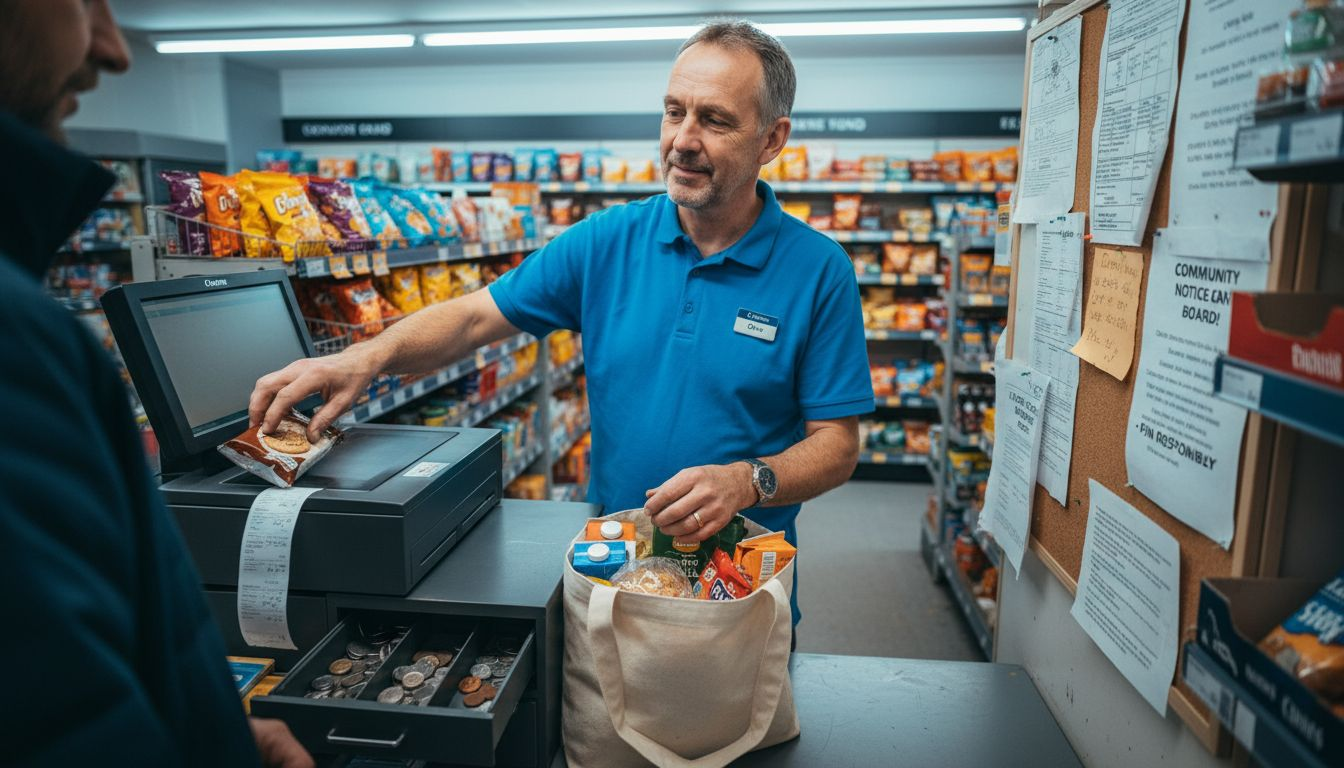
They offer reliability and straightforward operation. Staff know exactly what they’re doing; there’s no confusion about where the till is located. These systems excel in high-traffic environments where consistent performance matters.
Fixed terminals work best for:
- Single-location retailers with consistent, predictable foot traffic
- Shops requiring robust hardware that handles thousands of daily transactions
- Businesses where staff turnover is high and simplicity is essential
- Operations needing specialist peripherals like receipt printers and cash drawers
The trade-off? Less flexibility. If you want to move your checkout or add a second till location, installation costs add up quickly.
Mobile POS Solutions
Mobile POS (mPOS) transforms tablets or smartphones into payment terminals. Your staff can complete transactions anywhere in the shop—at the counter, in the aisle, or on the shop floor.
This flexibility drives customer experience improvements. No more queues waiting for a single till. Customers feel attended to; transactions happen faster.
Mobile systems suit:
- Boutique retailers and independent shops wanting flexibility
- Pop-up stores, markets, or temporary retail spaces
- Businesses needing roaming checkout capability
- High-touch retail environments where personal service matters
Cloud-Based POS Platforms
Cloud-based POS systems represent the modern standard. Your data lives on secure servers rather than a single machine, accessible from anywhere with an internet connection.
These systems integrate seamlessly with online stores, loyalty schemes, and accounting software. You see real-time inventory across locations, sync customer data instantly, and generate reports on demand.
Cloud POS advantages:
- Real-time data synchronisation across multiple locations
- Automatic backups eliminating local hardware failure risk
- Seamless integrations with e-commerce and accounting platforms
- Remote management of your entire operation from one dashboard
- Scalability to add new locations without major infrastructure changes
Which Type Suits Your Shop?
The right choice depends on your operation. Single-location independent shops often thrive with mobile or fixed systems. Multi-location retailers need cloud-based platforms for real-time visibility.
Consider growth too. If you’re planning to expand to multiple locations within two years, cloud-based infrastructure saves costly migrations later.
Here’s a comparison of main retail POS types and their typical suitability:
| POS Type | Ideal Business Size | Flexibility | Key Limitation |
|---|---|---|---|
| Fixed Terminal | Medium to large, single-site | Low | High relocation costs |
| Mobile POS | Small to medium, boutique | High | Dependent on device battery |
| Cloud-Based POS | Multi-site, scalable | Very high | Needs reliable internet |
Your POS type should match your current operation whilst accommodating your growth plans—choosing flexibility now prevents expensive changes later.
Pro tip: Test your chosen system type in your actual shop environment before committing to a contract. Request a two-week trial with real products and staff—this reveals integration issues and usability problems before they cost you money.
Essential Features and Real-World Retail Use Cases
A modern POS system is only as good as its features. The right combination transforms daily operations; the wrong selection creates bottlenecks. Understanding what matters for your shop helps you avoid expensive mistakes.
Modern retail POS systems deliver core capabilities that work together seamlessly. These aren’t just nice-to-haves—they directly impact your bottom line, staff efficiency, and customer satisfaction.
Core POS Features That Matter
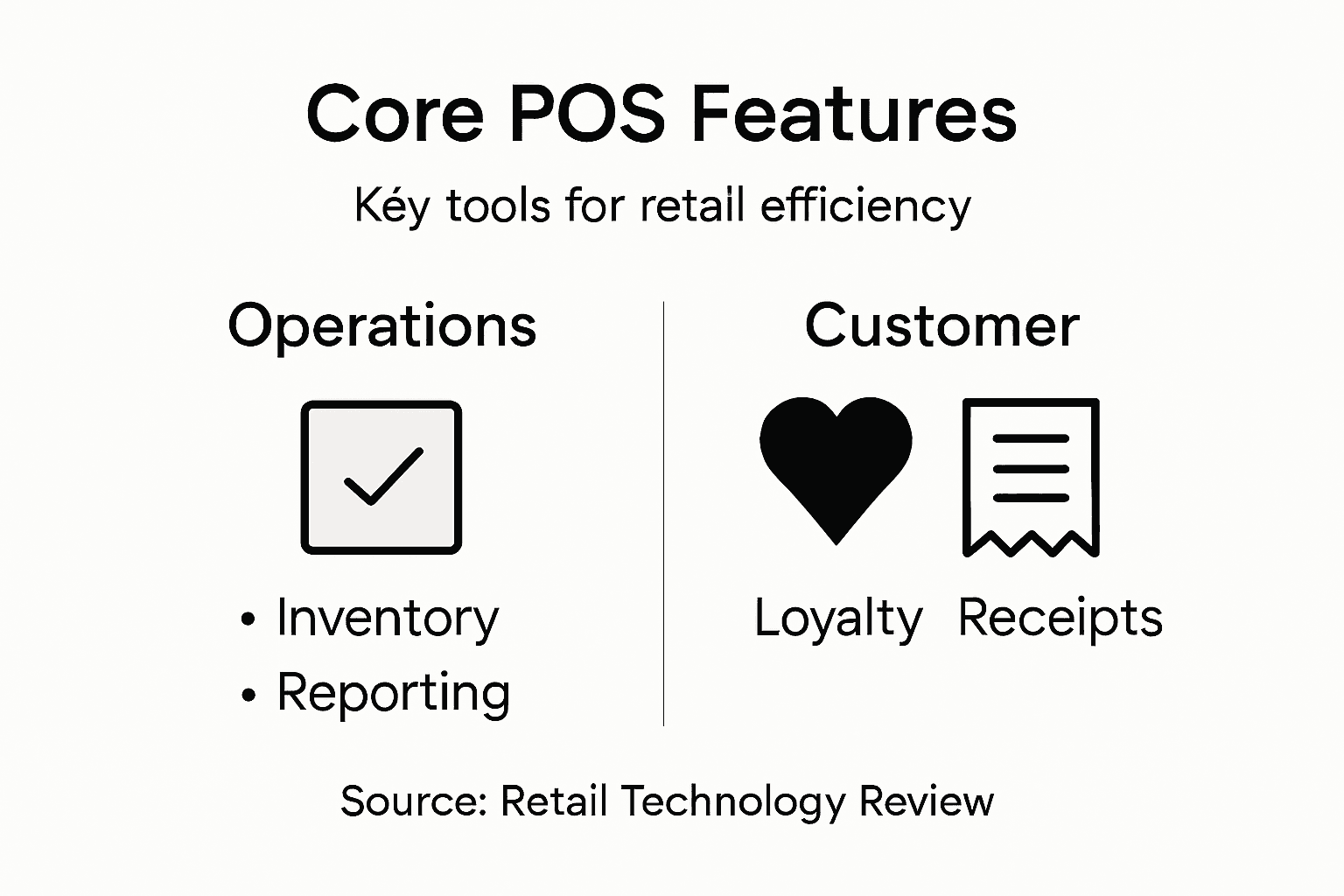
Order management and inventory tracking form the foundation of any retail system. You need to see what’s selling in real time, reorder before stock runs out, and prevent overselling.
Additional essential features include:
- Customer management: Track purchase history, preferences, and loyalty rewards
- Financial reporting: Automated daily sales summaries, profit margins by product, tax calculations
- Staff management: Clock in/out, sales attribution, performance tracking
- Multi-location sync: Real-time inventory visibility across all your shops
- Payment processing: Card, contactless, and digital wallet acceptance
- Barcode scanning: Fast, accurate product lookup and stock management
These work together to reduce errors and speed up transactions. A good system handles complexity invisibly; your staff just scan items and take payment.
To clarify feature priorities, here’s how core POS features enhance business operations:
| Feature | Operational Benefit | Impact on Customer Experience |
|---|---|---|
| Real-time Inventory | Prevents stockouts, accurate orders | Reduces disappointment |
| Customer Management | Enables tailored promotions | Builds loyalty, repeat visits |
| Financial Automation | Simplifies accounting and taxation | Speeds up checkout |
| Staff Tracking | Improves accountability, schedules | Ensures efficient service |
Real-World Use Case: The Independent Boutique
Sarah runs a fashion shop in Manchester. She had a traditional till and a spreadsheet for inventory. Restocking meant manually counting items; she’d often order too much or run out without knowing.
After switching to a modern POS, her operation transformed. The system alerts her when stock drops below minimum levels. She sees which items customers bought together, helping her plan layouts and promotions more strategically. Her staff checkout customers faster, reducing queues during busy Saturday afternoons.
Revenue increased 23% in her first year—partly from better product availability, partly from faster service reducing customer frustration.
Use Case: The Multi-Location Convenience Group
A convenience shop owner running three locations struggled with visibility. Each shop operated independently; he had no way to know which locations needed restocking or which products were overstock in one shop but selling fast in another.
Cloud-based POS changed everything. He could access real-time sales and inventory from all three locations on his phone. He redistributed slow-moving stock between shops, reducing waste. Central reporting showed him exactly which products were profitable across his entire operation.
Operational costs dropped 16% through better inventory management and informed purchasing decisions.
Why Implementation Challenges Matter
Adopting a new system requires staff training and process changes. Your team will initially work slower whilst learning. Plan for this transition period—it’s temporary but real.
The systems delivering greatest returns combine powerful features with intuitive interfaces that your staff can master quickly.
Common implementation challenges:
- Staff resistance to change and learning curve
- Initial data migration from old systems
- Downtime during changeover
- Hardware installation logistics
These are manageable with proper planning and support. Most retailers report smoother operations within four weeks.
Pro tip: Schedule your POS transition during a quiet trading period—not during your peak season. Allocate an hour each day for staff training over two weeks rather than one intensive session that overwhelms them.
Compliance, Security, and UK Regulatory Framework
Your POS system handles sensitive data every single day. Customer card details, transaction records, personal information—all flow through your system. One security failure doesn’t just cost money; it damages trust and invites legal trouble.
UK retailers face specific compliance requirements. Understanding them protects your business and your customers’ data.
Data Protection and GDPR
The General Data Protection Regulation (GDPR) applies to every UK retailer collecting customer information. Your POS system must handle personal data securely and transparently.
Key GDPR obligations include:
- Collecting only necessary customer data
- Storing data securely with encryption
- Allowing customers to access their data on request
- Reporting data breaches within 72 hours
- Maintaining privacy policies customers can understand
Your POS system should include built-in features supporting GDPR compliance. Modern systems encrypt data automatically and maintain audit trails showing who accessed what information.
Payment Card Industry Data Security Standard (PCI DSS)
PCI DSS compliance is non-negotiable for any retailer accepting card payments. This standard protects cardholder data from theft and fraud.
PCI DSS requires:
- Secure networks with firewalls and encryption
- Regular security testing and updates
- Restricted access to cardholder data
- Monitoring and logging all system access
- Staff training on data security
Your POS provider should handle most of this behind the scenes. They maintain their own PCI DSS certification, protecting your shop from direct liability. Always verify your provider’s certification status before signing contracts.
Transaction Security Features
Modern POS systems incorporate multiple security layers. End-to-end encryption protects card data from the moment of swiping until settlement. Tokenisation replaces actual card numbers with random codes, ensuring card details never expose sensitive information.
Additional security measures:
- Secure user authentication (passwords, biometrics)
- Automatic session timeouts
- Encrypted backup systems
- Fraud detection algorithms
- Regular security updates
UK-Specific Regulatory Considerations
Beyond GDPR and PCI DSS, UK retailers must consider additional regulations. The Consumer Rights Act requires accurate pricing and transparent transaction terms. VAT regulations demand proper record-keeping of all sales.
Your POS system should automatically calculate VAT correctly, maintain sales records for tax purposes, and produce reports for accounting. This compliance happens invisibly—your system handles it automatically.
Choosing a POS provider with built-in UK compliance features eliminates ongoing risk and reduces your administrative burden significantly.
Common compliance mistakes:
- Storing card data locally instead of securely
- Failing to update security software regularly
- Not training staff on data protection protocols
- Ignoring breach notification requirements
Choosing Secure POS Systems
When evaluating providers, ask directly about their security certifications and compliance framework. Reputable providers transparently share their PCI DSS status, security audits, and incident response procedures.
Request their compliance documentation before committing. A provider unwilling to share this information should raise red flags.
Pro tip: Include a security audit clause in your POS contract, requiring the provider to conduct annual third-party security assessments and share results with you—this ensures ongoing compliance and demonstrates due diligence if regulatory issues ever arise.
Operational Costs, Common Mistakes, and Alternatives
POS systems cost money. Hardware, software licensing, training, integration—costs multiply quickly. Many retailers underestimate the total investment, leading to budget shock and poor decisions.
Understanding actual costs and avoiding common pitfalls protects your budget. Better yet, modern alternatives exist that reduce both upfront costs and ongoing expenses.
Breaking Down POS Costs
Initial costs include hardware (terminals, scanners, printers), software licensing, installation, and staff training. Monthly costs cover software subscriptions, payment processing fees, support, and system maintenance.
Typical cost breakdown:
- Hardware: £2,000–£8,000 depending on setup size
- Software licensing: £50–£300 monthly per location
- Payment processing: 1.5–3% of card transactions
- Training and support: £500–£2,000 initial setup
- Maintenance and updates: £100–£500 annually
Total first-year costs for a small shop typically range from £5,000–£15,000. Larger operations spend considerably more.
Common and Costly Mistakes
Underestimating training needs ranks as the most expensive mistake retailers make. Staff working inefficiently with poorly understood systems waste hours daily. That translates to real money lost in wasted labour.
Other frequent errors include:
- Over-investing in hardware features you’ll never use
- Choosing incompatible systems that don’t integrate with existing tools
- Neglecting regular software updates, creating security vulnerabilities
- Selecting vendors without checking references or support quality
- Ignoring cloud-based alternatives that reduce infrastructure costs
One poor decision—like selecting a system incompatible with your accounting software—costs far more to fix later than choosing correctly upfront.
The Cloud POS Alternative
Modular, API-first cloud platforms represent the modern cost-effective approach. You pay monthly for what you use rather than investing heavily in physical hardware.
Cloud advantages:
- Lower upfront costs: No major hardware investment
- Scalability: Add locations or features as you grow
- Automatic updates: Security and features improve automatically
- Integration capability: Connect to accounting, e-commerce, and loyalty platforms seamlessly
- Reduced maintenance: Provider handles system management
Small retailers often find cloud POS costs 30–40% less annually than traditional fixed systems.
When Traditional Systems Still Make Sense
Cloud POS suits most retailers, but traditional fixed systems remain better for specific situations. High-volume shops with constant, heavy transaction loads benefit from dedicated hardware’s reliability.
Consider fixed systems if:
- You process 500+ transactions daily
- Internet reliability in your location is questionable
- You need offline capability for extended periods
- You require highly specialised hardware integrations
For most UK retailers, though, cloud solutions offer better value.
Choosing the right cost model matters more than choosing the cheapest option—a slightly pricier system delivering better integration and lower training requirements saves money long-term.
Making Your Selection
Request detailed cost quotes from multiple providers, including all fees—monthly, transaction-based, and support. Compare total five-year costs, not just upfront expenses.
Always negotiate support and training terms. Good providers include comprehensive onboarding; poor ones charge extra for everything.
Pro tip: Ask providers for references from similar-sized retailers in your sector, then contact them directly—ask specifically about hidden costs, actual implementation time, and whether they’d choose the same system again if starting over.
Transform Your Retail Efficiency with YCR Distribution Point of Sale Solutions
The article highlights the challenges of managing modern retail operations without a flexible, integrated POS system that improves real-time inventory visibility, streamlines transactions, and enhances customer experiences. Many retailers face issues like slow checkouts, stock management headaches, and lack of data-driven insights. YCR Distribution understands these exact pain points and offers tailored POS hardware and software solutions designed to meet the evolving needs of UK retailers and hospitality businesses. Whether you require reliable fixed terminals, flexible mobile POS devices, or cloud-based platforms like SAMTOUCH and EZEEPOS, YCR provides trusted products and expert support to help you drive efficiency and growth.

Ready to eliminate operational bottlenecks and empower your staff with intuitive, integrated POS technology? Visit YCR Distribution today to explore our comprehensive range of POS terminals, barcode scanners, printers, and software solutions. Benefit from next-day delivery and credit accounts designed to get your business up and running without delay. Start transforming your retail or hospitality operation now with YCR’s expert solutions tailored to your exact needs.
Frequently Asked Questions
What are the key features of a modern POS system?
Modern POS systems typically include order management, inventory tracking, customer management, financial reporting, staff management, multi-location sync, payment processing, and barcode scanning. These features work together to enhance efficiency and improve customer experiences.
How does a cloud-based POS system differ from traditional fixed terminal systems?
Cloud-based POS systems store data on secure servers and allow access from anywhere with internet connectivity. In contrast, traditional fixed terminal systems require dedicated hardware at each location, limiting flexibility and making it harder to manage multiple sites effectively.
Why is integration capability important when selecting a POS system?
Integration capabilities are crucial as they allow the POS system to connect seamlessly with existing tools like accounting software, e-commerce platforms, and loyalty schemes. This connectivity reduces administrative burdens, improves data accuracy, and enhances overall operational efficiency.
What challenges might retailers face when implementing a new POS system?
Common implementation challenges include staff resistance to change, initial data migration issues, downtime during the transition, and the need for hardware setup. Proper planning and staff training can help mitigate these challenges and ensure a smoother transition.