
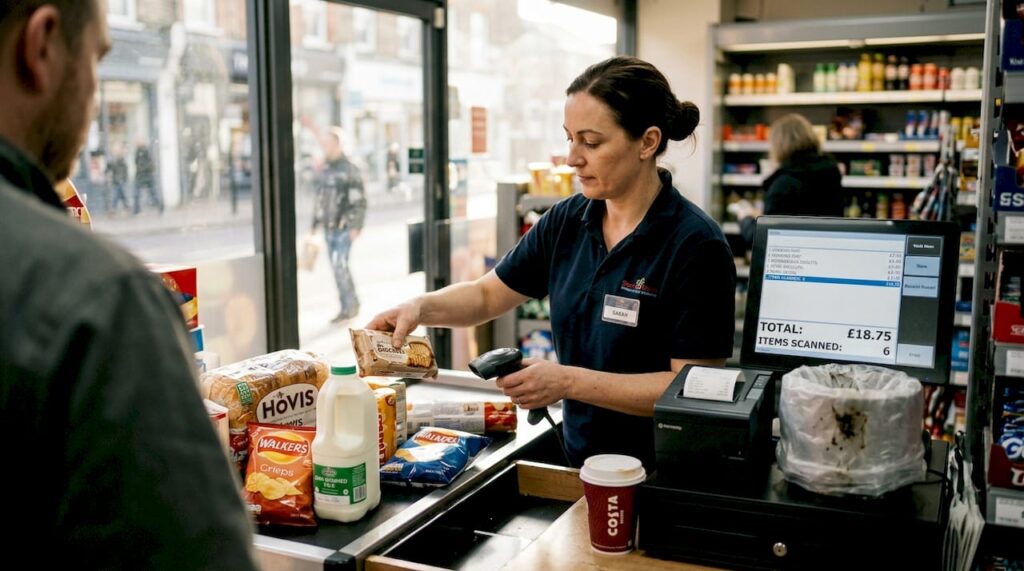
Slow checkout processes cost retailers thousands in lost sales every year. When customers face long queues or confusing payment systems, they abandon purchases and seek faster alternatives. Modern POS technology and optimised workflows can transform your checkout experience, reducing wait times whilst boosting accuracy and customer satisfaction. This guide walks you through preparing, implementing, and verifying an efficient retail checkout workflow that keeps customers moving and revenue flowing.
Table of Contents
- Key takeaways
- Preparing to streamline your retail checkout workflow
- Implementing an effective retail checkout workflow step by step
- Troubleshooting common checkout workflow challenges and avoiding mistakes
- Measuring and verifying improvements in your checkout workflow
- Enhance your retail checkout with trusted POS solutions
- Frequently asked questions
Key Takeaways
| Point | Details |
|---|---|
| Hybrid checkout optimises queues | A hybrid model combining self service with assisted support reduces queues and suits different customers. |
| Mobile POS speed boost | Mobile point of sale devices allow staff to start transactions anywhere in the store, reducing perceived wait times. |
| Clear workflow steps | Well defined procedures minimise mistakes and keep queues moving smoothly. |
| POS hardware selection | Choosing appropriate terminals, scanners and payment processors based on transaction volume and peak periods underpins fast, reliable checkouts. |
| Workflow verification | Regular testing and validation confirm the workflow performs as intended and reveal issues before full deployment. |
Preparing to streamline your retail checkout workflow
Before implementing workflow changes, you need to understand what your customers actually want at checkout. Research shows that 73% prefer self-checkout for quick trips, whilst assisted checkout remains essential for complex purchases. This preference data should guide your hardware and staffing decisions, ensuring you offer the right mix of checkout options.
Selecting appropriate POS hardware forms the foundation of efficient workflows. Start by evaluating your store’s transaction volume, peak hours, and typical basket sizes. High-traffic retailers benefit from multiple terminals and mobile devices, whilst smaller shops may thrive with a single robust system. Understanding POS hardware terminology helps you make informed choices about terminals, scanners, and payment processors that match your operational needs.
Your POS software must integrate seamlessly with inventory management, loyalty programmes, and payment systems. Cloud-based solutions offer real-time synchronisation across channels, whilst edge computing maintains sub-second latency during peaks. This technological backbone prevents the system slowdowns that frustrate customers and staff during busy periods.
Staff training determines whether your workflow succeeds or fails. Train team members on new procedures before launch, covering transaction initiation, error handling, and customer assistance protocols. Role-playing exercises help staff practise common scenarios, building confidence and speed. Regular refresher sessions keep skills sharp as you refine processes.
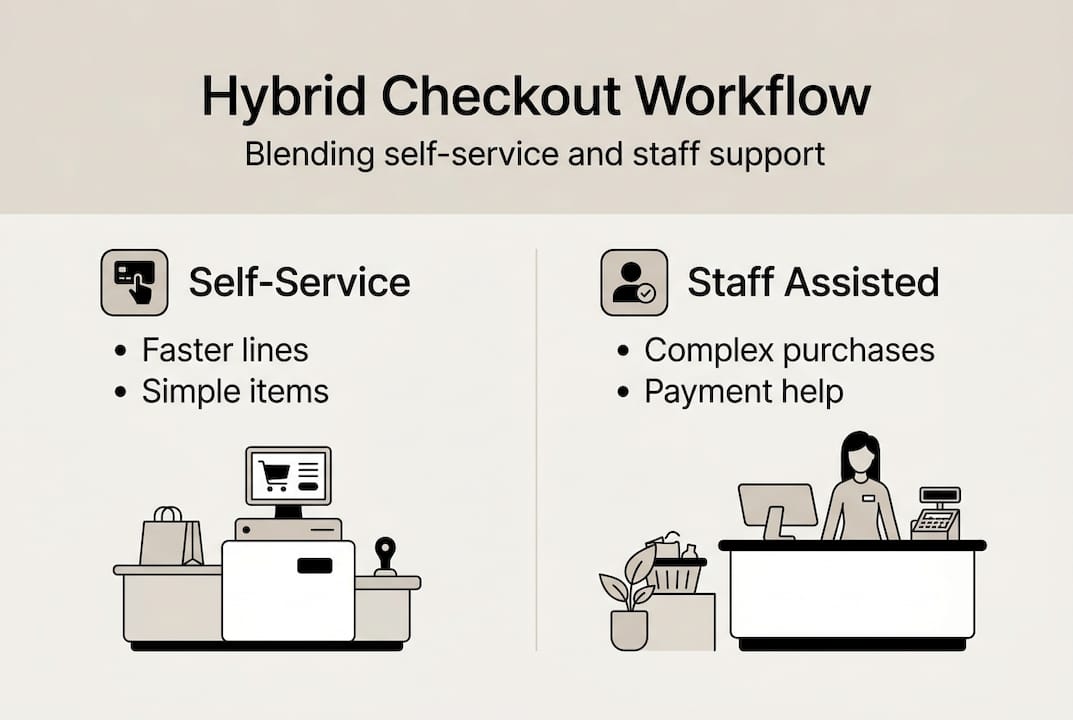
Hybrid checkout models combine self-service speed with human support where needed. Position staff strategically to assist customers who struggle with self-checkout whilst allowing confident shoppers to move quickly through automated lanes. This balanced approach addresses diverse customer preferences without forcing everyone into a single checkout style.
Pro Tip: Conduct a trial week with new workflows during off-peak hours to identify issues before full implementation, allowing staff to adapt gradually whilst maintaining service quality.
Essential preparation checklist
- Audit current checkout pain points through customer feedback and queue observations
- Map customer flow patterns to optimise terminal placement
- Test all hardware connections and payment integrations thoroughly
- Create visual guides for staff covering each workflow step
- Establish backup procedures for system failures
- Schedule training sessions with adequate time for questions
| Preparation Element | Timeline | Priority |
|---|---|---|
| Customer preference analysis | 2 weeks | High |
| Hardware selection and procurement | 3-4 weeks | High |
| Software configuration | 2 weeks | High |
| Staff training programme | 1 week | Critical |
| Trial period | 1 week | Medium |
Implementing an effective retail checkout workflow step by step
Effective checkout workflows follow a logical sequence that minimises customer effort whilst maximising accuracy. Each step builds on the previous one, creating a smooth transaction experience that keeps queues moving. Understanding why retail needs POS systems helps you appreciate how technology supports each workflow stage.
Step 1: Initiate the transaction promptly. Greet customers immediately when they approach the checkout, whether at a fixed terminal or with a mobile device. Mobile POS systems allow staff to begin transactions anywhere in the store, reducing perceived wait times. Start scanning items as soon as the customer is ready, maintaining eye contact and friendly conversation to build rapport.
Step 2: Scan items efficiently using reliable equipment. Position barcode scanners at comfortable angles for quick passes. Quality POS hardware reads barcodes on the first attempt, eliminating frustrating rescans. Group similar items together during scanning to speed up the process, and verify quantities for multiples verbally with the customer.
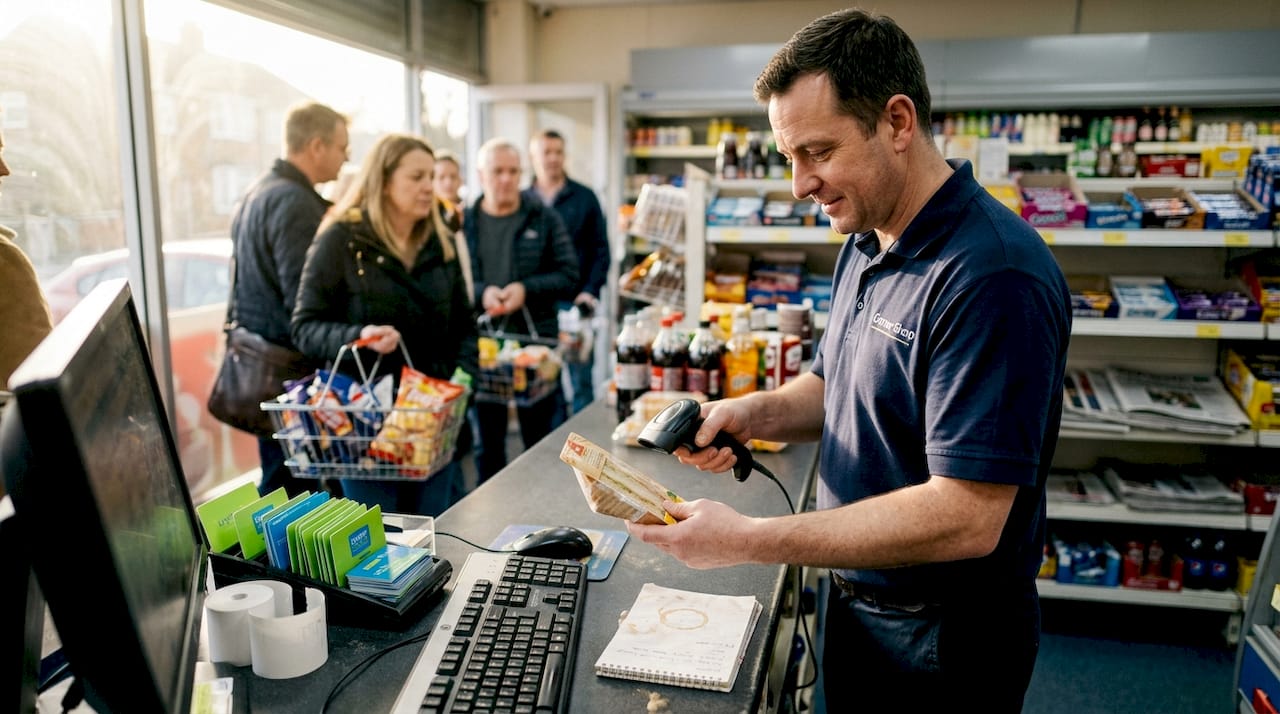
Step 3: Present multiple payment options clearly. Offer contactless, chip and PIN, and mobile wallet options prominently. Modern customers expect payment flexibility, and limiting options creates friction. Ensure payment terminals are positioned where customers can easily tap or insert cards without awkward reaching.
Step 4: Integrate loyalty programme participation seamlessly. Prompt for loyalty membership before finalising payment, allowing points to apply to the current transaction. AI analytics can suggest relevant offers based on purchase history, increasing basket value whilst rewarding regular customers. Make enrolment quick for new members, capturing only essential information.
Step 5: Complete the transaction with proper bagging and receipts. Bag items securely, placing heavy items at the bottom and fragile goods on top. Offer digital receipts as an eco-friendly option, but keep paper available for those who prefer it. Thank customers by name when possible, creating a personal connection that encourages return visits.
Pro Tip: Position your fastest, most experienced staff at peak times to maintain flow, whilst newer team members handle quieter periods where they can learn without pressure.
Workflow optimisation techniques
- Implement queue management systems that direct customers to available terminals
- Use colour-coded visual cues to guide customers through self-checkout steps
- Position impulse purchase items strategically near payment areas
- Create express lanes for customers with fewer items
- Maintain clear sightlines so staff can spot customers needing assistance
| Workflow Stage | Average Time | Optimisation Goal |
|---|---|---|
| Transaction initiation | 5-10 seconds | Immediate greeting |
| Item scanning | 20-40 seconds | First-pass accuracy |
| Payment processing | 15-25 seconds | Multiple options |
| Loyalty integration | 5-10 seconds | Seamless prompt |
| Bagging and completion | 20-30 seconds | Secure packing |
Balancing technology with human interaction remains crucial. Whilst 43% choose self-checkout only if queues are long, many customers value personal service for complex purchases or when seeking advice. Train staff to recognise when intervention adds value rather than slows the process. A step-by-step retail POS workflow provides the structure needed to maintain consistency across all checkout types.
Troubleshooting common checkout workflow challenges and avoiding mistakes
Even well-designed workflows encounter obstacles that disrupt operations and frustrate customers. Identifying common issues before they escalate keeps your checkout running smoothly during peak trading periods. Most problems fall into predictable categories with straightforward solutions.
Slow scanning often results from poorly maintained equipment or incorrect barcode positioning. Clean scanner windows daily to prevent smudges from reducing read accuracy. Replace worn scanner cables that cause intermittent connections. Train staff to angle products correctly for optimal barcode visibility, reducing multiple scan attempts that slow queues.
Payment processing errors typically stem from outdated software or poor network connectivity. Regular system updates patch security vulnerabilities whilst improving transaction speed. Edge computing ensures sub-second latency during peaks, maintaining performance when traditional cloud connections might lag. Keep backup payment methods available for rare system failures.
Hardware failures create immediate workflow disruptions. Maintain a troubleshooting guide accessible to all staff, covering common fixes like receipt printer jams or terminal freezes. Stock spare components such as printer paper rolls, backup scanners, and extra cables. Schedule regular maintenance checks using a comprehensive POS hardware checklist to catch issues before they cause downtime.
Pro Tip: Create a quick-reference laminated card for staff with solutions to the five most common technical issues, reducing panic and maintaining customer confidence during problems.
Common mistakes to avoid
- Neglecting regular hardware cleaning and maintenance schedules
- Failing to update software promptly, leaving systems vulnerable
- Positioning terminals where customers feel exposed or uncomfortable
- Overcomplicating loyalty programme enrolment processes
- Removing all human assistance in pursuit of automation
- Ignoring customer feedback about checkout pain points
“The key to successful retail checkout optimisation lies not in eliminating human interaction entirely, but in strategically deploying staff where they add the most value whilst technology handles routine transactions efficiently.”
Staff training gaps contribute significantly to workflow breakdowns. Ensure every team member can resolve basic errors independently, such as voiding incorrect items or processing refunds. Cross-train staff on both assisted and self-checkout systems so they can support customers regardless of their chosen method. Regular skills assessments identify knowledge gaps before they impact service quality.
Maintaining the balance between automation and personal service prevents customer alienation. Some shoppers appreciate efficiency above all else, whilst others value interaction and assistance. Observe customer behaviour patterns to understand when intervention helps versus when it hinders. Flexible workflows accommodate both preferences without forcing customers into uncomfortable situations.
Measuring and verifying improvements in your checkout workflow
Data-driven verification confirms whether your workflow changes deliver promised benefits. Tracking specific metrics before and after implementation reveals genuine improvements versus perceived gains. Establish baseline measurements during your preparation phase to enable accurate comparisons.
Transaction speed provides the most direct efficiency indicator. Measure average time from customer arrival at checkout to transaction completion. Break this down by checkout type, time of day, and staff member to identify patterns. Target reductions of 20-30% in average transaction time whilst maintaining accuracy. Your POS workflow system should capture these metrics automatically.
Queue length and wait times directly impact customer satisfaction. Monitor maximum queue lengths during peak periods and average wait times throughout the day. Research indicates that 73% prefer self-checkout for quick trips, but this preference shifts when queues form. Track how quickly you can process customers during rush periods to validate your workflow’s effectiveness.
Error rates reveal accuracy alongside speed. Count transaction voids, price overrides, and payment processing failures. Increased errors suggest staff rushing or systems failing under pressure. Aim for error rates below 2% of total transactions whilst maintaining your speed improvements.
Pro Tip: Review metrics weekly during the first month after implementation, then monthly once workflows stabilise, allowing you to catch issues early whilst avoiding data overload.
Key performance indicators to track
- Average transaction completion time by checkout type
- Peak period queue lengths and customer wait times
- Transaction error rates and void percentages
- Customer feedback scores specific to checkout experience
- Loyalty programme participation rates
- Staff efficiency metrics by individual and shift
| Metric | Target Improvement | Measurement Frequency |
|---|---|---|
| Transaction speed | 20-30% reduction | Daily |
| Queue length | 40% reduction | Hourly during peaks |
| Error rate | Below 2% | Weekly |
| Customer satisfaction | 15-20% increase | Monthly |
| Loyalty engagement | 25% increase | Monthly |
Customer feedback provides qualitative insights that numbers alone cannot capture. Deploy brief post-purchase surveys asking specific questions about checkout experience. Monitor online reviews mentioning checkout speed or staff helpfulness. Address negative feedback promptly whilst celebrating positive comments with your team.
Loyalty programme engagement indicates whether customers value your checkout experience enough to return. Track enrolment rates, points redemption frequency, and repeat purchase intervals. Increasing engagement suggests customers appreciate your streamlined process and want to benefit from it regularly. Compare your metrics against current POS trends to ensure you remain competitive.
Continuous improvement requires regular workflow reviews based on collected data. Schedule monthly team meetings to discuss metrics, share customer feedback, and brainstorm refinements. Small adjustments compound over time, creating significant long-term improvements. Celebrate successes publicly to maintain staff motivation and commitment to excellence.
Enhance your retail checkout with trusted POS solutions
Implementing the workflows described throughout this guide requires reliable technology and expert support. YCR Distribution provides comprehensive retail point of sale solutions designed specifically for UK businesses seeking to optimise checkout performance. Our three decades of experience supporting retailers ensures you receive hardware and software that delivers consistent results.

Explore our range of POS terminals, mobile devices, and integrated systems tailored to your store’s unique requirements. Access detailed guides on POS hardware terminology to make informed decisions, and discover POS software options that streamline operations whilst enhancing customer experiences. Our team provides ongoing support to ensure your checkout workflows continue performing optimally as your business grows.
Frequently asked questions
How can I choose the right POS hardware for my retail store?
Consider your store size, typical transaction volume, and peak trading hours when selecting hardware. A busy convenience shop requires multiple terminals and mobile devices, whilst a boutique may thrive with a single robust system. Evaluate integration capabilities with your existing inventory and accounting software to ensure seamless operation. Review our POS hardware terminology guide to understand the features that matter most for your specific retail environment.
What are the benefits of combining self-checkout with assisted checkout?
Hybrid models accommodate diverse customer preferences, with 73% preferring self-checkout for quick trips whilst others value assistance for complex purchases. Self-service lanes handle straightforward transactions efficiently, freeing staff to provide personalised support where it adds genuine value. This approach maximises throughput during peaks whilst maintaining the human connection that builds customer loyalty. Balance your checkout mix based on your customer demographics and typical purchase complexity.
How can mobile POS technology improve checkout efficiency?
Mobile devices eliminate fixed checkout bottlenecks by allowing staff to complete transactions anywhere in the store. Customers browsing high-value items receive immediate service without queuing, increasing conversion rates for premium products. During peak periods, mobile POS reduces perceived wait times by engaging customers before they reach traditional terminals. Learn more about setting up mobile POS systems to enhance your checkout flexibility and customer service capabilities.
What metrics should I track to measure checkout workflow improvements?
Monitor average transaction completion time, peak period queue lengths, and error rates as your primary indicators. Customer satisfaction scores specific to checkout experience provide qualitative validation of quantitative improvements. Track loyalty programme participation rates to gauge whether customers value your enhanced checkout enough to return regularly. Review these metrics weekly initially, then monthly once workflows stabilise, adjusting processes based on observed patterns and customer feedback.
How often should I update my checkout workflows and POS systems?
Review workflows quarterly based on performance metrics and customer feedback, making incremental adjustments rather than wholesale changes. Update POS software promptly when patches release to maintain security and performance. Replace hardware every 3-5 years or when maintenance costs exceed replacement value. Stay informed about emerging technologies and retail trends to identify opportunities for competitive advantage, but avoid changing systems simply for novelty without clear operational benefits.