
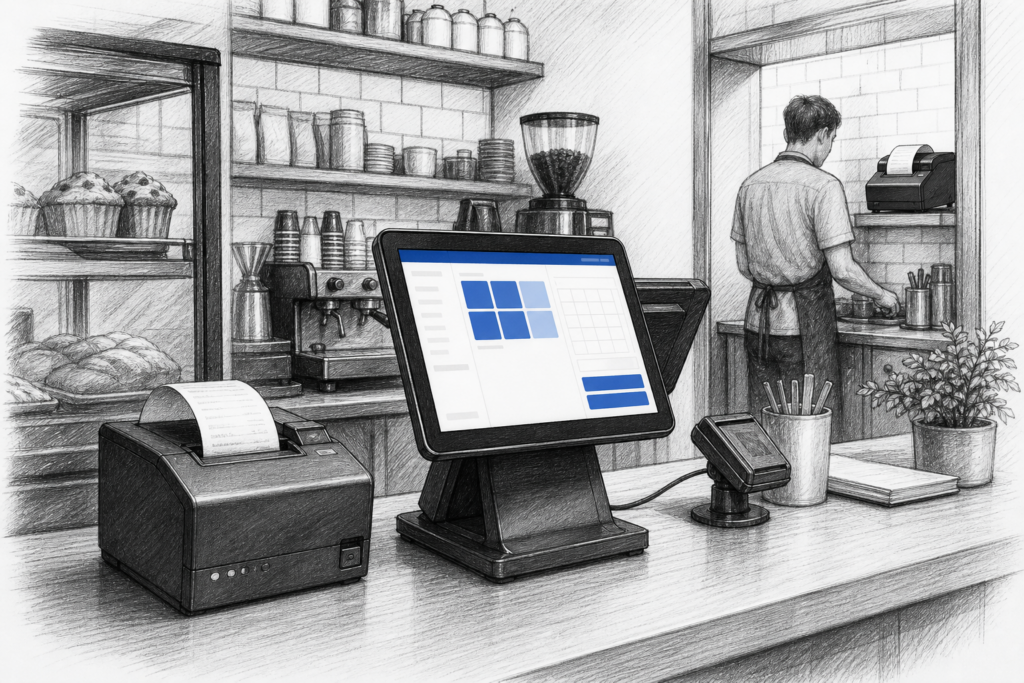
Even as EPOS systems become more advanced, the thermal receipt printer remains one of the most important devices at the counter. For many UK retailers, cafés, pubs and takeaways, it is the part of the system that turns an order into a customer receipt, a kitchen ticket or a clear operational record.
The value of a good printer is easy to overlook until it causes delays. A printer that feeds reliably, prints clearly and fits neatly into the counter layout can make a noticeable difference to service speed and day-to-day consistency. That is why receipt printers still deserve proper attention during any POS installation or refresh.
Why receipt printers are still central to EPOS
Thermal printing remains popular because it is straightforward, fast and suited to the demands of busy trading environments. Unlike older impact printing methods, thermal printers use heat-sensitive media to produce text and graphics without ribbons or ink cartridges. That makes them well suited to high-frequency use at tills, bars, service counters and kitchen pass-through points.
In practical terms, the right printer helps staff move quickly between transactions. It can support front-of-house receipts, order confirmations, collection tickets and internal paperwork without adding unnecessary complexity. For businesses running busy service periods, that reliability matters just as much as screen speed or software features.
Where thermal printers fit in retail and hospitality
In retail, a receipt printer is often part of the customer-facing checkout. It needs to sit neatly beside a POS terminal, barcode scanner or payment device while remaining easy for staff to load and maintain. In hospitality, the role is broader. A printer may be used for customer receipts at the counter, bar tickets, kitchen orders or collection slips for takeaway and quick-service operations.
That is why the same general product type can serve different needs depending on the business. A convenience store may prioritise compact counter integration. A restaurant may care more about dependable kitchen printing and clear ticket output. A takeaway may need a simple, easy-to-understand setup that keeps orders moving during peak periods.
What to look for in a commercial receipt printer
When choosing a thermal receipt printer, it helps to focus on the practical details rather than just the basic label of the device. The most useful considerations usually include:
- Connectivity: whether the printer needs USB, Ethernet or another verified connection type for the installation.
- Mounting and footprint: how much counter space is available and whether the printer needs to sit under a counter shelf or beside a terminal.
- Paper handling: how easy it is to load paper during a busy shift.
- Print clarity: whether the output is clear enough for receipts, order tickets and operational use.
- Serviceability: how straightforward it is to maintain, clean and replace consumables or components where needed.
For installers and resellers, these points are important because the printer must work as part of the wider EPOS setup, not as an isolated device. A printer that looks suitable on paper may still be awkward in a real counter environment if cabling, access or mounting are not properly considered.
Planning for replacement and standardisation
Many businesses only think about receipt printers when an older unit starts causing problems. In reality, printer replacement is often a sensible part of a wider EPOS upgrade. Older devices may still function, but they can become harder to support, slower to load or less convenient to integrate with new hardware layouts.
For multi-site operators, standardising on a consistent printer type can make life easier. It simplifies staff training, spare parts planning and support for resellers or installers who need to service more than one branch. It can also make it easier to keep a common approach to front-of-house printing and kitchen output across different sites.
That is one reason YCR Distribution works closely with EPOS resellers, dealers and installers. Choosing the right printer is not only about the model itself; it is also about ensuring the hardware suits the intended application, the software environment and the service expectations of the business.
Receipt printing in busy trading environments
In a busy café or pub, a printer has to keep up with pressure from the rest of the EPOS system. Staff may be moving quickly, orders may be changing, and the counter area may already be crowded with payment devices, screens and accessories. In that setting, the printer needs to do its job quietly and consistently without becoming another point of friction.
The same applies in retail, where checkout speed and customer flow are important. A poorly positioned printer can slow down the transaction process, while a well-integrated one helps staff maintain momentum. Good planning at the installation stage can prevent a lot of day-to-day frustration later on.
Choosing the right printer as part of the whole setup
It is often a mistake to choose a receipt printer in isolation. The better approach is to think about how it will interact with the terminal, the counter layout, the surrounding peripherals and the software being used. The printer should support the operation rather than forcing the operation to work around the printer.
For businesses expanding their EPOS setup, that may mean including a printer as part of a wider hardware plan rather than adding it at the last minute. For resellers and installers, it means asking the right questions early: What is being printed? Where will the printer sit? Who will use it? How easy must it be to maintain?
YCR Distribution supplies POS and EPOS hardware to UK resellers, installers and businesses that need practical, supportable equipment across retail and hospitality. If you are planning a new installation or upgrading an existing setup, it is worth considering how the printer fits into the full system from the outset.
For more information about point-of-sale hardware and EPOS solutions, contact YCR Distribution on 01924 438238 or visit www.ycr.co.uk.