
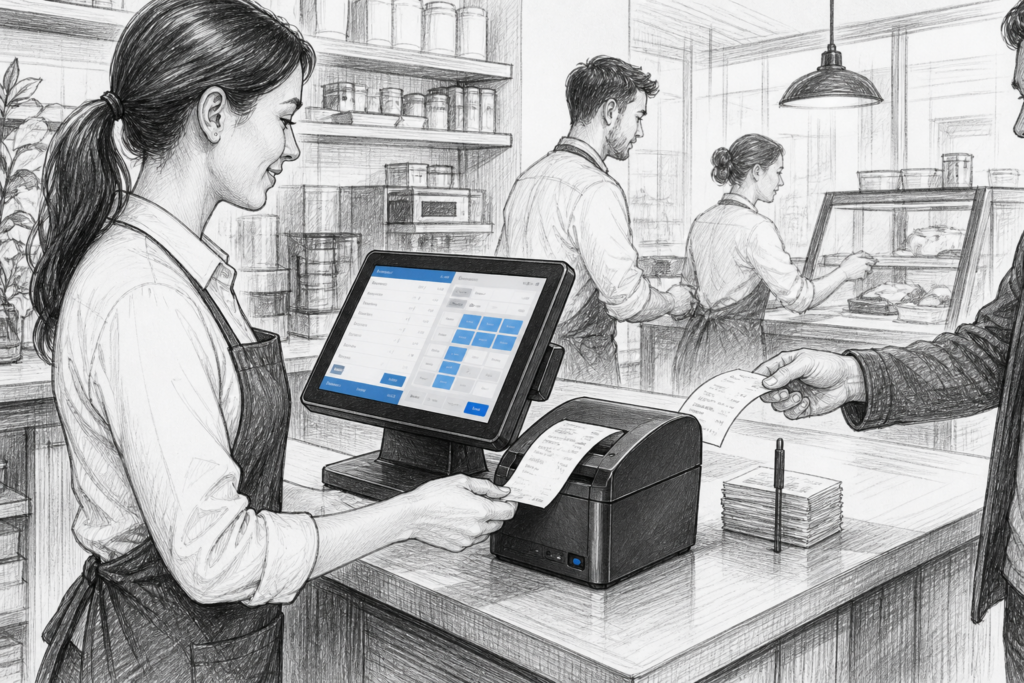
A receipt printer may not be the most visible part of an EPOS system, but it has a direct impact on checkout speed, order accuracy and how smoothly service runs. In retail and hospitality, a printer that copes well with busy periods can reduce delays at the counter, improve communication with the kitchen or back office, and help staff keep transactions moving.
Why receipt printers still matter in modern EPOS
Even as businesses adopt digital workflows, printed receipts remain important in many UK point-of-sale environments. Retailers may need paper receipts for returns, exchanges and customer records. Cafés, pubs and takeaway counters often rely on printed receipts, order tickets or kitchen chits to keep service accurate. In each case, the printer has to do more than simply produce a slip of paper: it needs to fit the working pattern of the business.
That is why thermal receipt printers are so widely used. They are generally fast, straightforward to operate and suited to repetitive printing at the point of sale. For a retailer serving a queue of customers, or a hospitality venue taking a steady stream of orders, the right printer can make a noticeable difference to workflow.
Matching the printer to the environment
The first question is not usually about the printer itself, but about where it will be used. A front-of-house retail checkout has different requirements from a hot and busy kitchen pass. In retail, a standard thermal receipt printer may need to sit neatly beside a touchscreen POS terminal and barcode scanner. In hospitality, the same basic printer type may need to cope with a more demanding pace and be positioned where staff can access it quickly during service.
When choosing POS hardware for UK businesses, it helps to think about the whole installation rather than one device in isolation. A well-planned terminal and printer combination can reduce cable clutter, improve the counter layout and simplify staff training. For installers and EPOS resellers, that also makes support easier because the hardware is selected with the site’s actual workflow in mind.
Connectivity and installation planning
Printer connectivity is one of the most practical decisions to make early. The right choice depends on the system architecture, the location of the printer and the way the business expects to use it. If a printer is being positioned directly beside a POS terminal, simple wired connectivity may be enough. If it needs to sit further away, sit in a back office, or be shared across several workstations, the installation may need more careful planning.
For an EPOS installer, this is often where good product knowledge matters. The aim is to select hardware that suits the site without creating unnecessary complications later. A printer that integrates neatly into the setup is easier to maintain, easier for staff to understand, and less likely to become a source of daily frustration.
Retail use cases: speed, clarity and consistency
In retail, receipt printers are often expected to work quietly in the background. A convenience store, hardware shop or fashion retailer may not notice the printer when everything is working as it should, but staff will certainly notice if printing slows down or jams become frequent. During busy periods, even small interruptions can affect customer flow at the till.
That is why many retailers prefer commercial-grade POS hardware rather than trying to adapt a standard office device. Retail EPOS environments demand equipment that can be operated repeatedly, shared between staff and supported over time. In a multi-site business, selecting a consistent printer family can also make training simpler and help standardise spare parts and maintenance procedures.
Hospitality use cases: front of house and kitchen
In hospitality, receipt printing often has two distinct roles. At the front of house, the printer may produce customer receipts or bar orders. In the kitchen, it may be used for food tickets or other operational printouts that need to be easy to read and produced quickly. Each role brings different pressures, but both depend on dependable print output.
For cafés, pubs, restaurants and takeaways, the printer can be part of the wider communication chain between order entry and fulfilment. If a ticket is unclear, delayed or omitted, staff have to spend time correcting the issue. That can affect customer service, table turnaround and the atmosphere during a busy shift. A suitable thermal receipt printer helps keep the process moving and gives staff one less thing to worry about.
Practical points for resellers and installers
EPOS dealers and installers are often asked to recommend a printer without much site detail at first. In those situations, a helpful approach is to ask about:
- the type of business and trading pattern
- where the printer will physically sit
- whether it is for receipts, kitchen tickets or both
- how many terminals or workstations may need print access
- whether the business wants a standardised setup across locations
Those simple questions can prevent poor hardware choices and reduce call-backs later. They also help identify where a replacement printer may need to fit into an existing EPOS system rather than a new installation.
Choosing serviceable hardware for the long term
One of the most overlooked aspects of printer selection is serviceability. In commercial environments, equipment should be practical to maintain, not just practical to buy. Businesses benefit when consumables are easy to load, routine care is straightforward and replacement hardware can be sourced without redesigning the whole counter. That is particularly important for independent retailers and hospitality operators who want to protect uptime and avoid unnecessary disruption.
YCR Distribution works with UK resellers, installers and businesses looking for dependable POS hardware, including receipt printing solutions and related components. If you are planning a new EPOS setup or replacing older hardware, it is worth considering the printer as part of the complete working environment rather than as a standalone box.
For more information about point-of-sale hardware and EPOS solutions, contact YCR Distribution on 01924 438238 or visit www.ycr.co.uk.