
TL;DR:
- Choosing the right hardware for hospitality venues depends on environment suitability, scalability, and integration with existing systems. Operators should assess factors like speed, reliability, and support before investing, prioritizing long-term total ownership costs over initial price. Proper placement and compatibility of devices enhance service efficiency, customer satisfaction, and food safety compliance.
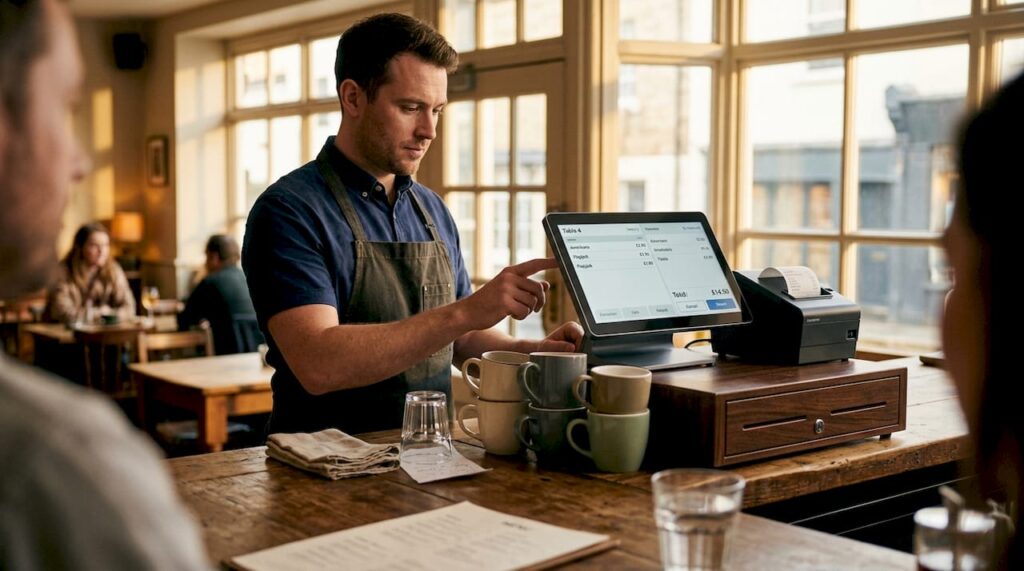
Choosing the wrong hardware for your hospitality venue is a costly mistake that most businesses only recognise after they’ve made it. Slow printers during the Saturday night rush, cash drawers that jam under pressure, or kitchen ticket systems that fail in the heat — these aren’t minor inconveniences. They erode customer satisfaction, frustrate staff, and eat directly into your margins. This guide breaks down the most practical and proven hardware categories in use across UK restaurants, cafés, bars, and hotels, with clear criteria to help you choose what actually works in the real world.
Table of Contents
- How to choose hospitality hardware: Key criteria
- POS essentials: Printers, cash drawers, and all-in-one units
- Kitchen and order management hardware: Printers and labelling systems
- Multifunction, self-service, and security devices
- Comparison guide: Which hardware fits your venue?
- What most hospitality hardware guides miss: Practical lessons from UK venues
- Find the right hospitality hardware for your business
- Frequently asked questions
Key Takeaways
| Point | Details |
|---|---|
| Match hardware to environment | Choose devices built for your venue’s kitchen, floor, or bar conditions for greater reliability. |
| Prioritise integration and flexibility | Opt for hardware that supports easy connections and future upgrades to meet changing needs. |
| Security and automation add value | Solutions like smart locks and automated dispensers streamline guest flows and reduce staff burden. |
| Invest for long-term efficiency | Selecting quality hardware pays off through less downtime, better guest service, and stronger compliance. |
How to choose hospitality hardware: Key criteria
Before you invest in any hardware, you need a clear framework for evaluation. The hospitality sector punishes poor equipment choices quickly and visibly, which makes upfront decision-making essential.
The most important factors to assess are:
- Speed and throughput: Can the device keep up during peak service periods without bottlenecks?
- Reliability and uptime: How does the hardware perform under continuous daily use, and what is the manufacturer’s track record?
- Environment suitability: Does the device match its physical context — heat, steam, spillage, vibration, noise?
- Integration capability: Will it connect seamlessly with your existing POS software, payment terminals, and peripherals?
- Training demands: How quickly can new staff operate it confidently?
- Support and warranty: What happens when it breaks, and how fast can you get a replacement?
One of the most common errors operators make is purchasing hardware based on price alone without considering the environment. A thermal receipt printer may perform beautifully at the front counter but fail in a busy commercial kitchen where steam and heat are constant. As a rule, impact printers are better suited to high-heat and high-humidity kitchen zones, while thermal printers remain the right choice for general POS environments.
Another frequent mistake is buying hardware that cannot scale. A device that works perfectly for a ten-table café may become a serious limitation if you expand to a second site or introduce online ordering. Always ask: where will this business be in three years, and does this hardware support that trajectory?
Pro Tip: Before purchasing any POS peripheral, map out every physical station in your venue — counter, kitchen pass, table-side, and back office — and match hardware specifications to each zone. You can cross-reference this against a hardware checklist to avoid overlooking critical items. For a broader view of device categories, the POS hardware types guide from YCR is an excellent starting point.
POS essentials: Printers, cash drawers, and all-in-one units
The core layer of any hospitality setup includes receipt printers, cash management hardware, and the terminal itself. Getting these right creates the operational foundation everything else builds on.
Receipt and mPOS printers are among the most frequently replaced items in UK hospitality, often because operators buy on price rather than suitability. Modern mPOS devices combine a receipt printer with a tablet stand, creating a compact, flexible station ideal for tight spaces. The Epson TM-m30II-SL is a strong example of this category, designed specifically for small restaurants, bars, coffee shops, and food trucks. It supports USB, Ethernet, Bluetooth, and multiple tablet connections, allowing peripherals such as barcode scanners to connect directly through the device rather than requiring a separate hub.
Key features to look for in a receipt printer:
- Auto-cutter reliability: A poor auto-cutter is one of the leading causes of mid-service downtime
- Print speed: Measured in millimetres per second; aim for 200mm/s or above for busy venues
- Paper width compatibility: 80mm is standard for most UK hospitality operations
- Connectivity options: Multiple ports give you flexibility as your setup evolves
- Energy efficiency: Particularly relevant for venues running 16-hour service days
Cash drawers are often overlooked until they cause a problem. A drawer that opens slowly during a queue, or fails to latch securely, undermines both service speed and cash security. Star Micronics produces a range of POS cash drawers specifically designed for high-volume retail and hospitality use, with robust locking mechanisms and multi-currency note configurations suitable for UK operations.
Pro Tip: For high-volume counter service venues, choose a cash drawer with a “media slot” so staff can drop notes directly into the drawer without opening it. This speeds up transaction end significantly during peak periods and reduces shrinkage risk.
It is worth noting that industry data consistently shows that service speed is a top driver of hospitality customer satisfaction. Even a ten-second improvement in transaction time, compounded across hundreds of daily interactions, has a measurable impact on customer throughput and revenue. For a detailed breakdown of how these devices work together, the POS hardware explained resource is worth bookmarking.
Kitchen and order management hardware: Printers and labelling systems
The kitchen is where hardware really earns its keep — and where failures are most visible. A missed ticket or a failed printer during service doesn’t just slow things down. It causes errors, frustrates chefs, and results in unhappy customers.
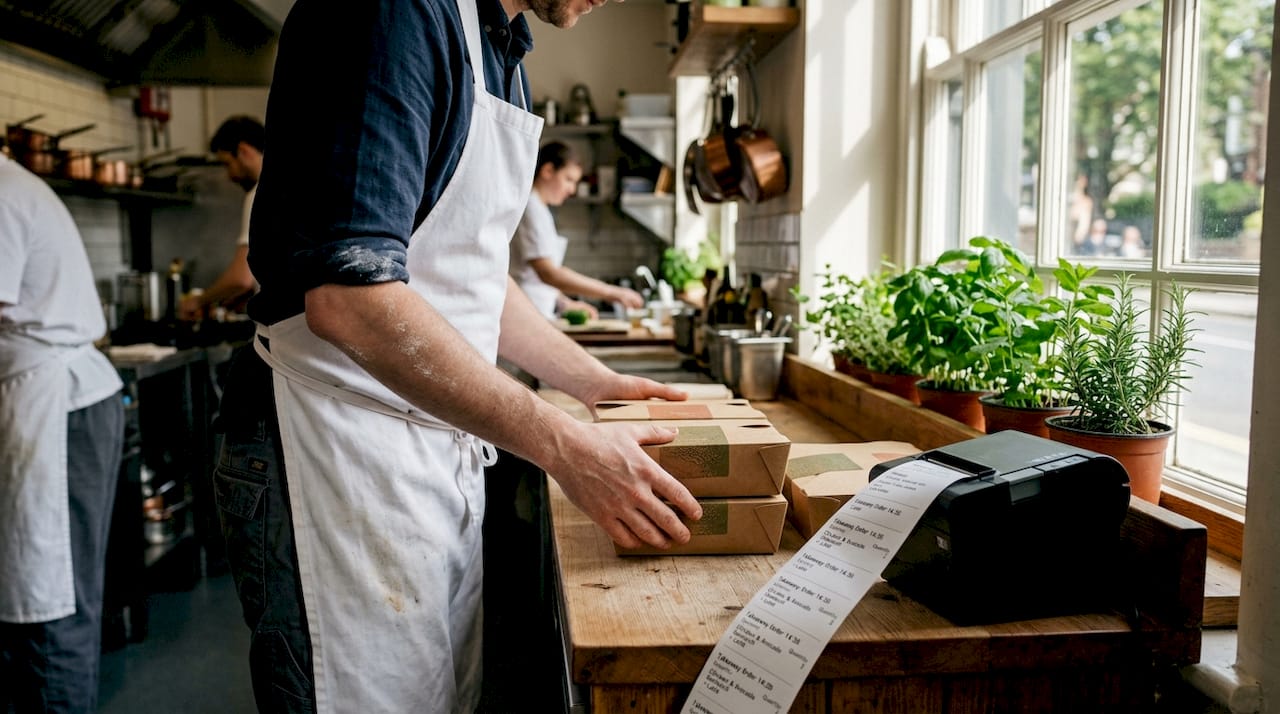
Thermal printers work well in cooler kitchen areas and on the pass, particularly where speed and print clarity are priorities. The Epson TM-m30III is an updated thermal option with features designed to maximise uptime, including paper near-end detection and de-curling mechanisms, which reduce the frequency of paper jams during service.
Impact printers, by contrast, are built for the demands of the cooking zone itself. The Star Micronics SP742 is an impact kitchen printer that produces order tickets using a physical strike mechanism rather than heat, making it immune to the heat and humidity that degrades thermal print quality. In kitchens operating above 50°C with steam-heavy cooking, this distinction is not trivial — it is essential.
Kitchen labelling hardware is a frequently underestimated part of hospitality operations. Labelling systems support allergen compliance, use-by date tracking, and food preparation traceability. The choice between thermal and inkjet labelling matters here: thermal labels resist moisture and smudging, making them the preferred option in damp or cold kitchen environments, while inkjet systems can offer greater colour capability for specific branding applications.
“Matching your printer to the kitchen zone isn’t just about performance — it’s about avoiding costly mid-service failures that damage your reputation and your food safety compliance.”
| Printer type | Best environment | Key advantage | Main limitation |
|---|---|---|---|
| Thermal receipt | Counter, pass, cool kitchen | Fast, quiet, low maintenance | Heat degrades print quality |
| Impact kitchen | Main cooking zone, grill stations | Heat and humidity resistant | Slower, louder than thermal |
| Thermal label | Cold prep, allergen labelling | Smudge and moisture resistant | No colour printing |
| Inkjet label | Branding, complex label needs | Full colour output | Less durable in wet conditions |
For more information on how printers and other devices fit into a wider setup, the POS peripherals guide covers the full picture.
Multifunction, self-service, and security devices
Hospitality hardware has expanded well beyond the classic terminal and printer combination. Operators who understand the broader hardware landscape gain real operational advantages.
All-in-one counter units are increasingly common in high-footfall venues. Devices such as the Epson TM-S9000II-MJ combine cheque scanning and receipt printing in a single footprint, reducing counter clutter and speeding up transactions in environments where multiple document types are processed.
Hotel smart locks represent a fast-growing category of hospitality security hardware. Smart lock systems integrate with property management systems to allow contactless, app-based, or keycard guest access without requiring front desk interaction. For serviced apartments, boutique hotels, and budget chains operating with lean staffing models, these systems can dramatically reduce bottlenecks at check-in and improve the guest experience at the same time.
Automated beverage dispensing is another area gaining traction in UK bars and casual dining venues. Self-serve tap wall systems allow guests to pour their own drinks using a pre-paid wristband or card, reducing the strain on bar staff during peak periods, cutting over-pouring losses, and increasing throughput without a proportional increase in labour cost.
Key device types at a glance:
- All-in-one POS terminals: Combines multiple functions in one unit, ideal for space-constrained counters
- Self-service kiosks: Reduces queue length and increases average order value in quick-service formats
- Smart hotel locks: Reduces reception staffing needs and improves guest access experience
- Automated beverage systems: Cuts waste and speeds up bar service
- Digital signage displays: Drives upselling and reduces menu printing costs
Pro Tip: Before investing in self-service kiosks, assess whether your current POS software supports the integration. Hardware without compatible software is simply expensive furniture. Check your integrated POS systems options before committing to any self-service expansion.
Comparison guide: Which hardware fits your venue?
There is no universal setup that works for every hospitality business. A large city-centre restaurant has fundamentally different needs from a rural gastropub or a high-street coffee shop chain.
| Hardware type | Restaurant | Café | Bar | Hotel | Retail |
|---|---|---|---|---|---|
| Thermal receipt printer | Essential | Essential | Recommended | Reception | Essential |
| Impact kitchen printer | High-heat kitchens | Rarely needed | Rarely needed | Not applicable | Not applicable |
| Cash drawer | Standard | Standard | Standard | Concierge | Standard |
| Smart lock system | Not applicable | Not applicable | Not applicable | Highly recommended | Access control |
| Self-serve kiosk | Quick-service formats | Order-ahead cafés | Drink dispensing | Check-in kiosks | Self-checkout |
| Kitchen label printer | High compliance need | Food prep labelling | Cocktail prep | F&B operations | Stock labelling |
To make the best decision for your specific venue, follow these steps:
- Audit your current setup by listing every station where transactions, printing, or access control occur
- Identify the three biggest friction points in your daily operations — where is service slowest or errors most common?
- Map those friction points to hardware categories using the comparison table above
- Shortlist devices based on environment suitability, integration capability, and budget range
- Request demonstrations or trials from your hardware supplier before committing to larger orders
As Star Micronics notes, the decision between thermal and impact printing is one of the clearest examples of why one size never fits all. The right printer for a cocktail bar’s ticket system is simply not the right printer for a busy grill kitchen running at full capacity. Matching hardware to context is the discipline that separates well-run venues from constantly-firefighting ones.
For operators focused on retail as well as hospitality functions, the POS hardware for retail guide covers the crossover scenarios in detail.
What most hospitality hardware guides miss: Practical lessons from UK venues
Most hardware buying guides focus on features and specifications. Very few address the lessons that only become visible after months of real-world use.
The first uncomfortable truth is that buying on upfront cost almost always costs more in the long run. A cheaper thermal printer that requires a replacement roll mechanism after six months of heavy use has a true cost far exceeding a more robust alternative purchased at a higher initial price. Total cost of ownership — factoring in replacement parts, downtime, and staff frustration — is the metric that matters, not the invoice value.
The second lesson is about UK-specific compliance and integration. Not all hardware sold in the UK is fully compatible with the software ecosystems most UK hospitality businesses rely on. Verify compatibility with your specific POS software before purchase, not after. The SAMTOUCH and EZEEPOS platforms, for instance, have particular peripheral compatibility requirements that must be matched to hardware selection.
The third insight relates to self-service hardware placement. Many operators invest in self-service kiosks and then position them poorly — tucked into corners, poorly lit, or without clear signage. The result is low adoption and minimal ROI. Well-placed self-service points, positioned at natural decision moments in the guest journey, reduce perceived wait times more effectively than almost any other single operational change.
Finally, prioritise support and upgradability over headline features. A device with a strong UK support network and a clear product roadmap will serve you better over a three-to-five-year lifespan than a feature-rich device with poor after-sales support. Ask your supplier directly: what is the average replacement lead time for this device, and is a loan unit available if mine fails? The answer will tell you a great deal about whether this is a partnership worth making.
For venues looking to future-proof their setup, hospitality POS integration is the area most worth investing time in before hardware decisions are finalised.
Find the right hospitality hardware for your business
Selecting the right hardware is genuinely complex, and the stakes are high for restaurants, cafés, bars, and hotels across the UK. YCR Distribution has supported hospitality operators and resellers for over three decades, supplying trusted hardware from leading brands alongside bespoke POS software solutions designed specifically for the UK market.
Whether you are equipping a new venue from scratch or upgrading ageing hardware in an established operation, the right starting point is understanding the full landscape. Explore POS hardware terminology to get confident with device categories, browse the full hardware range to compare options across printers, terminals, and peripherals, or revisit the hardware types guide for a structured overview. YCR also offers next-day delivery and same-day dispatch on stocked items, so your operations never have to wait long for the right solution.
Frequently asked questions
What is the difference between thermal and impact kitchen printers?
Thermal printers are suited to general POS environments and cooler kitchen areas, while impact printers handle heat and humidity far better, making them the correct choice for order tickets in high-temperature cooking zones.
How can smart locks help hospitality venues?
Smart lock systems integrate with property management software to allow contactless guest access, reducing front-desk bottlenecks and supporting lean staffing models in hotels and serviced apartments.
Why use thermal label printers in kitchens?
Thermal labels resist moisture and smudging far better than inkjet alternatives, making them the preferred choice for allergen labelling, use-by dating, and food preparation traceability in wet or cold kitchen environments.
What are all-in-one POS hardware units?
All-in-one units such as the Epson TM-m30II-SL combine a receipt printer and tablet stand in a compact footprint, supporting direct peripheral connections for scanners and payment devices without additional hubs.
How do automated beverage dispensers benefit bars?
Automated dispensing systems allow guests to serve their own drinks accurately using prepaid cards or wristbands, reducing over-pouring, cutting staffing pressure during peak hours, and improving overall bar throughput.