
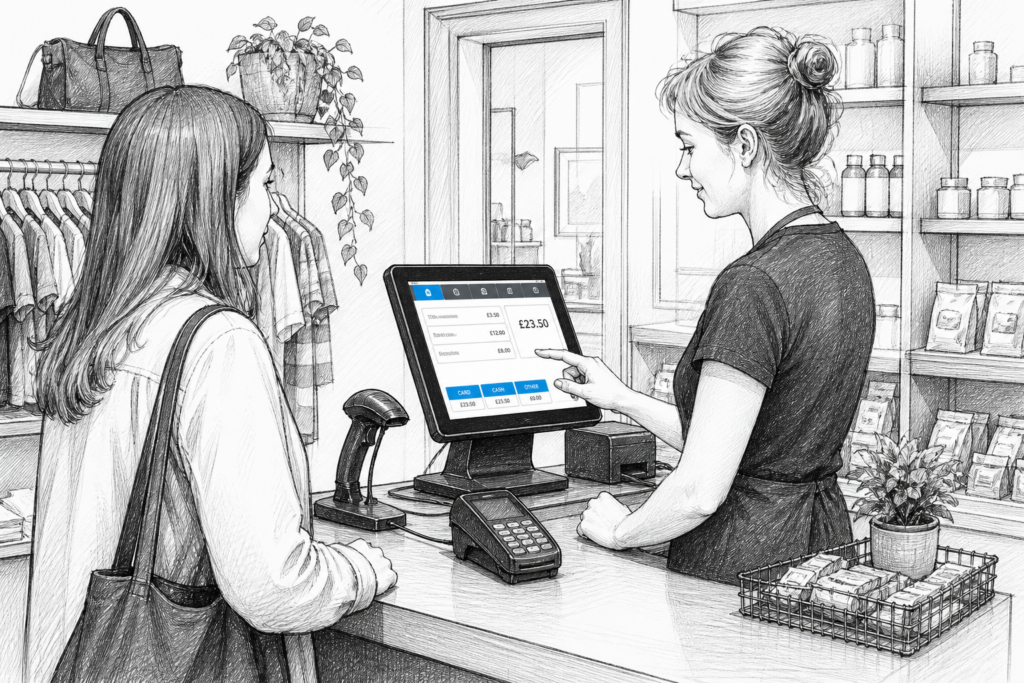
Checkout areas in UK retail are changing. What was once a simple till space is now often expected to support faster transactions, clearer product lookup, better reporting and a smoother customer experience. For many businesses, the shift towards touchscreen POS is not about adopting technology for its own sake, but about making day-to-day trading more efficient and easier to manage.
From convenience stores and garden centres to fashion shops and gift retailers, the checkout has become a key part of the customer journey. As older till hardware reaches the end of its useful life, more businesses are choosing modern EPOS systems that suit the way they actually sell today.
Why the traditional till is being replaced
Traditional cash registers still have a place in some environments, but many UK retailers now want more than basic transaction handling. Staff need to search products quickly, apply discounts, handle returns, and access sales information without slowing queues. A touchscreen POS terminal is usually better suited to that kind of working day.
Modern retail EPOS systems are also easier to adapt as a business grows. A small independent shop may start with a single terminal, then later add more lanes, integrate barcode scanning or introduce customer-facing displays. That flexibility is one reason touchscreen POS has become so common in point of sale UK discussions and upgrades.
What touchscreen POS offers in practical terms
The biggest advantage of touchscreen POS is speed. Staff can often complete common tasks with fewer steps than on a basic till or an older keyboard-based system. That can matter during busy periods, seasonal peaks and lunch-hour rushes, when every second at the checkout helps.
Touchscreen systems also tend to make training simpler. For a new starter, a clear on-screen layout is usually easier to learn than a complicated till interface. In businesses with regular staff turnover, or where seasonal workers need to be up and running quickly, that can reduce pressure on managers and improve consistency.
Other practical benefits include:
- faster product lookup and transaction entry
- clearer screen layouts for different roles or departments
- easier handling of discounts, returns and voids
- better use of sales reporting and end-of-day review
- a tidier checkout area compared with older equipment
How checkout design is changing in UK retail
Modern checkout areas are increasingly designed around workflow rather than simply hardware placement. Businesses want the customer, till operator, barcode scanner and payment device to work together without clutter. Touchscreen POS helps achieve that by concentrating key actions into one central device.
In a clothing shop, for example, a terminal might be used to search variants, adjust sizes and process exchanges. In a garden centre, staff might need a wider product database and the ability to handle mixed baskets with different rates or item types. In a gift shop, quick lookups and simple promotions can help keep queues moving when the store is busy.
For retailers modernising checkout areas, the goal is usually not to add complexity. It is to simplify the point of sale so staff can serve customers more confidently and managers can keep better control of trading.
Windows POS versus Android POS
Many upgrades begin with a choice between Windows POS and Android POS. Both can be suitable in the right setting, but the right decision depends on the software, business workflow and support model.
Windows POS is often chosen where businesses need a familiar computing environment, broader peripheral support or established EPOS software compatibility. Android POS is commonly considered where businesses want a more streamlined interface, fast deployment and hardware that feels familiar to staff who already use mobile devices.
Rather than focusing only on operating system labels, UK retailers should think about how the system will be used: how many users need access, what peripherals are required, and whether the hardware will need to fit into a larger installation with printers, scanners or customer displays.
What to look for in modern POS hardware
When replacing ageing till hardware, the technical details matter less than whether the system will stay reliable under daily pressure. Commercial-grade POS hardware is designed for repeated use in busy trading environments, where consumer devices may struggle over time.
Useful questions to ask include whether the terminal suits the counter space available, whether the display is easy for staff to read, and whether the unit can be positioned so it supports an efficient customer flow. A good POS terminal should help the business work better, not simply look modern on day one.
It is also worth considering how the hardware will be maintained. If a part fails or a store needs to expand, access to the right replacement equipment and product knowledge can reduce disruption. That is where a specialist POS distributor UK businesses trust can add real value.
Why UK support matters when planning an upgrade
Choosing the right POS system is not only about the device itself. Retailers, resellers and installers often need advice on configuration, peripherals and the practical realities of fitting the hardware into a live trading environment. UK-based support can help with that planning and make the upgrade process less risky.
For EPOS resellers and installers in particular, working with a distributor that understands the local market can make it easier to source suitable hardware, answer customer questions and keep projects on track. YCR Distribution supplies POS hardware and related technology to the UK EPOS industry, supporting dealers, resellers, installers and businesses looking for practical, reliable solutions. More information can be found at www.ycr.co.uk.
Planning a checkout upgrade with confidence
If a business is still relying on older till equipment, the first step is usually to identify what is slowing the checkout down. Is the issue transaction speed, staff training, reporting, lack of flexibility or simply equipment that is becoming unreliable? Once that is clear, it becomes easier to choose the right EPOS hardware for the site.
For some retailers, a single touchscreen POS terminal and printer may be enough. For others, a more complete retail EPOS setup with scanners, customer displays or multiple lanes may be a better fit. The key is to match the technology to the business rather than forcing the business to adapt to dated equipment.
Modernising the checkout area is often one of the most practical upgrades a retailer can make. It can improve customer service, reduce delays and give staff the tools they need to work more efficiently. More importantly, it can create a point of sale that is ready for the way UK retail now operates.
For more information about point-of-sale hardware and EPOS solutions, contact YCR Distribution on 01924 438238 or visit www.ycr.co.uk.