- +44 1924 438238
- sales@ycr.co.uk
- Mon - Fri: 8:30 - 16:30

What is mobile POS and how it benefits UK businesses
Mobile point of sale systems have transformed how UK retail and hospitality businesses serve customers, yet many owners remain uncertain about what mobile POS actually is and whether it suits their operations. Unlike traditional fixed checkout counters, mobile POS uses smartphones, tablets, or handheld devices to process transactions anywhere in your venue or on site. This flexibility has driven widespread adoption across restaurants, cafes, retail shops, and pop-up markets throughout the UK. This article explains mobile POS technology, explores its core features and benefits, addresses practical challenges, and provides actionable guidance for choosing the right system for your business.
Table of Contents
- Key takeaways
- What is mobile POS and how does it work?
- Core features and technology behind mobile POS
- Advantages, challenges, and comparison with traditional POS
- Understanding costs and selecting the right mobile POS for your business
- Explore mobile POS hardware and software solutions with YCR Distribution
- Frequently asked questions
Key Takeaways
| Point | Details |
|---|---|
| Mobility and service | Mobile POS enables transactions anywhere in a venue and speeds up service for customers. |
| Cloud syncing offline mode | Real time data is updated across devices and transactions queue automatically when connectivity drops. |
| Real time inventory updates | Real time inventory updates help prevent stockouts and overselling while enabling personalised service through purchase history. |
| Kitchen and table integration | It integrates with kitchen display systems and table management software to improve coordination. |
| Hybrid fixed and mobile | Hybrid setups combine fixed terminals for high volume with mobile devices for queue busting and customer assistance. |
What is mobile POS and how does it work?
Mobile POS systems enable transaction processing through portable devices rather than stationary terminals. You can use consumer smartphones, tablets, or purpose-built handheld devices equipped with card readers and POS software. These systems rely on wireless connectivity such as Wi-Fi, 4G mobile networks, or Bluetooth to communicate with payment processors and your business management platform.
Payment acceptance includes NFC contactless, chip and PIN, and sometimes magnetic stripe reading, depending on your hardware configuration. Modern mobile POS integrates order taking, inventory tracking, and customer management into a single portable interface. Cloud syncing provides real-time updates on sales data and stock levels across all devices and locations, whilst offline mode queues transactions locally when connectivity drops, processing them automatically once the connection returns.
This technology enables tableside ordering in restaurants, mobile checkout in retail queues, and flexible payment acceptance at outdoor markets or events. Staff can complete transactions wherever customers are, reducing wait times and improving service quality. The benefits of mobile POS extend beyond payment processing to encompass inventory management, customer data collection, and operational analytics.
Key operational capabilities include:
- Real-time inventory updates preventing stockouts and overselling
- Customer purchase history for personalised service and loyalty programmes
- Staff performance tracking and commission calculations
- Integration with kitchen display systems and table management software
- Multi-location reporting for businesses with multiple sites
Pro Tip: Test your venue’s wireless coverage thoroughly before committing to mobile POS, and ensure devices have sufficient battery life for full shifts. Investing in charging stations and backup batteries prevents service interruptions during peak trading periods.
Mobile systems work seamlessly with existing retail point of sale infrastructure, allowing hybrid setups that combine fixed terminals for high-volume checkout with mobile devices for queue busting and customer assistance.
Core features and technology behind mobile POS
Wireless connectivity forms the foundation of mobile POS functionality. Wi-Fi provides stable, high-speed connections within your premises, whilst 4G or 5G mobile networks enable operation at outdoor events or locations without fixed broadband. Bluetooth connects card readers and receipt printers to your mobile device, creating a complete portable payment ecosystem.
Payment processing technology has evolved significantly. Contactless speeds transactions by 30% compared to chip and PIN, whilst NFC capabilities enable digital wallet payments through Apple Pay, Google Pay, and similar services. Modern card readers encrypt payment data immediately at the point of capture, meeting PCI DSS security standards.
Cloud architecture distinguishes mobile POS from legacy systems. Your transaction data, inventory levels, and customer information sync instantly across all devices and locations. This real-time visibility enables managers to monitor sales performance, track stock movements, and identify trends from anywhere with internet access.
Offline functionality provides essential resilience. When connectivity fails, mobile POS systems store transaction data locally and process card payments through offline authorisation modes. Once connection returns, queued transactions upload automatically, ensuring no sales are lost due to network issues.
| Feature | Mobile POS | Traditional POS |
|---|---|---|
| Average transaction time | 45 seconds | 65 seconds |
| System downtime per month | 2 hours | 10 hours |
| Setup time for new location | 30 minutes | 4 hours |
| Staff training duration | 2 hours | 8 hours |
These performance differences reflect core mechanics including wireless connectivity, NFC payment methods, real-time cloud syncing, and offline queuing that mobile systems leverage effectively.
Integration capabilities extend mobile POS functionality beyond simple payment processing. POS solutions for hospitality connect with kitchen display systems, table management platforms, online ordering channels, and accounting software, creating unified operational workflows.
Pro Tip: For hospitality venues, prioritise mobile POS systems that integrate directly with kitchen displays and table management software. This integration eliminates order transcription errors and accelerates service delivery during busy periods.
Advantages, challenges, and comparison with traditional POS
Mobile POS delivers distinct operational advantages. Mobility enables staff to serve customers anywhere in your venue, reducing queue lengths and improving customer satisfaction. Lower upfront costs make mobile systems accessible for small businesses and startups, whilst scalability allows you to add devices as your business grows without major infrastructure investment.

Customer interaction improves when staff can process payments tableside or on the shop floor, maintaining personal engagement throughout the transaction. This face-to-face service opportunity increases upselling success and enhances the overall customer experience.
Traditional POS systems offer different strengths. Fixed terminals provide superior durability for high-volume environments, handling thousands of daily transactions without performance degradation. Larger screens and physical keyboards accelerate data entry for complex orders, whilst robust hardware withstands demanding retail environments better than consumer-grade tablets.
| Comparison factor | Mobile POS | Traditional POS |
|---|---|---|
| Upfront hardware cost | £200-£800 per device | £1,500-£4,000 per terminal |
| Mobility | Complete venue coverage | Fixed checkout locations |
| Transaction throughput | 20-40 per hour | 60-100 per hour |
| Durability rating | Consumer grade | Commercial grade |
| Scalability | Add devices instantly | Requires installation |
| Best operational fit | Hospitality, boutiques, events | High-volume retail, supermarkets |
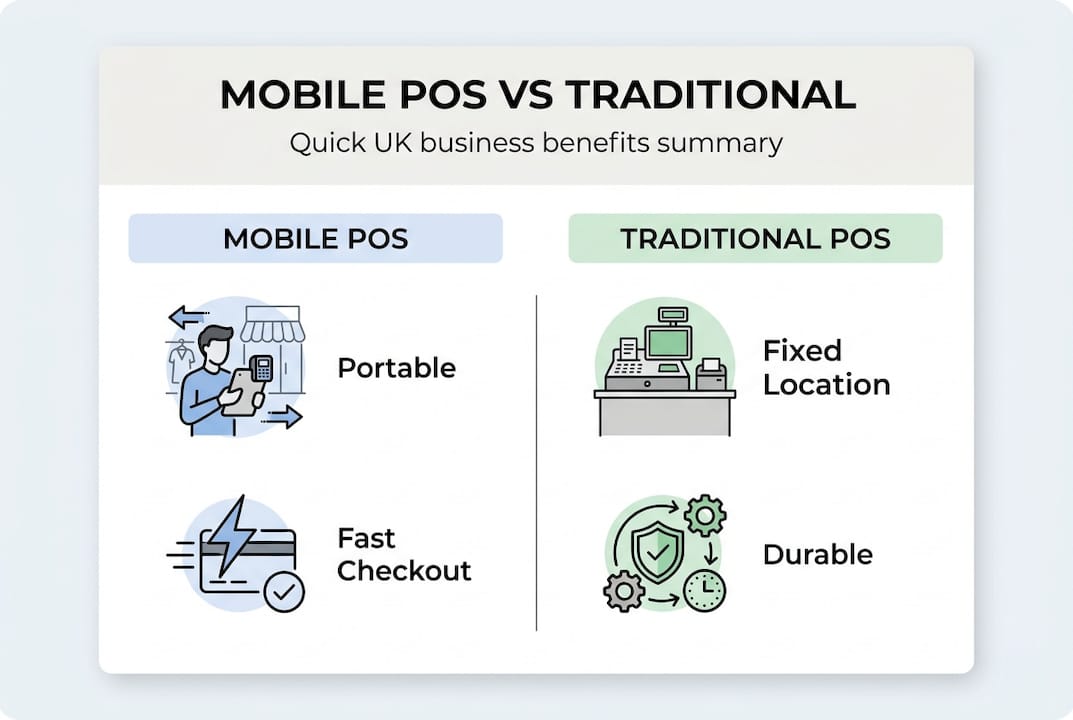
Mobile POS offers flexibility, scalability, and faster customer experience, whilst traditional POS offers durability suited for high-volume throughput, making each appropriate for different business models.
Mobile POS faces practical challenges. Battery life limits operational hours unless you maintain charging routines and backup devices. Connectivity issues can disrupt service in venues with poor wireless coverage or during network outages. Security requires careful attention, as portable devices face theft risks and must maintain PCI compliance through encryption and secure authentication.
Key operational challenges include:
- Battery drain requiring mid-shift charging or device rotation
- Network reliability concerns in buildings with thick walls or basement locations
- Device security protocols to prevent unauthorised access or theft
- Screen visibility issues in bright outdoor environments
- Touchscreen responsiveness with wet or gloved hands
Expert advice highlights battery drain, connectivity issues, and security as key challenges that require proactive management strategies.
Hybrid approaches combining mobile and fixed POS optimise operations for many businesses. Use traditional terminals for primary checkout whilst deploying mobile devices for queue busting, tableside service, or customer assistance. This flexibility maximises the strengths of both types of POS systems whilst minimising their respective limitations.
Understanding costs and selecting the right mobile POS for your business
Mobile POS pricing structures typically separate hardware, software, and payment processing costs. Small UK businesses pay £150-£400 monthly including software and card fees, whilst mobile POS has lower upfront terminal costs than traditional systems. Hardware investment ranges from £200 for basic smartphone setups to £800 for ruggedised tablets with integrated card readers.
Software subscriptions cover POS functionality, cloud storage, and ongoing updates. Expect £30-£80 monthly per device for comprehensive systems with inventory management, reporting, and multi-location support. Payment processing fees add 1.5-2.9% per transaction plus 10-20p fixed charges, varying by card type and transaction volume.
Hidden costs warrant attention. Battery replacements, device insurance, and connectivity charges accumulate over time. Factor in staff training hours, system integration expenses, and potential downtime costs during implementation.
Selecting the right mobile POS requires systematic evaluation:
- Assess your mobility requirements based on venue layout, service style, and customer flow patterns
- Calculate transaction volumes to ensure devices handle peak demand without performance issues
- Evaluate wireless coverage throughout your premises and identify connectivity weak spots
- Test devices in realistic conditions including lighting, temperature, and handling scenarios
- Verify integration capabilities with existing systems like accounting software and inventory platforms
- Review vendor support quality including response times, training resources, and hardware replacement policies
- Consider scalability for future growth including additional locations or increased transaction volumes
Venue size significantly influences system selection. Small cafes and boutiques operate effectively with one or two tablets, whilst larger restaurants require multiple devices to serve different sections efficiently. Transaction volume determines processing power needs, with high-throughput environments demanding faster processors and more responsive touchscreens.
Security compliance cannot be compromised. Ensure any mobile POS meets PCI DSS standards through end-to-end encryption, secure authentication, and regular security updates. Verify that POS software options include automatic compliance updates and security patches.
Pro Tip: Always factor in connectivity redundancy costs such as backup 4G dongles and battery charging stations when budgeting for mobile POS. These seemingly minor expenses prevent costly service interruptions that damage customer experience and revenue.
Future scalability protects your investment. Choose systems that accommodate business growth through additional devices, expanded features, and multi-location management without requiring complete replacement. Understanding POS hardware terminology helps you evaluate specifications and make informed comparisons between competing solutions.
Explore mobile POS hardware and software solutions with YCR Distribution
YCR Distribution provides comprehensive POS solutions tailored for UK retail and hospitality businesses seeking reliable mobile and fixed systems. Their extensive POS hardware options include tablets, handhelds, and terminals suitable for various operational environments, from busy restaurants to outdoor market stalls.

Their POS software solutions integrate seamlessly with mobile hardware, offering inventory management, customer relationship tools, and real-time reporting designed specifically for UK business requirements. Whether you need a complete mobile POS setup or components to enhance existing systems, YCR’s three decades of industry experience ensures you receive expert guidance matched to your specific operational needs. Explore their detailed guides and POS hardware terminology resources to make confident, informed decisions about your point of sale investment.
Frequently asked questions
What is mobile POS and how does it differ from traditional systems?
Mobile POS processes payments through portable devices like tablets or smartphones rather than fixed terminals, enabling transactions anywhere in your venue. Traditional systems remain stationary at checkout counters, whilst mobile solutions provide flexibility for tableside service, queue busting, and event sales. Both process payments securely, but mobile systems prioritise portability over the higher transaction throughput of fixed terminals.
Can mobile POS work without internet connectivity?
Yes, most mobile POS systems include offline mode that stores transactions locally when connectivity fails. The system queues sales data and processes card payments through offline authorisation, then automatically syncs everything once internet connection returns. However, real-time inventory updates and cloud reporting require active connectivity, so reliable wireless coverage remains important for full functionality.
Is mobile POS secure for processing card payments?
Properly configured mobile POS meets PCI DSS security standards through end-to-end encryption, tokenisation, and secure authentication. Card data encrypts immediately at capture, preventing interception during transmission. Choose certified systems from reputable providers, maintain software updates, and implement device security protocols including password protection and remote wipe capabilities to ensure compliance and protect customer payment information.
What are typical mobile POS costs for UK small businesses?
Expect £200-£800 upfront for hardware depending on device quality and features. Monthly costs typically range from £150-£400 including software subscriptions and payment processing fees. Card transaction fees add 1.5-2.9% plus 10-20p per transaction. Factor in additional expenses like battery replacements, device insurance, and connectivity charges when budgeting. The benefits of mobile POS often justify these costs through improved efficiency and customer satisfaction.
Can I use both mobile and traditional POS systems together?
Hybrid setups combining mobile and fixed POS work effectively for many businesses. Use traditional terminals for primary high-volume checkout whilst deploying mobile devices for queue busting, tableside orders, or customer assistance on the shop floor. Cloud-based systems sync data across all devices regardless of type, providing unified inventory management and reporting. This approach maximises operational flexibility whilst leveraging the strengths of both system types.