

What is POS lifecycle? A guide for retail and hospitality

The POS lifecycle is defined as the end-to-end management of point of sale hardware and software, from initial deployment through ongoing maintenance to secure decommissioning. Understanding the POS device lifecycle is not a technical exercise reserved for IT teams. It is a core operational discipline that directly affects your uptime, compliance standing, and total cost of ownership. For retail and hospitality operators running SAM4S terminals, iMin devices, or any other POS hardware, treating this as a structured process rather than a series of one-off decisions is the difference between controlled costs and expensive emergencies.
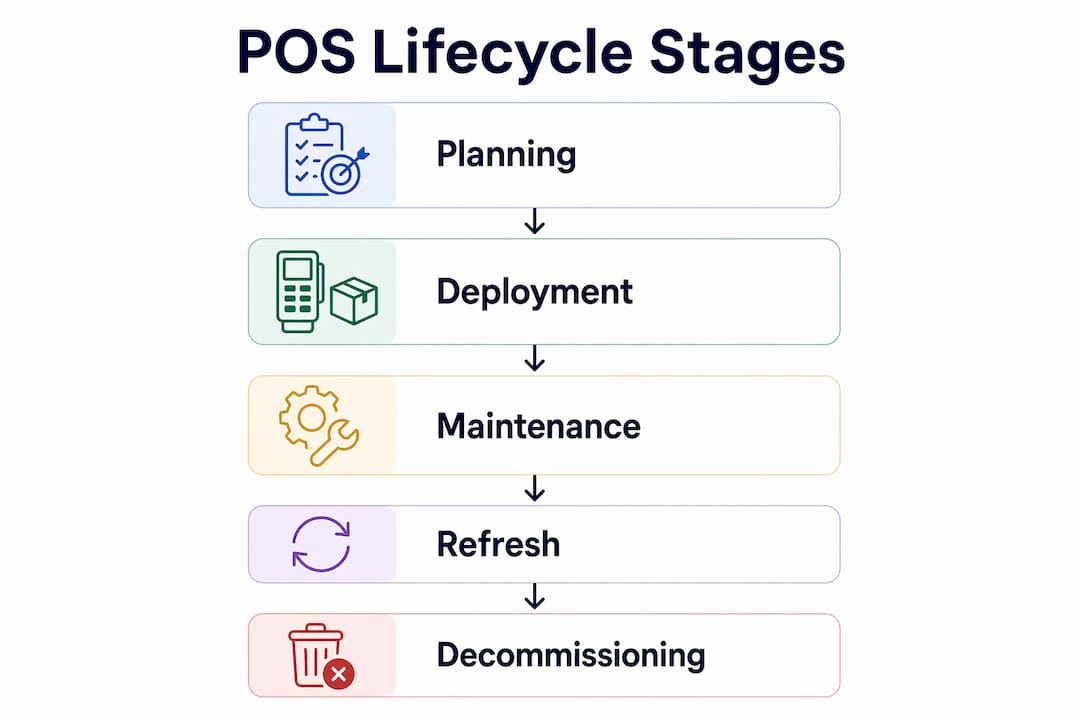
What is the POS lifecycle and its key stages?
The POS system lifecycle covers four distinct phases, each with its own operational demands and compliance considerations.
-
Deployment. This phase covers hardware procurement, staging, software configuration, and installation. Custom POS solution development typically takes four to eight months depending on third-party integrations and rollout scale. That timeline matters for budgeting and project planning, particularly when you are opening new sites or replacing legacy systems across multiple locations.
-
Ongoing maintenance and support. Once deployed, every terminal enters a continuous cycle of software updates, preventative maintenance, and break/fix servicing. Planned preventative maintenance extends terminal life by up to two to three years and reduces replacement costs by up to 25%. That is a significant return on a relatively modest investment in scheduled servicing.
-
Compliance tracking. PCI PTS (Payment Card Industry PIN Transaction Security) certification is time-limited. Every terminal carries an expiry date, and once that date passes, the device must be removed from compliant device lists. Tracking these dates is a non-negotiable part of POS lifecycle management.
-
End-of-life and decommissioning. This phase involves securely wiping payment credentials and customer data, physically retiring hardware, and planning the replacement cycle. Skipping a formal decommissioning process creates data security risks that no retail or hospitality business can afford.
Pro Tip: Record the PCI PTS expiry date for every terminal at the point of installation. This single habit prevents the most common and costly compliance failures.
How does proactive POS lifecycle management reduce costs and risks?
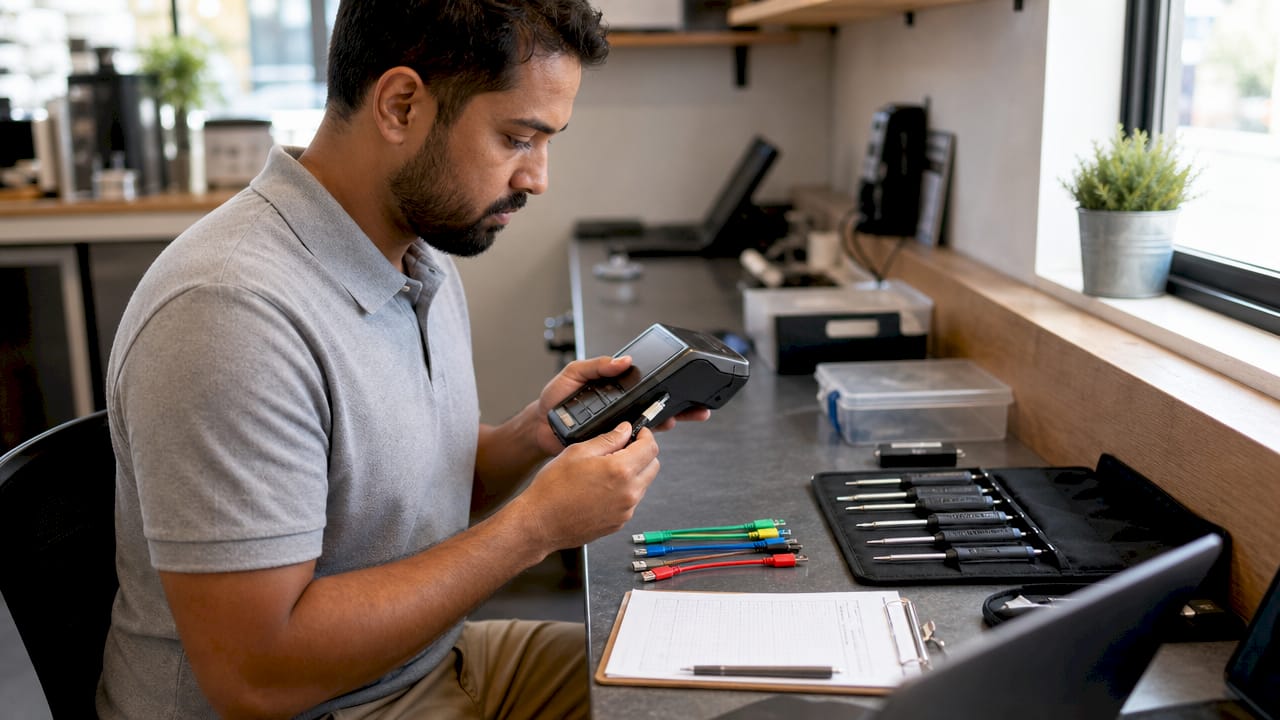
Reactive maintenance is expensive. When a terminal fails unexpectedly during a Friday evening service or a Saturday retail rush, the cost is not just the repair bill. It includes lost sales, staff disruption, and potential compliance exposure if the replacement device is not immediately available.
Planned hardware refresh cycles every four to five years significantly reduce total cost of ownership and operational downtime. The logic is straightforward: hardware failure rates accelerate sharply after the five-year mark, so refreshing before that threshold keeps your estate reliable and your maintenance costs predictable.
Compliance risk is equally manageable with the right approach. Merchants who track PCI PTS expiration 12 to 18 months in advance avoid forced emergency replacements. Emergency replacements are expensive in two ways: the hardware cost itself, and the operational disruption of replacing live terminals under time pressure.
The technology available to support this has also matured considerably. Key benefits of a proactive approach include:
- AI-assisted triage. AI tools reduce technician dispatches and keep POS stations online longer by diagnosing issues remotely before a physical visit is required.
- Remote diagnostics. Screen sharing and health checks allow support teams to resolve software faults without sending an engineer to site.
- Predictable capital expenditure. Lifecycle management turns unpredictable capital costs into planned operational budgets, which makes annual financial planning far more accurate.
- Reduced legacy drift. Ignoring PCI expiry tracking leads to hardware and software incompatibility that makes secure updates impossible, forcing emergency replacements at the worst possible time.
“A mature POS lifecycle approach shifts from reactive repair to proactive revenue protection.” This is not a philosophy. It is a measurable operational outcome when lifecycle governance is applied consistently.
The shift in mindset is from treating your POS estate as a fixed asset to treating it as a managed service with a known lifespan and a planned replacement schedule.
What are best practices for multi-location POS lifecycle management?
Managing POS systems across multiple sites introduces coordination challenges that single-location operators do not face. A café group with 20 sites or a retail chain with 50 stores cannot afford to manage each location in isolation. The multi-store POS management approach requires a structured framework.
Maintain a detailed device inventory
Every device in your estate should be catalogued with its model, firmware version, software configuration, installation date, and PCI PTS expiry date. This is not bureaucracy. Without this data, you cannot plan refreshes, track compliance, or diagnose systemic issues. A spreadsheet works for smaller operators; dedicated device management software is more practical at scale.
Use wave-based rollout strategies
Testing POS configurations in waves with legacy environment integration is critical to avoid operational downtime during multi-site refreshes. A wave-based approach means piloting a new configuration at two or three sites before rolling it out across the full estate. This catches integration failures before they become widespread outages.
| Approach | Risk level | Best suited for |
|---|---|---|
| Full simultaneous rollout | High | Single-site operators only |
| Wave-based rollout | Low | Multi-site retail and hospitality chains |
| Phased by region | Medium | Large estates with regional management structures |
The table above illustrates why wave-based deployment is the standard for any operator running more than a handful of locations.
Build refresh costs into annual budgets
Treating a POS refresh as a surprise capital expense is a planning failure. Continuous device inventory and early PCI expiry tracking avoids scramble costs and emergency procurement. Budget for hardware refresh as a recurring operational line item, not a one-off project. A planned upgrade workflow can reduce downtime by up to 50% compared to unplanned replacements.
Pro Tip: Set a calendar reminder 18 months before each device’s PCI PTS expiry date. This gives you enough time to procure, test, and deploy replacements without operational pressure.
How do modern device management solutions enhance POS lifecycle management?
Cloud-based device management platforms have changed what is operationally possible for POS operators. Cloud-based management enables remote control, diagnostics, and compliance tracking across an entire POS estate from a single interface. For a hospitality group managing terminals across dozens of restaurants, this means a support technician can run a health check on every device in the estate without visiting a single site.
The specific capabilities that matter most for lifecycle management are:
- Remote key injection (RKI). RKI eliminates risks during device shipping and reduces storage costs by enabling encrypted payment credentials to be provisioned remotely. Devices can be shipped directly to site and activated securely without passing through a central staging facility.
- Screen sharing and remote diagnostics. Support teams can see exactly what a terminal operator sees, resolving software faults in minutes rather than scheduling an engineer visit.
- Real-time device location tracking. Knowing where every terminal is at any given time is a PCI compliance requirement for many operators, and it also prevents loss and misallocation of hardware assets.
- Automated compliance alerts. Modern platforms flag approaching PCI PTS expiry dates automatically, removing the reliance on manual tracking and reducing the risk of compliance lapses.
For operators using POS peripherals such as barcode scanners, receipt printers, and customer-facing displays, cloud management platforms can extend the same visibility and control to the full device ecosystem, not just the primary terminal.
The practical result is that manual device security updates without RKI incur unnecessary costs and risks. Operators who have not yet adopted remote management tools are carrying a hidden operational liability that grows as their estate expands.
Key takeaways
Effective POS lifecycle management requires planned refresh cycles, proactive compliance tracking, and cloud-based device management to protect revenue and control costs.
| Point | Details |
|---|---|
| Plan hardware refreshes every 4 to 5 years | Refresh cycles at this interval reduce failures and lower total cost of ownership significantly. |
| Track PCI PTS expiry 12 to 18 months ahead | Early tracking prevents emergency replacements and costly compliance failures. |
| Use wave-based rollouts across multiple sites | Piloting configurations before full deployment avoids systemic downtime during refreshes. |
| Adopt cloud-based device management | Remote diagnostics and RKI reduce engineer dispatches and improve compliance visibility. |
| Budget for refresh as a recurring cost | Treating POS refresh as an ongoing operational cadence removes surprise capital expenditure. |
Why most operators get the POS lifecycle wrong
Most operators I speak with treat their POS estate the way they treat their furniture. They buy it, use it, and only think about replacing it when something breaks. That mindset is the single biggest driver of avoidable costs in retail and hospitality technology.
The operators who manage this well share one habit: they maintain a live device inventory. Not a spreadsheet that was accurate when it was created two years ago, but a genuinely current record of every device, its configuration, and its compliance status. Everything else in lifecycle management flows from that foundation. Without it, you are always reacting.
The compliance piece is where I see the most expensive mistakes. A PCI PTS expiry is not a soft deadline. When a terminal falls off the compliant device list, you cannot process card payments on it. For a busy restaurant or retail store, that is an immediate revenue problem. The operators who track expiry dates 18 months out treat it as a procurement trigger, not a crisis. The ones who do not track it at all discover the problem when a payment processor flags the terminal, usually at the worst possible moment.
Partnering with a lifecycle management provider changes the equation entirely. Rather than managing refresh cycles, compliance calendars, and device inventories yourself, you work with a partner who holds that knowledge and flags issues before they become operational problems. For multi-site operators in particular, that is not a luxury. It is the only scalable approach.
The practical advice I give every operator is this: start with your inventory, set your compliance calendar, and build your next refresh into next year’s budget. Those three steps alone put you ahead of the majority of your peers.
— John
How Ycr supports your POS lifecycle management

Ycr Distribution has supported retail and hospitality operators across the UK for over three decades, supplying POS hardware, software, and integrated solutions from brands including SAM4S and iMin. Whether you are planning a first deployment or managing a multi-site refresh, Ycr offers the hardware and software knowledge to support every stage of the POS lifecycle. Explore the full range of POS hardware options and POS software solutions to find the right fit for your operation. For a clear grounding in the components involved, the POS hardware terminology guide is a practical starting point. Ycr also offers same-day dispatch and next-day delivery, so planned refreshes stay on schedule.
FAQ
What does the POS lifecycle involve?
The POS lifecycle covers the full management of point of sale hardware and software from initial deployment, through ongoing maintenance and compliance tracking, to secure decommissioning and replacement. It is a structured operational process, not a one-off project.
How often should POS hardware be replaced?
Planned hardware refresh cycles every four to five years are the industry standard for reducing failures and controlling total cost of ownership. Replacing hardware before the five-year mark keeps your estate reliable and your maintenance costs predictable.
What is PCI PTS and why does it matter for POS lifecycle management?
PCI PTS (Payment Card Industry PIN Transaction Security) is the certification standard for payment terminals. Once a terminal’s PCI PTS approval expires, it must be removed from compliant device lists and can no longer be used to process card payments legally.
What is remote key injection and how does it help?
Remote key injection (RKI) is a method of provisioning encrypted payment credentials to a terminal without requiring it to pass through a central staging facility. It reduces shipping costs, eliminates security risks during transit, and makes large-scale device deployments significantly more efficient.
How do I manage POS lifecycle across multiple locations?
Maintain a detailed device inventory, use wave-based rollout strategies when deploying updates or new hardware, and build refresh costs into your annual operational budget. Continuous PCI expiry tracking and early procurement planning are the two practices that most reliably prevent costly disruptions across multi-site estates.