- +44 1924 438238
- sales@ycr.co.uk
- Mon - Fri: 8:30 - 16:30

Why upgrade your POS system? Key benefits for UK retailers
Many UK business owners assume upgrading their point of sale system is simply about getting shinier hardware or marginally faster transactions. Yet recent evidence tells a different story: modern POS enhances customer experiences through personalised service, loyalty programmes, and faster checkouts, driving a 15–20% rise in positive online reviews. Beyond customer satisfaction, businesses report dramatic operational gains, from slashing queue times to unlocking deep sales insights. This guide cuts through the hype to show you the real benefits, the hidden risks, and the practical steps for a smooth POS upgrade that delivers measurable returns.
Table of Contents
- What a modern POS system really offers
- Top business benefits of upgrading your POS
- Risks, costs and challenges: What to expect when you upgrade
- Planning your POS upgrade: Steps for a smooth transition
- Find the right POS system and support for your business
- Frequently asked questions
Key Takeaways
| Point | Details |
|---|---|
| Customer experience boost | Modern POS systems can directly improve reviews and loyalty with features like faster checkouts and personalisation. |
| Demonstrable business ROI | Upgrades can mean extra sales, annual cost savings, and notable efficiency gains across your business. |
| Risks can be managed | Common upgrade risks—such as downtime and data loss—are mitigated by careful planning, phased rollouts, and data cleaning. |
| Expert UK-based support matters | Choosing providers with local support and scalable solutions ensures smooth upgrades and ongoing success. |
What a modern POS system really offers
Having set the stage for why POS upgrades are more than technical refreshes, it’s important to clarify what modern systems provide today. Too many retailers still picture a POS as just a till and a receipt printer. In 2026, that view is dangerously outdated. A genuinely modern point of sale solution combines cloud-based management, mobile flexibility, integrated loyalty schemes, and real-time analytics that transform how you run your business.
Here’s what defines a contemporary POS platform:
- Cloud connectivity for instant updates, remote monitoring, and multi-site oversight from any device
- Mobile and tablet support enabling staff to serve customers anywhere on the shop floor or in the dining area
- Loyalty and CRM integration that captures purchase history, automates rewards, and personalises offers
- Advanced reporting and analytics delivering actionable insights on sales trends, stock levels, and staff performance
- Omnichannel capabilities syncing in-store, online, and mobile sales into one unified system
Research confirms that modern POS systems now offer integrated loyalty, real-time updates, and personalisation as standard features. These aren’t luxury add-ons; they’re baseline expectations for competing effectively in retail and hospitality. Understanding the role of POS in retail helps clarify why these features matter so much for customer retention and operational control.
Pro tip: Audit your current POS against this feature list. If you’re missing three or more capabilities, you’re likely leaving revenue and efficiency gains on the table.
One often overlooked advantage is UK-based support. When technical issues arise during peak trading hours, having a provider with local expertise and same-time-zone assistance can mean the difference between a minor hiccup and lost sales. As one retail technology consultant noted:
“Choosing a UK provider isn’t just about convenience. It’s about compliance with local regulations, understanding British business culture, and getting support when you actually need it, not three time zones later.”
Exploring various retail technology examples reveals how integrated systems create competitive advantages that isolated tools simply cannot match.
Top business benefits of upgrading your POS
With a clear view of modern POS features, let’s quantify what businesses actually gain from upgrading. The numbers tell a compelling story. Empirical benchmarks show a 135% increase in mobile POS sales, £3.2M annual savings for major retailers, and 30% reductions in customer wait times. These aren’t theoretical projections; they’re documented outcomes from UK businesses that made the leap.
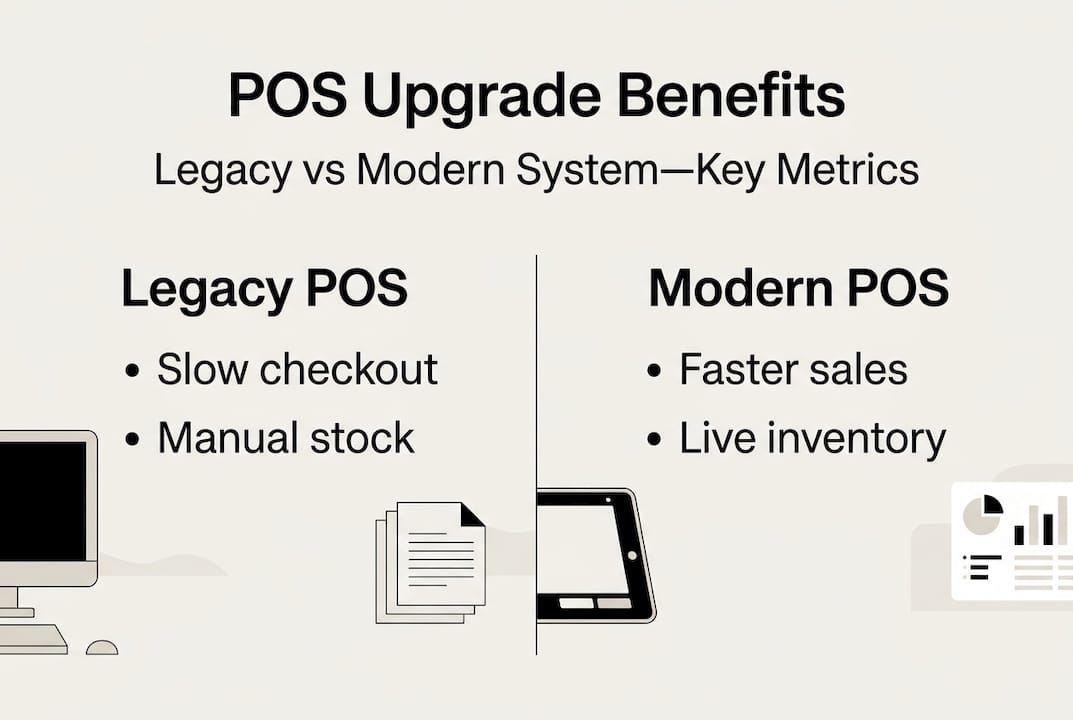
Here’s how legacy systems compare to modern platforms across key performance indicators:
| Metric | Legacy POS | Modern POS | Improvement |
|---|---|---|---|
| Transaction speed | 90–120 seconds | 30–45 seconds | 60% faster |
| Inventory accuracy | 75–85% | 95–99% | 14% gain |
| Customer data capture | Manual/sporadic | Automatic/complete | 100% coverage |
| Staff training time | 2–3 weeks | 3–5 days | 70% reduction |
| System downtime | 8–12 hours/year | 1–2 hours/year | 85% less |
The financial case becomes even stronger when you examine specific benefit categories. A £3.2M savings case study demonstrated how inventory optimisation alone can transform bottom-line results for retailers willing to invest in proper systems.
Top five benefits for retail and hospitality operators:
-
Speed and efficiency – Faster checkouts mean shorter queues, higher customer satisfaction, and the ability to serve more people during peak periods without adding staff.
-
Accuracy and error reduction – Automated pricing, stock tracking, and payment processing eliminate the costly mistakes that plague manual systems.
-
Loyalty programme uptake – Integrated rewards schemes capture customer data at every transaction, driving repeat visits and higher average basket values.
-
Fraud and shrinkage reduction – Real-time monitoring, detailed audit trails, and role-based permissions make it far harder for internal theft or payment fraud to go unnoticed.
-
Actionable business intelligence – Granular sales data, trend analysis, and predictive insights let you make informed decisions about stock, staffing, and promotions rather than guessing.
Each of these benefits compounds over time. The POS system transformation in 2026 reflects how cloud platforms and mobile capabilities have shifted from nice-to-have features to essential competitive tools. Pairing the right software with essential POS hardware creates a foundation for sustainable growth.
Pro tip: When evaluating ROI, look beyond immediate cost savings. Factor in customer lifetime value increases from loyalty programmes and the strategic advantage of having real-time data for decision-making.
Risks, costs and challenges: What to expect when you upgrade
Although the case for upgrading is strong, it’s just as important to know what hurdles you might face. Every technology transition carries risk, and POS upgrades are no exception. The good news is that most challenges are predictable and manageable with proper planning.
Here are the core risks and typical costs you should anticipate:
| Risk/Cost Category | Potential Impact | Mitigation Strategy |
|---|---|---|
| System downtime | Lost sales, frustrated customers | Phased rollout, parallel running |
| Staff training | Productivity dip, resistance | Hands-on sessions, champion users |
| Data migration errors | Inventory discrepancies, lost history | Professional data cleaning, validation |
| Hardware investment | £200–£500 per terminal | Lease options, phased deployment |
| Software licensing | £30–£80/month per location | Annual contracts, scalable plans |
| Integration issues | Disconnected systems | Choose platforms with proven APIs |
UK pricing varies based on business size and complexity, but expect a typical total investment of £2,000–£5,000 for a small to medium retail or hospitality operation. This includes hardware, software setup, data migration, and initial training. Larger multi-site businesses may invest £10,000–£25,000 for comprehensive rollouts.
Research shows that risks include downtime, data migration issues, and upfront hardware and software costs, but phased implementation minimises disruption significantly. Following a structured approach can reduce downtime by up to 50% compared to rushed deployments.
Steps to minimise upgrade risks:
-
Run systems in parallel for at least one week, processing transactions on both old and new platforms to catch discrepancies before going live.
-
Phase the rollout by starting with one location or department, learning from early issues, then expanding to other areas.
-
Clean your data first by removing duplicate records, correcting pricing errors, and archiving obsolete products before migration.
-
Train thoroughly with hands-on practice sessions, not just PowerPoint presentations, and designate super-users who can support colleagues.
-
Schedule strategically by avoiding peak trading periods and allowing extra time buffers for unexpected complications.
Pro tip: Ask potential vendors about their UK-based support structure and guaranteed migration assistance. A provider who offers on-site help during your go-live period is worth paying extra for.
One retail operations director shared this insight:
“We thought we could handle the migration ourselves to save money. Three days of chaos later, we brought in experts. The lesson? Proper planning and professional support aren’t expenses; they’re insurance against far costlier problems.”
Understanding how to choose a POS provider and evaluating different types of POS systems helps you match solutions to your specific risk tolerance and operational needs. The POS upgrade risks you face will vary based on your current setup, but the mitigation strategies remain consistent.
Planning your POS upgrade: Steps for a smooth transition
Understanding both the upside and downside, here’s how to approach an upgrade in a practical, low-risk way. A methodical process transforms what feels like an overwhelming project into manageable phases that your team can execute with confidence.
Sequential steps for a successful POS upgrade:
-
Audit your current needs and pain points by gathering input from staff, reviewing customer complaints, and identifying specific problems your new system must solve.
-
Shortlist vendors and solutions based on your industry, business size, budget, and required features, requesting demonstrations with your actual data and workflows.
-
Plan data migration meticulously by cataloguing what information must transfer, cleaning existing records, and establishing validation checkpoints.
-
Schedule comprehensive staff training with multiple sessions covering different skill levels, plus ongoing support resources for when questions arise post-launch.
-
Trial parallel running by processing real transactions on both systems simultaneously, comparing results daily to catch errors before switching over completely.
-
Execute a phased go-live starting with lower-risk areas or quieter trading periods, expanding coverage as confidence and competence grow.
-
Monitor and optimise by tracking key metrics weekly, gathering staff feedback, and making adjustments to workflows and configurations.
Edge-case risks are minimised with phased and parallel implementations, plus proper staff training that builds genuine competence rather than superficial familiarity.
Must-ask questions for potential vendors:
- What UK-based support do you offer, and what are your response time guarantees?
- How does your system scale as my business grows or adds locations?
- What’s your exact data migration process, and who handles the technical work?
- Can you provide references from similar UK retail or hospitality businesses?
- What happens if we experience technical issues during peak trading hours?
- How do software updates work, and will they disrupt our operations?
- What training resources and ongoing education do you provide?
Pro tip: Clean your product database, customer records, and transaction history before migration. Transferring messy data into a new system just perpetuates old problems and makes future reporting unreliable.
Staff buy-in is absolutely critical to realising return on investment. The most sophisticated POS system delivers no value if your team resists using it or only engages with basic functions. Involve frontline staff early in the selection process, address their concerns genuinely, and celebrate early wins to build momentum.
The Dunelm case study demonstrates how major retailers execute complex technology transformations whilst maintaining operational continuity. Whilst your business may be smaller, the principles of careful planning, stakeholder engagement, and phased implementation apply universally. Learning why to upgrade your POS system provides additional context for making this decision with confidence.
Find the right POS system and support for your business
Armed with knowledge and a plan, here’s where to find further support and begin your upgrade process. The difference between a successful POS transformation and a frustrating false start often comes down to choosing the right partner and products for your specific situation.

Whether you operate a bustling restaurant, a multi-location retail chain, or a neighbourhood shop, matching your needs to the right technology requires expertise. Exploring comprehensive POS software solutions reveals how different platforms address specific industry challenges, from table management in hospitality to inventory control in retail. Pairing software with appropriate POS hardware options ensures your system performs reliably under real-world conditions.
UK-based support makes a tangible difference when technical issues arise or you need guidance on optimising your setup. Having access to experts who understand British business regulations, trading patterns, and customer expectations streamlines troubleshooting and strategic planning. If you’re uncertain about technical specifications or compatibility, a detailed hardware terminology guide clarifies what different components do and why they matter.
Every business faces unique challenges, from seasonal demand fluctuations to complex inventory requirements. Custom migration planning accounts for your specific data structure, integration needs, and operational constraints. Reaching out to discuss your situation with knowledgeable advisors helps identify potential issues before they become costly problems and ensures your upgrade timeline aligns with business realities.
Frequently asked questions
How often should I upgrade my POS system in the UK?
Most UK businesses see best results by reviewing and upgrading POS systems every 5–7 years or when major compliance or feature shifts occur. Upgrading every few years maximises new features and compliance with evolving regulations.
What downtime should I expect when upgrading my POS system?
Phased implementation can reduce downtime by up to 50%, with most upgrades handled without interrupting store operations. Proper planning and parallel running eliminate the need for extended closures.
Are POS upgrades really worth the cost?
Yes, data shows gains like 135% extra mobile sales, up to £3.2M savings, and a 15–20% rise in positive reviews post-upgrade. The return on investment typically materialises within 12–18 months for most businesses.
What’s the biggest risk in upgrading a POS system?
Data migration errors and unplanned downtime are main risks to watch, but can be minimised with methodical planning and staff training. Professional migration support and parallel running eliminate most serious complications.