
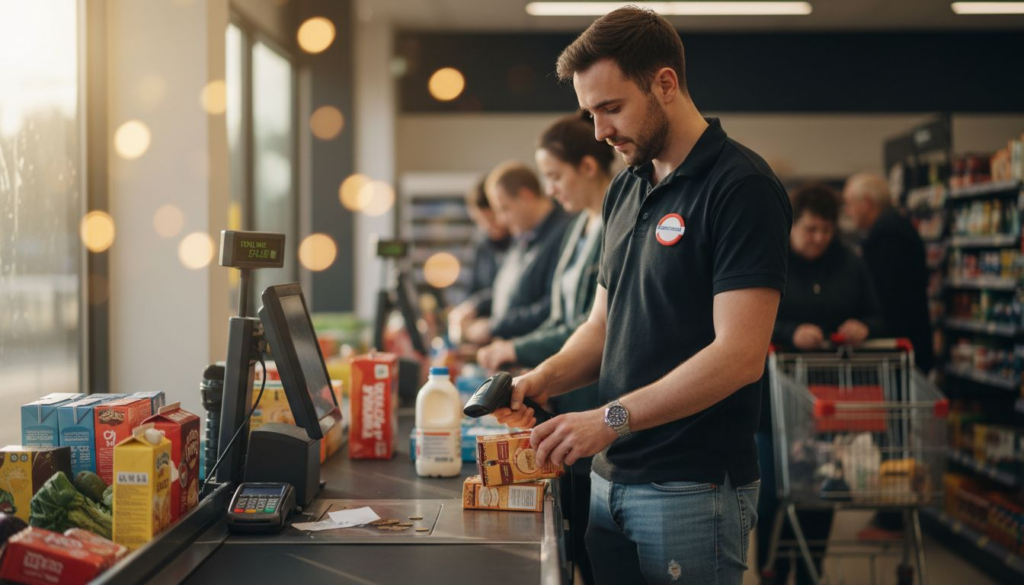
Barcode scanners reduce inventory errors by up to 90%, transforming stock management for UK retail and hospitality businesses. These devices automate data capture at checkouts and stockrooms, eliminating manual entry mistakes whilst accelerating transactions. For business owners evaluating operational upgrades, barcode scanning offers measurable improvements in accuracy, speed, and customer satisfaction. This guide explores how modern scanners integrate with POS systems to streamline workflows and deliver rapid returns on investment.
Table of Contents
- Introduction To Barcode Scanners And Their Role In Business
- How Barcode Scanners Improve Inventory Management Accuracy
- Enhancing Point Of Sale Speed And Customer Experience With Barcode Scanning
- Common Misconceptions About Barcode Scanners
- Comparing Types Of Barcode Scanners For Retail And Hospitality Needs
- Integrating Barcode Scanners With Pos Systems And Software
- Practical Steps To Implement Barcode Scanning In Your Business
- Conclusion: The Business Case For Barcode Scanners In Uk Retail And Hospitality
- Explore Barcode Scanning Solutions With Ycr Distribution
Key takeaways
| Point | Details |
|---|---|
| Inventory accuracy | Barcode scanners eliminate manual entry errors, reducing stock discrepancies by up to 90% compared to traditional methods. |
| Transaction speed | Automated scanning cuts checkout time by approximately 40%, shortening queues and improving customer experience. |
| Affordability | Modern scanners are designed for small UK businesses with cost-effective models delivering ROI within one year. |
| POS integration | Seamless connection with existing systems enables real-time inventory updates and automated reporting. |
| Flexible options | Wired, wireless, handheld, and fixed-mount scanners suit different retail and hospitality environments. |
Introduction to barcode scanners and their role in business
Barcode scanners are electronic devices that read printed barcodes and convert visual patterns into digital data. When you scan a product label, the device captures information like product codes, prices, and stock quantities, then transmits this data to your POS terminal or inventory system. This automation replaces manual data entry, which often causes mistakes that lead to incorrect pricing, stock miscounts, and frustrated customers.
Benefits of barcode technology in retail and hospitality span multiple operational areas. In UK retail stores, scanners speed up checkout whilst maintaining pricing accuracy. Restaurants use them for ingredient tracking and stock rotation. Hotels deploy scanners for minibar management and housekeeping supply control. Each application reduces human error and creates audit trails for compliance.
Operational efficiency determines survival in competitive UK retail and hospitality sectors. Rising labour costs and customer expectations for quick service make every second count. Barcode scanners deliver measurable improvements: faster transactions mean shorter queues, accurate inventory prevents lost sales from stockouts, and automated data capture frees staff for customer interaction. Modern POS solutions for hospitality integrate scanners as core components, creating unified systems that handle sales, inventory, and reporting through one interface.
Key advantages include:
- Instant product identification without memorising codes or searching databases
- Automatic price lookup preventing manual entry mistakes at checkout
- Real-time inventory updates whenever items are sold or received
- Detailed transaction logs supporting financial reconciliation and compliance
How barcode scanners improve inventory management accuracy
Manual stock counting introduces errors at multiple points. Staff misread handwritten notes, transpose digits when entering data, or lose concentration during repetitive counting tasks. These mistakes compound over time, creating discrepancies between actual stock and system records. You might think you have 50 units when reality shows 38, leading to disappointed customers and lost sales.

Inventory error reduction via barcode scanning happens because machines read patterns consistently. When receiving stock, staff scan barcodes on delivery boxes to automatically update quantities. During stocktakes, they walk aisles scanning shelf labels to verify counts. At point of sale, each scanned item instantly decrements inventory. This continuous automation maintains accurate records without manual calculations.
The business impact extends beyond accuracy. Fewer stockouts mean you capture sales instead of turning customers away. Reduced overstocks free working capital and storage space. Accurate data enables smarter ordering based on actual consumption patterns rather than guesswork. You can identify slow-moving items quickly and adjust purchasing before excess stock ties up funds.
Cost management improves when you trust your inventory data. Ordering becomes predictable, preventing emergency purchases at premium prices. Shrinkage from theft or spoilage becomes visible through variance reports. Audit preparation simplifies because scanned records provide detailed transaction histories. For businesses managing hundreds of SKUs, these benefits translate to thousands of pounds in annual savings.
Pro tip: Schedule monthly spot checks where staff scan random product samples and compare results against system records, catching discrepancies before they grow large.
Practical benefits include:
- Elimination of transcription errors from manual data entry
- Instant visibility of stock levels across multiple locations
- Automated reorder alerts when quantities fall below thresholds
- Audit trails showing exactly when and where stock moved
Explore comprehensive barcode scanners designed for UK retail and hospitality environments.
Enhancing point of sale speed and customer experience with barcode scanning
Manual checkout processes create frustration. Cashiers type product codes from memory or search paper catalogues, making mistakes that require void transactions and manager approvals. Customers wait whilst staff hunt for prices, watching queues lengthen behind them. During peak periods, these delays multiply, driving shoppers to competitors with faster service.
POS transaction speed improvement with barcode scanners reaches approximately 40% because automation eliminates manual steps. The checkout transformation happens through three stages:
- Staff scan items in seconds rather than typing codes manually
- Systems retrieve prices instantly from central databases
- Transactions complete quickly, keeping queues moving efficiently
Customer satisfaction improves measurably when service speeds up. Shorter waits reduce abandonment, particularly during lunch rushes or evening peaks. Accurate scanning prevents pricing disputes at checkout. Staff engage with customers instead of fumbling with keyboards. These improvements drive repeat business and positive online reviews.
One Birmingham retailer reported immediate benefits after implementing barcode scanning:
“Queue lengths dropped by half during Saturday peaks. Staff processed twice as many transactions per hour whilst making fewer mistakes. Customer complaints about wait times disappeared within the first month.”
Faster transactions also benefit staff. Reduced stress from handling queues improves morale. Training new employees becomes simpler because scanning requires less memorisation than manual systems. Error rates drop, eliminating the embarrassment and time waste of voiding incorrect entries. These factors combine to create better working conditions whilst delivering superior customer experiences.
Modern POS hardware for retail success integrates scanners with terminals, payment devices, and receipt printers for seamless workflows.
Common misconceptions about barcode scanners
Many UK business owners avoid barcode scanners based on outdated assumptions. The belief that scanners cost thousands of pounds and require specialist installation deters small retailers and independent cafes. Reality shows modern barcode scanners for SMEs start under £100 for entry-level models suitable for boutiques and takeaways. Wireless options add mobility without premium pricing.
The complexity myth persists despite modern scanners being plug-and-play devices. Today’s models connect via USB or Bluetooth, requiring no technical expertise beyond basic computer skills. Most systems recognise scanners automatically, like connecting a mouse. Staff training takes minutes rather than days because pointing and clicking a trigger requires minimal instruction.
Small business suitability concerns ignore how manufacturers specifically design compact, affordable scanners for independent retailers. These devices handle the same barcode standards as enterprise equipment whilst fitting counter spaces and budgets. Battery-powered wireless models suit market stalls and pop-up shops. Rugged designs withstand demanding hospitality environments.
Return on investment calculations reveal surprising speed. Consider a shop spending 2 hours daily on manual stocktakes at £12 per hour. That’s £24 daily or £8,760 annually in labour costs. A £200 scanner eliminating most manual counting pays for itself within weeks. Add reduced pricing errors, faster checkouts, and prevented stockouts, and ROI often arrives within one year.
Key realities about modern barcode scanning:
- Entry-level scanners cost less than a week’s worth of inventory shrinkage
- Setup takes minutes with standard computer connections
- Training requires demonstrating point, scan, verify sequence
- Compatibility with existing POS systems is standard across most models
Comparing types of barcode scanners for retail and hospitality needs
Choosing the right scanner type depends on your operational environment and workflow patterns. Comparison of barcode scanner types helps match device capabilities to business requirements. Four main categories dominate UK retail and hospitality markets.
Wired scanners connect directly to POS terminals via USB cables. They cost less than wireless alternatives because they lack batteries and radio components. Reliability stays high because wired connections avoid interference issues. These suit fixed checkout counters in shops and restaurant tills where scanners remain stationary. Cable length limits mobility but ensures the device is always ready without charging concerns.
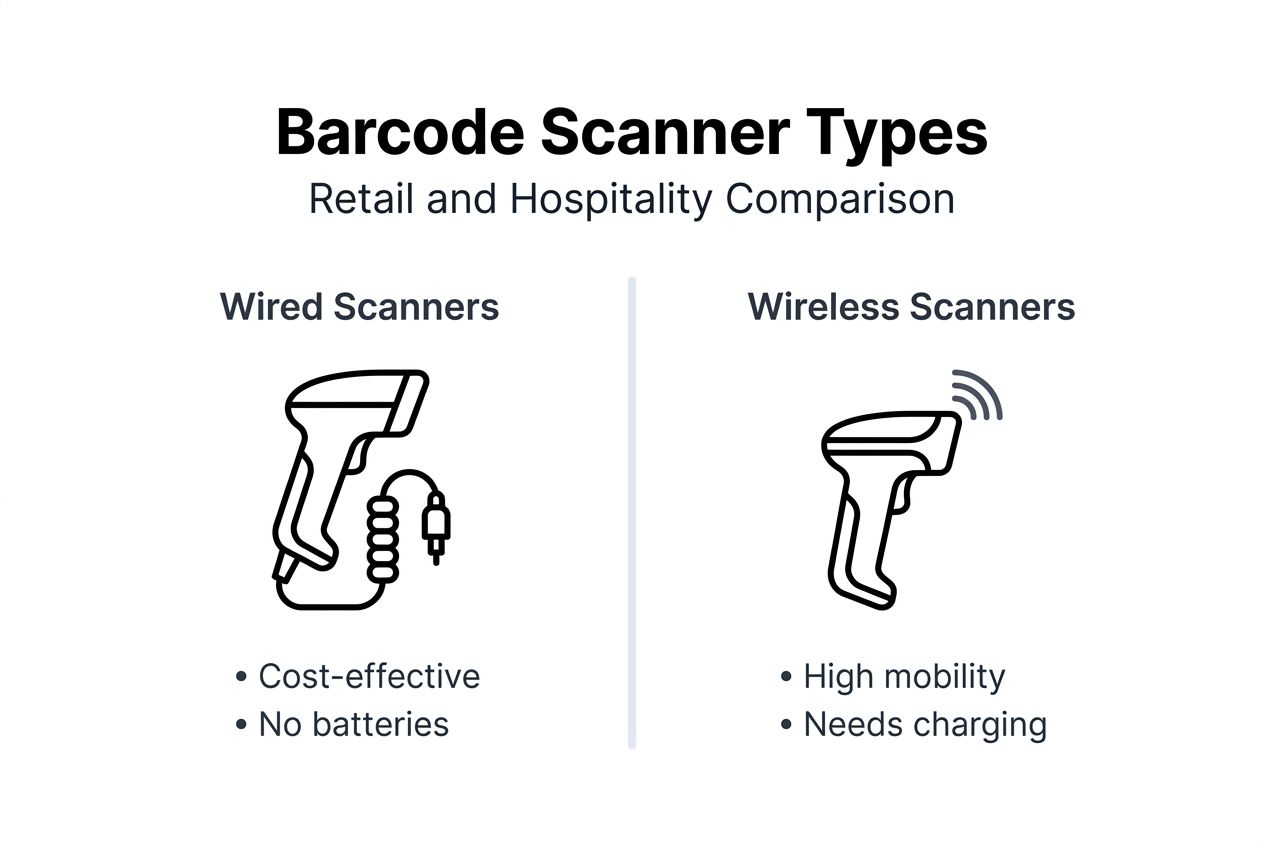
Wireless scanners use Bluetooth or proprietary radio frequencies to transmit scans without physical connections. Staff can walk around shops scanning items for click-and-collect orders or conduct stocktakes in storage areas. Battery operation requires regular charging but enables flexible workflows. These excel in larger retail spaces, warehouse receiving areas, and hospitality venues with table service.
Handheld scanners are portable devices staff hold and trigger manually. They work equally well for checkout scanning and inventory management. Ergonomic designs reduce hand fatigue during extended use. Most models read both 1D barcodes (traditional lines) and 2D codes (QR codes), supporting modern product labelling. Versatility makes these the most popular choice for small to medium UK businesses.
Fixed-mount scanners sit permanently in position, reading barcodes as items pass beneath them. Staff place products in front of the scanner rather than pointing a handheld device. This hands-free operation suits high-volume checkouts in supermarkets and petrol stations. Installation costs more but throughput improves when staff can use both hands for bagging items.
| Scanner Type | Best For | Key Advantage | Consideration |
|---|---|---|---|
| Wired handheld | Fixed checkouts, small shops | Low cost, always ready | Limited mobility |
| Wireless handheld | Stockrooms, large retail floors | Movement freedom | Requires charging |
| Fixed-mount | High-volume tills | Hands-free operation | Higher initial cost |
| Mobile device | Pop-ups, deliveries | Uses existing hardware | Requires specialist apps |
Pro tip: Test scanner types in your actual environment before committing, as lighting conditions and counter layouts significantly affect usability.
Explore trade barcode scanners and specialist models like the Imin X1-201 barcode scanner designed for demanding retail conditions.
Integrating barcode scanners with POS systems and software
Successful scanner deployment requires confirming compatibility with your existing technology infrastructure. Most modern POS systems accept standard USB or Bluetooth scanners without specialist software. However, older terminals or custom software may need configuration updates. Check manufacturer specifications before purchasing to avoid incompatible devices gathering dust.
Integration benefits of barcode scanners with POS appear when data flows automatically between hardware and software. When staff scan an item at checkout, the barcode number travels to your POS software, which retrieves product information from inventory databases. The system displays the item name and price, adds it to the transaction, and decrements stock quantities simultaneously. This automation eliminates manual price lookups and data entry mistakes.
Real-time stock updates prevent the embarrassment of selling items you don’t actually have. When your last unit sells, the system immediately marks it out of stock, preventing further sales until replenishment. For online businesses managing both physical shops and websites, integrated scanning keeps all channels synchronised. You avoid overselling and the resulting customer disappointment.
Detailed reporting becomes possible when every scan creates a database record. You can analyse which products sell fastest, identify peak transaction times, and track individual staff performance. These insights support better purchasing decisions, optimal staffing schedules, and targeted promotions. Financial reconciliation simplifies because transaction logs match exactly with scanned items.
Integration checklist for smooth deployment:
- Verify scanner interface matches available POS terminal ports
- Confirm barcode format compatibility with your product labels
- Test scanning speed under realistic transaction volumes
- Train staff on error handling when barcodes fail to scan
- Establish backup procedures for scanner malfunctions during trading
Explore comprehensive barcode scanners and compatible POS software for integrated retail and hospitality solutions.
Practical steps to implement barcode scanning in your business
Successful adoption starts with identifying specific problems barcode scanning will solve. Walk through your current processes noting where staff manually enter data, make mistakes, or waste time searching for information. Prioritise the most painful bottlenecks whether that’s slow checkouts, inaccurate stocktakes, or pricing errors. This assessment helps justify investment and measure success.
Choosing appropriate scanner types requires matching hardware to your operational environment. Consider these factors:
- Assess your physical space and determine if staff need mobility or fixed-position scanning suffices
- Evaluate transaction volumes to ensure scanner speed matches peak demand
- Review your product types confirming scanner models read your barcode formats
- Calculate budget including scanners, potential software updates, and training time
- Plan integration verifying compatibility with existing POS terminals and inventory systems
- Develop training materials with clear instructions, troubleshooting guides, and support contacts
- Implement gradually starting with one location or department before full rollout
- Monitor results tracking error rates, transaction times, and staff feedback
Best practices for barcode scanner implementation emphasise thorough training and ongoing monitoring. Schedule hands-on sessions where staff practise scanning, handle common errors, and ask questions. Create quick-reference cards covering basic operation and troubleshooting. Assign scanner champions who become expert users supporting colleagues during the transition.
Pro tip: Involve frontline staff in scanner selection by letting them test models before purchase, ensuring chosen devices suit their actual workflows and hand sizes.
Regular performance reviews identify opportunities for improvement. Track metrics like scans per hour, error rates, and customer wait times. Compare results against pre-implementation baselines to quantify benefits. Adjust processes based on staff feedback, addressing frustrations before they undermine adoption. Continuous refinement maximises your investment value.
Review the comprehensive POS hardware checklist for complete system planning guidance.
Conclusion: the business case for barcode scanners in UK retail and hospitality
Barcode scanners deliver measurable improvements across critical business operations. Inventory accuracy increases dramatically, virtually eliminating the stock discrepancies that cause lost sales and excess ordering costs. Transaction speed improvements create better customer experiences through shorter queues and faster service. Operational efficiency gains free staff time for value-adding activities rather than manual data entry.
The financial case strengthens when you calculate cumulative benefits. Reduced errors prevent revenue leakage from pricing mistakes and shrinkage. Faster checkouts increase transaction capacity without additional staff. Accurate inventory optimises working capital by preventing overstocking. Most UK businesses achieve positive ROI within the first year, with ongoing benefits compounding over time.
Modern technology accessibility removes previous barriers. Affordable pricing brings enterprise-grade scanning to small businesses. Simple installation and minimal training requirements mean you can deploy scanners quickly without disrupting operations. Integration with existing POS systems protects previous technology investments whilst adding new capabilities.
The competitive advantage from barcode scanning grows as customer expectations evolve. Shoppers increasingly value speed and accuracy, abandoning businesses with slow, error-prone service. Implementing reliable scanning technology positions your business to meet these expectations whilst controlling costs. For UK retail and hospitality operators evaluating operational upgrades, barcode scanners represent proven technology delivering immediate, measurable value.
Explore barcode scanning solutions with YCR Distribution
Upgrading your operations with reliable barcode scanning starts with choosing the right hardware partner. YCR Distribution supplies comprehensive barcode scanners at YCR Distribution specifically selected for UK retail and hospitality environments. Our range includes wired and wireless handheld models, fixed-mount scanners, and rugged devices for demanding conditions.

Complete POS solutions combine scanners with compatible terminals, software, and accessories for seamless integration. Our expert team helps you select appropriate devices matching your operational requirements and budget. We provide POS hardware range from trusted manufacturers including SAM4S and iMin, backed by technical support and next-day delivery across the UK. Explore our POS software solutions including SAMTOUCH and EZEEPOS designed specifically for hospitality and retail workflows.
Frequently asked questions
What types of barcode scanners best suit small UK retail businesses?
Compact handheld wireless scanners often offer the best balance of mobility and cost-effectiveness for small UK retailers. These models support flexible use during inventory management and at the point of sale.
How quickly can I expect a return on investment after adopting barcode scanners?
Many UK businesses see positive ROI within one year due to reduced errors and faster transaction times enhancing profits. Effective training and integration accelerate ROI realisation.
Can barcode scanners integrate with my existing POS system?
Compatibility depends on your POS hardware and software; many scanners support standard interfaces for easy integration. It’s essential to check with vendors or consult product specifications before purchase. Review compatible barcode scanners for your system.
What training is needed for staff to use barcode scanners effectively?
Training is typically brief, focusing on scanner operation and workflow changes. Regular refreshers and quick-reference guides help maintain proficiency and reduce errors.