
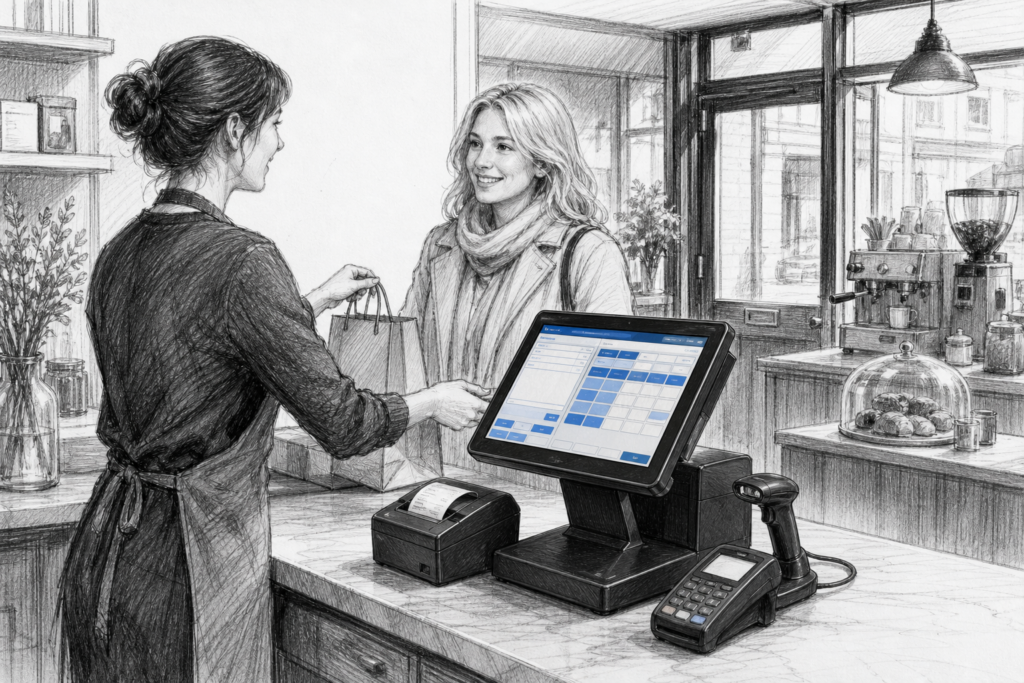
For many UK retailers and hospitality operators, a Windows POS terminal remains a practical choice when the priority is compatibility, serviceability and continuity. While Android devices and mobile-first systems have grown quickly, Windows-based point-of-sale hardware still has an important place in shops, cafés, restaurants, garden centres and multi-site businesses that rely on established EPOS software.
The reason is simple: for a lot of businesses, the point of sale is not just a cash register replacement. It is the operational hub for orders, payments, reporting, stock handling and staff control. If existing software has been built around Windows, or if a dealer needs to support a customer across several locations, choosing the right Windows POS hardware can make installation and long-term support much easier.
Where Windows POS still fits best
Windows POS is often chosen when a business wants the familiarity of a PC-based environment but in a format designed for the checkout counter. Unlike a standard office computer, a proper POS terminal is built for front-of-house use, with a touchscreen interface, compact footprint and hardware intended for constant day-to-day operation.
That makes it suitable for a wide range of environments:
- independent retailers that need a reliable checkout workstation
- restaurants and cafés using established EPOS software
- pubs and bars where tills must support fast order entry
- multi-site operators looking to standardise hardware across branches
- EPOS resellers and installers who want a well-defined supportable platform
For businesses that have already invested in Windows-based software, moving to an entirely different platform is not always the most efficient route. In those cases, replacing ageing hardware with a purpose-built terminal can be the most sensible upgrade.
Why purpose-built hardware matters
A common mistake is to assume that any small PC can act as a POS terminal. In practice, a commercial POS device is designed around the realities of retail and hospitality. It needs to sit neatly on a counter, be easy for staff to use, and cope with repeated daily interaction without turning the checkout into a maintenance problem.
Well-chosen POS hardware can help in several ways:
- touch operation reduces reliance on mouse and keyboard input
- compact designs free up space at busy till points
- commercial construction supports more dependable daily use
- standard hardware makes spares and replacement planning easier
- consistent layouts help staff move between sites or counters
For installers, that consistency is especially important. When the terminal family is stable and supportable, it becomes easier to plan peripherals, customer displays, printers and service processes around it.
Choosing a Windows POS terminal for a new or existing EPOS setup
When selecting a Windows POS terminal, the starting point should be the work the device has to do. A small convenience store may need a straightforward till for scanning and receipts, while a busy restaurant may need a terminal that can handle front-of-house ordering and multiple connected devices.
Useful questions to ask include:
- Will the terminal be used for retail tills, hospitality ordering or both?
- Does the current EPOS software require Windows?
- Will the terminal need to connect to a receipt printer, customer display or scanner?
- Is the site planning a single till or a wider estate of similar systems?
- How important is future replacement and service support?
These questions matter because the best POS terminal is rarely the one with the longest list of features. It is usually the one that is easiest to deploy, support and maintain across the life of the installation.
Windows POS versus a consumer device
Some businesses are tempted to use a consumer tablet or standard desktop computer because it appears simpler on paper. However, a commercial Windows POS terminal is usually better aligned with the demands of the checkout environment. It is built for fixed installation, regular operator touch input and straightforward peripheral integration.
That is important in the UK point of sale market, where downtime at the till quickly affects service levels. A device that is awkward to mount, difficult to clean around or poorly matched to the software can create problems for staff and customers alike. A proper terminal can also help an EPOS reseller or installer maintain a cleaner, more professional standard across multiple sites.
Supportability and replacement planning
Another reason Windows POS continues to matter is supportability. Many businesses do not replace every device at once; instead, they upgrade in stages. That means a reseller or distributor needs to be able to recommend hardware that fits into a wider support model rather than a one-off purchase.
For example, a retailer may need to refresh one till first and then roll out the same terminal family across several branches later. A hospitality operator may need a temporary replacement for a failing front-of-house unit while keeping the rest of the site consistent. In both cases, easy access to product knowledge and UK-based support can save time and reduce disruption.
This is where YCR Distribution is relevant to dealers, installers and business owners. As a UK point-of-sale distributor, YCR works with EPOS professionals who need practical hardware advice rather than generic computer equipment. The company’s approved store collections are a useful starting point for exploring suitable Windows POS terminals and related hardware, including printers and peripherals where needed.
Planning the full checkout setup
A Windows POS terminal rarely works alone. In most installations it sits alongside a receipt printer, scanner, cash drawer or customer-facing display. Thinking about the whole counter setup early in the project can prevent compatibility headaches and make the final installation faster.
That process is especially helpful when a business is upgrading older EPOS equipment. Instead of replacing everything at once, a well-planned transition can preserve existing peripherals where appropriate and focus budget and effort on the devices that matter most. For resellers, that creates an opportunity to recommend a complete but sensible upgrade path.
If you are reviewing hardware for a new installation or planning to replace ageing till equipment, Windows POS remains a serious option in the UK market. It offers a familiar software environment, clear support advantages and the sort of commercial form factor many businesses still need.
For more information about point-of-sale hardware and EPOS solutions, contact YCR Distribution on 01924 438238 or visit www.ycr.co.uk.